Original Industrial Spare Part
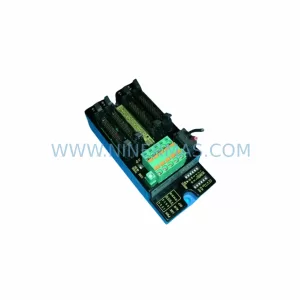
YOKOGAWA F3NC04-OZ Service-Ready Spare Part for Industrial Maintenance
Verify the part, confirm the platform family, and move straight into quotation with the right commercial details.
RFQ Ready
- SKUF3NC04-OZ
- CategoryDCS Distributed Control Systems
- BrandYokogawa
- SupportAvailability, lead time, condition, and shipping coordination
How Buyers Usually Use This Page
- Confirm the exact part number and platform family before sending the quote request.
- Use direct email when quantity, condition, and destination are already defined internally.
- Switch to the broader brand or category archive when you need alternates nearby.
Series Navigation
Move through the most common platform families behind this part.
Product RFQ
Send this part directly for quotation.
Include quantity, required condition, destination country, and target delivery timing. Current reference: YOKOGAWA F3NC04-OZ Service-Ready Spare Part for Industrial Maintenance with SKU F3NC04-OZ.
YOKOGAWA F3NC04-OZ Service-Ready Spare Part for Industrial Maintenance
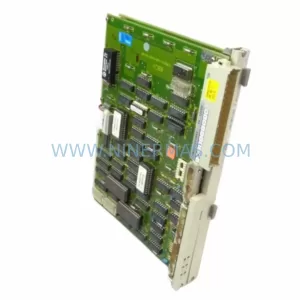
The YOKOGAWA F3NC04-OZ is a high-performance position module designed for the FA-M3 series programmable controller platform — one of YOKOGAWA’s most widely deployed process and discrete automation architectures. As a service-ready spare part, the F3NC04-OZ is stocked, pre-tested, and available for immediate dispatch to support emergency replacement, planned annual maintenance, and long-term spare parts inventory programs across manufacturing, petrochemical, power generation, and infrastructure facilities.
Unplanned downtime caused by a failed position module can halt an entire production line within minutes. The F3NC04-OZ addresses this risk directly: it provides precise encoder input processing and position feedback for servo and stepper-driven axes, enabling accurate motion control in high-cycle industrial environments. Whether you are managing a conveyor positioning system, a robotic arm interface, or a precision cutting machine, the F3NC04-OZ delivers the signal integrity and response speed required for continuous operation.
Every unit shipped by NINERMAS undergoes pre-shipment functional verification, including encoder channel continuity checks, I/O signal response testing, and firmware compatibility confirmation. This ensures that the module arrives ready for direct installation without additional bench testing on-site — reducing mean time to repair (MTTR) and minimizing production loss during critical maintenance windows.
Spare Maintenance Table
| Parameter | Specification / Detail |
|---|---|
| Part Number / SKU | F3NC04-OZ |
| Brand | YOKOGAWA |
| Series | FA-M3 (FACTORY ACE) |
| Module Type | Position Module (NC / Motion Control) |
| Controlled Axes | Up to 4 axes |
| Encoder Input | Incremental encoder (A/B/Z phase) |
| Control Interface | FA-M3 backplane bus |
| Power Supply | Supplied via FA-M3 base unit backplane |
| Operating Temperature | 0°C to 55°C |
| Storage Temperature | -20°C to 70°C |
| Humidity | 10% to 90% RH (non-condensing) |
| Mounting | FA-M3 base unit slot (standard module form factor) |
| Compatibility | FA-M3 F3SP series CPU modules; compatible base units F3BU04-0N, F3BU08-0N, F3BU16-0N |
| Origin | Japan |
| Condition | Original, tested, service-ready |
| Pre-Shipment Test | Functional verification completed |
| Warranty | 12 Months from shipment date |
| Lead Time | In stock — ships within 1–3 business days |
| Long-Term Supply | Available under blanket order and stock-commitment programs |
Maintenance Planning for Continuous Operation
When replacing the F3NC04-OZ in an FA-M3 control cabinet, a thorough maintenance inspection of the surrounding system is essential to prevent repeat failures and ensure full system restoration. Maintenance engineers should treat the module replacement as an opportunity to audit the entire motion control loop and associated electrical infrastructure.
Begin with the FA-M3 base unit and backplane — inspect the slot connector for oxidation, bent pins, or mechanical damage before seating the new F3NC04-OZ. A damaged backplane connector is a common root cause of intermittent module faults that are often misdiagnosed as module failure. If the base unit is an older F3BU04-0N or F3BU08-0N, verify that the backplane bus is clean and that all adjacent modules are firmly seated.
The F3SP series CPU module (such as the F3SP28-3N, F3SP38-6N, or F3SP58-6S) should be checked for firmware version compatibility with the F3NC04-OZ. Mismatched firmware can cause axis initialization errors or position data corruption after module swap. Confirm the CPU ladder program references the correct module slot address before powering up.
Inspect the power supply module — typically an F3PU series unit such as the F3PU20-0S or F3PU30-0S — for output voltage stability. A degraded power supply delivering marginal 5 VDC or 24 VDC to the backplane is a frequent contributor to position module faults. Measure output under load before and after replacement.
Review the encoder wiring and shielding connected to the F3NC04-OZ encoder input terminals. Damaged cable shielding, loose terminal connections, or excessive cable length without proper impedance matching can introduce noise into the A/B/Z phase signals, causing position count errors. Replace any degraded encoder cables and verify terminal torque on the I/O connector block.
Check the servo amplifier or drive unit interfacing with the F3NC04-OZ. In many FA-M3 motion control applications, the position module communicates with a servo amplifier (such as a YASKAWA Sigma series or equivalent) via pulse train output or analog command signals. Verify drive parameter settings, especially electronic gear ratio and encoder resolution, match the FA-M3 axis configuration.
For systems using digital I/O modules (such as F3XD series input modules or F3YD series output modules) for home position sensors, limit switches, or origin return signals, inspect these modules for contact wear or signal degradation. A faulty limit switch input can prevent the axis from completing its homing sequence after module replacement.
If the control cabinet includes communication modules such as the F3LC series (Ethernet) or F3LE series (serial link), verify that the network configuration and module slot assignments are correctly reflected in the CPU program after any hardware changes. Slot reassignment errors are a common post-maintenance fault in FA-M3 systems.
Finally, inspect terminal blocks, fuse holders, and surge protection devices in the encoder signal circuit and 24 VDC control power circuit. Blown fuses or degraded surge suppressors in the encoder input circuit can cause the F3NC04-OZ to report position errors even when the module itself is functioning correctly. Replace any suspect protective components as part of the maintenance cycle.
Site Replacement Workflow
Step 1 — Pre-Replacement Documentation: Before removing the existing module, record the current axis position data, program slot assignments, and any active fault codes from the FA-M3 CPU. Take a photograph of the wiring connections on the F3NC04-OZ I/O connector for reference during reinstallation.
Step 2 — Safe Isolation: Place the FA-M3 CPU in STOP mode and isolate the 24 VDC control power to the base unit. Do not remove the module under power — the FA-M3 backplane does not support hot-swap for position modules. Confirm power isolation with a multimeter before proceeding.
Step 3 — Module Removal: Release the module locking lever and slide the F3NC04-OZ out of the base unit slot. Inspect the slot connector on the backplane for damage before inserting the replacement unit.
Step 4 — Replacement Installation: Insert the new F3NC04-OZ into the same slot position. Ensure the module is fully seated and the locking lever is engaged. Reconnect the encoder cable connector and verify terminal tightness on all signal wires.
Step 5 — Power-Up and Verification: Restore 24 VDC control power and switch the CPU to RUN mode. Monitor the axis status in the FA-M3 engineering tool (Wide Field 3 or ToolBox) to confirm the position module is recognized, encoder feedback is active, and no fault codes are present. Perform a manual jog or homing cycle to verify axis movement and position accuracy before returning the system to automatic operation.
Step 6 — System Handover: Document the replacement in the maintenance log, including the new module serial number, installation date, and post-replacement test results. Update the spare parts inventory to reflect the consumed unit and initiate a reorder to maintain minimum stock levels.
Spare Parts Support FAQ
Q1: Is the F3NC04-OZ a direct drop-in replacement for the existing module in my FA-M3 system?
Yes. The F3NC04-OZ is designed as a slot-compatible replacement for FA-M3 base units. No hardware modification is required. However, always verify that the CPU firmware version supports the F3NC04-OZ and that the ladder program slot address matches the physical installation slot before powering up.
Q2: What pre-shipment testing is performed on each F3NC04-OZ unit?
Every F3NC04-OZ shipped by NINERMAS undergoes functional verification including encoder channel signal testing, backplane interface continuity checks, and power consumption measurement. A test report is available upon request. Units that do not pass verification are not shipped.
Q3: What does the 12-month warranty cover, and how is a warranty claim processed?
The 12-month warranty covers manufacturing defects and functional failures under normal operating conditions from the date of shipment. It does not cover damage caused by incorrect installation, overvoltage, or environmental conditions outside the specified range. To initiate a warranty claim, contact NINERMAS at sale@ninermas.com with the order reference, module serial number, and a description of the fault. Replacement or repair will be arranged promptly.
Q4: Can NINERMAS support long-term supply commitments for the F3NC04-OZ?
Yes. NINERMAS offers blanket order and stock-commitment programs for customers requiring guaranteed availability of the F3NC04-OZ over 12–36 month horizons. This is particularly valuable for facilities operating legacy FA-M3 systems where the module may be approaching end-of-availability from the OEM. Contact our sales team to discuss minimum order quantities, pricing, and delivery scheduling.
| Product Series | FA-M3 |
|---|---|
| Country of Origin | JP |
Catalog Continuation
More Yokogawa modules in the catalog.
Use the brand lane to compare nearby part numbers, platform-adjacent modules, and other inquiry-ready listings before sending your final RFQ.

Catalog Continuation
Alternative parts within DCS Distributed Control Systems.
Stay inside the same system family when you need substitutes, adjacent modules, or a broader shortlist for procurement review.