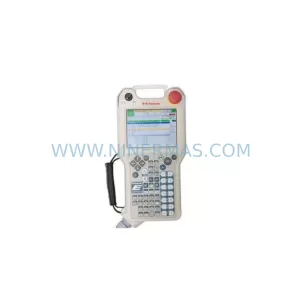
Original Industrial Spare Part
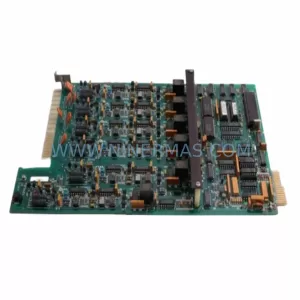
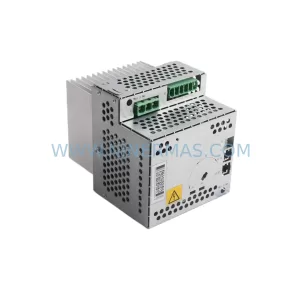
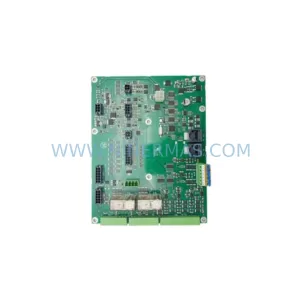
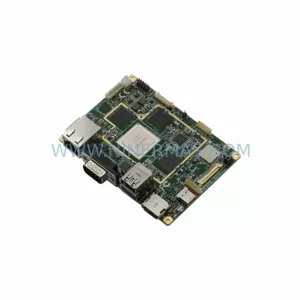
KUKA KPC400-271-601 Retrofit Controller for Legacy Systems
Verify the part, confirm the platform family, and move straight into quotation with the right commercial details.
RFQ Ready
- SKUKPC400-357-986 00-271-601 KPC400-271-601 00-271-601KPC4 00271601
- CategoryPLC & Industrial Automation Modules
- BrandKUKA
- SupportAvailability, lead time, condition, and shipping coordination
How Buyers Usually Use This Page
- Confirm the exact part number and platform family before sending the quote request.
- Use direct email when quantity, condition, and destination are already defined internally.
- Switch to the broader brand or category archive when you need alternates nearby.
Series Navigation
Move through the most common platform families behind this part.
Product RFQ
Send this part directly for quotation.
Include quantity, required condition, destination country, and target delivery timing. Current reference: KUKA KPC400-271-601 Retrofit Controller for Legacy Systems with SKU KPC400-357-986 00-271-601 KPC400-271-601 00-271-601KPC4 00271601.
KUKA KPC400-271-601 Retrofit Controller for Legacy Systems: Seamless Compatibility and Smooth Upgrade
The KUKA KPC400-271-601 is an industrial PC controller module from KUKA’s KPC400 series, widely deployed in KUKA KR C2 and KR C3 robot controller cabinets across automotive, metal fabrication, and general manufacturing environments. As the KPC400 platform approaches end-of-life and original spare parts become increasingly scarce, plant engineers and maintenance teams are actively seeking verified retrofit-compatible replacements that preserve existing program logic, HMI configurations, and communication links without requiring a full controller cabinet overhaul.
NINERMAS supplies the KPC400-271-601 as a direct retrofit-compatible replacement, sourced from qualified industrial channels and subjected to outgoing functional testing prior to shipment. Each unit is covered by a 12-month warranty and is available from in-stock inventory, enabling rapid dispatch to minimize unplanned downtime on critical production lines.
Upgrade Compatibility Table
| Parameter | Details |
|---|---|
| Compatible Controller Cabinet | KUKA KR C2, KR C3 |
| Series | KPC400 |
| Form Factor / Installation | Rack-mount industrial PC module; fits standard KR C2/C3 backplane slot |
| Communication Compatibility | DeviceNet, Profibus-DP, Ethernet/IP (subject to installed option boards) |
| Interface Connections | X11 system bus connector, X21 drive bus connector, USB, serial COM ports |
| Power Supply Requirement | 24 VDC from KPS600 or KPP600 power supply module |
| Replacement Recommendation | Direct drop-in for KPC400-271-601; verify BIOS version and KSS software release before commissioning |
| Commissioning Focus | Module address configuration, program restore from backup, HMI screen re-mapping, safety circuit re-validation |
| Warranty | 12 months from date of shipment |
Retrofit Planning for Existing Automation Systems
Replacing the KPC400-271-601 in an active production environment requires careful pre-planning to avoid configuration loss and extended downtime. Before removing the existing module, engineers should perform a full KSS (KUKA System Software) backup, capturing robot programs, system parameters, tool and base data, and safety configuration. This backup is critical because the KPC400 stores all operational data locally, and a failed restore can result in hours of re-commissioning work.
Power supply integrity is the first hardware checkpoint. The KPC400-271-601 draws regulated 24 VDC from the cabinet’s KPS600 or KPP600 power supply module. Before installation, verify that the power supply output is within tolerance and that the cabinet’s 24 VDC bus is free of ripple or voltage sag that could cause the new controller to fault on startup. If the KPS600 is aging or showing fault history, replacing it concurrently with the KPC400 is strongly recommended to avoid a secondary failure shortly after the retrofit.
The backplane interface is the next critical area. The KPC400 connects to the KR C2 or KR C3 cabinet backplane via the X11 system bus connector. Inspect the backplane connector pins for corrosion or mechanical damage before seating the replacement module. A damaged backplane can prevent the new KPC400-271-601 from being recognized by the system, leading to misleading fault codes that are difficult to diagnose without a known-good controller for comparison.
Drive communication is managed through the X21 drive bus, which links the KPC400 to the KSD1-48 servo drive modules or KSP600 servo power modules controlling each robot axis. After installing the replacement KPC400-271-601, confirm that all axis drives are enumerated correctly in the KSS diagnostics screen. Missing or mis-addressed drives will prevent the robot from completing its mastering sequence and entering operational mode.
The RDC (Resolver Digital Converter) module, mounted on the robot arm, communicates axis position data back to the KPC400 via the RDC cable harness. During a controller swap, verify that the RDC module firmware version is compatible with the KSS version loaded on the replacement KPC400. Mismatched firmware between the RDC and the controller is a common source of mastering errors after a retrofit.
HMI re-mapping is another area that requires attention. The KCP4 teach pendant connects to the KPC400 via the KCP connector on the cabinet door. After the controller replacement, the KCP4 should automatically re-establish communication, but custom HMI screens, variable displays, and operator panels configured in the previous installation may need to be re-loaded from the KSS backup. Confirm that all operator-facing screens display correctly before returning the robot to production.
For systems using fieldbus communication — such as Profibus-DP or DeviceNet — the fieldbus option board installed in the KPC400 must match the network protocol used by the PLC or SCADA system. If the replacement KPC400-271-601 does not include the required fieldbus option board, a compatible board must be sourced and installed before the controller can participate in the plant network. Signal isolators may also be required at the fieldbus interface if the cable run exceeds recommended lengths or passes through electrically noisy environments.
Finally, confirm that the physical installation space within the cabinet is clear and that the module retention screws are torqued to specification. The KPC400 generates significant heat during operation, and improper seating can restrict airflow through the cabinet, leading to thermal shutdowns that are difficult to distinguish from hardware faults without temperature logging.
Downtime Control During System Migration
Minimizing downtime during a KPC400-271-601 replacement begins with preparation, not execution. The actual module swap typically takes less than 30 minutes for an experienced technician; the majority of downtime risk comes from incomplete backups, missing configuration data, or unexpected compatibility issues discovered only after the cabinet is opened.
The recommended approach is to prepare the replacement KPC400-271-601 off-line before the scheduled maintenance window. If a spare cabinet or test rig is available, pre-load the KSS software version, restore the robot program backup, and verify that the controller boots cleanly and recognizes all expected hardware. This pre-commissioning step can reduce on-machine commissioning time by 60–80% and dramatically lowers the risk of an extended outage.
During the live swap, follow a strict sequence: isolate cabinet power, discharge the DC bus capacitors in the KPP600 or KPS600 power supply, remove the faulty KPC400, seat the replacement, restore power, and allow the KSS to complete its boot sequence before attempting to jog any axis. Rushing the power-up sequence — particularly skipping the capacitor discharge step — risks damaging the new controller and voiding the warranty.
After the controller is online, run a full mastering check on all axes using the EMT (Electronic Mastering Tool) or the mastering marks on the robot arm. Do not return the robot to automatic mode until mastering is confirmed on all axes and the safety circuit — including the ESC (Electronic Safety Circuit) board and SIB (Safety Interface Board) — has been validated and signed off by a qualified safety engineer. Skipping the safety validation step is a compliance risk and can result in unexpected robot motion that endangers personnel.
NINERMAS recommends maintaining at least one spare KPC400-271-601 in local inventory for each production line running KR C2 or KR C3 controllers. Given the increasing scarcity of KPC400 series components and the long lead times associated with end-of-life industrial hardware, a local spare eliminates the risk of a multi-week production stoppage while waiting for a replacement to be sourced and shipped internationally.
Retrofit Support FAQ
Q1: Is the KPC400-271-601 a direct replacement for all KPC400 variants?
The KPC400-271-601 is compatible with KR C2 and KR C3 cabinets that originally used the KPC400 series controller. However, compatibility depends on the KSS software version and the specific hardware options installed in the original unit. NINERMAS recommends providing your existing KSS version and cabinet serial number when ordering to confirm compatibility before shipment.
Q2: What commissioning steps are required after installation?
After physical installation, restore the KSS backup, verify drive enumeration on the X21 bus, confirm RDC firmware compatibility, re-validate the ESC and SIB safety circuits, and perform a full axis mastering check. For systems with fieldbus communication, verify that the Profibus-DP or DeviceNet option board is correctly configured and that the controller is recognized by the plant PLC before returning to automatic mode.
Q3: Does NINERMAS test the KPC400-271-601 before shipment?
Yes. All KPC400-271-601 units supplied by NINERMAS undergo outgoing functional testing to verify power-on operation and basic hardware integrity. Units are shipped with a test report and are covered by a 12-month warranty from the date of shipment. In the event of a warranty claim, NINERMAS provides technical support and replacement coordination to minimize production impact.
Q4: What is the typical lead time and stock availability?
NINERMAS maintains in-stock inventory of the KPC400-271-601 to support urgent maintenance requirements. Standard orders are dispatched within 1–3 business days. For customers requiring guaranteed stock reservation or blanket orders to support long-term spare parts programs, NINERMAS offers inventory reservation agreements aligned with 12-month maintenance planning cycles. Contact our team for current stock levels and lead time confirmation.
| Product Series | Legacy |
|---|---|
| Country of Origin | DE |
Catalog Continuation
More KUKA modules in the catalog.
Use the brand lane to compare nearby part numbers, platform-adjacent modules, and other inquiry-ready listings before sending your final RFQ.

SKU: 00-176-037 00-176-037 00-262-652 00-262-652 00-178-888 00-178-888
KUKA 00-176-037 Retrofit Reducer Module for Legacy Systems
SKU: 00-284-170 KPC4 00284170 00-198-269 00-198-260KRC400198260
KUKA 00-284-170 Retrofit KPC4 CPU Module for Legacy Systems
SKU: KR500-R2830-FA200-170-720 A4KR500-R2830-F :00-170-462 KR500-R2830-FA400-170-462
KUKA KR500 R2830 Retrofit-Compatible Robot for Legacy Systems
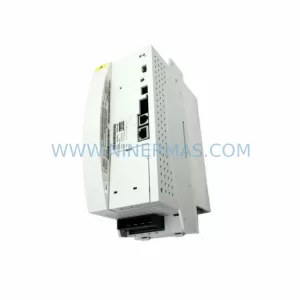
SKU: 00-200-589 MG_20_84_45 00200589
KUKA 00-200-589 Retrofit-Compatible Gearbox for Legacy Systems
Catalog Continuation
Alternative parts within PLC & Industrial Automation Modules.
Stay inside the same system family when you need substitutes, adjacent modules, or a broader shortlist for procurement review.
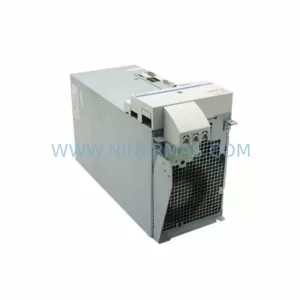
SKU: HMS01.1N-W0054-A-07-NNNN HMS01.1N-W0054
Rexroth HMS01.1N-W0054-A-07-NNNN Service-Ready Spare Part
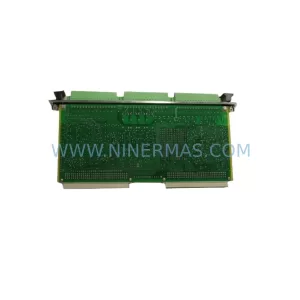
SKU: VIBRO METER VM600 IOC4T 200-560-000-019 I/O MODULE
Vibro-Meter VM600 IOC4T 200-560-000-019 Spare Part