Original Industrial Spare Part
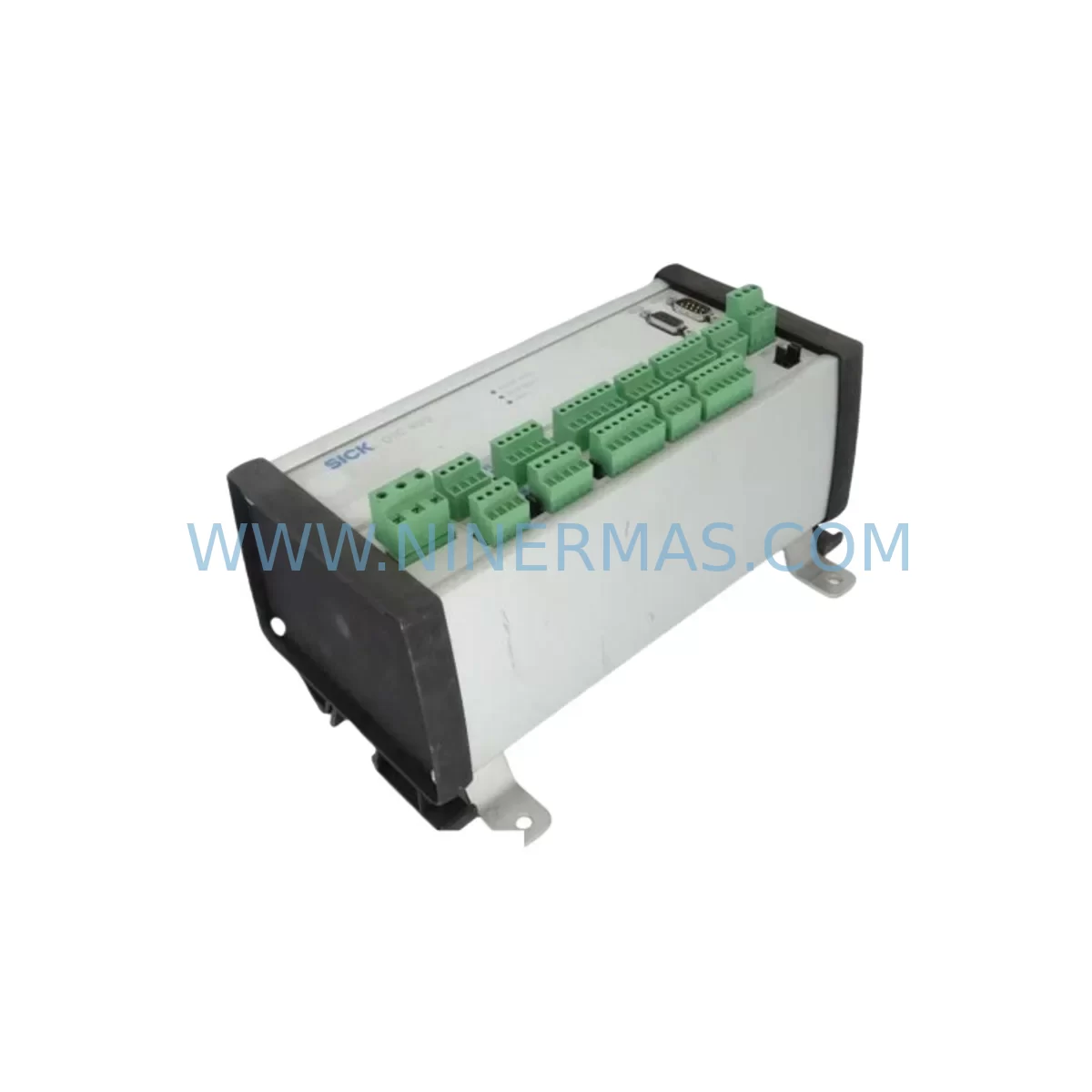
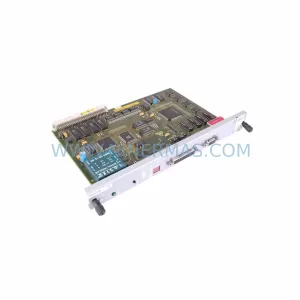
SICK OTC400-0000 Service-Ready Spare Part for Industrial Maintenance
Verify the part, confirm the platform family, and move straight into quotation with the right commercial details.
RFQ Ready
- SKUOTC400-0000
- CategoryPLC & Industrial Automation Modules
- BrandSICK
- SupportAvailability, lead time, condition, and shipping coordination
How Buyers Usually Use This Page
- Confirm the exact part number and platform family before sending the quote request.
- Use direct email when quantity, condition, and destination are already defined internally.
- Switch to the broader brand or category archive when you need alternates nearby.
Series Navigation
Move through the most common platform families behind this part.
Product RFQ
Send this part directly for quotation.
Include quantity, required condition, destination country, and target delivery timing. Current reference: SICK OTC400-0000 Service-Ready Spare Part for Industrial Maintenance with SKU OTC400-0000.
SICK OTC400-0000 Service-Ready Spare Part for Industrial Maintenance
The SICK OTC400-0000 is an Omni Tracking Controller engineered for demanding industrial identification and tracking environments. For maintenance engineers managing legacy conveyor systems, automated sorting lines, and high-throughput logistics installations, the OTC400-0000 represents a critical node in the identification architecture. When this controller fails or reaches end-of-service life, unplanned downtime can cascade across the entire tracking loop — halting production, disrupting sortation logic, and triggering costly manual intervention. Sourcing a verified, original SICK OTC400-0000 spare part is the fastest path to restoring system integrity and resuming normal operations.
At NINERMAS, we supply the OTC400-0000 as a service-ready spare with full SKU verification, pre-shipment functional inspection, and a 12-month warranty. Our inventory is maintained to support both emergency replacement orders and planned annual maintenance procurement. Whether you are executing a scheduled overhaul or responding to an unplanned fault, the OTC400-0000 can be dispatched promptly to minimize your exposure to extended downtime.
Spare Maintenance Table
| Parameter | Specification |
|---|---|
| Manufacturer | SICK AG |
| Part Number / SKU | OTC400-0000 |
| Series | OTC400 — Omni Tracking Controller |
| Product Type | Industrial Tracking Controller |
| Supply Voltage | 24 V DC (±10%) |
| Communication Interface | Ethernet (TCP/IP), RS-232/RS-422 (series-dependent) |
| Mounting | DIN rail or panel mount |
| Protection Rating | IP65 (controller housing) |
| Operating Temperature | -10 °C to +50 °C |
| Compatibility | SICK OTC400 series identification systems; CLV, CDM, CDB ecosystem |
| Country of Origin | Germany |
| Warranty | 12 Months — NINERMAS Spare Parts Warranty |
| Condition | Original, new or service-ready refurbished |
| Pre-Shipment Inspection | Functional test, visual inspection, packaging verification |
| Application Environment | Conveyor tracking, automated sortation, logistics identification, parcel handling |
| Maintenance Recommendation | Replace every 5–8 years or upon first fault indication; inspect annually during scheduled shutdowns |
Maintenance Planning for Continuous Operation
Replacing the OTC400-0000 in isolation rarely resolves the full risk profile of an aging identification system. Experienced maintenance engineers know that when the tracking controller shows signs of instability — intermittent communication loss, erratic read rates, or Ethernet timeout faults — the surrounding components in the same control cabinet and electrical circuit deserve equal scrutiny.
Begin with the power supply feeding the OTC400-0000. A degraded 24 V DC industrial power supply, such as the SICK PS53-1 or equivalent DIN-rail PSU, can introduce voltage ripple that mimics controller faults. Verify output voltage under load before condemning the OTC400-0000 itself. Next, inspect the connection cabling between the controller and the scanner network. SICK CDM490-0006 connection modules and their associated CBL series cables are common wear items in high-cycle conveyor environments; damaged shielding or corroded terminals will corrupt the data stream regardless of controller condition.
The barcode scanners feeding data into the OTC400-0000 — typically SICK CLV630-0000 or CLV650 series fixed-mount scanners — should be checked for read-rate degradation, lens contamination, and firmware version compatibility with the replacement controller. If the installation includes a SICK CDB620-001 connection device box for multi-scanner bus wiring, inspect its internal terminal blocks and fuse holders for signs of heat stress or loose connections.
For systems that integrate the OTC400-0000 into a broader PLC or DCS architecture, review the communication module linking the tracking controller to the host system. SICK CMC600-101 communication modules and similar gateway devices are often overlooked during fault isolation but can be the actual source of data loss attributed to the controller. Signal isolators installed on the RS-422 or RS-232 lines should also be tested, as ground loop interference is a frequent cause of intermittent faults in mixed-voltage control cabinets.
If the installation includes an HMI panel for operator monitoring of tracking status, verify that the HMI’s communication driver is compatible with the firmware version of the replacement OTC400-0000. Older SICK MSC800 modular system controllers used in the same cabinet may also require a firmware alignment check after the OTC400-0000 is swapped. Finally, inspect the backplane connectors and DIN rail grounding continuity — poor cabinet grounding is a systemic issue that will shorten the service life of any replacement controller.
Building a consolidated spare parts kit that includes the OTC400-0000 alongside a SICK CLV630 scanner, a CDM connection module, a replacement 24 V PSU, and a set of pre-terminated CBL cables allows your team to execute a full identification loop restoration within a single maintenance window, eliminating the risk of a second unplanned shutdown caused by a secondary component failure discovered mid-repair.
Site Replacement Workflow
Step 1 — Fault Isolation: Before removing the OTC400-0000, document all active fault codes from the system HMI or diagnostic software. Capture the current IP address, subnet mask, and communication parameters configured in the controller. Photograph all cable connections and label each connector with its port designation.
Step 2 — Power Down and Safe Isolation: De-energize the control cabinet following your site LOTO (Lockout/Tagout) procedure. Verify zero voltage on the 24 V DC bus before touching any terminals. Discharge any capacitive loads in the power supply section.
Step 3 — Controller Removal: Disconnect all Ethernet, serial, and I/O cables from the OTC400-0000. Release the DIN rail locking tab and slide the controller free. Retain the original unit for failure analysis if required by your maintenance records protocol.
Step 4 — Replacement Installation: Mount the new OTC400-0000 on the DIN rail. Reconnect all cables in the documented sequence. Restore the original IP address and communication parameters using SICK’s SOPAS Engineering Tool or the controller’s web interface.
Step 5 — Functional Verification: Re-energize the cabinet and confirm that the OTC400-0000 establishes communication with all connected scanners and the host PLC or DCS. Run a test object through the tracking zone and verify that read rates and data output match pre-fault baseline values. Document the replacement in your maintenance management system (CMMS) and update the spare parts inventory record.
This structured workflow minimizes the risk of configuration errors, reduces total replacement time, and ensures that the restored system meets the original performance specification — keeping your production line running and your maintenance records audit-ready.
Spare Parts Support FAQ
Q1: Is the OTC400-0000 still available as a new original spare, or only as a refurbished unit?
NINERMAS maintains stock of both new original and service-ready refurbished OTC400-0000 units. All units — regardless of condition grade — undergo pre-shipment functional testing and are covered by our 12-month spare parts warranty. Contact our sales team to confirm current stock status and lead time for your specific requirement.
Q2: How do I verify compatibility between the replacement OTC400-0000 and my existing SICK identification system?
Compatibility is confirmed by matching the full SKU (OTC400-0000), the firmware version of your existing system, and the communication protocol in use (Ethernet TCP/IP or serial). Provide your system’s SICK project number or the serial number of the original controller to our technical team, and we will cross-reference against the OTC400 series compatibility matrix before shipment.
Q3: What is the recommended inventory strategy for the OTC400-0000 in a multi-line facility?
For facilities operating three or more identification lines using OTC400-series controllers, we recommend maintaining a minimum of one cold-spare OTC400-0000 per facility, pre-configured with your standard IP and communication parameters. This eliminates configuration time during an emergency replacement and reduces mean time to repair (MTTR) to under 30 minutes. Annual procurement cycles aligned with your scheduled shutdown calendar are the most cost-effective approach.
Q4: What does the 12-month warranty cover, and what is the claims process?
The NINERMAS 12-month warranty covers manufacturing defects, functional failures under normal operating conditions, and DOA (dead-on-arrival) units. It does not cover damage caused by incorrect installation, overvoltage events, or physical impact. To initiate a warranty claim, contact sale@ninermas.com with your order number, the unit serial number, and a description of the fault. We will arrange return logistics and dispatch a replacement unit within the agreed lead time.
| Product Series | Other series |
|---|---|
| Country of Origin | DE |
Catalog Continuation
More SICK modules in the catalog.
Use the brand lane to compare nearby part numbers, platform-adjacent modules, and other inquiry-ready listings before sending your final RFQ.
Catalog Continuation
Alternative parts within PLC & Industrial Automation Modules.
Stay inside the same system family when you need substitutes, adjacent modules, or a broader shortlist for procurement review.
SKU: MMC-SD-12.0-460-D
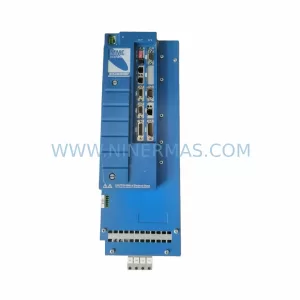
KOLLMORGEN MMC-SD-12.0-460-D Retrofit-Compatible Servo Drive
SKU: BM-DP12 1070075887-202
Bosch BM-DP12 1070075887-202 Retrofit-Compatible PROFIBUS DP Module