Original Industrial Spare Part
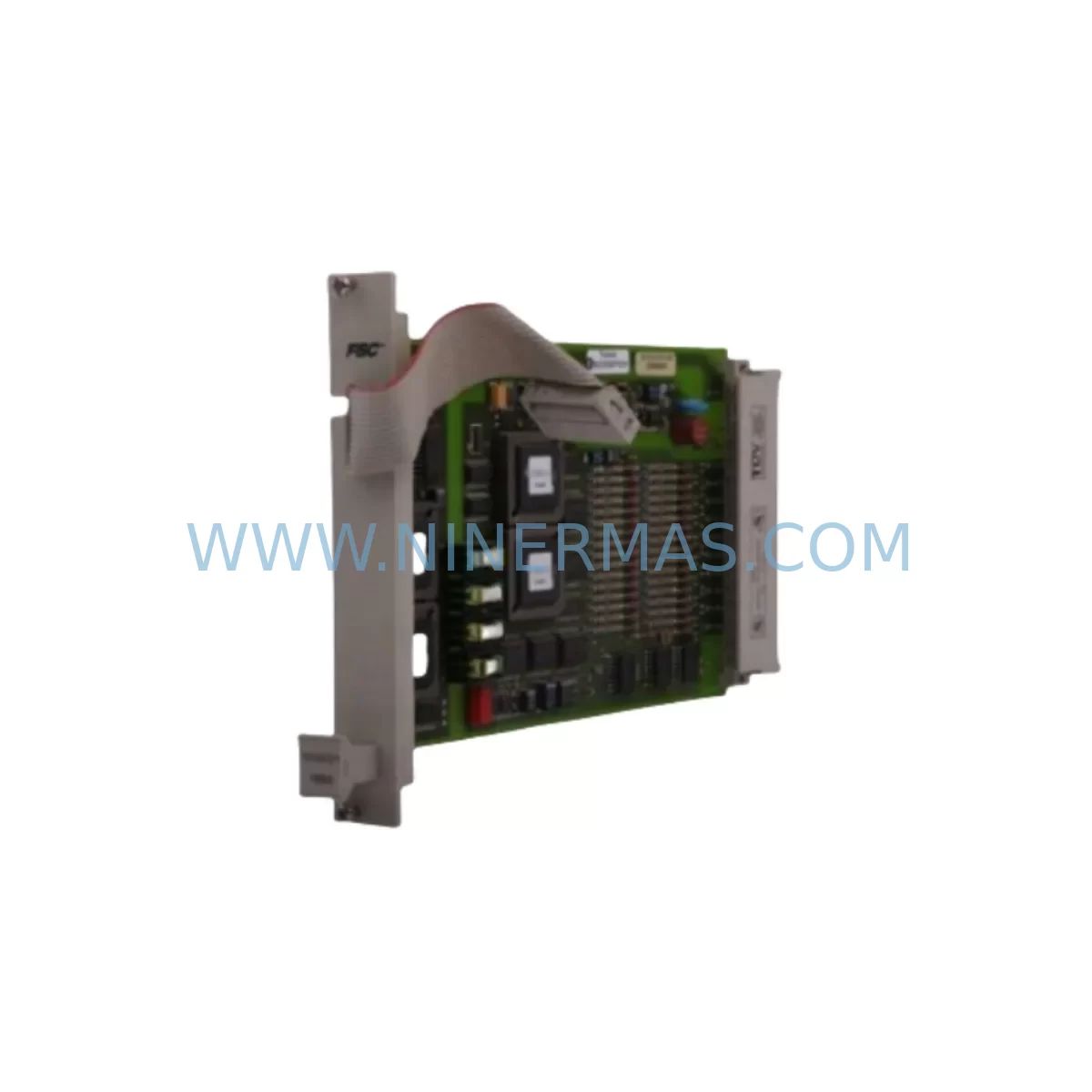
Hitachi AEH020A Retrofit-Compatible DCS Card for Legacy Systems
Verify the part, confirm the platform family, and move straight into quotation with the right commercial details.
RFQ Ready
- SKUAEH020A
- CategoryDCS Distributed Control Systems
- BrandHITACHI
- SupportAvailability, lead time, condition, and shipping coordination
How Buyers Usually Use This Page
- Confirm the exact part number and platform family before sending the quote request.
- Use direct email when quantity, condition, and destination are already defined internally.
- Switch to the broader brand or category archive when you need alternates nearby.
Series Navigation
Move through the most common platform families behind this part.
Product RFQ
Send this part directly for quotation.
Include quantity, required condition, destination country, and target delivery timing. Current reference: Hitachi AEH020A Retrofit-Compatible DCS Card for Legacy Systems with SKU AEH020A.
Hitachi AEH020A Retrofit-Compatible DCS Card for Legacy Systems
The Hitachi AEH020A is a DCS communication card engineered for seamless integration into legacy Hitachi distributed control architectures. As production lines age and original equipment manufacturers discontinue support for older platforms, the AEH020A has become a critical retrofit component for maintenance engineers and system integrators tasked with extending the operational life of existing control infrastructure. Whether you are replacing a failed card in an active production environment or executing a planned upgrade of an aging control cabinet, the AEH020A delivers verified compatibility with legacy Hitachi EH-series backplane systems, enabling a controlled, low-risk migration path without requiring a full system overhaul.
Sourced directly from authorized channels and subjected to pre-shipment functional testing, each AEH020A unit shipped by NINERMAS COMPANY LIMITED is covered by a 12-month warranty. Our inventory is maintained to support urgent spare part requirements, with fast dispatch available for critical downtime recovery scenarios. All units are inspected for firmware integrity, connector condition, and communication link stability before release.
Upgrade Compatibility Table
| Specification | Details |
|---|---|
| SKU / Part Number | AEH020A |
| Brand / Manufacturer | Hitachi Industrial Equipment Systems |
| Series Compatibility | Hitachi EH-150 Series DCS Platform |
| Module Function | DCS Communication Card — data exchange between CPU and field I/O |
| Backplane Interface | Compatible with EH-150 series rack backplane; verify slot assignment before installation |
| Communication Protocol | Proprietary Hitachi DCS bus; confirm protocol version matches host CPU firmware |
| Power Requirements | Supplied via backplane; confirm rack power budget with EH-PS32 power supply capacity |
| Installation Dimensions | Standard EH-150 single-slot form factor; verify cabinet rail space before ordering |
| Replacement For | End-of-life AEH020A units in EH-150 DCS cabinets; cross-reference with AEH040A for extended I/O configurations |
| Commissioning Notes | Module address must be configured to match original slot assignment; HMI tag mapping and program logic verification required post-swap |
| Pre-Shipment Testing | Full functional test performed on each unit prior to dispatch |
| Warranty | 12 months from date of shipment — NINERMAS COMPANY LIMITED |
Retrofit Planning for Existing Automation Systems
Successful integration of the AEH020A into an existing Hitachi EH-150 DCS environment requires a structured pre-installation assessment. Before removing the failed or end-of-life card, engineers should document the current module address configuration, verify the rack slot assignment, and capture a full backup of the EH-CPU504 program logic. The CPU module retains the control program, but any unsaved runtime parameters or communication table entries must be recorded manually to avoid data loss during the card swap.
Power capacity is a frequent oversight in retrofit projects. The EH-PS32 power supply module must be confirmed to have sufficient headroom to support the AEH020A alongside all other installed modules in the rack. If the existing power supply is operating near its rated capacity — particularly in racks that also house EH-AX16 analog input modules or EH-YD16 digital output modules — a power audit should be completed before proceeding. Overloading the backplane power rail can cause intermittent communication faults that are difficult to diagnose after installation.
Terminal wiring on the field side should be photographed and labeled before any disconnection. In legacy EH-150 installations, field wiring often lacks modern labeling standards, and incorrect reconnection after a card swap is a common source of post-retrofit faults. If the system includes EH-XD32 digital input modules or EH-RIO remote I/O units connected via the communication bus, verify that the AEH020A’s communication link parameters — baud rate, station address, and timeout settings — are configured identically to the original card before powering up.
For systems that include HMI panels connected to the DCS network, the AEH020A replacement may require a communication link re-establishment procedure. HMI tag databases that reference the communication card’s station address must be verified against the new module’s configuration. In installations where the EH-NET network module or EH-SIO serial communication module is used to bridge the DCS to upstream SCADA or MES systems, the communication chain should be tested end-to-end after the AEH020A is installed and before returning the line to production.
Backplane slot integrity should also be inspected during the retrofit. The EH-BPB backplane base unit connector pins can suffer from oxidation or mechanical wear in long-running installations. Cleaning the backplane connector and verifying pin continuity before inserting the replacement AEH020A reduces the risk of intermittent contact faults that can mimic communication card failures. Installation space in the control cabinet should be confirmed — particularly in compact enclosures where adjacent modules may restrict card insertion or airflow.
Downtime Control During System Migration
Minimizing production downtime during a DCS card replacement requires advance preparation and a clearly defined switchover sequence. The most effective approach is to complete all pre-installation steps — program backup, wiring documentation, module address recording, and power audit — during a scheduled maintenance window or planned production pause, so that the physical card swap can be executed in the shortest possible time.
Where the process allows, a cold-swap procedure is preferred: power down the affected rack section, replace the AEH020A, restore power, and verify communication link establishment before re-enabling field outputs. In systems where a full rack power-down is not feasible due to other active modules sharing the backplane, consult the Hitachi EH-150 system manual for hot-swap guidance specific to the communication card slot.
Original program logic stored in the EH-CPU504 is not affected by the card swap, provided the CPU remains powered throughout the procedure. However, any communication parameters stored in the AEH020A’s onboard memory — such as station addresses or protocol configuration tables — must be re-entered after the replacement card is installed. Maintaining a printed or digital record of these parameters before beginning the retrofit is essential for rapid recommissioning and minimizing the window during which field control is interrupted.
Post-installation, a structured commissioning checklist should be followed: confirm communication link status indicators on the AEH020A, verify I/O data exchange with the EH-CPU504, check HMI live data for correct tag values, and run a controlled output test on a non-critical field device before releasing the system to full automatic operation. This sequence protects against wiring errors and configuration mismatches that could cause process upsets on restart.
Retrofit Support FAQ
Q1: Is the AEH020A a direct drop-in replacement for the original card in my EH-150 system?
The AEH020A is designed for direct slot replacement in compatible Hitachi EH-150 series racks. Confirm the rack generation and backplane revision before ordering. In most EH-150 installations, no mechanical modification is required. Module address and communication parameters must be reconfigured to match the original card’s settings after installation.
Q2: What commissioning steps are required after installing the replacement AEH020A?
After physical installation, configure the module address to match the original slot assignment, verify communication link establishment with the EH-CPU504, confirm I/O data exchange across all connected field modules, and perform an end-to-end communication test if EH-NET or EH-SIO modules are present in the system. HMI tag mapping should be verified before returning the line to automatic operation.
Q3: Has the AEH020A been tested before shipment?
Yes. Every AEH020A unit dispatched by NINERMAS COMPANY LIMITED undergoes pre-shipment functional testing covering communication link integrity, backplane connector condition, and firmware verification. A 12-month warranty is provided from the date of shipment, covering manufacturing defects and functional failures under normal operating conditions.
Q4: What is the lead time and inventory availability for the AEH020A?
NINERMAS maintains ready stock of the AEH020A to support urgent spare part and downtime recovery requirements. Standard dispatch is available for in-stock units. For large quantity requirements or long-term supply agreements, contact our team directly to discuss reserved inventory arrangements and extended lead time planning.
| Product Series | Legacy |
|---|
Catalog Continuation
More HITACHI modules in the catalog.
Use the brand lane to compare nearby part numbers, platform-adjacent modules, and other inquiry-ready listings before sending your final RFQ.
Catalog Continuation
Alternative parts within DCS Distributed Control Systems.
Stay inside the same system family when you need substitutes, adjacent modules, or a broader shortlist for procurement review.
SKU: CC-PDIL51 CC-PDOD51 CC-PAIH51 CC-PAOH51
Honeywell CC-PDIL51 Service-Ready Spare Part for Industrial Maintenance
SKU: AI880A 3BSE039293R1
ABB 3BSE039293R1 Service-Ready Spare Part for Industrial Maintenance
SKU: TB825 3BSE036634R1
ABB TB825 3BSE036634R1 Retrofit-Compatible Terminal for Legacy Systems