
Original Industrial Spare Part
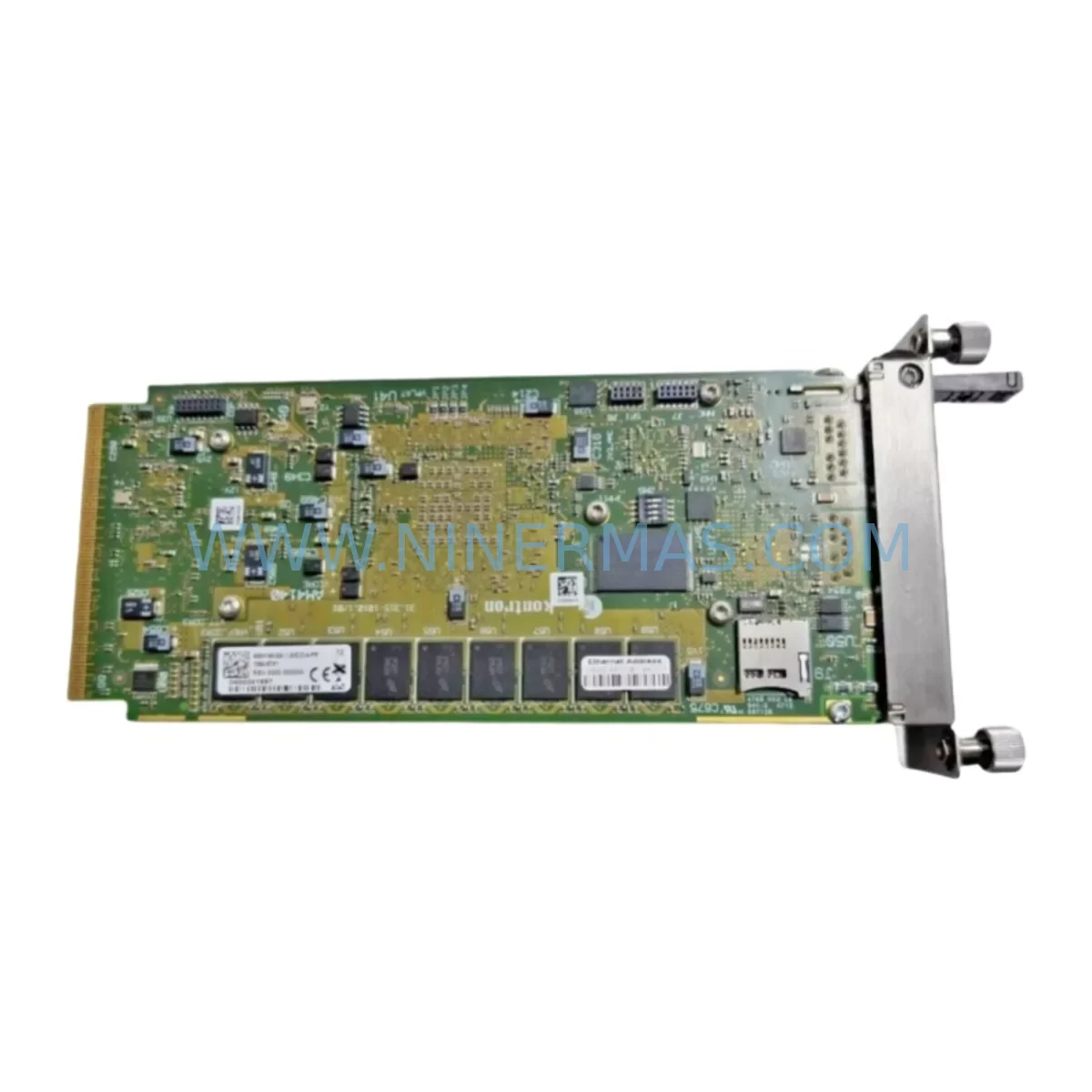
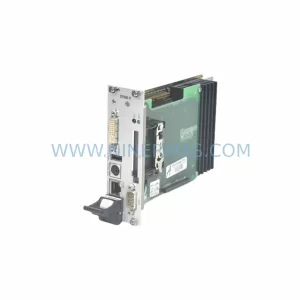
Kontron AM4140 Retrofit-Compatible AMC Module for Legacy
Verify the part, confirm the platform family, and move straight into quotation with the right commercial details.
RFQ Ready
- SKUAM4140
- CategoryPLC & Industrial Automation Modules
- BrandKontron
- SupportAvailability, lead time, condition, and shipping coordination
How Buyers Usually Use This Page
- Confirm the exact part number and platform family before sending the quote request.
- Use direct email when quantity, condition, and destination are already defined internally.
- Switch to the broader brand or category archive when you need alternates nearby.
Series Navigation
Move through the most common platform families behind this part.
Product RFQ
Send this part directly for quotation.
Include quantity, required condition, destination country, and target delivery timing. Current reference: Kontron AM4140 Retrofit-Compatible AMC Module for Legacy with SKU AM4140.
Kontron AM4140 Retrofit-Compatible AMC Module for Legacy Systems
The Kontron AM4140 is an Advanced Mezzanine Card (AMC) module engineered for deployment within AdvancedTCA (ATCA) and MicroTCA (µTCA) chassis environments. As industrial automation platforms age and original equipment manufacturers discontinue legacy AMC modules, the AM4140 has become a critical retrofit component for system integrators, OEM maintenance teams, and plant engineers tasked with extending the operational life of existing control infrastructure without full platform replacement.
Whether you are replacing a failed or end-of-life AMC card in a carrier blade, upgrading processing capacity within an existing ATCA shelf, or migrating a legacy embedded computing platform to a more capable module, the AM4140 provides a validated, drop-in compatible solution. Its compliance with the PICMG AMC.0 specification ensures mechanical and electrical interoperability with standard AMC mid-size and full-size slots across a wide range of Kontron and third-party carrier boards.
Upgrade Compatibility Table
| Parameter | Details / Recommendation |
|---|---|
| Module Form Factor | AMC Mid-Size / Full-Size (PICMG AMC.0 compliant) |
| Chassis Compatibility | AdvancedTCA (ATCA) shelves, MicroTCA (µTCA) carriers; verify slot type (single/double-width) before installation |
| Connector Interface | AMC edge connector (400-pin); confirm carrier board AMC slot revision matches AM4140 pinout |
| Power Input | 12V payload power via AMC connector; verify carrier board power budget supports AM4140 TDP before hot-swap insertion |
| Communication Interfaces | PCIe, GbE fabric links via AMC.1/AMC.2 ports; confirm fabric switch module (e.g., Kontron AM4010 or equivalent) supports required lane configuration |
| Legacy Module Replacement | Suitable for replacing discontinued Kontron AM41xx-series and compatible third-party AMC processing modules |
| Firmware / BSP | Verify IPMI firmware version on carrier and shelf manager (e.g., Kontron MFMC or Pigeon Point ShMM) supports AM4140 FRU data |
| Installation Space | Standard AMC slot; no additional mounting hardware required; confirm chassis airflow direction (front-to-back / rear-to-front) |
| Commissioning Notes | Update shelf manager FRU records post-installation; validate PCIe enumeration and GbE link negotiation before returning to service |
| Warranty | 12-Month Warranty included with every unit shipped |
Retrofit Planning for Existing Automation Systems
Successful integration of the Kontron AM4140 into a legacy platform begins well before the module arrives on-site. Engineers should start by auditing the existing ATCA or µTCA chassis to confirm available AMC slot count, slot width (single or double), and the current power budget allocated per slot. Many aging ATCA shelves — particularly those running Kontron ATCA-7370 or similar carrier blades — were originally provisioned with conservative power headroom, and adding a higher-performance processing module like the AM4140 may require rebalancing the shelf power controller settings.
The carrier board itself deserves close attention. If the existing carrier is a Kontron AM4100 or a comparable dual-AMC carrier blade, verify that the AMC slot’s IPMI Intelligent Platform Management Interface firmware is current. Outdated shelf manager firmware — whether running on a Kontron MFMC shelf manager module or a third-party Pigeon Point ShMM-500 — can prevent proper FRU (Field Replaceable Unit) data recognition for the AM4140, causing the module to remain in M1 state and never transition to full operational power.
For systems that rely on PCIe fabric connectivity, the fabric switch module within the chassis — such as a Kontron AM4010 fabric switch AMC or an equivalent ATCA switch blade — must be confirmed to support the PCIe lane width and speed that the AM4140 negotiates. In MicroTCA environments, the MCH (MicroTCA Carrier Hub), for example a Vadatech UTC016 or NAT-MCH, must have its routing table updated if the AM4140 is assigned to a new logical slot address.
Rear Transition Modules (RTMs) connected to the carrier blade should also be reviewed. If the legacy system used a custom RTM for serial I/O, analog signal conditioning, or protocol conversion (e.g., PROFIBUS to Ethernet bridging), confirm that the RTM’s rear connector pinout remains compatible with the carrier board being retained. In some retrofit scenarios, a signal isolator or terminal adapter block is inserted between the RTM and the field wiring to protect the new module from transient voltages present in older control cabinets.
Programming and configuration migration is another critical step. If the legacy AMC module hosted a real-time OS image or a VxWorks / Linux BSP that interfaced with a supervisory SCADA system or a DCS (Distributed Control System) via OPC-UA or Modbus TCP, the AM4140’s BSP must be validated against the same communication stack. Retain the original module’s configuration backup — including IP addressing, VLAN assignments, and any custom IPMI sensor thresholds — before decommissioning it. This data will be essential for replicating the operational environment on the AM4140 and minimizing the risk of communication link failures after cutover.
Downtime Control During System Migration
Minimizing unplanned downtime during an AMC module swap is achievable with disciplined pre-migration preparation. The AM4140 supports hot-swap insertion per the PICMG AMC.0 specification, which means the module can be physically inserted into a powered chassis without requiring a full shelf shutdown — provided the carrier board and shelf manager are correctly configured to manage the hot-swap sequence. However, in practice, most industrial retrofit projects treat the module swap as a controlled maintenance window rather than a live hot-swap event, particularly when the module being replaced is the primary processing node for a production line controller.
Before the maintenance window opens, prepare a complete backup of the existing module’s software image, configuration files, and any persistent data stored on onboard flash or CompactFlash media. If the legacy module interfaces with an HMI panel — such as a Kontron KM13xx series panel PC or a third-party Weintek or Advantech HMI — verify that the HMI’s communication driver and tag database will remain valid after the module swap. In many cases, the HMI communicates with the processing module via Ethernet using a fixed IP address; simply replicating the IP configuration on the AM4140 is sufficient to restore HMI connectivity without modifying the HMI project.
For systems where the AMC module drives I/O through a backplane-connected I/O carrier or an external I/O expansion chassis, document the I/O module addresses and channel assignments before removal. Modules such as digital input/output cards, analog signal conditioning modules, and serial communication interface cards connected via the carrier’s rear I/O path must be re-enumerated and verified after the AM4140 is brought online. A structured commissioning checklist — covering PCIe link status, GbE negotiation, IPMI sensor reporting, and application-layer communication verification — will reduce the risk of overlooking a failed link before the system is returned to production.
Every AM4140 unit supplied by NINERMAS undergoes pre-shipment functional testing, including power-on self-test verification and interface continuity checks, ensuring that the module arrives ready for installation. Combined with the included 12-month warranty, this reduces the risk exposure associated with sourcing spare and retrofit components for legacy industrial platforms.
Retrofit Support FAQ
Q1: Can the Kontron AM4140 directly replace other discontinued Kontron AM41xx-series modules without chassis modification?
In most cases, yes. The AM4140 conforms to the PICMG AMC.0 mechanical and electrical standard, making it physically interchangeable with other mid-size AMC modules in the same slot. However, firmware compatibility between the AM4140 and the carrier board’s IPMI controller should be verified prior to installation, as some older carrier boards may require a shelf manager firmware update to correctly enumerate the AM4140’s FRU data.
Q2: What wiring or terminal changes are required when retrofitting the AM4140 into an existing control cabinet?
The AM4140 connects exclusively through the AMC edge connector on the carrier board — there is no direct field wiring to the module itself. Field wiring interfaces are managed through the carrier board’s RTM or rear I/O panel. As long as the carrier board and RTM are retained, no terminal rewiring is required. If the carrier board is also being replaced as part of the retrofit, review the RTM connector pinout for compatibility before proceeding.
Q3: Does NINERMAS provide pre-shipment testing and what does the 12-month warranty cover?
Yes. Every Kontron AM4140 unit is functionally tested prior to shipment, including power-on self-test and interface verification. The 12-month warranty covers hardware defects and functional failures under normal operating conditions. Units that fail during the warranty period are replaced or repaired at no additional cost. Contact sale@ninermas.com for warranty claims and RMA processing.
Q4: How can I confirm stock availability and lead time for the AM4140 before committing to a retrofit schedule?
NINERMAS maintains inventory of the Kontron AM4140 and related AMC ecosystem components to support time-sensitive retrofit and emergency replacement projects. Contact our team directly at sale@ninermas.com or +0086 187 5021 5667 to confirm current stock levels, lead times, and volume pricing before finalizing your retrofit schedule.
| Product Series | Other series |
|---|
Catalog Continuation
Nearby part numbers around AM4140.
Use this lane when the buyer is comparing adjacent model numbers, revision-near items, or closely related spare variants within the same brand family.
SKU: AM4140 AM4140-SA-1.5(E)O-4-FR
Kontron AM4140-SA-1.5(E)O-4-FR Safety-Reliable CPU Module
Catalog Continuation
More Kontron modules in the catalog.
Use the brand lane to compare nearby part numbers, platform-adjacent modules, and other inquiry-ready listings before sending your final RFQ.

SKU: 07025-0000-70-1-04
KONTRON 07025-0000-70-1-04 Service-Ready Spare Part
SKU: CP6000/FTC-02
KONTRON CP6000/FTC-02 Retrofit-Compatible System Controller
Catalog Continuation
Alternative parts within PLC & Industrial Automation Modules.
Stay inside the same system family when you need substitutes, adjacent modules, or a broader shortlist for procurement review.

SKU: OZDPROFI12MG12
Hirschmann OZDPROFI12MG12 Spare Part for Industrial Maintenance


SKU: C4KR5R-1400 00-183-853
KUKA 00-183-853 Retrofit-Compatible Power Module for Legacy Systems



