Original Industrial Spare Part
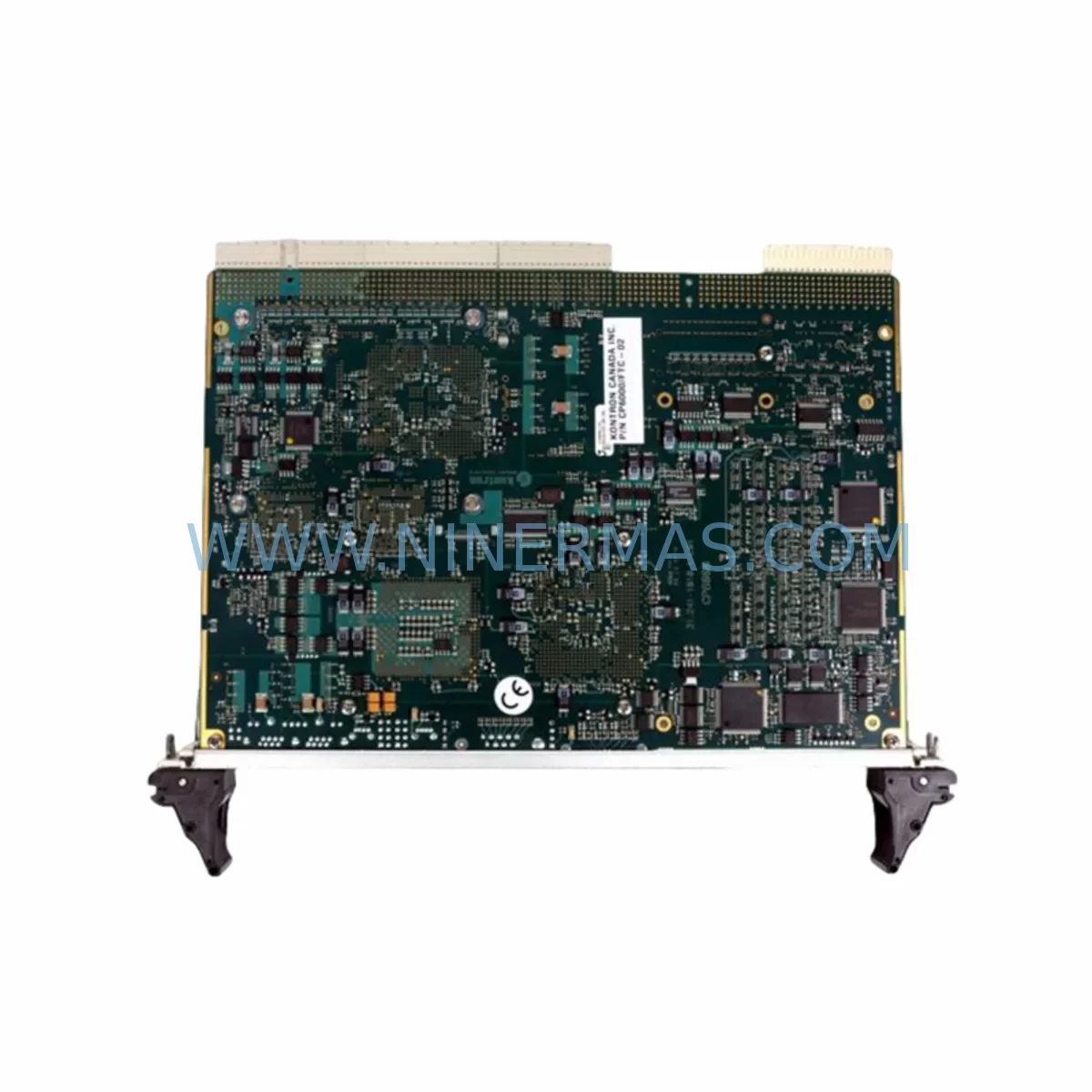
KONTRON CP6000/FTC-02 Retrofit-Compatible System Controller
Verify the part, confirm the platform family, and move straight into quotation with the right commercial details.
RFQ Ready
- SKUCP6000/FTC-02
- CategoryPLC & Industrial Automation Modules
- BrandKontron
- SupportAvailability, lead time, condition, and shipping coordination
How Buyers Usually Use This Page
- Confirm the exact part number and platform family before sending the quote request.
- Use direct email when quantity, condition, and destination are already defined internally.
- Switch to the broader brand or category archive when you need alternates nearby.
Series Navigation
Move through the most common platform families behind this part.
Product RFQ
Send this part directly for quotation.
Include quantity, required condition, destination country, and target delivery timing. Current reference: KONTRON CP6000/FTC-02 Retrofit-Compatible System Controller with SKU CP6000/FTC-02.
KONTRON CP6000/FTC-02 Retrofit-Compatible System Controller: Seamless Legacy System Modernization
The KONTRON CP6000/FTC-02 is a ruggedized system controller engineered for deployment in harsh industrial environments where reliability, longevity, and backward compatibility are non-negotiable. Designed for the KONTRON CP6000 CompactPCI platform, this controller serves as a direct retrofit replacement for aging or end-of-life system controllers in transportation, defense, energy, and industrial automation applications. Whether you are managing a planned lifecycle upgrade or responding to an unplanned failure of a discontinued module, the CP6000/FTC-02 provides a validated, in-stock solution with a 12-month warranty and full pre-shipment functional testing.
At NINERMAS, we specialize in sourcing, testing, and supplying hard-to-find industrial control components. The CP6000/FTC-02 is stocked to support customers who need to extend the operational life of existing CP6000-series chassis without committing to a full platform migration. This approach minimizes capital expenditure, reduces engineering risk, and keeps production lines running with minimal disruption.
Upgrade Compatibility Table
| Parameter | CP6000/FTC-02 Specification | Retrofit Notes |
|---|---|---|
| Form Factor | CompactPCI 6U | Direct slot-compatible with CP6000-series chassis; verify slot pitch and backplane connector alignment before installation |
| Backplane Interface | CompactPCI (PICMG 2.0 R3.0) | Compatible with standard CP6000 backplanes; confirm J1/J2 connector pinout matches legacy chassis revision |
| Communication Interfaces | Ethernet, RS-232/RS-422/RS-485, USB | Verify protocol mapping if replacing a controller with proprietary serial links; update HMI communication parameters accordingly |
| Operating Temperature | -40°C to +85°C (extended range) | Suitable for rail, outdoor enclosure, and industrial cabinet environments; no derating required in standard control cabinet installations |
| Power Consumption | Confirm with chassis power budget | Audit existing CP6000 power supply module (e.g., CP6000/PSU series) capacity before swapping; total slot load must remain within rated output |
| OS / BSP Support | VxWorks, Linux BSP available | Confirm BSP version compatibility with existing application software; recompilation may be required for kernel-level drivers |
| Replacement Candidates | CP6000/FTC-01, earlier CP6000 SBC variants | Review changelog for register-level differences; update any hardcoded I/O addresses in legacy application code |
| Debugging Interface | JTAG, serial console | Use KONTRON programming cable or compatible JTAG adapter for firmware validation post-installation |
| Warranty | 12 Months — All units ship after full functional test. Certificate of conformance available on request. | |
Retrofit Planning for Existing Automation Systems
Replacing a system controller in a live or recently decommissioned CP6000 platform requires a structured approach. The CP6000/FTC-02 is designed to minimize the engineering effort involved, but a successful retrofit still demands careful pre-installation planning across several dimensions.
Chassis and Backplane Audit: Begin by documenting the existing CP6000 chassis configuration. Identify all populated slots, including any CP6000/IO-series I/O modules, CP6000/COM communication modules, and CP6000/DSP signal processing boards currently installed. The FTC-02 occupies the system slot (slot 1 in most configurations); confirm that no peripheral module is asserting system slot arbitration. If the chassis uses a CP6000/BP-8 or CP6000/BP-4 backplane, verify that the backplane revision supports the FTC-02’s enhanced arbitration logic.
Power Supply Verification: Before installation, calculate the total power draw across all installed modules. The CP6000/PSU-200 and CP6000/PSU-300 power supply modules are commonly paired with this chassis family. Ensure the aggregate 3.3V and 5V rail loading remains within the PSU’s continuous output rating. Inrush current during controller boot should also be considered, particularly in cold-start environments below -20°C.
Terminal Wiring and I/O Mapping: If the legacy controller managed direct I/O through rear-transition modules (RTMs), confirm that the RTM connector pinout is preserved. Any changes to I/O module addressing — for example, when replacing a CP6000/DIO-16 discrete I/O module alongside the controller — must be reflected in the application program before the new controller boots. Failure to update I/O maps is one of the most common causes of post-retrofit commissioning delays.
Communication Protocol Migration: Many CP6000-based systems interface with field devices via Modbus RTU, PROFIBUS DP, or CANopen. If the legacy FTC-01 or earlier controller variant managed these links directly through onboard serial ports, verify that the FTC-02’s UART configuration matches. For systems using a dedicated CP6000/PROFIBUS communication module, the module address and GSD file configuration should be re-validated after the controller swap. Similarly, if the system connects to an HMI panel — such as a KONTRON or third-party panel PC — update the HMI’s PLC communication driver settings to reflect any IP address or node ID changes introduced by the new controller.
Program Backup and Restore: Before removing the legacy controller, extract a full backup of the application program, including all data blocks, retain memory, and recipe files. For VxWorks-based systems, this typically involves a TFTP or NFS transfer of the application image from the controller’s flash storage. Confirm that the backup is bootable on the FTC-02 by reviewing the BSP release notes for any API-level changes between the legacy and replacement firmware versions. If the application uses a CP6000/RTC real-time clock module for timestamping or scheduling, re-synchronize the RTC after the controller replacement to avoid log file corruption or scheduler drift.
Installation Space and Mechanical Fit: The CP6000/FTC-02 conforms to the standard 6U CompactPCI mechanical envelope. In control cabinet installations where the chassis is mounted in a 19-inch rack, confirm that the front panel ejector levers clear adjacent equipment. If the cabinet uses forced-air cooling with a CP6000/FAN tray, verify that the airflow path is unobstructed after the new module is seated. Torque the front panel retaining screws to the chassis manufacturer’s specification to ensure reliable backplane contact.
Downtime Control During System Migration
Minimizing production downtime during a controller retrofit is a primary concern for maintenance engineers and plant managers alike. The CP6000/FTC-02 supports several strategies that, when combined with disciplined pre-work, can reduce total outage time to a planned maintenance window of two to four hours for a straightforward swap.
Pre-Staging: Configure the replacement FTC-02 offline before the maintenance window begins. Load the application image, set the IP address and node parameters, and perform a bench-level boot test using a CP6000 development chassis or a spare chassis if available. Confirm that the controller reaches the application ready state and that all communication interfaces initialize correctly. This eliminates the most time-consuming diagnostic steps from the live outage window.
Parallel Documentation: Photograph or document the existing wiring, module positions, and DIP switch settings before disassembly. Pay particular attention to any jumper configurations on the CP6000/IO or CP6000/COM modules, as these settings are not always captured in the original system documentation. A five-minute documentation step at the start of the outage can prevent hours of troubleshooting during reassembly.
Controlled Shutdown Sequence: Follow the application’s defined shutdown procedure to bring the system to a safe state before removing power. For systems controlling active processes — such as conveyor drives, valve actuators, or safety interlocks — confirm that all outputs are in their de-energized or safe-state positions before the controller is removed. If the system uses a CP6000-integrated watchdog timer, ensure the watchdog is disabled or the application has issued a clean shutdown command to prevent spurious output activation during power cycling.
Post-Swap Verification: After installing the FTC-02 and restoring power, perform a structured commissioning check: verify controller boot sequence, confirm communication link establishment with all field devices and the HMI, cycle through I/O points systematically, and validate that the application program is executing correctly against the process state. Document the commissioning results and retain them with the system maintenance record. NINERMAS provides a functional test report with each CP6000/FTC-02 shipment, which can be used as a baseline reference during site commissioning.
Fallback Plan: Retain the legacy controller in a safe location until the replacement has been validated in service for a minimum of 72 hours. If the legacy unit is functional but flagged as end-of-life, it can serve as an emergency fallback while the new controller accumulates operating hours. This approach is particularly valuable in single-controller architectures where no redundancy exists.
Retrofit Support FAQ
Q1: Is the CP6000/FTC-02 a direct drop-in replacement for the CP6000/FTC-01?
The FTC-02 is mechanically and electrically compatible with the same chassis slot as the FTC-01 and shares the same CompactPCI backplane interface. However, there are firmware and BSP-level differences between the two revisions. Before treating it as a transparent drop-in, review the KONTRON release notes for the FTC-02 BSP and compare against the FTC-01 version your application was compiled against. In most cases, recompilation with the updated BSP is straightforward, but register-level changes in peripheral controllers should be verified. NINERMAS can provide the available technical documentation package with each unit shipment.
Q2: What pre-shipment testing does NINERMAS perform on the CP6000/FTC-02?
Every CP6000/FTC-02 unit shipped by NINERMAS undergoes a full functional test prior to dispatch. This includes power-on self-test (POST) verification, memory test, communication interface loopback testing (Ethernet, serial), and boot-to-OS validation. A functional test report is included with each shipment. Units are shipped in anti-static packaging with appropriate mechanical protection for international freight. The 12-month warranty covers functional defects identified after installation under normal operating conditions.
Q3: Can the CP6000/FTC-02 operate with third-party CompactPCI I/O modules installed in the same chassis?
The CP6000/FTC-02 operates as a standard PICMG 2.0 R3.0 system slot controller and is compatible with compliant peripheral slot modules from third-party vendors. Interoperability with specific third-party modules depends on the module’s compliance with the CompactPCI specification and the software driver support available for the FTC-02’s operating environment. NINERMAS recommends bench-testing any mixed-vendor chassis configuration before deployment in a production environment. We can advise on known-compatible module combinations based on our field experience.
Q4: What is the typical lead time and inventory availability for the CP6000/FTC-02?
NINERMAS maintains stock of the CP6000/FTC-02 to support urgent replacement requirements. Standard lead time for in-stock units is 3–5 business days for international shipment. For customers with planned maintenance schedules or multi-unit procurement requirements, we recommend contacting our sales team to confirm current stock levels and arrange priority allocation. Long-term supply agreements are available for customers managing extended spare-parts programs across multiple sites.
| Product Series | Other series |
|---|
Catalog Continuation
More Kontron modules in the catalog.
Use the brand lane to compare nearby part numbers, platform-adjacent modules, and other inquiry-ready listings before sending your final RFQ.

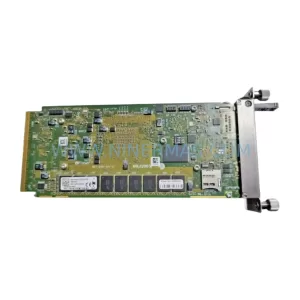
SKU: 07025-0000-70-1-04
KONTRON 07025-0000-70-1-04 Service-Ready Spare Part
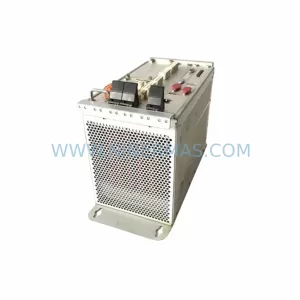
SKU: AM4140 AM4140-SA-1.5(E)O-4-FR
Kontron AM4140-SA-1.5(E)O-4-FR Safety-Reliable CPU Module
Catalog Continuation
Alternative parts within PLC & Industrial Automation Modules.
Stay inside the same system family when you need substitutes, adjacent modules, or a broader shortlist for procurement review.

SKU: OZDPROFI12MG12
Hirschmann OZDPROFI12MG12 Spare Part for Industrial Maintenance


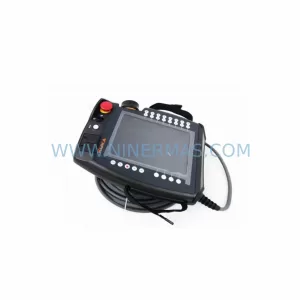
SKU: C4KR5R-1400 00-183-853
KUKA 00-183-853 Retrofit-Compatible Power Module for Legacy Systems