
Original Industrial Spare Part
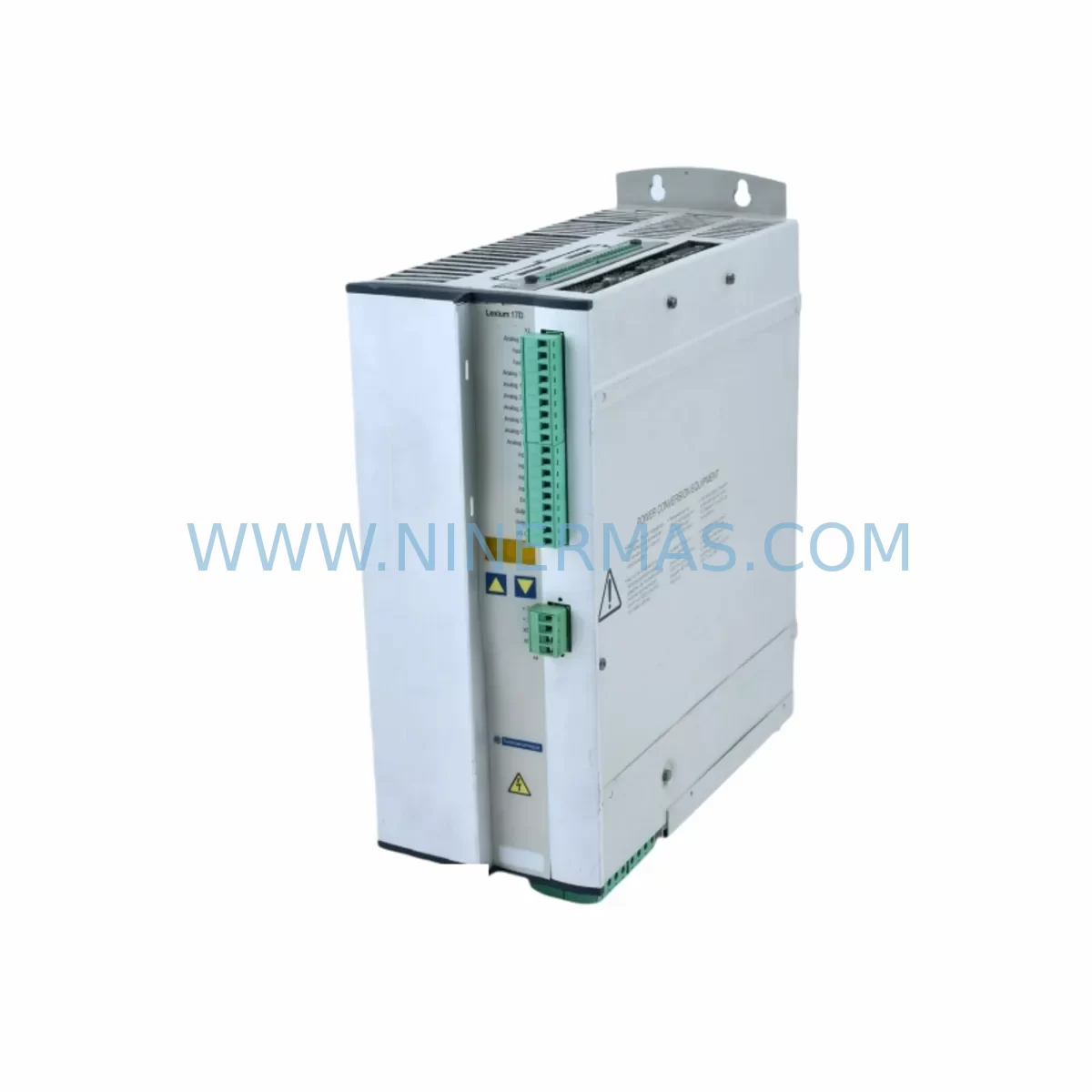
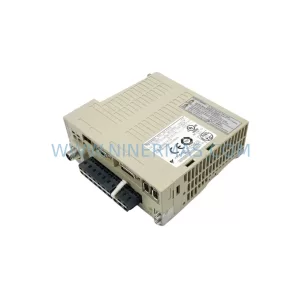
Schneider MHDA1056N00 Retrofit-Compatible Drive for Legacy Systems
Verify the part, confirm the platform family, and move straight into quotation with the right commercial details.
RFQ Ready
- SKUMHDA1056N00
- CategoryPLC & Industrial Automation Modules
- BrandSchneider Electric
- SupportAvailability, lead time, condition, and shipping coordination
How Buyers Usually Use This Page
- Confirm the exact part number and platform family before sending the quote request.
- Use direct email when quantity, condition, and destination are already defined internally.
- Switch to the broader brand or category archive when you need alternates nearby.
Series Navigation
Move through the most common platform families behind this part.
Product RFQ
Send this part directly for quotation.
Include quantity, required condition, destination country, and target delivery timing. Current reference: Schneider MHDA1056N00 Retrofit-Compatible Drive for Legacy Systems with SKU MHDA1056N00.
Schneider MHDA1056N00 Retrofit-Compatible Drive for Legacy Systems
The Schneider Electric MHDA1056N00 is a servo drive module from the Lexium series, widely deployed in legacy motion control architectures across discrete manufacturing, packaging lines, and process automation installations. As original equipment reaches end-of-life and OEM support is discontinued, plant engineers and maintenance teams increasingly rely on retrofit-compatible replacements to extend operational continuity without committing to full system overhauls. The MHDA1056N00 addresses this need directly — offering a verified drop-in upgrade path for aging Lexium drive cabinets while preserving existing wiring infrastructure, motor feedback loops, and PLC program logic.
Sourced from a qualified industrial supply network, each MHDA1056N00 unit shipped by NINERMAS undergoes pre-dispatch functional verification and is backed by a 12-month warranty covering manufacturing defects and operational failures under normal industrial conditions. Inventory is maintained to support both emergency breakdown replacements and planned maintenance schedules, with lead times confirmed at order placement.
Upgrade Compatibility Table
| Parameter | Details |
|---|---|
| Part Number | MHDA1056N00 |
| Brand | Schneider Electric |
| Series | Lexium |
| Product Type | Servo Drive Module |
| Typical Replacement For | End-of-life Lexium servo drive variants; discontinued Modicon motion modules |
| Communication Interface | CANopen / Modbus RTU (series-dependent configuration) |
| Installation Format | DIN rail / panel-mount; verify cabinet depth and clearance before installation |
| Power Supply Compatibility | Confirm input voltage range against existing cabinet power bus before swap |
| Feedback Interface | Encoder / resolver input — verify pinout against existing Lexium motor wiring |
| PLC Program Compatibility | Retain existing motion function blocks; re-map axis parameters post-installation |
| HMI Screen Impact | Drive status tags may require re-binding in Vijeo Designer or equivalent HMI tool |
| Commissioning Requirement | Parameter upload via SoMove or PowerSuite; auto-tuning recommended after swap |
| Warranty | 12 months from shipment date — manufacturing defects and operational failures |
| Pre-Shipment Test | Functional verification performed on each unit before dispatch |
| Origin | France (Schneider Electric OEM) |
Retrofit Planning for Existing Automation Systems
Replacing the MHDA1056N00 in an active production environment requires a structured approach that accounts for the full scope of interdependencies within the control cabinet and the broader automation network. Before any physical swap, engineers should document the existing drive parameter set using SoMove software, capturing axis tuning values, speed/torque limits, ramp profiles, and I/O assignments. This parameter file becomes the baseline for post-installation restoration and significantly reduces commissioning time on the replacement unit.
On the hardware side, the retrofit checklist should begin with power capacity verification. The existing 24 VDC control power supply — often a Schneider ABL8 series or equivalent PHASEO unit — must be confirmed to support the inrush and steady-state current draw of the replacement drive. If the cabinet also houses a Lexium LXM32 or LXM05 axis module sharing the same DC bus, the total bus load must be recalculated to avoid nuisance tripping or bus undervoltage faults during simultaneous axis motion.
Terminal wiring should be mapped against the original cabinet drawings before disconnection. The MHDA1056N00 uses a defined connector layout for motor power, brake control, encoder feedback, and safety inputs. Where the original installation used a Schneider TeSys motor protection relay or a Preventa XPS safety relay in the enable chain, these interlocks must be re-verified after the drive swap to ensure the safety function remains intact and compliant with the original machine risk assessment.
For systems using CANopen communication, the replacement drive must be assigned the correct node address and baud rate to match the existing network configuration. In installations where the Lexium drive communicates with a Modicon M340 or M580 PLC via CANopen, the DTM (Device Type Manager) configuration in Unity Pro or EcoStruxure Control Expert may need to be refreshed to recognize the replacement module. Similarly, if the system uses a Schneider BMXNOC0401 Ethernet communication module for remote diagnostics, the drive’s IP parameters and EDS file registration should be confirmed before returning the axis to automatic mode.
I/O expansion modules such as the Schneider BMXDDI1602 digital input module or BMXDDO1602 digital output module connected to the same rack should be checked for any cross-wired interlocks that reference drive-ready or drive-fault signals. These signal paths are often undocumented in older installations and can cause unexpected behavior if the replacement drive uses a different fault output logic level. A signal trace from the drive’s digital output terminals back through the I/O rack to the PLC program is recommended before the first powered test.
Where the original system included a Magelis HMIGTO or XBTGT HMI panel displaying drive status, speed feedback, or fault codes, the HMI project should be reviewed to confirm that all animation variables and alarm triggers are mapped to the correct PLC data addresses — not to drive-internal registers that may differ between firmware versions. If the HMI communicates directly with the drive via a serial link rather than through the PLC, the communication parameters must be re-entered on the replacement unit.
Downtime Control During System Migration
Minimizing production downtime during a servo drive replacement depends on preparation quality more than execution speed. The most effective approach is to complete all pre-work — parameter backup, wiring documentation, spare parts staging, and test procedure preparation — during a scheduled maintenance window or planned production gap, so that the physical swap itself can be completed within a single shift.
Before powering down the axis, confirm that the PLC program can be placed in a safe hold state without triggering downstream process faults. In continuous process lines, this may require coordinating with upstream and downstream equipment operators to buffer or divert product flow. For standalone machine axes, a controlled stop via the existing HMI or operator panel is preferred over an emergency stop, as it avoids residual mechanical stress on tooling and fixtures.
Once the replacement MHDA1056N00 is physically installed and wired, the recommended commissioning sequence is: power-on self-test confirmation, parameter restore from the saved SoMove file, encoder feedback verification (check motor phasing and direction), safety input validation (confirm STO/SBC function if applicable), and finally a slow-speed jog test before returning to full automatic cycle. This sequence protects the original program logic from being overwritten and ensures that the axis behaves identically to the replaced unit from the PLC’s perspective.
For sites with strict change management requirements, NINERMAS can provide a pre-shipment test report confirming that the unit was powered and functionally verified before dispatch. This documentation supports internal approval workflows and reduces the risk of a second unplanned outage caused by a defective replacement part.
Retrofit Support FAQ
Q: Is the MHDA1056N00 a direct drop-in replacement for my existing Lexium drive?
A: In most Lexium series installations, the MHDA1056N00 is mechanically and electrically compatible with the original mounting position. However, firmware version differences may require a parameter re-upload via SoMove after installation. We recommend confirming the existing drive’s firmware revision and comparing it against the replacement unit’s factory firmware before committing to the swap.
Q: What commissioning tools are required after installation?
A: SoMove (PC-based) or PowerSuite is the standard commissioning tool for Lexium series drives. A USB-to-RJ45 or RS485 programming cable compatible with the MHDA1056N00 communication port is required. If the drive is integrated into a CANopen network, a CANopen configuration tool or the Unity Pro/EcoStruxure DTM library will also be needed to verify node registration.
Q: Does NINERMAS provide a warranty on this unit?
A: Yes. Every MHDA1056N00 shipped by NINERMAS is covered by a 12-month warranty from the date of shipment. The warranty covers manufacturing defects and operational failures under normal industrial operating conditions. A pre-shipment functional test report is available on request.
Q: What is the typical lead time and stock availability?
A: NINERMAS maintains stock of the MHDA1056N00 to support both emergency breakdown replacements and planned maintenance procurement. Lead time is confirmed at order placement. For urgent breakdown situations, please contact our team directly to confirm same-day or next-day dispatch availability.
| Product Series | Lexium |
|---|---|
| Country of Origin | FR |
Catalog Continuation
More Schneider Electric modules in the catalog.
Use the brand lane to compare nearby part numbers, platform-adjacent modules, and other inquiry-ready listings before sending your final RFQ.
Catalog Continuation
Alternative parts within PLC & Industrial Automation Modules.
Stay inside the same system family when you need substitutes, adjacent modules, or a broader shortlist for procurement review.
SKU: 00-217-026 00217026D3236-K13 00-217-026
KUKA 00-217-026 Retrofit Power Supply for Legacy Systems
SKU: SGDS-01A32A LS2TR30-300Q8 6SL3120-1TE15-0AA4
Yaskawa SGDS-01A32A Retrofit Servo Drive for Legacy Systems



