
Original Industrial Spare Part
KUKA 00-168-334 C4 Retrofit-Compatible Drive Board for Legacy Systems
Verify the part, confirm the platform family, and move straight into quotation with the right commercial details.
RFQ Ready
- SKU00-168-334 C4 00-168-334
- CategoryPLC & Industrial Automation Modules
- BrandKUKA
- SupportAvailability, lead time, condition, and shipping coordination
How Buyers Usually Use This Page
- Confirm the exact part number and platform family before sending the quote request.
- Use direct email when quantity, condition, and destination are already defined internally.
- Switch to the broader brand or category archive when you need alternates nearby.
Series Navigation
Move through the most common platform families behind this part.
Product RFQ
Send this part directly for quotation.
Include quantity, required condition, destination country, and target delivery timing. Current reference: KUKA 00-168-334 C4 Retrofit-Compatible Drive Board for Legacy Systems with SKU 00-168-334 C4 00-168-334.
KUKA 00-168-334 C4 Retrofit-Compatible Drive Board for Legacy Systems
The KUKA 00-168-334 C4 is a critical drive board component designed for the KUKA KR C4 robot controller platform — one of the most widely deployed industrial robot control architectures in automotive, metal fabrication, and general manufacturing environments. As production lines age and OEM support windows close, maintenance teams face increasing pressure to source verified replacement boards that preserve existing program logic, wiring infrastructure, and communication links without triggering a full controller overhaul.
NINERMAS supplies the KUKA 00-168-334 C4 as a retrofit-compatible spare part, sourced from authorized channels and subject to pre-shipment functional verification. Each unit is backed by a 12-month warranty and is available for global dispatch with short lead times — a critical advantage when unplanned downtime threatens production continuity.
Whether you are replacing a failed board in an active KR C4 cabinet, upgrading a legacy KR C2 line to C4 architecture, or building a strategic spare parts inventory for long-term system support, the 00-168-334 C4 is a direct-fit solution that eliminates the need for costly controller replacement or reprogramming from scratch.
Upgrade Compatibility Table
| Parameter | Details |
|---|---|
| SKU / Part Number | 00-168-334 C4 |
| Compatible Controller | KUKA KR C4, KR C4 compact, KR C4 NA |
| Board Function | Drive interface / power electronics board |
| Installation Type | Direct backplane slot replacement — no mechanical modification required |
| Communication Interface | EtherCAT (primary), compatible with KUKA System Bus (KSB) |
| Power Input Compatibility | Verify cabinet PSU capacity before installation; nominal 24 VDC logic rail |
| Terminal / Connector Type | OEM-matched connector pinout; verify harness condition before re-use |
| Replacement Scope | Direct replacement for failed or end-of-life 00-168-334 C4 units |
| Retrofit Path | KR C2 → KR C4 upgrade path supported with additional interface adaptation |
| Debugging Requirement | WorkVisual project re-deployment recommended post-installation |
| Pre-Shipment Test | Functional verification performed on every unit |
| Warranty | 12 months from date of shipment |
| Origin | Germany (OEM-sourced) |
| Supplier | NINERMAS COMPANY LIMITED |
Retrofit Planning for Existing Automation Systems
Replacing the KUKA 00-168-334 C4 in a live production environment requires a structured pre-installation review to avoid secondary faults and extended downtime. The following planning checklist reflects the real-world complexity of KR C4 cabinet retrofits and should be completed before the replacement board is installed.
Power Capacity Verification: Before installing the 00-168-334 C4, confirm that the cabinet’s primary power supply unit — typically the KUKA KPS-600 or equivalent switched-mode PSU — is delivering stable 24 VDC on the logic rail and that the AC input is within tolerance. A degraded PSU is a common root cause of repeated drive board failures and must be ruled out before committing to a board replacement.
Backplane and Rack Inspection: The KR C4 controller uses a modular backplane architecture. Inspect the backplane connector for bent pins, oxidation, or heat damage before seating the replacement 00-168-334 C4. If the cabinet also houses a KUKA KRC4-SIB (Safety Interface Board) or a KUKA KRC4-CCU (Cabinet Control Unit), verify that these modules are functioning correctly, as faults in adjacent boards can mask or mimic drive board failures.
Terminal and Harness Adaptation: The 00-168-334 C4 uses OEM-matched connectors. Inspect all harness assemblies for insulation damage, connector fatigue, and correct seating. In older KR C4 installations, the motor power cables and resolver feedback lines connected to the drive board may show wear; replacing the board without inspecting the harness can result in immediate re-failure.
Communication Link Integrity: The KR C4 platform relies on EtherCAT for real-time axis communication. After installing the replacement board, verify EtherCAT topology continuity using WorkVisual. If the cabinet integrates a KUKA KRC4-PROFINET or KUKA KRC4-DeviceNet communication module, confirm that the fieldbus configuration is intact and that the PLC or SCADA system upstream is receiving valid status signals.
Program Logic and WorkVisual Project: The KR C4 stores robot programs and configuration data on the controller PC (KPC). Replacing the 00-168-334 C4 does not affect the KPC or the WorkVisual project archive, but a full project re-deployment is recommended to re-synchronize drive parameters. Ensure a current backup of the WorkVisual project and the robot’s KRL program library exists before beginning work.
HMI and KUKA smartPAD Verification: After board replacement and WorkVisual re-deployment, perform a full axis mastering check via the KUKA smartPAD teach pendant. Confirm that all axis positions, software limits, and tool/base data are correctly loaded. If the installation includes a KUKA KR C4 with KUKA.SafeOperation, re-validate all safe speed and safe zone parameters before returning the robot to automatic mode.
I/O Module and Signal Isolation: In complex cells, the KR C4 may interface with external I/O via a KUKA KRC4-EtherCAT I/O module or third-party signal isolators on the safety circuit. Verify that all digital I/O signals — particularly E-stop chains, safeguard inputs, and gripper control outputs — are correctly mapped and active after the retrofit.
Installation Space and Thermal Management: Confirm that the replacement board is seated fully in the backplane slot and that all retention clips are engaged. Check that cabinet ventilation fans are operational and that the thermal management system — including the heat exchanger or air conditioner unit on larger KR C4 cabinets — is functioning correctly. Overtemperature conditions are a leading cause of premature drive board failure in high-cycle applications.
Downtime Control During System Migration
Unplanned downtime during a KR C4 drive board replacement can cascade into significant production losses, particularly in high-throughput automotive or tier-1 supplier environments. The following approach is designed to minimize exposure and protect existing automation investments.
Pre-Stage the Replacement Unit: Holding a verified spare KUKA 00-168-334 C4 in local inventory eliminates procurement lead time from the critical path. NINERMAS maintains stock of this part and can provide rapid dispatch to support just-in-time spare parts strategies. A pre-staged unit reduces mean time to repair (MTTR) from days to hours.
Preserve Existing Program Logic: The KR C4 architecture separates drive hardware from program storage. The robot’s KRL programs, tool data, base data, and WorkVisual configuration reside on the KPC and are not affected by a drive board swap. This means that a correctly executed board replacement does not require reprogramming — only re-deployment of the existing WorkVisual project and a mastering verification cycle.
Parallel Verification Before Cutover: Where production schedules permit, perform a bench-level functional test of the replacement 00-168-334 C4 in a spare or offline KR C4 cabinet before installing it in the live system. This confirms board health and eliminates the risk of installing a second faulty unit during a time-critical repair window.
Structured Commissioning Sequence: Follow a defined commissioning sequence: power-off isolation → board replacement → harness reconnection → WorkVisual re-deployment → axis mastering → I/O verification → SafeOperation re-validation → production trial run. Skipping steps in this sequence is the primary cause of extended commissioning times and secondary faults.
Documentation and Traceability: Record the serial number of the replaced board, the date of installation, and the post-installation test results. This documentation supports warranty claims, future fault analysis, and spare parts lifecycle planning. NINERMAS provides shipment documentation and test records for all supplied units.
Retrofit Support FAQ
Q1: Is the KUKA 00-168-334 C4 a direct replacement for the original board in my KR C4 cabinet?
Yes. The 00-168-334 C4 is a direct-fit replacement for the original board in compatible KR C4 controller variants. No mechanical modification to the cabinet or backplane is required. Verify your cabinet variant (KR C4, KR C4 compact, or KR C4 NA) against the part number before ordering. NINERMAS technical support can assist with compatibility confirmation.
Q2: What commissioning steps are required after installing the replacement board?
After physical installation, re-deploy the existing WorkVisual project to the controller, perform a full axis mastering cycle via the KUKA smartPAD, verify all I/O signals and safety circuits, and conduct a supervised trial run in T1 mode before returning to automatic operation. If KUKA.SafeOperation is active, re-validate all safe parameters. Total commissioning time for an experienced technician is typically 2–4 hours.
Q3: Does NINERMAS test the 00-168-334 C4 before shipment?
Yes. Every unit supplied by NINERMAS undergoes pre-shipment functional verification. Shipment documentation and test records are provided with each order. All units are covered by a 12-month warranty from the date of shipment, covering manufacturing defects and functional failures under normal operating conditions.
Q4: What is the availability and lead time for the KUKA 00-168-334 C4?
NINERMAS maintains inventory of the 00-168-334 C4 and can confirm current stock availability on request. Standard lead time for in-stock units is 3–7 business days for international shipment. For urgent requirements, expedited dispatch options are available. Contact our team at sale@ninermas.com or +0086 187 5021 5667 for a real-time stock and lead time confirmation.
| Product Series | Legacy |
|---|---|
| Country of Origin | DE |
Catalog Continuation
More KUKA modules in the catalog.
Use the brand lane to compare nearby part numbers, platform-adjacent modules, and other inquiry-ready listings before sending your final RFQ.
SKU: 00-207-218 C4 GA12
KUKA 00-207-218 GA12 Retrofit Drive for Legacy Systems
SKU: KPP 600-20 2X40 :00-160-152 KPP 600-20 3X20 UL :00-245-213 KPP 600-20 UL :00-198-259
KUKA KPP-600-20 Retrofit Power Supply for Legacy Systems
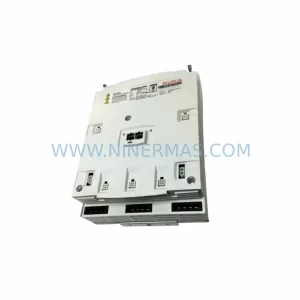
SKU: 00-106-446kr150.kr180 ZH150/180
KUKA 00-106-446 Retrofit-Compatible Gearbox for Legacy Systems
Catalog Continuation
Alternative parts within PLC & Industrial Automation Modules.
Stay inside the same system family when you need substitutes, adjacent modules, or a broader shortlist for procurement review.
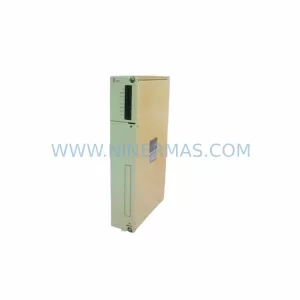
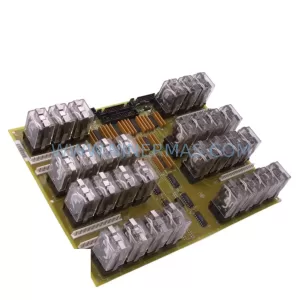
SKU: DS200SLCCG3ACC DS215DENQG3QZZ01A
GE DS200SLCCG3ACC Mark V Service-Ready Spare Part
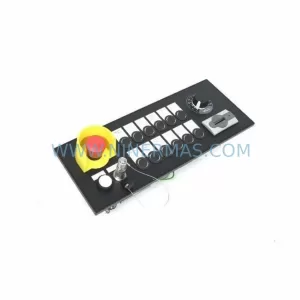
SKU: MPP1500D 6FC5303-1AF30-0AA0
Siemens MPP1500D 6FC5303-1AF30-0AA0 Retrofit Operator Panel
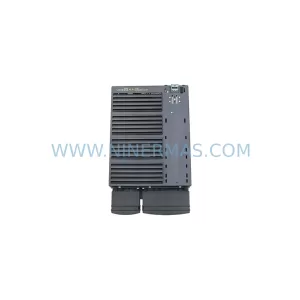
SKU: 6SL3224-0BE31-5UA0
Siemens 6SL3224-0BE31-5UA0 Service-Ready Spare Part



