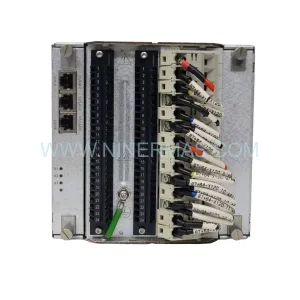
Original Industrial Spare Part
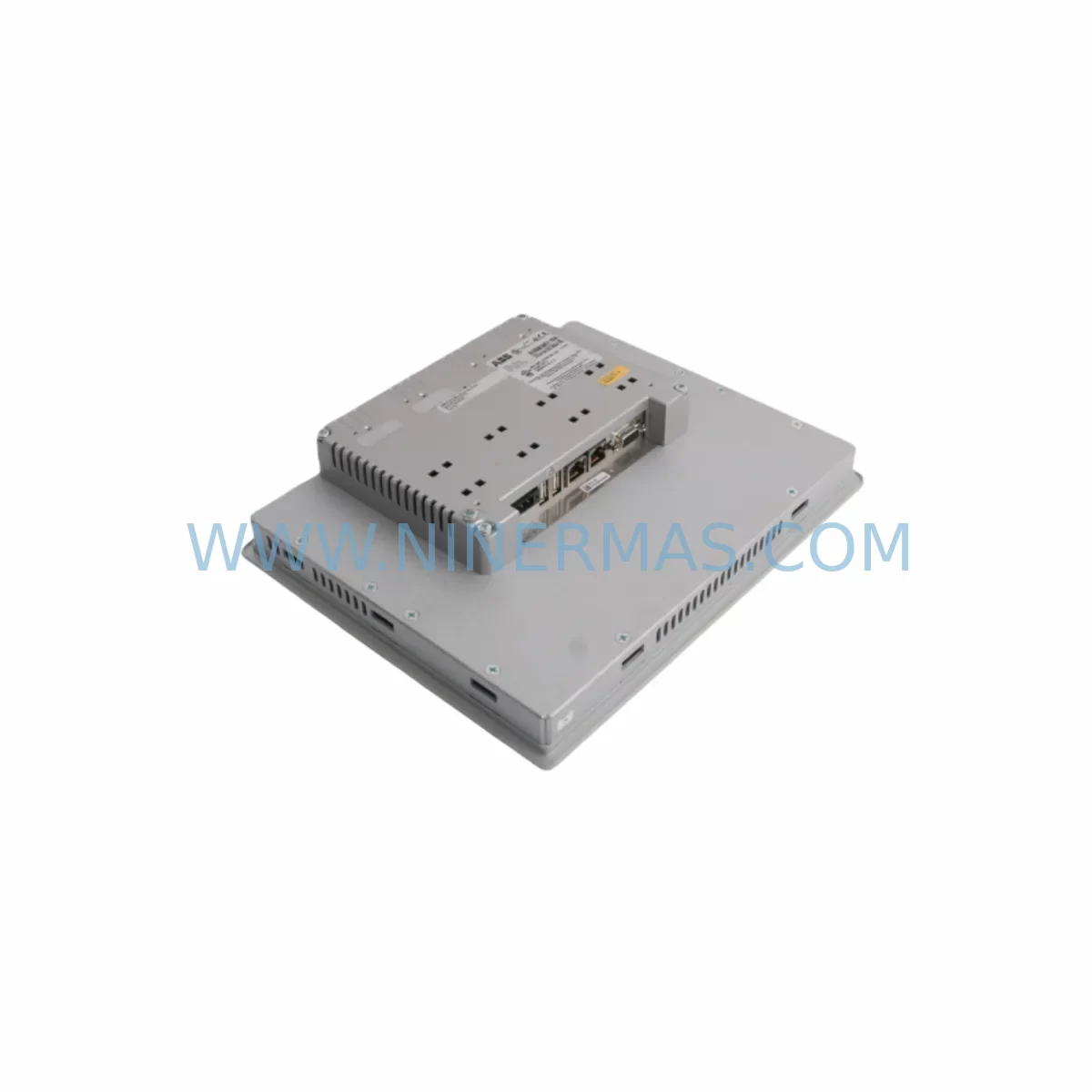
ABB CP651 1SAP551100R0001 Retrofit HMI for CP600 Legacy Systems
Verify the part, confirm the platform family, and move straight into quotation with the right commercial details.
RFQ Ready
- SKUCP651 1SAP551100R0001
- CategoryPLC & Industrial Automation Modules
- BrandABB
- SupportAvailability, lead time, condition, and shipping coordination
How Buyers Usually Use This Page
- Confirm the exact part number and platform family before sending the quote request.
- Use direct email when quantity, condition, and destination are already defined internally.
- Switch to the broader brand or category archive when you need alternates nearby.
Series Navigation
Move through the most common platform families behind this part.
Product RFQ
Send this part directly for quotation.
Include quantity, required condition, destination country, and target delivery timing. Current reference: ABB CP651 1SAP551100R0001 Retrofit HMI for CP600 Legacy Systems with SKU CP651 1SAP551100R0001.
ABB CP651 1SAP551100R0001 Retrofit HMI for CP600 Legacy Systems: Seamless Upgrade for Aging Automation Infrastructure
The ABB CP651 (part number 1SAP551100R0001) is a high-performance operator panel from ABB’s CP600 series, widely deployed across process automation, machine control, and building management systems. As legacy CP600-series installations approach end-of-life, plant engineers and maintenance teams increasingly rely on the CP651 as a direct retrofit replacement for discontinued HMI units such as the CP630, CP635, and CP640 — preserving existing panel cutouts, communication wiring, and operator interface logic without requiring a full control cabinet redesign.
NINERMAS maintains verified stock of the ABB CP651 1SAP551100R0001, sourced from authorized supply channels, with full functional testing prior to dispatch and a 12-month warranty covering hardware defects under normal operating conditions. Each unit ships with original ABB packaging where available, and our technical team can assist with pre-delivery compatibility verification against your existing system configuration.
Upgrade Compatibility Table
| Parameter | ABB CP651 1SAP551100R0001 | Retrofit Notes |
|---|---|---|
| Display | 5.7″ STN Color TFT, 320×240 | Verify panel cutout dimensions vs. CP630/CP635 originals |
| Communication Interfaces | Ethernet (RJ45), RS-232, RS-485, USB | Confirm existing PROFIBUS or Modbus RTU wiring; RS-485 adapter may be required |
| Power Supply | 24 VDC (18–30 VDC range) | Verify cabinet PSU capacity; CP600 PSU modules typically rated at 24 VDC / 3A |
| Mounting | Panel-mount, IP65 front | Standard 192×138 mm cutout; gasket seal condition should be inspected |
| Programming Software | ABB Panel Builder 600 | Existing .ppj project files can be migrated; verify tag mapping and screen resolution |
| PLC Compatibility | ABB AC500, AC31, third-party via OPC/Modbus | Confirm driver version in Panel Builder 600 matches target PLC firmware |
| Replacement Models | CP630, CP635, CP640 (discontinued) | Direct form-factor replacement in most CP600-series cabinet configurations |
| Warranty | 12-Month Hardware Warranty — NINERMAS COMPANY LIMITED | |
Retrofit Planning for Existing Automation Systems
Replacing a discontinued HMI in a live production environment requires careful pre-engineering to avoid unplanned downtime. When migrating from a legacy CP630 or CP635 to the ABB CP651 1SAP551100R0001, the first step is a full audit of the existing control cabinet layout. Engineers should document the terminal block wiring connected to the original HMI’s RS-232 or RS-485 port, confirm the 24 VDC supply rail capacity, and photograph the existing panel cutout dimensions before ordering the replacement unit.
Communication architecture is a critical consideration. Many legacy CP600 installations use PROFIBUS DP as the primary fieldbus, connecting the HMI to an ABB AC500 PLC or a third-party controller via a dedicated PROFIBUS interface card. When transitioning to the CP651, teams should verify whether the existing PROFIBUS cable termination and bus address assignments remain valid, or whether a protocol migration to Modbus TCP over Ethernet is preferable given the CP651’s native Ethernet port. In systems where the original HMI communicated via RS-485 Modbus RTU to remote I/O modules — such as ABB TU515 or TU516 terminal units — the RS-485 wiring can typically be reused with minor re-termination at the CP651’s COM port.
For I/O-intensive retrofit projects, the CP651 is commonly deployed alongside ABB SM560-S safety modules, DC532 digital I/O modules, and AI523 analog input modules mounted on an existing TB723 or TB724 backplane. The HMI’s tag database must be re-mapped to reflect any changes in module slot addressing introduced during the cabinet upgrade. If the original project was built in an older version of ABB Panel Builder 600, a software migration step is required to convert legacy screen objects and alarm configurations to the current runtime format supported by the CP651 firmware.
Where the retrofit also involves upgrading the main controller — for example, replacing an end-of-life ABB 07KT98 AC31 CPU with a current-generation ABB AC500 PM573 or PM591 — the HMI project will require a full tag re-link to the new PLC variable table. This is best performed offline using a simulation environment before the physical cutover. Signal isolators, such as ABB RISH series or equivalent DIN-rail isolators, may be needed to condition legacy 4–20 mA analog signals entering the new I/O rack, particularly where original field wiring lacks proper shielding.
Programming cable access is another practical consideration: the CP651 supports USB-based project download, eliminating the need for the proprietary serial programming cables required by older CP600 panels. This simplifies on-site commissioning and reduces the tooling inventory maintenance teams must carry during planned shutdown windows.
Downtime Control During System Migration
Minimizing production interruption during an HMI retrofit is achievable with disciplined pre-planning. The recommended approach is to complete all software preparation — project migration, tag verification, alarm configuration review, and screen resolution adjustment — in a staging environment before the scheduled maintenance window. ABB Panel Builder 600 supports offline simulation, allowing engineers to validate all screen navigation paths, setpoint entry functions, and alarm acknowledgment sequences without connecting to live hardware.
On the day of cutover, the sequence should follow a defined checklist: isolate the 24 VDC supply to the HMI circuit, disconnect and label all communication cables at the original panel, remove the legacy unit, install the CP651 into the existing cutout, reconnect communication wiring in the documented order, restore power, and perform a controlled project download via USB. Total physical swap time for an experienced technician is typically under 30 minutes for a standard panel-mount installation.
To protect existing PLC program logic during the HMI replacement, the AC500 or AC31 controller should remain in RUN mode throughout the HMI swap where process safety permits — the PLC continues executing its control program independently of HMI availability. Critical process values should be noted manually or logged via the SCADA system before the HMI is taken offline, ensuring operators can monitor key parameters through alternative means during the brief transition period.
Post-installation, a structured commissioning checklist should cover: power-on self-test confirmation, communication link establishment (Ethernet or RS-485), tag read/write verification for all critical process variables, alarm trigger testing, and operator acknowledgment of the updated screen layout. NINERMAS provides pre-shipment functional testing documentation for each CP651 unit, reducing the risk of receiving a non-functional replacement and compressing on-site commissioning time.
Retrofit Support FAQ
Q1: Is the ABB CP651 1SAP551100R0001 a direct drop-in replacement for the CP635 or CP640?
In most installations, yes. The CP651 shares the same panel cutout dimensions and 24 VDC power requirement as the CP635 and CP640. Communication wiring is compatible at the physical connector level, though protocol configuration in Panel Builder 600 must be verified and updated to match the CP651’s driver set. Screen resolution differences (if any) may require minor HMI project adjustments.
Q2: What commissioning steps are required after installing the CP651?
After physical installation, download the migrated Panel Builder 600 project via USB, establish the communication link to the PLC (Ethernet or RS-485), verify all tag read/write functions, test alarm generation and acknowledgment, and confirm operator screen navigation. A full I/O point check against the existing control narrative is recommended before returning the system to automatic operation.
Q3: Does NINERMAS provide pre-shipment testing for the CP651 1SAP551100R0001?
Yes. Each unit undergoes functional power-on testing and communication interface verification before dispatch. Test documentation is available upon request. All units are covered by a 12-month hardware warranty from the date of shipment.
Q4: What is the typical lead time and stock availability?
NINERMAS maintains ready stock of the ABB CP651 1SAP551100R0001 for immediate dispatch. Standard international shipping lead times apply depending on destination. For urgent retrofit requirements, expedited shipping options are available. Contact our team at sale@ninermas.com or +0086 187 5021 5667 to confirm current inventory and arrange priority dispatch.
| Product Series | CP600 Legacy |
|---|---|
| Country of Origin | SE |
Catalog Continuation
More ABB modules in the catalog.
Use the brand lane to compare nearby part numbers, platform-adjacent modules, and other inquiry-ready listings before sending your final RFQ.
SKU: SS823 3BSE038226R1
ABB SS823 3BSE038226R1 Safety-Reliable Signal Module
SKU: DSQC1006 3HAC043383-001/02
ABB DSQC1006 3HAC043383-001/02 Retrofit-Compatible Drive for Legacy Systems
SKU: HESG447220R4 70EB02C-ES
ABB HESG447220R4 70EB02C-ES Service-Ready Spare Part
Catalog Continuation
Alternative parts within PLC & Industrial Automation Modules.
Stay inside the same system family when you need substitutes, adjacent modules, or a broader shortlist for procurement review.
SKU: C3419 , 716-140139-211 E82EV371K2C TYPE N.C. O.P. 0.39~0.59MPA 543574
Lenze E82EV371K2C Retrofit-Compatible Drive for Legacy Systems
SKU: 6ES7151-8FB01-0AB0
Siemens 6ES7151-8FB01-0AB0 Service-Ready Spare Part