
Original Industrial Spare Part
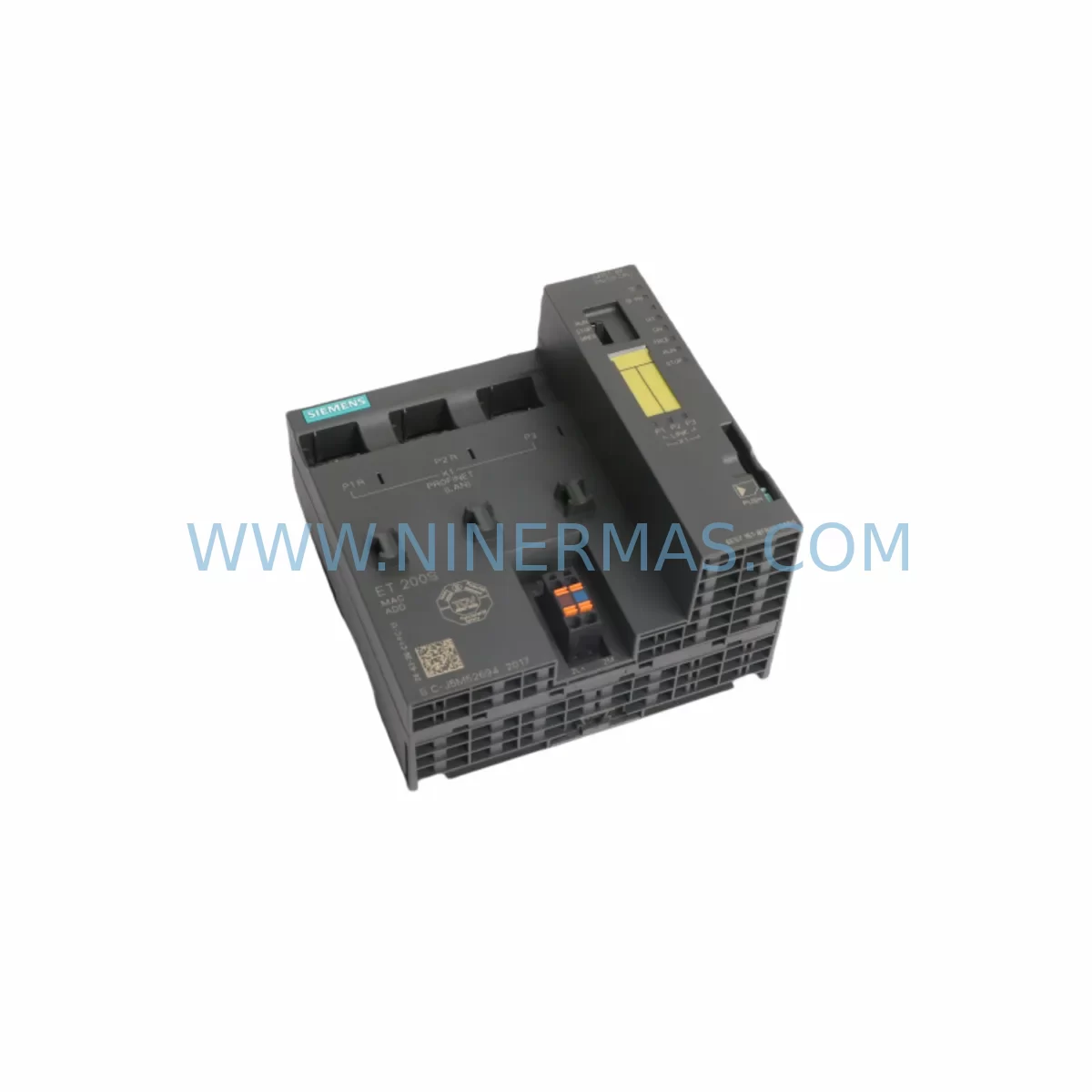
Siemens 6ES7151-8FB01-0AB0 Service-Ready Spare Part
Verify the part, confirm the platform family, and move straight into quotation with the right commercial details.
RFQ Ready
- SKU6ES7151-8FB01-0AB0
- CategoryPLC & Industrial Automation Modules
- BrandSiemens
- SupportAvailability, lead time, condition, and shipping coordination
How Buyers Usually Use This Page
- Confirm the exact part number and platform family before sending the quote request.
- Use direct email when quantity, condition, and destination are already defined internally.
- Switch to the broader brand or category archive when you need alternates nearby.
Series Navigation
Move through the most common platform families behind this part.
Product RFQ
Send this part directly for quotation.
Include quantity, required condition, destination country, and target delivery timing. Current reference: Siemens 6ES7151-8FB01-0AB0 Service-Ready Spare Part with SKU 6ES7151-8FB01-0AB0.
Siemens 6ES7151-8FB01-0AB0 Service-Ready Spare Part: Spare Part Replacement & Downtime Risk Control
The Siemens 6ES7151-8FB01-0AB0 is the IM151-8 PN/DP CPU interface module designed for the ET 200S distributed I/O system, operating within the SIMATIC S7 automation architecture. As a central processing and communication node in the ET 200S station, this module manages PROFINET IO and PROFIBUS DP connectivity, executes local user programs, and coordinates I/O data exchange with the host controller. In industrial maintenance environments — from automotive assembly lines to process control panels — the 6ES7151-8FB01-0AB0 is a mission-critical component whose failure can immediately halt production.
At NINERMAS, we supply the 6ES7151-8FB01-0AB0 as a service-ready spare part, fully tested prior to shipment, backed by a 12-month warranty, and available for rapid global dispatch. Whether you are managing a planned annual overhaul, responding to an unplanned fault, or building a strategic spare parts inventory, this module is stocked and ready to support your maintenance operation.
Spare Maintenance Table
| Parameter | Specification |
|---|---|
| Part Number / SKU | 6ES7151-8FB01-0AB0 |
| Module Type | IM151-8 PN/DP CPU Interface Module |
| Series | SIMATIC ET 200S |
| Brand | Siemens |
| Communication Interfaces | PROFINET IO (RJ45), PROFIBUS DP (RS-485) |
| Supply Voltage | 24 V DC |
| Program Memory | 128 KB (work memory) |
| I/O Capacity | Up to 63 ET 200S I/O modules per station |
| Operating Temperature | 0 °C to +60 °C |
| Protection Rating | IP20 |
| Country of Origin | Germany |
| Compatibility | ET 200S station, SIMATIC S7-300/S7-1500 host systems via PROFINET/PROFIBUS |
| Replaces / Upgrades | 6ES7151-8FB00-0AB0 (prior revision), legacy IM151-1 DP configurations |
| Installation | DIN rail mount on ET 200S terminal module IM151 |
| Warranty | 12 Months — tested before shipment |
| Maintenance Recommendation | Inspect annually; replace on first sign of communication fault or CPU error LED |
Maintenance Planning for Continuous Operation
When a 6ES7151-8FB01-0AB0 failure is identified — whether through a PROFINET IO communication alarm, a CPU STOP state, or a BF/SF LED fault indication — the replacement workflow must be coordinated with a broader inspection of the ET 200S station and its associated control cabinet. Experienced maintenance engineers understand that a single module fault rarely occurs in isolation; surrounding components are often subject to the same environmental stresses, power transients, or aging cycles.
During a planned replacement of the 6ES7151-8FB01-0AB0, the following components should be inspected or proactively replaced as part of the same maintenance window:
- ET 200S Power Module (e.g., 6ES7138-4CA01-0AA0 PM-E 24VDC) — Verify output voltage stability and check for capacitor aging. A degraded power module is a common root cause of intermittent CPU resets.
- ET 200S Digital Input Modules (e.g., 6ES7131-4BF00-0AA0) — Inspect terminal connections and check for channel faults that may have been masked by the CPU fault.
- ET 200S Digital Output Modules (e.g., 6ES7132-4BF00-0AA0) — Confirm output load integrity and check for short-circuit protection trips.
- PROFINET patch cables and RJ45 connectors — Inspect for physical damage, bent pins, or moisture ingress, particularly in harsh industrial environments.
- PROFIBUS DP bus connector (e.g., 6ES7972-0BB52-0XA0) — Check termination resistor settings and cable shielding continuity if the station also operates on a PROFIBUS segment.
- 24 V DC industrial power supply (e.g., SITOP PSU100S 6EP1334-2BA20) — Measure output ripple and confirm the supply is within specification. An unstable 24 V rail is a leading cause of ET 200S CPU module failures.
- Terminal modules for ET 200S (e.g., 6ES7193-4CA40-0AA0) — Inspect for cracked housings, loose spring-clamp terminals, or corrosion on the backplane contacts.
- Signal isolators and surge protection devices — Check any installed signal isolators on analog I/O channels and verify surge arresters on field wiring entries are intact.
- Micro Memory Card (MMC) for IM151-8 (e.g., 6ES7953-8LF31-0AA0) — Confirm the MMC is properly seated and that the program backup is current before swapping the CPU module.
- Fuse elements and miniature circuit breakers — Inspect all 24 V branch circuit fuses within the control cabinet to rule out upstream overcurrent events that may have contributed to the module fault.
This holistic inspection approach reduces the risk of repeat failures after the 6ES7151-8FB01-0AB0 is replaced, and supports a longer mean time between maintenance (MTBM) for the entire ET 200S station.
Site Replacement Workflow
Replacing the 6ES7151-8FB01-0AB0 on-site is a structured process that, when executed correctly, minimizes downtime and eliminates the risk of configuration loss or communication errors after restart.
Step 1 — Preparation: Before powering down the ET 200S station, use the SIMATIC STEP 7 or TIA Portal project to export the current hardware configuration and program. Confirm the Micro Memory Card (MMC) contains the latest program version. Label all PROFINET and PROFIBUS cable connections.
Step 2 — Safe Isolation: De-energize the ET 200S station via the upstream 24 V DC circuit breaker. Follow your site’s lockout/tagout (LOTO) procedure. Confirm zero voltage at the IM151 terminal module power contacts before proceeding.
Step 3 — Module Removal: Release the locking lever on the 6ES7151-8FB01-0AB0 and slide it off the terminal module. Transfer the Micro Memory Card from the old module to the replacement unit — the MMC carries the program and IP address configuration.
Step 4 — Replacement Installation: Slide the new 6ES7151-8FB01-0AB0 onto the terminal module until it clicks into place. Reconnect PROFINET and PROFIBUS cables. Verify the MMC is correctly seated.
Step 5 — Power-Up and Verification: Re-energize the station. Observe the RUN/STOP and BF/SF LEDs. The module should enter RUN state within 30–60 seconds. Confirm PROFINET IO communication is re-established in TIA Portal or STEP 7 online diagnostics. Verify all I/O channels are reporting correctly before releasing the line to production.
This workflow is compatible with both direct replacement of a failed 6ES7151-8FB01-0AB0 and upgrade scenarios where an older 6ES7151-8FB00-0AB0 or legacy IM151-1 DP module is being retired. The 6ES7151-8FB01-0AB0 supports the same terminal module footprint, making it a drop-in mechanical replacement with minimal reconfiguration.
Spare Parts Support FAQ
Q1: Is the 6ES7151-8FB01-0AB0 compatible with my existing ET 200S terminal modules and I/O modules?
Yes. The 6ES7151-8FB01-0AB0 (IM151-8 PN/DP) is designed to mount directly on the standard ET 200S IM151 terminal module and is compatible with the full range of ET 200S electronic modules, including digital I/O, analog I/O, and technology modules. It supports both PROFINET IO and PROFIBUS DP, making it suitable for mixed-network installations. Always confirm your TIA Portal or STEP 7 hardware catalog version supports this module revision before deployment.
Q2: How does NINERMAS verify the 6ES7151-8FB01-0AB0 before shipment?
Every unit supplied by NINERMAS undergoes functional testing prior to dispatch. This includes power-on verification, communication interface checks, and LED status confirmation. Units are shipped with protective packaging to prevent ESD damage and physical shock during transit. A 12-month warranty is provided from the date of shipment, covering manufacturing defects and functional failures under normal operating conditions.
Q3: Can I use the 6ES7151-8FB01-0AB0 to replace an older 6ES7151-8FB00-0AB0 without reprogramming?
In most cases, yes. The -0AB0 hardware revision suffix indicates a compatible upgrade. The program stored on the Micro Memory Card (MMC) is transferred with the card, so no reprogramming is required if the MMC is moved from the old module to the replacement. However, it is recommended to verify the hardware configuration in your STEP 7 or TIA Portal project matches the new module revision to avoid diagnostic warnings. NINERMAS technical support can assist with compatibility confirmation prior to purchase.
Q4: What is NINERMAS’s policy on long-term supply and lead times for the 6ES7151-8FB01-0AB0?
NINERMAS maintains stock of the 6ES7151-8FB01-0AB0 to support both emergency replacement and planned procurement. For facilities managing aging SIMATIC ET 200S installations, we recommend establishing a standing spare parts agreement to ensure availability without lead-time risk. We support global shipping with standard lead times of 3–7 business days for stocked units. For large-volume or long-term supply contracts, contact our sales team to discuss pricing, consignment stock, and supply continuity arrangements.
| Product Series | SIMATIC |
|---|---|
| Country of Origin | DE |
Catalog Continuation
More Siemens modules in the catalog.
Use the brand lane to compare nearby part numbers, platform-adjacent modules, and other inquiry-ready listings before sending your final RFQ.
SKU: 6FC5370-4AM20-0AA0
SIEMENS 6FC5370-4AM20-0AA0 Retrofit-Compatible NC Module
SKU: 6SL3351-1AE37-5BA1
SIEMENS 6SL3351-1AE37-5BA1 Service-Ready Spare Part
Catalog Continuation
Alternative parts within PLC & Industrial Automation Modules.
Stay inside the same system family when you need substitutes, adjacent modules, or a broader shortlist for procurement review.
SKU: C3419 , 716-140139-211 E82EV371K2C TYPE N.C. O.P. 0.39~0.59MPA 543574
Lenze E82EV371K2C Retrofit-Compatible Drive for Legacy Systems
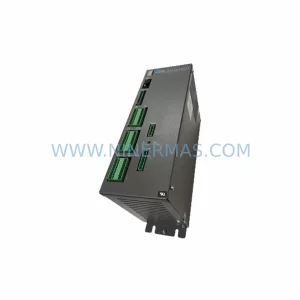
SKU: SC752A-001-01
Pacific Scientific SC752A-001-01 Service-Ready Spare Part



