Original Industrial Spare Part
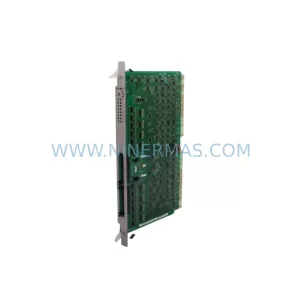
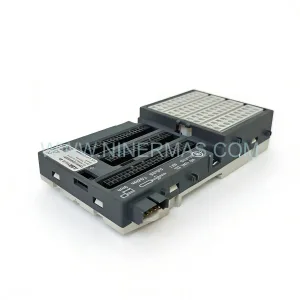
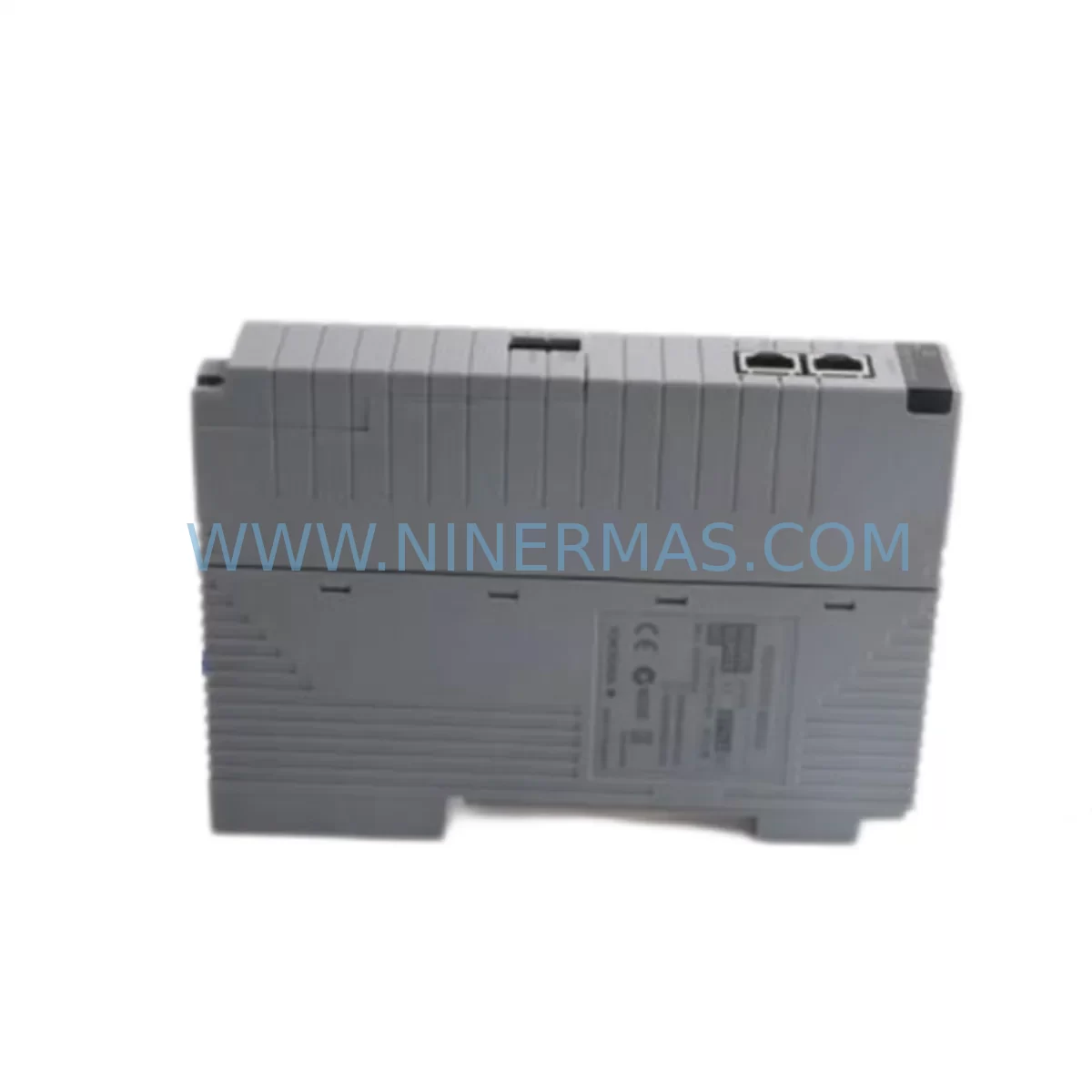
YOKOGAWA EC401-11 S2 Retrofit-Compatible I/O for Legacy Systems
Verify the part, confirm the platform family, and move straight into quotation with the right commercial details.
RFQ Ready
- SKUEC401-11 S2
- CategoryDCS Distributed Control Systems
- BrandYokogawa
- SupportAvailability, lead time, condition, and shipping coordination
How Buyers Usually Use This Page
- Confirm the exact part number and platform family before sending the quote request.
- Use direct email when quantity, condition, and destination are already defined internally.
- Switch to the broader brand or category archive when you need alternates nearby.
Series Navigation
Move through the most common platform families behind this part.
Product RFQ
Send this part directly for quotation.
Include quantity, required condition, destination country, and target delivery timing. Current reference: YOKOGAWA EC401-11 S2 Retrofit-Compatible I/O for Legacy Systems with SKU EC401-11 S2.
YOKOGAWA EC401-11 S2 Retrofit-Compatible I/O for Legacy Systems
The YOKOGAWA EC401-11 S2 is a field-proven I/O module designed for integration within the CENTUM CS and CENTUM VP distributed control system platforms. As legacy automation infrastructure ages and original spare parts reach end-of-life, the EC401-11 S2 has become a critical component in retrofit projects, production line upgrades, and control cabinet modernization programs across the process industries — including oil & gas, petrochemical, power generation, pulp & paper, and pharmaceutical manufacturing.
NINERMAS maintains verified inventory of the EC401-11 S2 to support customers managing aging YOKOGAWA DCS installations. Whether you are replacing a failed module on an emergency basis, building a strategic spare parts buffer, or executing a planned system migration, our team provides pre-shipment functional testing, compatibility verification, and full retrofit documentation support.
Upgrade Compatibility Table
| Parameter | Details |
|---|---|
| Model | YOKOGAWA EC401-11 S2 |
| Compatible Platform | CENTUM CS, CENTUM VP (CS 1000 / CS 3000 / VP R5 / VP R6) |
| Module Type | I/O Communication / Node Interface Module |
| Backplane Interface | YOKOGAWA standard nest/rack bus — confirm slot assignment before installation |
| Communication Protocol | Vnet/IP or ESB (confirm with existing FCS configuration) |
| Installation Form Factor | Standard YOKOGAWA module slot — verify nest model and available slot count |
| Terminal Wiring | Confirm terminal block type (screw or spring-clamp) and field wiring gauge |
| Power Supply Requirement | Supplied via nest backplane — verify nest power capacity before adding modules |
| Replacement Recommendation | Direct replacement for failed or end-of-life EC401-11 S2 units in existing nests |
| Commissioning Note | Module address and tag assignment must be verified in CENTUM Builder / System View |
| HMI Compatibility | Existing HMI faceplates and graphic displays remain valid — no screen rebuild required for like-for-like replacement |
| Warranty | 12 Months — covers manufacturing defects and functional failure under normal operating conditions |
Retrofit Planning for Existing Automation Systems
Replacing the EC401-11 S2 within an operating CENTUM CS or CENTUM VP system requires careful pre-engineering to avoid unplanned downtime and control disruptions. The following planning checklist reflects the practical experience of engineers who have executed YOKOGAWA DCS retrofit projects across multiple industries.
Power Budget Verification: Before installing a replacement EC401-11 S2, confirm the available power capacity of the host nest. YOKOGAWA nests such as the ANB10D or ANB11D have defined power budgets per slot. Adding or replacing modules without checking the nest power margin can cause instability across all modules in the same nest. Review the nest power consumption table in the CENTUM hardware manual and compare against the current module load.
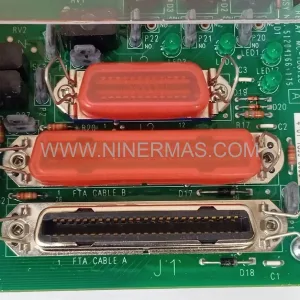
Terminal Block and Field Wiring: Verify that the existing terminal block assembly is compatible with the replacement EC401-11 S2. In many legacy installations, field wiring was terminated on TB series terminal blocks or marshalling panels connected via multi-core cables. Confirm wire gauge, shielding requirements, and terminal torque specifications before reconnecting field signals. Mislabelled or undocumented field wiring is one of the most common causes of commissioning delays during retrofit projects.
Backplane Slot and Module Address: The EC401-11 S2 must be installed in the correct nest slot as defined in the CENTUM system configuration. Module addresses are assigned during system engineering and stored in the Field Control Station (FCS) configuration database. Installing the module in an incorrect slot will result in a hardware mismatch alarm and prevent the module from coming online. Use CENTUM Builder or the hardware configuration tool to confirm the slot assignment before physical installation.
Program Logic and Tag Compatibility: For like-for-like replacement of a failed EC401-11 S2, no changes to the control logic or tag database are required. However, if the replacement is part of a broader migration — for example, moving from a CENTUM CS 3000 nest to a CENTUM VP nest — the FCS program must be re-compiled and downloaded after hardware changes. Confirm with your DCS engineer whether a full or partial download is required, and schedule this activity during a planned maintenance window.
Communication Link Verification: The EC401-11 S2 communicates with the FCS via the internal nest bus. In systems where the FCS connects to the control network via Vnet/IP or legacy ESB (Enhanced Signal Bus), confirm that the communication path remains intact after module replacement. Check the ALF111 or ACF11 communication modules in the same FCS nest to ensure no secondary faults are masking the root cause of the original module failure.
HMI and Operator Station: In a like-for-like EC401-11 S2 replacement, existing HMI graphic displays built in CENTUM VP HIS (Human Interface Station) or legacy CENTUM CS Operator Station environments do not require modification. All tag references, alarm setpoints, and trend configurations remain valid. However, if the retrofit involves I/O reallocation or tag renaming, the HMI engineering database must be updated and re-downloaded to all operator stations before returning the system to service.
Installation Space and Cabinet Layout: Confirm that the control cabinet has sufficient physical space for the replacement module and that ventilation clearances meet YOKOGAWA specifications. In older installations, cabinets may be densely populated with YOKOGAWA RIO (Remote I/O) nodes, signal isolators, power distribution modules, and communication repeaters. Measure available slot depth and confirm that cable management does not obstruct module insertion or extraction.
On-Site Commissioning: After physical installation, power up the nest and monitor the module status LED. Use CENTUM System View or the hardware diagnostic tool to confirm that the EC401-11 S2 is recognized by the FCS and that all I/O channels are reporting correctly. Perform a loop check on critical field signals before releasing the system to operations. Document the replacement in the site maintenance log and update the spare parts inventory accordingly.
Downtime Control During System Migration
Minimizing production downtime is the primary concern for any plant engineer executing a YOKOGAWA DCS retrofit. The EC401-11 S2 replacement strategy should be integrated into the site’s overall maintenance planning process to reduce risk and protect control continuity.
Hot-Standby and Redundancy Considerations: If the failed EC401-11 S2 is part of a redundant I/O configuration, the standby module may have already assumed control. In this case, the replacement can be performed without a process shutdown, provided the new module is installed and verified before the standby module is released. Confirm the redundancy status in CENTUM System View before proceeding.
Pre-Tested Replacement Units: NINERMAS performs functional pre-shipment testing on all EC401-11 S2 units before dispatch. This reduces the risk of receiving a non-functional replacement and eliminates the need for on-site incoming inspection. Pre-tested units are shipped with a test report confirming key functional parameters.
Program Backup Before Any Hardware Change: Always create a full backup of the FCS program, hardware configuration, and HMI database before beginning any hardware replacement. Store the backup on a separate engineering workstation or offline media. This ensures that the original control logic can be restored immediately if the replacement procedure encounters an unexpected issue.
Staged Migration for Multi-Module Upgrades: If the retrofit involves replacing multiple modules — for example, upgrading an entire nest from CENTUM CS to CENTUM VP hardware — plan the migration in stages. Replace and verify one module at a time, returning each I/O group to service before proceeding to the next. This staged approach limits the scope of any single failure and allows the operations team to maintain partial process control throughout the migration.
Spare Parts Lifecycle Planning: The EC401-11 S2 is a discontinued or end-of-life product in the YOKOGAWA portfolio. NINERMAS maintains buffer stock to support customers with long-term spare parts requirements. We recommend that sites operating CENTUM CS or CENTUM VP systems with EC401-11 S2 modules conduct a spare parts audit and establish a minimum stock level based on the number of installed modules and the site’s mean time between failures (MTBF) history.
Retrofit Support FAQ
Q1: Is the EC401-11 S2 a direct drop-in replacement for the original module in my CENTUM CS nest?
A: In most cases, yes. The EC401-11 S2 is designed for direct installation in the original nest slot without hardware modification. However, you should confirm the nest model, slot assignment, and FCS hardware configuration before installation to ensure full compatibility. NINERMAS can assist with compatibility verification based on your system documentation.
Q2: Does the replacement module require any firmware update or configuration download before it can go online?
A: For a like-for-like replacement in an existing CENTUM CS or CENTUM VP system, the module typically initializes from the FCS configuration automatically after installation. In some cases, a partial FCS download may be required to re-establish the module address. Your YOKOGAWA-certified DCS engineer should confirm the download scope based on the current system revision and FCS software version.
Q3: What pre-shipment testing does NINERMAS perform on the EC401-11 S2?
A: Each EC401-11 S2 unit is functionally tested before shipment to verify power-up behavior, communication interface integrity, and I/O channel response. A test report is included with the shipment. All units are covered by a 12-month warranty from the date of shipment, covering manufacturing defects and functional failure under normal operating conditions.
Q4: Can NINERMAS supply multiple EC401-11 S2 units for a planned retrofit or spare parts buffer program?
A: Yes. NINERMAS maintains inventory of the EC401-11 S2 and can fulfill both single-unit emergency orders and multi-unit planned procurement. Lead times vary based on current stock levels. Contact our sales team at sale@ninermas.com or +0086 187 5021 5667 to confirm availability and discuss volume pricing for spare parts buffer programs.
| Product Series | CENTUM VP |
|---|---|
| Country of Origin | JP |
Catalog Continuation
More Yokogawa modules in the catalog.
Use the brand lane to compare nearby part numbers, platform-adjacent modules, and other inquiry-ready listings before sending your final RFQ.

Catalog Continuation
Alternative parts within DCS Distributed Control Systems.
Stay inside the same system family when you need substitutes, adjacent modules, or a broader shortlist for procurement review.