Original Industrial Spare Part
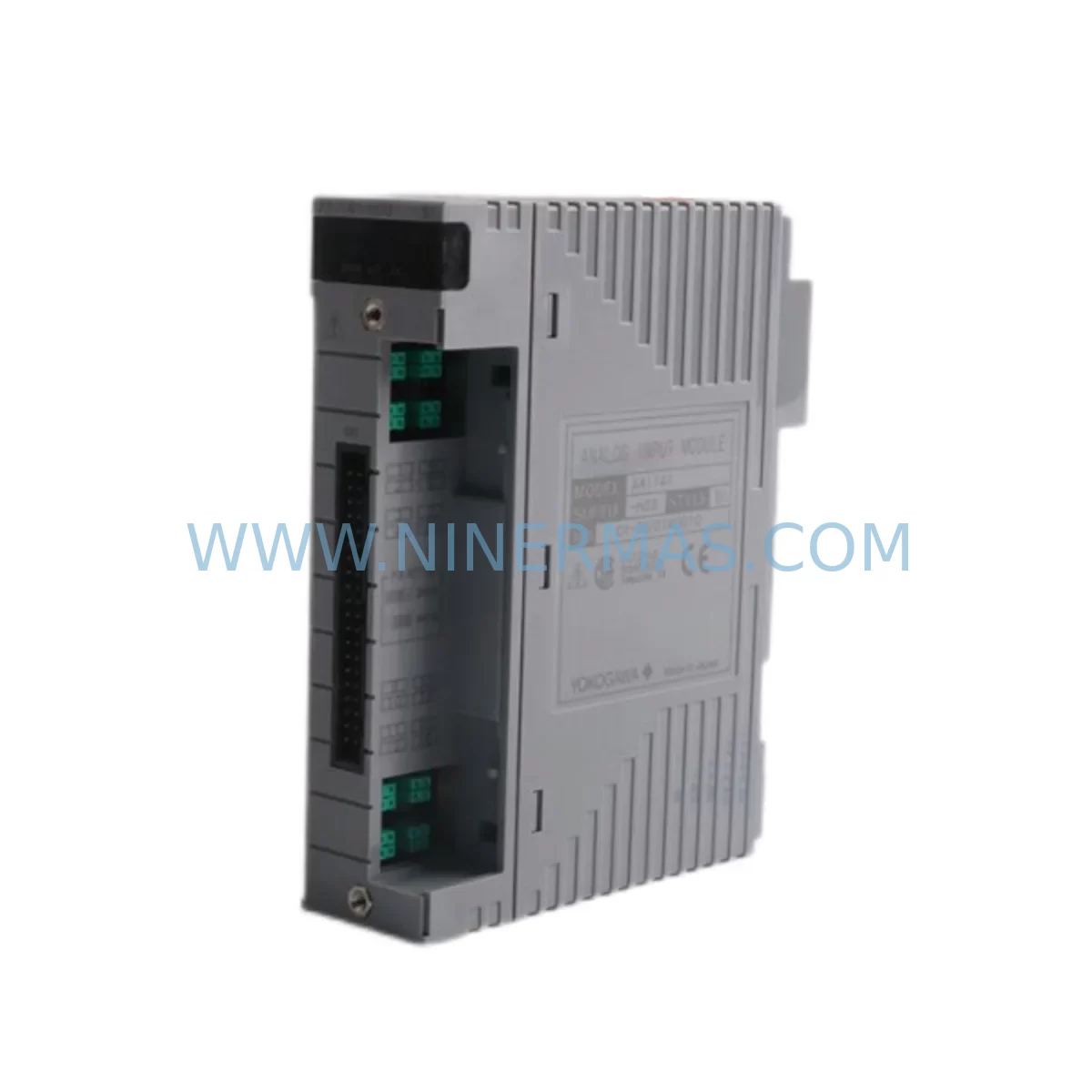
YOKOGAWA ADV159-P01 Retrofit-Compatible I/O for Legacy Systems
Verify the part, confirm the platform family, and move straight into quotation with the right commercial details.
RFQ Ready
- SKUADV159-P01
- CategoryDCS Distributed Control Systems
- BrandYokogawa
- SupportAvailability, lead time, condition, and shipping coordination
How Buyers Usually Use This Page
- Confirm the exact part number and platform family before sending the quote request.
- Use direct email when quantity, condition, and destination are already defined internally.
- Switch to the broader brand or category archive when you need alternates nearby.
Series Navigation
Move through the most common platform families behind this part.
Product RFQ
Send this part directly for quotation.
Include quantity, required condition, destination country, and target delivery timing. Current reference: YOKOGAWA ADV159-P01 Retrofit-Compatible I/O for Legacy Systems with SKU ADV159-P01.
YOKOGAWA ADV159-P01 Retrofit-Compatible I/O Module for Legacy Systems
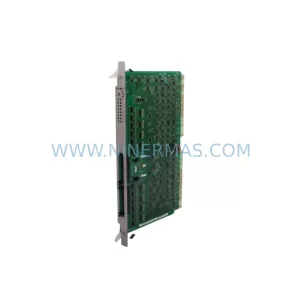
The YOKOGAWA ADV159-P01 is a high-reliability digital I/O module engineered for seamless integration into STARDOM and ProSafe-RS safety instrumented system architectures. As legacy automation infrastructure ages and OEM support windows close, the ADV159-P01 has become a critical component in retrofit projects across petrochemical, power generation, oil & gas, and discrete manufacturing facilities worldwide. NINERMAS maintains verified in-stock inventory of the ADV159-P01, fully tested and backed by a 12-month warranty, enabling engineering teams to execute planned and emergency replacements with confidence and minimal lead time.
When a facility’s existing STARDOM FCN/FCJ controller rack or ProSafe-RS safety controller begins exhibiting I/O faults, intermittent channel failures, or communication dropouts, the ADV159-P01 is the factory-matched replacement that eliminates the need for costly re-engineering. Unlike generic third-party substitutes, the ADV159-P01 preserves the original module address mapping, channel configuration, and backplane communication protocol, allowing maintenance engineers to restore full system functionality without modifying the existing application logic in FAST/TOOLS or ProSafe-RS Engineering Tool.
Before initiating a replacement, engineering teams should systematically verify several critical parameters to ensure a smooth cutover. Power supply capacity at the rack level must be confirmed — the ADV159-P01 draws its rated current from the backplane bus, and aging power supply modules such as the ADV151-P00 or ADV152-P00 may be operating near their derating threshold, particularly in high-density I/O racks. Terminal wiring compatibility must be reviewed against the original field wiring schedule; the ADV159-P01 uses the standard YOKOGAWA 40-pin terminal block interface, but field cable labeling should be verified before disconnection to prevent cross-wiring during reinstallation.
Backplane slot addressing is another area requiring careful attention. In STARDOM FCN racks, module slot positions are physically mapped to I/O addresses in the controller configuration. Inserting the ADV159-P01 into the correct slot position is essential to maintain the address assignments already defined in the running application program. If the rack also contains communication modules such as the ADV161-P00 Ethernet I/O module or the ADV551-P00 PROFIBUS DP slave module, their slot positions must remain undisturbed during the replacement procedure to avoid disrupting fieldbus communication to downstream devices.
Program compatibility verification is a mandatory step before live commissioning. The replacement ADV159-P01 must be confirmed against the I/O type definition in the existing FCN application — specifically, the channel data type, scaling parameters, and alarm limit configurations stored in the FAST/TOOLS database or the ProSafe-RS cause-and-effect matrix. In safety-rated applications, any change to I/O module hardware must be documented and validated in accordance with IEC 61511 functional safety management procedures, including a pre-startup safety review and updated proof test records.
HMI screen validation is often overlooked but is equally important. Operator stations running FAST/TOOLS HMI or third-party SCADA systems connected via OPC-DA or OPC-UA must be checked to confirm that all tag references associated with the ADV159-P01 channels continue to resolve correctly after the module swap. In facilities where the HMI communicates with the FCN controller via the Vnet/IP network, the network topology and IP address assignments for the controller node should be documented before any hardware intervention.
Upgrade Compatibility Table
| Parameter | Details |
|---|---|
| Compatible Platform | YOKOGAWA STARDOM FCN / FCJ, ProSafe-RS Safety Controller |
| Module Type | Digital I/O Module |
| Backplane Interface | YOKOGAWA Standard 40-pin Backplane Bus |
| Terminal Connection | 40-pin Field Terminal Block (compatible with existing field wiring) |
| Communication Protocol | Vnet/IP (internal), PROFIBUS DP / Modbus TCP (via gateway modules) |
| Slot Address Mapping | Preserved — no re-addressing required when installed in original slot |
| Program Modification Required | None (when replacing like-for-like in same slot position) |
| HMI Tag Impact | None — existing FAST/TOOLS or OPC tags remain valid |
| Power Supply Requirement | Verify rack bus capacity; compatible with ADV151-P00 / ADV152-P00 PSU modules |
| Installation Space | Standard STARDOM FCN rack slot — no mechanical modification required |
| Commissioning | Online hot-swap supported (verify with site safety procedures); offline replacement recommended for SIS applications |
| Replacement Validation | Channel-by-channel I/O loop check recommended post-installation |
| Warranty | 12 Months — covers manufacturing defects and functional failure under normal operating conditions |
Retrofit Planning for Existing Automation Systems
A successful ADV159-P01 retrofit begins well before the maintenance window opens. The engineering team should compile a complete rack inventory, identifying every module installed in the affected FCN or ProSafe-RS chassis. This typically includes a mix of the ADV159-P01 digital I/O modules alongside analog input modules such as the ADV151-P50 or ADV157-P00, power supply modules, and potentially a redundant controller module pair. Understanding the full rack population allows the team to sequence the replacement correctly and identify any modules that may also be approaching end-of-life.
Communication architecture mapping is the next critical planning step. STARDOM FCN controllers typically communicate upstream to a DCS or SCADA system via Vnet/IP Ethernet, and downstream to field devices via PROFIBUS DP, Modbus RTU, or HART protocol — often through dedicated communication modules installed in adjacent rack slots. If the retrofit scope includes migrating from an older FCN firmware version to a current release, the compatibility of existing communication modules such as the ADV551-P00 PROFIBUS DP module or the ADV161-P00 Ethernet I/O module with the new firmware must be confirmed before the upgrade proceeds.
I/O expansion planning is another dimension of retrofit projects that frequently surfaces during the ADV159-P01 replacement process. Facilities that have added process measurement points since the original system commissioning may find that the existing rack is fully populated, requiring the addition of a new FCN expansion rack or a remote I/O node. In these cases, the ADV159-P01 replacement can be combined with an I/O expansion project, adding new digital or analog I/O capacity while the rack is already open for maintenance.
Signal isolation requirements should also be reviewed during retrofit planning. In older installations, field signals may be connected directly to the ADV159-P01 without intermediate signal isolators or barriers. Modern safety and EMC standards may require the addition of signal isolators — particularly for signals originating in hazardous areas or from high-voltage field devices. Incorporating signal isolation modules into the retrofit design at this stage avoids the need for a second maintenance intervention later.
Programming cable and laptop configuration should be prepared in advance. Connecting to the FCN controller for online monitoring or offline program upload requires a standard Ethernet programming cable and a laptop loaded with the FAST/TOOLS Engineering Environment or the ProSafe-RS Engineering Tool, depending on the controller type. Verifying that the engineering laptop’s software version matches the controller firmware version before the maintenance window begins eliminates a common source of commissioning delay.
Downtime Control During System Migration
Minimizing production downtime during an ADV159-P01 replacement requires a structured approach to pre-work, execution, and post-installation verification. The most effective strategy is to complete all preparatory steps — rack inventory, wiring documentation, program backup, and spare module testing — during normal production hours, so that the actual hardware swap can be executed within a tightly controlled maintenance window.
Before the maintenance window begins, the existing application program should be uploaded from the FCN controller and archived to a secure engineering workstation. This backup preserves the current I/O configuration, PID tuning parameters, alarm setpoints, and interlock logic, providing a recovery baseline in the event that the replacement procedure encounters an unexpected issue. For ProSafe-RS safety applications, the safety application program and the associated safety validation records must also be archived in accordance with the site’s functional safety management system.
During the hardware swap, field operators should be positioned at critical process control points to maintain manual oversight of the process while the I/O module is offline. In facilities with a distributed control system connected to the STARDOM FCN via OPC or Modbus TCP, the DCS operator station should be configured to display the last-known values for the affected I/O channels and to suppress nuisance alarms generated by the temporary loss of I/O data during the module replacement.
Post-installation commissioning should follow a structured loop check procedure, verifying each I/O channel individually before returning the system to automatic control. For digital output channels, this involves commanding each output from the engineering workstation and confirming the corresponding field device response. For digital input channels, the field technician should actuate each input signal source and confirm that the correct state change is reflected in the controller’s I/O status display. Once all channels have been verified, the controller can be returned to automatic mode and the process returned to normal operation.
The entire replacement procedure — from module removal to verified recommissioning — can typically be completed within a two-to-four-hour maintenance window for a single ADV159-P01 module, provided that all preparatory work has been completed in advance and the replacement module has been pre-tested and confirmed functional before the maintenance window begins. NINERMAS pre-tests all ADV159-P01 units prior to shipment to support this approach.
Retrofit Support FAQ
Q: Is the ADV159-P01 a direct drop-in replacement for the original module without any program changes?
A: Yes, when the ADV159-P01 is installed in the same backplane slot as the original module, the slot address mapping, I/O channel configuration, and application program references remain unchanged. No modifications to the FCN application program or the ProSafe-RS safety application are required for a like-for-like replacement.
Q: Does NINERMAS pre-test the ADV159-P01 before shipment?
A: Yes. Every ADV159-P01 unit shipped by NINERMAS undergoes functional testing prior to dispatch, including channel-level I/O verification and backplane communication checks. A test report is available upon request. All units are covered by a 12-month warranty against manufacturing defects and functional failure under normal operating conditions.
Q: What should I verify regarding terminal wiring before replacing the ADV159-P01?
A: Before disconnecting the field terminal block, photograph or document the existing wiring layout and verify that all field cables are correctly labeled. Confirm that the terminal block type matches the replacement module’s connector specification. Re-torque all terminal screws to the specified value after reconnection to ensure reliable signal integrity.
Q: How quickly can NINERMAS ship the ADV159-P01 for an emergency replacement?
A: NINERMAS maintains in-stock inventory of the ADV159-P01 to support both planned maintenance and emergency breakdown situations. Express shipping options are available for urgent requirements. Contact our team at sale@ninermas.com or +0086 187 5021 5667 to confirm current stock availability and lead time.
| Product Series | ProSafe-RS |
|---|---|
| Country of Origin | JP |
Catalog Continuation
More Yokogawa modules in the catalog.
Use the brand lane to compare nearby part numbers, platform-adjacent modules, and other inquiry-ready listings before sending your final RFQ.

Catalog Continuation
Alternative parts within DCS Distributed Control Systems.
Stay inside the same system family when you need substitutes, adjacent modules, or a broader shortlist for procurement review.