
Original Industrial Spare Part
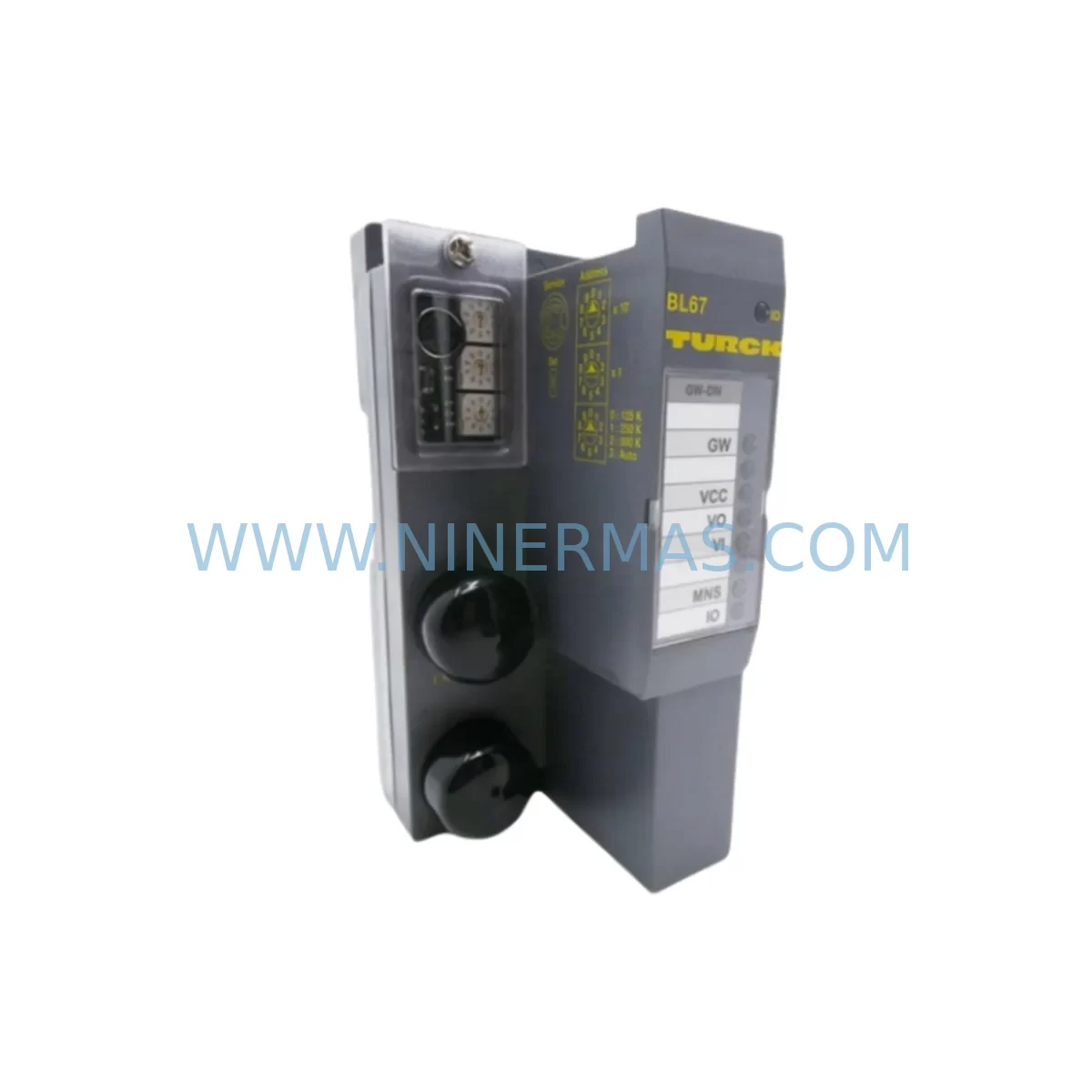
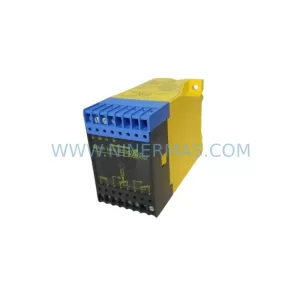
TURCK BL67-GW-DN Service-Ready Spare Part for Industrial Maintenance
Verify the part, confirm the platform family, and move straight into quotation with the right commercial details.
RFQ Ready
- SKUBL67-GW-DN
- CategoryPLC & Industrial Automation Modules
- BrandTURCK
- SupportAvailability, lead time, condition, and shipping coordination
How Buyers Usually Use This Page
- Confirm the exact part number and platform family before sending the quote request.
- Use direct email when quantity, condition, and destination are already defined internally.
- Switch to the broader brand or category archive when you need alternates nearby.
Series Navigation
Move through the most common platform families behind this part.
Product RFQ
Send this part directly for quotation.
Include quantity, required condition, destination country, and target delivery timing. Current reference: TURCK BL67-GW-DN Service-Ready Spare Part for Industrial Maintenance with SKU BL67-GW-DN.
TURCK BL67-GW-DN Service-Ready Spare Part for Industrial Maintenance
The TURCK BL67-GW-DN is a DeviceNet gateway module designed for the BL67 modular I/O system, providing seamless fieldbus connectivity between DeviceNet master controllers and distributed I/O nodes on the plant floor. For maintenance engineers managing aging automation infrastructure, sourcing a verified, service-ready BL67-GW-DN replacement is critical to minimising unplanned downtime and restoring production continuity with confidence. NINERMAS stocks original BL67-GW-DN units, each inspected and tested prior to dispatch, backed by a 12-month warranty and long-term supply commitment.
Spare Maintenance Table
| Parameter | Specification |
|---|---|
| Part Number / SKU | BL67-GW-DN |
| Brand | TURCK |
| Series | BL67 Modular I/O |
| Fieldbus Protocol | DeviceNet (CAN-based, IEC 62026-3) |
| Supply Voltage | 24 V DC (via BL67 power module) |
| DeviceNet Data Rate | 125 / 250 / 500 kbps (auto-detect) |
| Max I/O Modules Supported | Up to 16 BL67 I/O modules per gateway |
| Node Address Setting | Rotary switch (0–63) |
| Protection Rating | IP67 (module installed in BL67 station) |
| Operating Temperature | -25 °C to +70 °C |
| Mounting | DIN rail via BL67 base module |
| Compatibility | Allen-Bradley / Rockwell DeviceNet masters, Omron, Siemens CP343-5 via DeviceNet bridge |
| Origin | Germany |
| Warranty | 12 Months (NINERMAS) |
| Condition | Original, tested before shipment |
| Application | Distributed I/O, conveyor control, assembly lines, packaging machinery |
Maintenance Planning for Continuous Operation
When a BL67-GW-DN gateway fails or is flagged during a scheduled control cabinet inspection, the replacement scope rarely ends at the gateway itself. A thorough site assessment should cover the entire BL67 station and its upstream DeviceNet segment to prevent repeat failures and ensure the restored system meets original design intent.
Start with the BL67 power feed module — the BL67-PF-24VDC — which supplies 24 V DC to the backplane. A degraded power module can cause intermittent gateway resets that mimic communication faults, so verifying output voltage stability under load is essential before commissioning the replacement gateway. Similarly, inspect the BL67-B-4M12 or equivalent base module for corrosion on the M12 connector seats, as moisture ingress at IP67 junctions is a common root cause of fieldbus signal degradation in wash-down or outdoor enclosure environments.
On the DeviceNet segment itself, check the trunk cable termination resistors (120 Ω at each end) and measure bus voltage (nominally 24 V DC on the network power tap). A faulty DeviceNet power tap or corroded drop cable can prevent the new BL67-GW-DN from achieving node synchronisation even after correct address configuration. If the installation uses a TURCK BL67-GW-DN-S (safe variant) in a safety-rated zone, confirm that the safety I/O modules — such as BL67-4AI-U/I analogue input modules or BL67-4DI-0.5A digital input modules — are re-parameterised after gateway swap, as node replacement resets stored configuration in some DeviceNet masters.
For the upstream PLC or DCS, verify the DeviceNet scanner card — for example a Rockwell 1756-DNB ControlLogix DeviceNet bridge or an Omron CJ1W-DRM21 — still holds the correct EDS file mapping for the BL67 station. An outdated or corrupted EDS entry will cause the master to reject the newly installed gateway at startup. Procurement engineers should consider holding a spare 1756-DNB or equivalent scanner card alongside the BL67-GW-DN in the critical-spares cabinet, as lead times for scanner cards can extend to 8–16 weeks from standard distribution channels.
Additional components to inspect and stock during a BL67-GW-DN replacement event include: BL67-2DI-2DO combination I/O modules (check for blown output channels), BL67-8DI digital input modules (verify input filter settings post-swap), M12 A-coded DeviceNet drop cables (inspect for jacket cracking in high-flex applications), 24 V DC DIN-rail power supplies feeding the DeviceNet network power tap, and any TURCK IM12-CCR0 or equivalent signal isolators used on analogue loops connected to BL67 analogue I/O modules. Fuse holders and 2 A blade fuses protecting the 24 V bus should also be replaced as a matter of course during any unplanned gateway outage.
Site Replacement Workflow
Step 1 — Isolate and document. Before removing the BL67-GW-DN, capture the current node address (rotary switch position) and record all DeviceNet diagnostic LEDs status. Download the current EDS mapping from the DeviceNet master scanner for reference. De-energise the BL67 station via the upstream 24 V DC isolator — do not rely solely on the DeviceNet network power drop.
Step 2 — Physical swap. Release the BL67-GW-DN from the base module by pressing the locking tab and sliding the module upward. Install the replacement unit, ensuring the backplane connector seats fully. Set the rotary address switch to match the documented node address before applying power.
Step 3 — Re-commission. Re-energise the station and observe the MS (Module Status) and NS (Network Status) LEDs on the BL67-GW-DN. A solid green MS with flashing green NS indicates the module is powered and attempting DeviceNet connection. A solid green NS confirms successful node establishment. If the NS LED remains red, verify bus termination, node address uniqueness, and EDS file integrity on the master scanner.
Step 4 — I/O verification. Force-test each I/O module in the BL67 station from the PLC/DCS HMI or engineering workstation to confirm all digital and analogue channels respond correctly. This step is critical when replacing a gateway that may have masked upstream I/O faults during its failure period.
Step 5 — Documentation update. Record the replacement date, new module serial number, and any configuration changes in the site maintenance log. Update the critical-spares inventory to trigger reorder of the consumed BL67-GW-DN unit, maintaining minimum stock levels agreed in the spare-parts program.
Sourcing the BL67-GW-DN through NINERMAS ensures access to original, tested stock with a 12-month warranty, pre-shipment functional verification, and long-term supply continuity — reducing procurement risk for legacy BL67 installations where the product may be approaching end-of-availability from primary distribution.
Spare Parts Support FAQ
Q1: Is the TURCK BL67-GW-DN still available as a new original part, or only as refurbished stock?
NINERMAS supplies original BL67-GW-DN units sourced from authorised channels and verified stock. Each unit undergoes pre-shipment functional testing. Where new stock is available, it is supplied as new; where only verified original surplus stock is available, this is clearly stated at the time of quotation. All units carry a 12-month warranty regardless of stock classification.
Q2: How do I confirm compatibility between the BL67-GW-DN and my existing DeviceNet master?
The BL67-GW-DN is compatible with any DeviceNet master that supports standard Group 2 Only (G2O) or UCMM messaging per the DeviceNet specification. Provide your master scanner model (e.g. Rockwell 1756-DNB, Omron CJ1W-DRM21) and your BL67 station I/O module list when requesting a quotation, and our technical team will confirm EDS file availability and any firmware considerations before shipment.
Q3: What is included in the 12-month warranty and what does the pre-shipment test cover?
The 12-month warranty covers defects in materials and workmanship under normal operating conditions. Pre-shipment testing includes power-on verification, DeviceNet communication handshake test, LED status confirmation, and visual inspection of the backplane connector and rotary switches. A test report is available on request for critical procurement programmes.
Q4: Can NINERMAS support a long-term spare-parts programme for BL67 system components?
Yes. NINERMAS offers stock-commitment agreements for critical BL67 components including the BL67-GW-DN gateway, power feed modules, I/O modules, and base modules. Long-term programmes include agreed minimum stock levels, priority allocation, and fixed pricing over the contract period — reducing exposure to spot-market price volatility and extended lead times as the BL67 platform matures in its lifecycle.
| Product Series | Other series |
|---|---|
| Country of Origin | DE |
Catalog Continuation
More TURCK modules in the catalog.
Use the brand lane to compare nearby part numbers, platform-adjacent modules, and other inquiry-ready listings before sending your final RFQ.
Catalog Continuation
Alternative parts within PLC & Industrial Automation Modules.
Stay inside the same system family when you need substitutes, adjacent modules, or a broader shortlist for procurement review.



SKU: HDD02.2-W040N-HS12-01-FW FWA-DIAX04-ELS-05VRS-MS
Rexroth HDD02.2-W040N-HS12-01-FW Service-Ready Spare Part

SKU: I5DAE375F10010000S
Lenze I5DAE375F10010000S Service-Ready Spare Part for Industrial Maintenance



