Original Industrial Spare Part
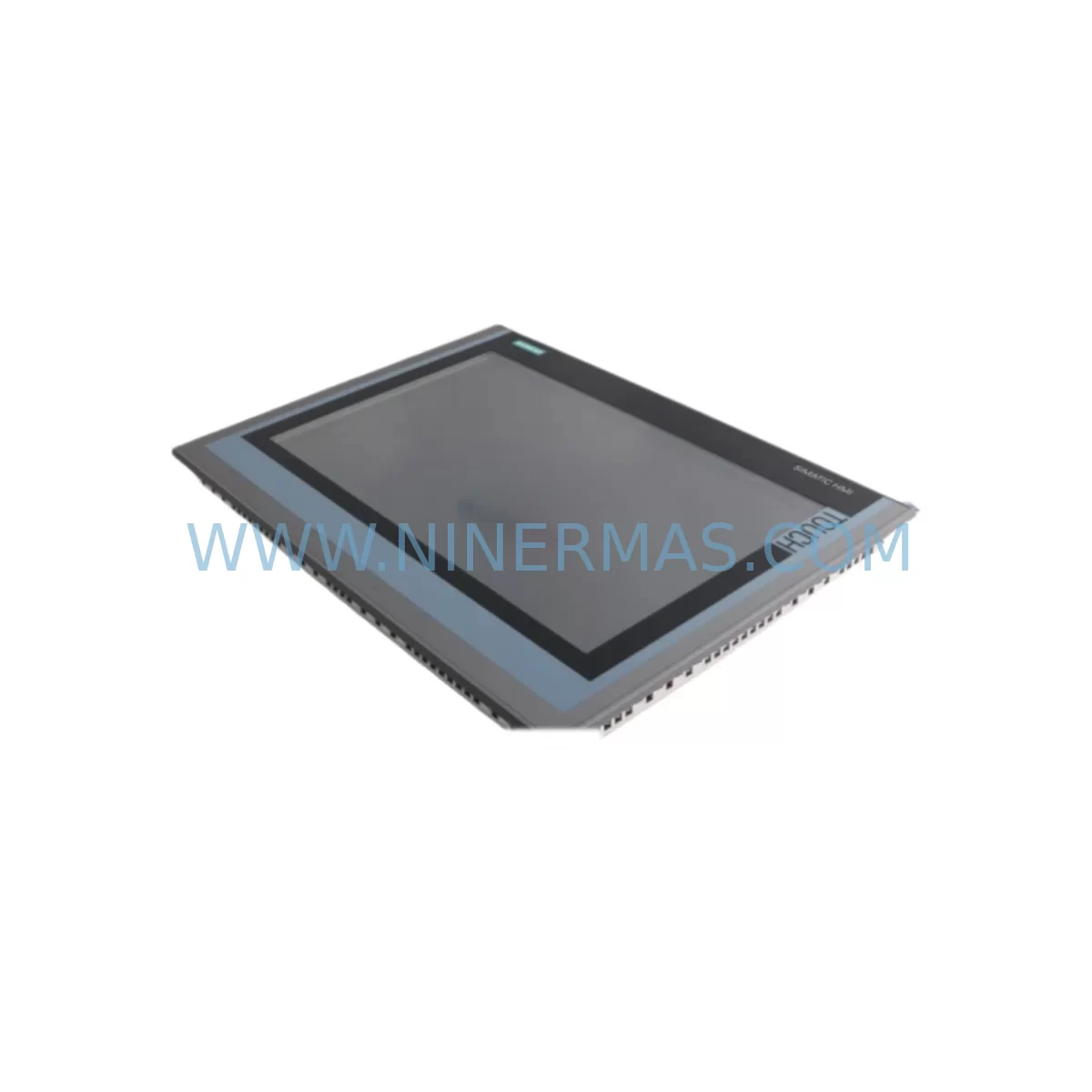
SIEMENS 6AV2124-0QC02-0AX1 Retrofit-Compatible HMI Panel
Verify the part, confirm the platform family, and move straight into quotation with the right commercial details.
RFQ Ready
- SKU6AV2124-0QC02-0AX1
- CategoryPLC & Industrial Automation Modules
- BrandSiemens
- SupportAvailability, lead time, condition, and shipping coordination
How Buyers Usually Use This Page
- Confirm the exact part number and platform family before sending the quote request.
- Use direct email when quantity, condition, and destination are already defined internally.
- Switch to the broader brand or category archive when you need alternates nearby.
Series Navigation
Move through the most common platform families behind this part.
Product RFQ
Send this part directly for quotation.
Include quantity, required condition, destination country, and target delivery timing. Current reference: SIEMENS 6AV2124-0QC02-0AX1 Retrofit-Compatible HMI Panel with SKU 6AV2124-0QC02-0AX1.
SIEMENS 6AV2124-0QC02-0AX1 Retrofit-Compatible HMI Panel for Legacy System Modernization
The SIEMENS 6AV2124-0QC02-0AX1 is a 12-inch widescreen Comfort Panel from the SIMATIC HMI Comfort series, featuring a high-resolution TFT display, multi-touch capability, and broad communication protocol support including PROFINET, PROFIBUS, and MPI. As legacy automation systems age and original HMI units reach end-of-life, the 6AV2124-0QC02-0AX1 serves as a proven retrofit-compatible replacement for older SIMATIC panels such as the TP1200 Comfort predecessor models, MP377, and OP series terminals. NINERMAS maintains verified inventory of this unit to support planned and emergency replacement projects across manufacturing, energy, water treatment, and process automation industries.
When planning a retrofit using the 6AV2124-0QC02-0AX1, engineers must evaluate several critical compatibility factors before committing to the replacement. The panel’s cutout dimensions (approximately 310 × 232 mm) must be confirmed against the existing control cabinet door or enclosure panel. If the legacy unit was a smaller OP177B or TP177B, a panel adapter frame or cutout modification will be required. Power supply requirements must also be verified — the 6AV2124-0QC02-0AX1 operates on 24 V DC with a rated current draw that must be supported by the existing SITOP PSU100S or equivalent 24 V DC power supply module already installed in the cabinet. Undersized power supplies are a common cause of retrofit failures and must be assessed before installation.
Communication link migration is one of the most technically demanding aspects of any HMI retrofit. The 6AV2124-0QC02-0AX1 supports PROFINET IO, PROFIBUS DP, MPI, and Ethernet-based connections, making it compatible with a wide range of SIMATIC S7-300, S7-400, S7-1200, and S7-1500 PLCs. If the existing system uses an older SIMATIC S7-300 CPU 315-2 DP communicating via PROFIBUS, the new panel can connect directly using the integrated PROFIBUS interface. For systems migrating from MPI to PROFINET, a SIMATIC NET CP 343-1 communications processor may be required on the PLC side to bridge the protocol gap without replacing the entire controller.
Upgrade Compatibility Table
| Parameter | Legacy Unit (e.g. MP377 / OP series) | 6AV2124-0QC02-0AX1 (Comfort Panel) | Retrofit Notes |
|---|---|---|---|
| Display Size | 10″ – 12″ (varies) | 12″ Widescreen TFT | Confirm cutout dimensions; adapter frame may be needed |
| Power Supply | 24 V DC | 24 V DC (rated current ~1.5 A) | Verify existing PSU capacity before installation |
| Communication | MPI / PROFIBUS DP | PROFINET, PROFIBUS, MPI, Ethernet | Direct PROFIBUS/MPI connection supported; PROFINET requires PLC-side CP module if legacy PLC lacks PROFINET port |
| HMI Software | WinCC flexible / ProTool | WinCC (TIA Portal V13+) | Project migration required via TIA Portal migration wizard; screen layouts must be reviewed and adjusted |
| Mounting | Panel cutout mount | Panel cutout mount (IP65 front) | Cutout modification may be required for smaller legacy panels |
| Tag/Variable Limit | Up to 2,048 (MP377) | Up to 4,096 (Comfort) | Expanded tag capacity supports future system growth |
| Warranty | N/A (legacy / discontinued) | 12-Month Warranty (NINERMAS) | All units tested and verified before shipment |
Retrofit Planning for Existing Automation Systems
A successful retrofit with the 6AV2124-0QC02-0AX1 begins with a thorough audit of the existing automation architecture. In a typical legacy control cabinet, the HMI panel interfaces with a SIMATIC S7-300 or S7-400 PLC via PROFIBUS DP or MPI. The first step is to document all existing tag addresses, screen objects, alarm configurations, and recipe structures from the legacy WinCC flexible or ProTool project. These must be migrated to a TIA Portal WinCC project before the new panel can be commissioned.
During the planning phase, engineers should also assess the condition of the existing SIMATIC ET 200S or ET 200M distributed I/O modules connected to the system. If these modules are also approaching end-of-life, a phased upgrade plan that includes I/O module replacement alongside the HMI retrofit will reduce the risk of unplanned downtime later. Similarly, if the control system includes a SIMATIC S7-300 SM 321 digital input module or SM 322 digital output module with aging terminal blocks, this is an ideal time to inspect and replace worn wiring and terminal connectors.
For systems that include signal conditioning or isolation between field instruments and the PLC, the existing SIMATIC signal isolators or third-party signal conditioners should be verified for compatibility with the new I/O addressing scheme. If the retrofit involves migrating from a PROFIBUS-based architecture to PROFINET, a SIMATIC PN/DP coupler can be used to bridge legacy PROFIBUS segments without replacing all field devices simultaneously, significantly reducing the scope and cost of the migration.
Programming cable access is another practical consideration. During commissioning of the 6AV2124-0QC02-0AX1, a standard Ethernet connection is used to download the WinCC project from the TIA Portal engineering station. Ensure that the engineering PC has TIA Portal V13 SP1 or later installed and that the panel’s IP address is configured correctly within the plant network. If the existing network infrastructure uses unmanaged switches, verify that the switch ports support the required bandwidth for PROFINET real-time communication.
Downtime Control During System Migration
Minimizing production downtime is the primary concern for any HMI retrofit project. With the 6AV2124-0QC02-0AX1, a well-prepared migration can be completed during a planned maintenance window of 4–8 hours, depending on the complexity of the existing HMI project and the number of screens, alarms, and recipes involved.
The recommended approach is to complete all software migration work — including TIA Portal project creation, tag mapping, screen layout adjustment, and alarm configuration — before the physical panel replacement begins. This allows the engineering team to validate the new project in simulation mode and identify any logic or display issues without touching the live system. Once the software is validated, the physical swap can proceed: power down the cabinet, disconnect the legacy panel, install the 6AV2124-0QC02-0AX1 using the existing or modified cutout, reconnect the 24 V DC power and communication cables, and download the pre-validated project via Ethernet.
To protect the original PLC program logic during the migration, it is strongly recommended to create a full backup of the existing S7-300 or S7-400 program using SIMATIC Manager or TIA Portal before any changes are made. The PLC program itself does not need to be modified in most HMI-only retrofit scenarios — only the HMI project changes. This means the control logic, interlocks, and safety functions remain intact throughout the migration, and the risk of introducing new faults into the process is minimized.
For critical production lines where even a 4-hour window is difficult to achieve, NINERMAS recommends pre-staging the replacement panel with the fully configured and tested WinCC project loaded, so that the on-site installation team only needs to perform the physical swap and a brief functional verification — typically achievable in under 2 hours.
Retrofit Support FAQ
Q1: Is the 6AV2124-0QC02-0AX1 a direct drop-in replacement for the SIMATIC MP377 12″ Touch?
The 6AV2124-0QC02-0AX1 is functionally compatible as a replacement for the MP377 12″ Touch in most applications, but it is not a mechanical drop-in due to differences in panel cutout dimensions. An adapter frame is typically required. Communication interfaces (PROFIBUS, MPI, Ethernet) are compatible. The HMI project must be migrated from WinCC flexible to TIA Portal WinCC before commissioning.
Q2: Can this panel communicate directly with a SIMATIC S7-300 CPU via PROFIBUS without additional hardware?
Yes. The 6AV2124-0QC02-0AX1 includes an integrated PROFIBUS DP interface and can connect directly to a SIMATIC S7-300 CPU with a DP port (e.g., CPU 315-2 DP or CPU 317-2 DP) without any additional communication modules. MPI connection is also supported natively.
Q3: What pre-shipment testing does NINERMAS perform on the 6AV2124-0QC02-0AX1?
All units supplied by NINERMAS undergo power-on functional testing, display verification, touch calibration check, and communication port inspection before shipment. Each unit is shipped with a 12-month warranty covering manufacturing defects and functional failures. Units are packaged in anti-static protective packaging to prevent transit damage.
Q4: What is the typical lead time and do you maintain stock of the 6AV2124-0QC02-0AX1?
NINERMAS maintains regular inventory of the 6AV2124-0QC02-0AX1 to support both planned retrofit projects and emergency replacement requirements. Standard in-stock orders are typically dispatched within 1–3 business days. For large-quantity or project-based orders, please contact our sales team to confirm availability and arrange a dedicated supply plan.
| Product Series | WinCC |
|---|---|
| Country of Origin | DE |
Catalog Continuation
More Siemens modules in the catalog.
Use the brand lane to compare nearby part numbers, platform-adjacent modules, and other inquiry-ready listings before sending your final RFQ.
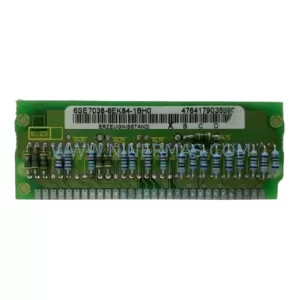
SKU: 6SE7038-6EK84-1BH0
Siemens 6SE7038-6EK84-1BH0 Retrofit Drive Control Module
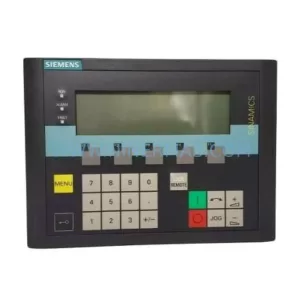
SKU: 6SL3055-0AA00-4CA5
Siemens 6SL3055-0AA00-4CA5 Retrofit-Compatible Operator Panel for Legacy Systems
Catalog Continuation
Alternative parts within PLC & Industrial Automation Modules.
Stay inside the same system family when you need substitutes, adjacent modules, or a broader shortlist for procurement review.

SKU: OZDPROFI12MG12
Hirschmann OZDPROFI12MG12 Spare Part for Industrial Maintenance



SKU: 07025-0000-70-1-04
KONTRON 07025-0000-70-1-04 Service-Ready Spare Part