
Original Industrial Spare Part
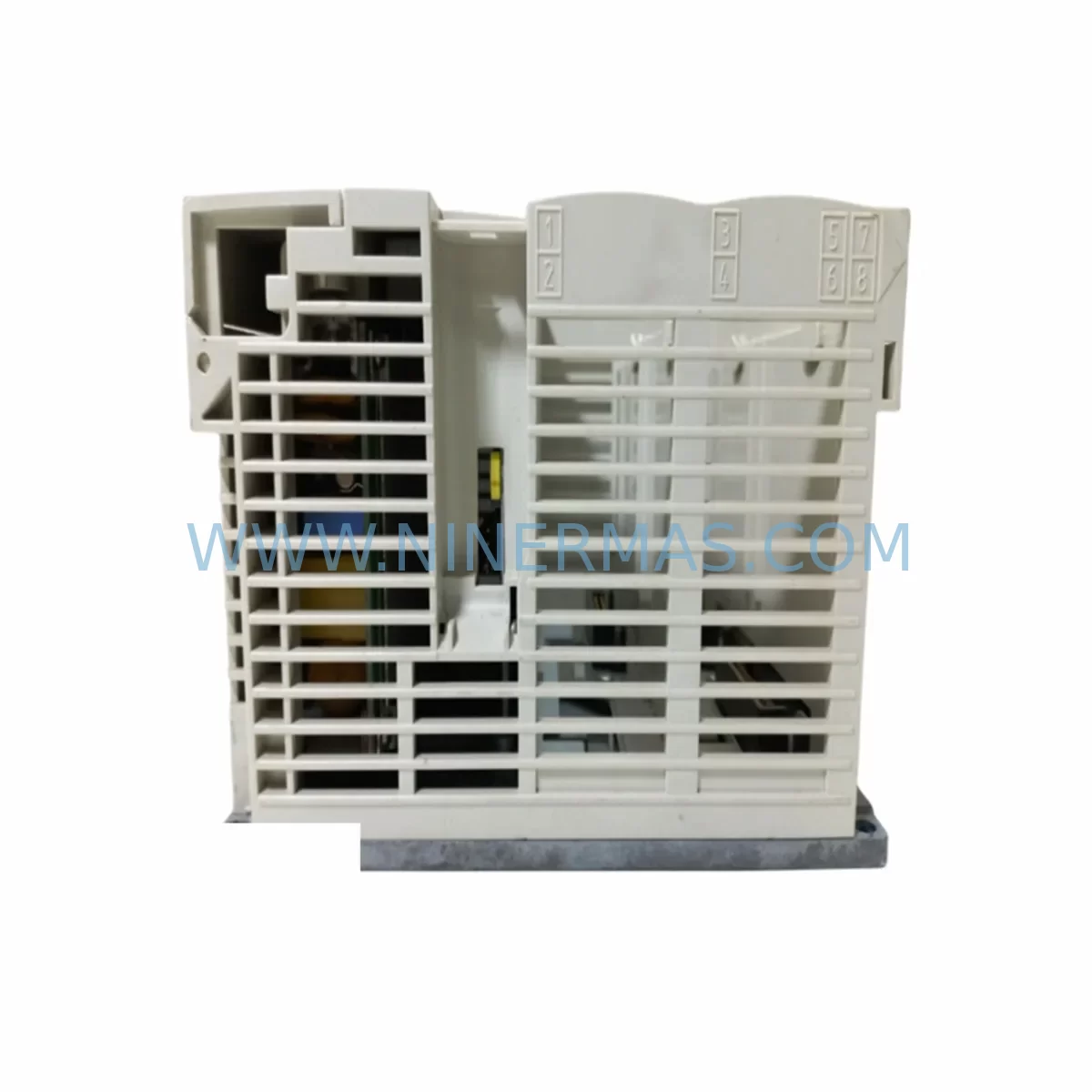
Schneider TSX3710001 Retrofit-Compatible I/O Module for Legacy Systems
Verify the part, confirm the platform family, and move straight into quotation with the right commercial details.
RFQ Ready
- SKUTSX3710001
- CategoryPLC & Industrial Automation Modules
- BrandSchneider Electric
- SupportAvailability, lead time, condition, and shipping coordination
How Buyers Usually Use This Page
- Confirm the exact part number and platform family before sending the quote request.
- Use direct email when quantity, condition, and destination are already defined internally.
- Switch to the broader brand or category archive when you need alternates nearby.
Series Navigation
Move through the most common platform families behind this part.
Product RFQ
Send this part directly for quotation.
Include quantity, required condition, destination country, and target delivery timing. Current reference: Schneider TSX3710001 Retrofit-Compatible I/O Module for Legacy Systems with SKU TSX3710001.
Schneider TSX3710001 Retrofit-Compatible I/O Module for Legacy Systems
The Schneider Electric TSX3710001 is a high-reliability I/O module designed for the Modicon TSX series PLC platform — one of the most widely deployed control architectures in process automation, discrete manufacturing, and utility infrastructure. As the TSX3710001 has reached end-of-life status in Schneider Electric’s active product catalog, procurement teams and maintenance engineers are increasingly sourcing verified replacement units to sustain aging control systems without committing to a full platform migration. NINERMAS COMPANY LIMITED maintains in-stock inventory of the TSX3710001 with full functional testing, outgoing inspection, and a 12-month warranty on every unit shipped.
Whether your facility is managing a scheduled control cabinet upgrade, responding to an unplanned module failure, or executing a phased migration from the Modicon TSX platform toward the Modicon M340 or Modicon M580 architecture, the TSX3710001 provides a verified, drop-in compatible solution that preserves your existing rack geometry, terminal wiring, and application program logic without requiring immediate re-engineering of the broader control system.
Upgrade Compatibility Table
| Parameter | TSX3710001 (This Unit) | Retrofit / Migration Notes |
|---|---|---|
| Platform | Modicon TSX Series | Compatible with TSX rack backplane; verify slot addressing before installation |
| Backplane Interface | TSX-series parallel bus | Not interchangeable with Modicon M340 (X80 bus) or M580 (Ethernet backplane) without adapter |
| Terminal Wiring | Screw-terminal I/O connector | Verify terminal block pinout against existing field wiring; re-use existing cable harness where possible |
| Module Addressing | Rack/slot-based addressing in PL7 Pro or Unity Pro | Confirm I/O address mapping in application program before hot-swap or cold replacement |
| Communication Protocol | Modbus / Uni-Telway (platform-dependent) | Validate communication link with TSX SCY 21601 or TSX SCY 11601 serial modules if applicable |
| Power Consumption | Refer to TSX rack power budget | Confirm TSX PSY power supply (e.g., TSX PSY 2600M or TSX PSY 5500M) has sufficient margin after module addition |
| Installation Space | Standard TSX rack slot (single-width) | Verify physical slot availability in TSX RKY rack; no DIN rail adapter required |
| Programming Environment | PL7 Pro / Unity Pro (legacy mode) | Retain original .fef or .stu project file; no re-compilation required for direct replacement |
| HMI Compatibility | Magelis XBTGT / XBTGK series | HMI variable addresses remain valid if I/O mapping is preserved; no screen re-configuration required |
| Warranty | 12-Month Warranty — All units tested and inspected prior to shipment by NINERMAS | |
Retrofit Planning for Existing Automation Systems
Successful integration of the TSX3710001 into an existing control architecture begins well before the physical module arrives on-site. Maintenance engineers should start by auditing the current TSX RKY rack configuration — confirming which slots are occupied, which are reserved, and whether the existing TSX PSY power supply (commonly the TSX PSY 2600M or TSX PSY 5500M) has sufficient headroom to support the replacement module’s current draw without triggering an overload condition on the 24 VDC or 5 VDC internal bus rails.
Terminal wiring is the next critical checkpoint. The TSX3710001 uses a screw-terminal I/O connector that mates with the existing field cable harness. Before disconnecting the failed module, photograph or document the terminal block wiring sequence and cross-reference it against the original electrical schematic. In many legacy installations, the as-built wiring deviates from the original design drawing, so physical verification is essential. If the facility uses TSX BLY 01 terminal blocks or equivalent field wiring accessories, these can typically be re-used without modification.
Module address configuration must be validated in the PL7 Pro or Unity Pro application program. The TSX3710001 is addressed by rack number and slot position within the Modicon TSX I/O table. A direct slot-for-slot replacement preserves the existing address mapping, meaning the application program does not require recompilation or download — a significant advantage in facilities where program change control procedures are stringent or where the original programming cable (TSX PCX 1031 or TSX PCX 3030) and laptop are no longer readily available on-site.
For installations where the TSX3710001 interfaces with a serial communication network — for example, a Modbus RTU loop managed by a TSX SCY 21601 or Uni-Telway network coordinated through a TSX SCY 11601 — the communication link should be verified after module installation by monitoring the network diagnostic LEDs and confirming that the master controller (TSX P57 series CPU or TSX Premium processor) is polling the replacement module without timeout errors.
HMI screens built on Magelis XBTGT or XBTGK terminals that reference I/O variables mapped to the TSX3710001’s address space will continue to function without modification, provided the slot address is preserved. If the HMI application uses symbolic variable names linked through a Unity Pro symbol table, verify that the symbol export file (.xsy) is consistent with the replacement module’s I/O declaration. Signal isolators — such as those used on analog input channels to protect against ground loops or high-voltage transients — should also be inspected during the retrofit window, as aging isolation barriers can introduce measurement drift that is often misattributed to the I/O module itself.
Downtime Control During System Migration
Minimizing production downtime during a TSX3710001 replacement requires a structured pre-outage preparation protocol. The most effective approach is to stage the replacement module at the control cabinet before the planned maintenance window, with all required tools, terminal documentation, and a verified backup of the PLC application program already in place. NINERMAS ships the TSX3710001 with a pre-shipment functional test report, allowing the maintenance team to confirm module integrity before the outage begins rather than discovering a defect during the replacement window itself.
Where the process allows, a cold-swap procedure — powering down the TSX rack, removing the failed module, inserting the replacement, and restoring power — is the lowest-risk approach. The TSX RKY rack’s backplane does not support hot-swap on standard I/O modules, so a controlled shutdown is required. To protect the original program logic, ensure that the TSX P57 or TSX Premium CPU’s battery-backed RAM is intact and that the application program has been uploaded to an offline backup file (.fef or .stu format) prior to the outage. This eliminates the risk of program loss in the event of an unexpected power interruption during the swap procedure.
After module installation, a structured commissioning sequence should be followed: restore power, confirm the CPU enters RUN mode without I/O faults, verify all channel status LEDs on the TSX3710001 are in the expected state, and perform a point-by-point I/O check against the process signals. For critical control loops, coordinate with the process operations team to confirm that field devices — sensors, actuators, and interlock circuits — are responding correctly before returning the system to automatic control. Total planned downtime for a direct TSX3710001 replacement in a well-prepared environment is typically under two hours.
Retrofit Support FAQ
Q1: Is the TSX3710001 a direct drop-in replacement for the original Schneider Electric module?
Yes. The TSX3710001 supplied by NINERMAS is functionally equivalent to the original Schneider Electric production unit. It installs into the same TSX RKY rack slot, uses the same terminal connector, and is recognized by PL7 Pro and Unity Pro without requiring any program modification, provided the slot address is preserved. Each unit undergoes functional testing and outgoing inspection before shipment.
Q2: What commissioning steps are required after installation?
After physical installation, restore rack power and confirm the TSX CPU enters RUN mode without generating I/O configuration faults. Check the module’s channel status LEDs, verify I/O signal states in the PL7 Pro or Unity Pro animation table, and perform a point-by-point field check for all connected signals. If the module is part of a Modbus or Uni-Telway communication segment, confirm network polling is active and error-free before returning to automatic operation.
Q3: Can the TSX3710001 be used as a long-term spare for extended system life?
Yes. NINERMAS maintains stock of the TSX3710001 specifically to support facilities committed to extending the operational life of their Modicon TSX control systems. All units are stored under controlled conditions and carry a 12-month warranty from the date of shipment. For facilities managing multiple TSX racks or planning a phased migration, we recommend securing a buffer stock of critical modules — including power supplies, CPU modules, and communication cards — to reduce lead-time risk during future maintenance events.
Q4: What is the warranty and what does it cover?
Every TSX3710001 unit shipped by NINERMAS carries a 12-month warranty covering functional defects identified under normal operating conditions. Prior to shipment, each module is tested and accompanied by an outgoing inspection record. In the event of a warranty claim, NINERMAS will arrange for replacement or repair. Contact our technical team at sale@ninermas.com or +0086 187 5021 5667 to initiate a warranty inquiry.
| Product Series | Modicon Premium |
|---|---|
| Country of Origin | FR |
Catalog Continuation
More Schneider Electric modules in the catalog.
Use the brand lane to compare nearby part numbers, platform-adjacent modules, and other inquiry-ready listings before sending your final RFQ.
Catalog Continuation
Alternative parts within PLC & Industrial Automation Modules.
Stay inside the same system family when you need substitutes, adjacent modules, or a broader shortlist for procurement review.
SKU: 00-217-026 00217026D3236-K13 00-217-026
KUKA 00-217-026 Retrofit Power Supply for Legacy Systems
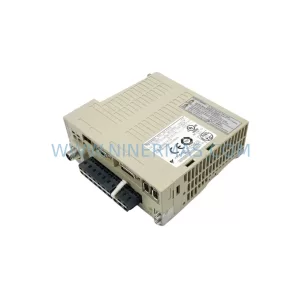
SKU: SGDS-01A32A LS2TR30-300Q8 6SL3120-1TE15-0AA4
Yaskawa SGDS-01A32A Retrofit Servo Drive for Legacy Systems



