
Original Industrial Spare Part
Rittal SCM17EG1-R Spare Part for Industrial Maintenance
Verify the part, confirm the platform family, and move straight into quotation with the right commercial details.
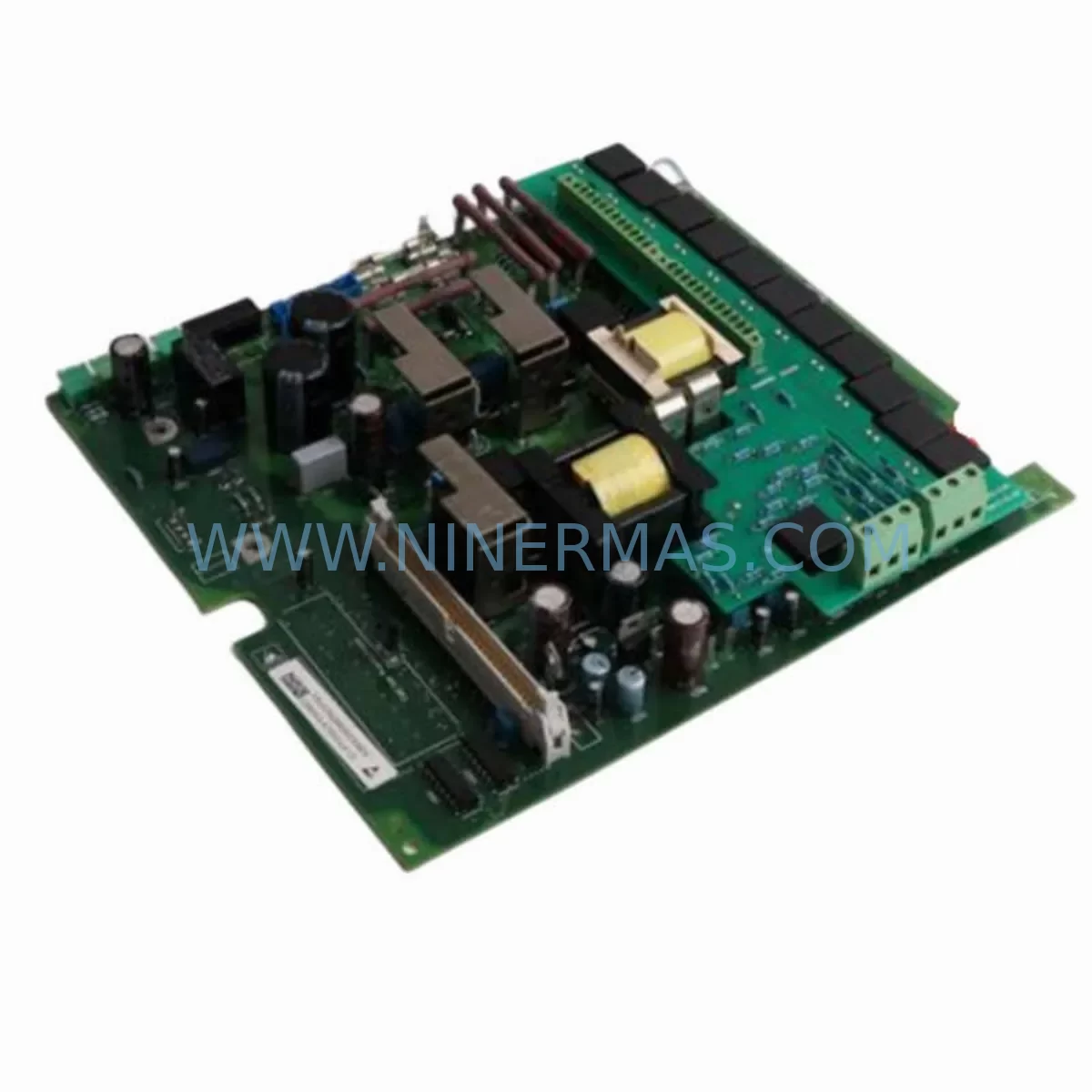
RFQ Ready
- SKUSCM17EG1-R RGB/DVI SM 6450.160
- CategoryPLC & Industrial Automation Modules
- BrandRITTAL
- SupportAvailability, lead time, condition, and shipping coordination
How Buyers Usually Use This Page
- Confirm the exact part number and platform family before sending the quote request.
- Use direct email when quantity, condition, and destination are already defined internally.
- Switch to the broader brand or category archive when you need alternates nearby.
Series Navigation
Move through the most common platform families behind this part.
Product RFQ
Send this part directly for quotation.
Include quantity, required condition, destination country, and target delivery timing. Current reference: Rittal SCM17EG1-R Spare Part for Industrial Maintenance with SKU SCM17EG1-R RGB/DVI SM 6450.160.
Rittal SCM17EG1-R Spare Part for Industrial Maintenance
The Rittal SCM17EG1-R (full part number 6450.160) is a ruggedized 17-inch RGB/DVI SmartMonitor display module engineered for continuous operation inside industrial control enclosures, operator stations, and harsh-environment HMI panels. As a direct-replacement spare part, the SCM17EG1-R is designed to restore display functionality with zero re-engineering — maintaining full compatibility with Rittal’s TS 8, SE 8, and AX enclosure families and their associated mounting frames.
For maintenance engineers managing aging control infrastructure, unplanned display failure is a high-impact event. A failed operator monitor can blind the entire control loop, forcing manual fallback procedures and extending downtime far beyond what a prepared spare parts inventory would allow. Stocking the SCM17EG1-R as a shelf spare eliminates that risk: the module ships pre-tested, with all RGB and DVI signal paths verified, and is ready for immediate installation upon arrival.
Spare Maintenance Table
| Parameter | Specification |
|---|---|
| Part Number | SCM17EG1-R / 6450.160 |
| Brand / Series | RITTAL SCM (SmartMonitor) Series |
| Display Size | 17-inch TFT LCD, ruggedized |
| Signal Interface | RGB (analog VGA) + DVI-D (digital) |
| Resolution | 1280 × 1024 (SXGA), typical for industrial HMI |
| Supply Voltage | 24 V DC (nominal), per Rittal SCM series standard |
| Protection Rating | Front panel IP65 (NEMA 4X equivalent) |
| Operating Temperature | 0 °C to +50 °C ambient |
| Mounting Compatibility | Rittal TS 8, SE 8, AX enclosure series; standard 19″ rack adapter available |
| Origin | Germany (DE) |
| Warranty | 12 months from date of shipment |
| Pre-shipment Testing | Full RGB/DVI signal path verification, backlight burn-in check |
| Maintenance Recommendation | Inspect display surface, cable connectors, and 24 V DC supply annually; replace backlight assembly at 50,000-hour intervals |
Maintenance Planning for Continuous Operation
When a Rittal SCM17EG1-R display module fails or is flagged during a control cabinet inspection, experienced maintenance engineers know that the display itself is rarely the only component under stress. A systematic replacement workflow should extend to the surrounding electrical circuit to prevent repeat failures and ensure the restored system meets its original design life.
Begin by verifying the 24 V DC panel power supply — Rittal PSR or equivalent DIN-rail power supplies feeding the display circuit should be load-tested and output ripple checked. A degraded power supply is a common root cause of premature display failure. Alongside the power supply, inspect the DC distribution terminal blocks (such as Rittal SV series or Phoenix Contact PTFIX groups) for loose terminations and signs of thermal cycling damage.
The RGB/DVI signal cable assembly connecting the host PC or industrial panel PC to the SCM17EG1-R should be replaced as a matter of course during any display swap — connector wear and shielding degradation are invisible failure modes that will resurface within months if overlooked. If the system uses a KVM extender or signal isolator to route the display signal across the cabinet, verify that the extender’s transmitter and receiver modules are within their rated operating temperature and that firmware is current.
For enclosures housing a Rittal CMC III monitoring unit or equivalent cabinet monitoring controller, confirm that the door contact sensor and internal temperature probe are still functional after the display replacement — physical access during maintenance is the ideal time to service these low-cost but high-value monitoring components. Similarly, check the enclosure cooling unit (Rittal SK or Blue e+ series) filter mats and fan operation, as display overheating is frequently caused by inadequate enclosure thermal management rather than display component failure.
If the SCM17EG1-R is integrated into a larger operator workstation alongside a Rittal CP series industrial PC or a third-party panel PC, verify the PC’s graphics output settings match the display’s native resolution and refresh rate. Mismatched EDID data can cause intermittent signal loss that mimics display hardware failure. Where the workstation connects to a PROFINET, EtherNet/IP, or Modbus TCP network, confirm that the network switch port serving the operator station is operating at the correct speed and duplex setting — network instability can cause HMI application crashes that are incorrectly attributed to display hardware.
Annual spare parts reviews for control rooms operating Rittal SCM series displays should also include replacement fuses for the 24 V DC circuit, spare DIN-rail mounting clips for terminal blocks, and a set of enclosure door gaskets to maintain IP65 integrity after repeated access. Procurement engineers should note that Rittal SCM series components have extended lead times from standard distribution channels; maintaining a minimum of one SCM17EG1-R unit on the shelf per production line is the recommended inventory posture for facilities with zero-downtime SLAs.
Site Replacement Workflow
Step 1 — Isolation: De-energize the 24 V DC supply to the display circuit at the upstream circuit breaker or fuse holder. Confirm absence of voltage with a calibrated multimeter before opening the enclosure door.
Step 2 — Documentation: Photograph the existing cable routing, connector positions, and any label markings on the RGB/DVI cables before disconnection. This eliminates re-connection errors and reduces commissioning time.
Step 3 — Removal: Disconnect the RGB or DVI signal cable and the 24 V DC power connector from the rear of the SCM17EG1-R. Release the display from its mounting frame using the Rittal-specified quarter-turn fasteners or M4 panel screws, depending on the enclosure generation.
Step 4 — Installation: Seat the replacement SCM17EG1-R into the mounting frame, secure all fasteners to the specified torque, and reconnect the signal and power cables. Verify connector locking tabs are fully engaged.
Step 5 — Commissioning: Re-energize the 24 V DC supply and power on the host PC or panel PC. Confirm the display initializes to the correct resolution and that the HMI application renders without artifacts. Log the replacement in the site maintenance record with the new unit’s serial number and the date of installation.
Step 6 — Warranty Registration: Retain the shipment documentation for warranty claims. The SCM17EG1-R carries a 12-month warranty from the date of shipment, covering manufacturing defects and component failures under normal operating conditions.
This workflow is applicable to both like-for-like replacements of failed SCM17EG1-R units and proactive replacements of units approaching their rated service life. Proactive replacement during scheduled annual shutdowns eliminates the risk of unplanned failure during production and allows the removed unit to be returned for evaluation or refurbishment.
Spare Parts Support FAQ
Q1: Is the SCM17EG1-R compatible with older Rittal enclosure generations?
The SCM17EG1-R is designed for Rittal’s TS 8, SE 8, and AX enclosure families. For older TS 7 or older Rittal enclosures, a mounting adapter frame may be required. Contact our technical team with your enclosure model number for a compatibility confirmation before ordering.
Q2: What pre-shipment testing is performed on each unit?
Every SCM17EG1-R unit undergoes a full RGB and DVI signal path verification, backlight burn-in check, and visual inspection for panel defects before shipment. A test report is available upon request for quality-critical procurement processes.
Q3: Can you support long-term supply agreements for this part?
Yes. NINERMAS offers long-term spare parts supply programs for the Rittal SCM series, including the SCM17EG1-R (6450.160). We maintain buffer stock and can establish scheduled delivery agreements to support annual maintenance plans and multi-site spare parts standardization programs.
Q4: What does the 12-month warranty cover?
The 12-month warranty covers manufacturing defects and component failures under normal industrial operating conditions from the date of shipment. It does not cover damage resulting from incorrect installation, overvoltage events, or physical impact. Warranty claims are processed with return shipment coordination and replacement dispatch within 5 business days of claim approval.
| Product Series | Other series |
|---|
Catalog Continuation
More RITTAL modules in the catalog.
Use the brand lane to compare nearby part numbers, platform-adjacent modules, and other inquiry-ready listings before sending your final RFQ.
Catalog Continuation
Alternative parts within PLC & Industrial Automation Modules.
Stay inside the same system family when you need substitutes, adjacent modules, or a broader shortlist for procurement review.


SKU: 6FC5357-0BB12-0AE0
Siemens 6FC5357-0BB12-0AE0 Service-Ready Industrial Spare Part

SKU: 3BSE011790R1(PXHK401)
ABB 3BSE011790R1 PXHK401 Retrofit-Ready Communication Module




