Original Industrial Spare Part
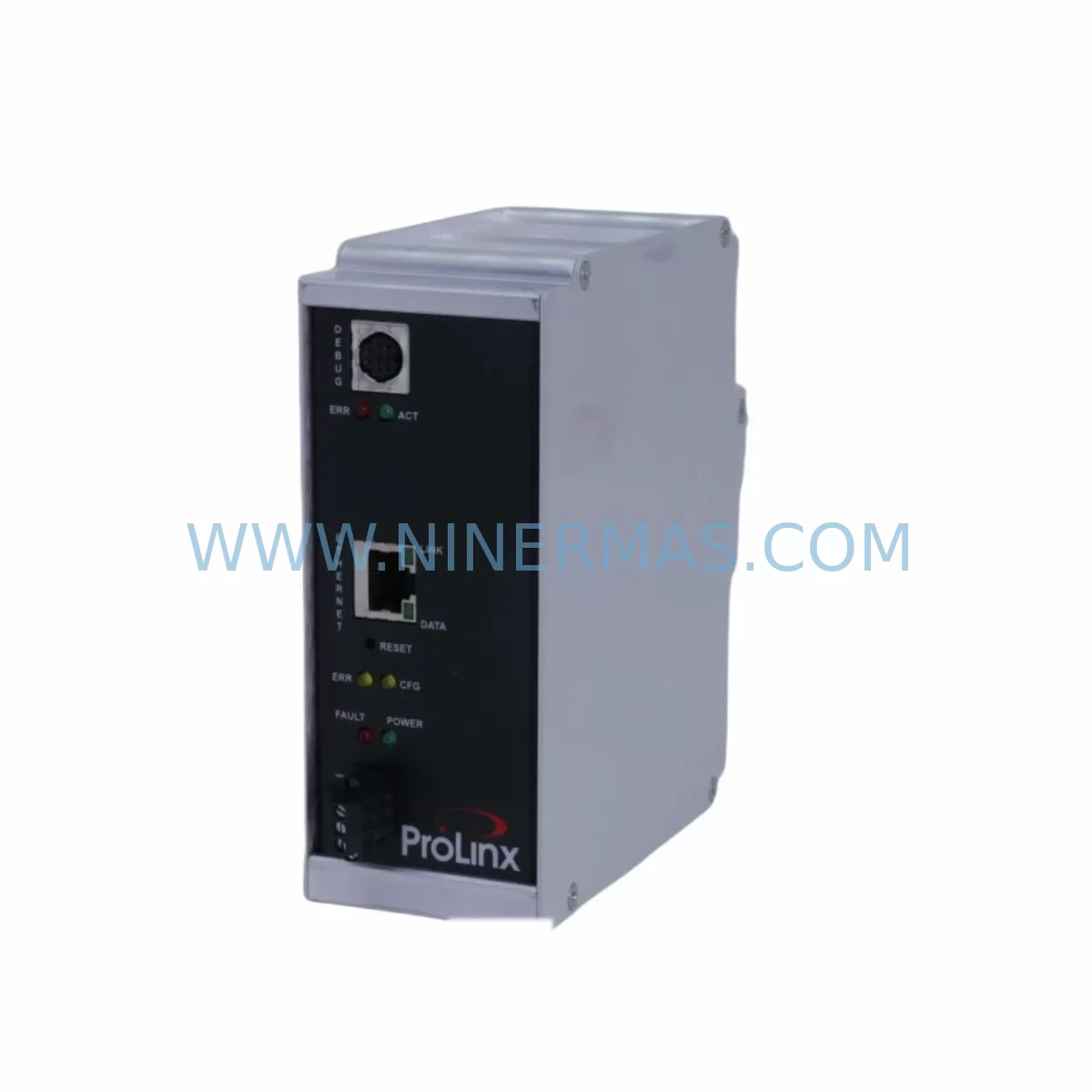
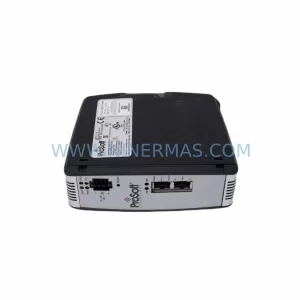
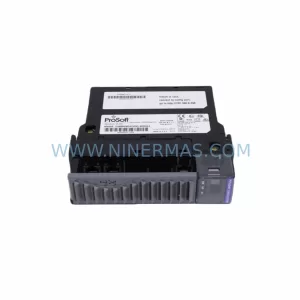
ProSoft 5205-DFNT-PDPS Retrofit-Compatible Gateway for Legacy Systems
Verify the part, confirm the platform family, and move straight into quotation with the right commercial details.
RFQ Ready
- SKU5205-DFNT-PDPS 5205-BACNET-PDPS
- CategoryPLC & Industrial Automation Modules
- BrandProSoft Technology
- SupportAvailability, lead time, condition, and shipping coordination
How Buyers Usually Use This Page
- Confirm the exact part number and platform family before sending the quote request.
- Use direct email when quantity, condition, and destination are already defined internally.
- Switch to the broader brand or category archive when you need alternates nearby.
Series Navigation
Move through the most common platform families behind this part.
Product RFQ
Send this part directly for quotation.
Include quantity, required condition, destination country, and target delivery timing. Current reference: ProSoft 5205-DFNT-PDPS Retrofit-Compatible Gateway for Legacy Systems with SKU 5205-DFNT-PDPS 5205-BACNET-PDPS.
ProSoft 5205-DFNT-PDPS Retrofit-Compatible Gateway for Legacy Systems
The ProSoft Technology 5205-DFNT-PDPS (also referenced as 5205-BACNET-PDPS) is a ruggedized industrial gateway module engineered to bridge EtherNet/IP networks with PROFIBUS DP slave networks. Designed with legacy system modernization in mind, this module delivers a reliable, drop-in migration path for aging automation infrastructure — enabling engineers to extend the operational life of existing control architectures without a full system overhaul. Whether you are replacing a discontinued communication bridge, upgrading a legacy PLC rack, or migrating from an older fieldbus topology, the 5205-DFNT-PDPS provides the protocol translation, ruggedized form factor, and deterministic performance required for mission-critical industrial environments.
At NINERMAS, we maintain verified inventory of the 5205-DFNT-PDPS to support urgent retrofit projects, emergency spare part sourcing, and planned system upgrades. Every unit ships with a 12-month warranty and undergoes pre-shipment functional testing to ensure it arrives ready for installation.
Upgrade Compatibility Table
| Parameter | Details |
|---|---|
| SKU / Part Number | 5205-DFNT-PDPS / 5205-BACNET-PDPS |
| Brand | ProSoft Technology |
| Series | 5000 Series Industrial Gateway |
| Network Side A (Scanner) | EtherNet/IP (DFNT) |
| Network Side B (Adapter) | PROFIBUS DP Slave (PDPS) |
| Form Factor | Ruggedized DIN-rail / Panel Mount |
| Power Supply Requirement | 24 VDC (verify existing cabinet power capacity before installation) |
| Communication Compatibility | EtherNet/IP Class 1 & Class 3, PROFIBUS DP V0/V1 |
| Replacement Recommendation | Direct replacement for discontinued ProSoft EtherNet/IP-to-PROFIBUS DP bridges; compatible with Allen-Bradley ControlLogix and CompactLogix platforms |
| Installation Space | Confirm DIN-rail slot availability and panel depth before mounting |
| Commissioning Notes | Requires GSD file import into PROFIBUS master configuration tool; EtherNet/IP I/O mapping must be verified against existing PLC program |
| Warranty | 12 Months from date of shipment |
Retrofit Planning for Existing Automation Systems
Integrating the 5205-DFNT-PDPS into an existing control system requires careful pre-engineering to avoid unplanned downtime and configuration errors. The retrofit process typically begins with a full audit of the existing communication architecture. Engineers must document the current PROFIBUS DP master — often a legacy Siemens S5 or S7 CPU, or an older Allen-Bradley SLC 500 with a PROFIBUS scanner card — and map all slave device addresses, baud rates, and GSD file versions before decommissioning any hardware.
On the EtherNet/IP side, the 5205-DFNT-PDPS connects directly to a ControlLogix L7x or CompactLogix L3x controller via standard Ethernet infrastructure. Engineers should verify that the existing managed switch supports EtherNet/IP multicast traffic and that the controller’s I/O tree has sufficient available connection slots. In larger rack configurations, the gateway coexists alongside modules such as the 1756-EN2T EtherNet/IP bridge module and 1756-IB16 digital input modules, so backplane current draw and power supply headroom must be recalculated after adding the gateway to the network.
For PROFIBUS DP wiring, technicians must confirm that the existing shielded twisted-pair cable (typically Belden 3079A or equivalent) meets the impedance and termination requirements for the target baud rate. Termination resistors at both ends of the PROFIBUS segment must be verified, and any legacy PROFIBUS repeaters in the segment should be tested for compatibility with the new baud rate settings. The 5205-DFNT-PDPS supports baud rates from 9.6 kbps up to 12 Mbps, giving engineers flexibility when inheriting an existing segment configuration.
Signal isolation is another critical consideration during retrofit. Where legacy field devices produce noisy 4–20 mA analog signals routed through older signal isolator barriers, engineers should evaluate whether the existing isolation infrastructure is adequate for the new communication topology. In some cases, upgrading to modern HART-compatible signal conditioners alongside the gateway installation improves overall system reliability and simplifies future diagnostics.
HMI integration must also be planned in parallel. If the plant runs a legacy PanelView Plus 6 or a third-party SCADA system communicating via RSLinx Classic OPC, the tag database will need to be updated to reflect the new I/O mapping introduced by the 5205-DFNT-PDPS. Engineers should export and archive the existing HMI project before beginning any hardware changes, and a parallel simulation environment is recommended for validating screen logic before go-live.
Where the retrofit involves replacing a discontinued ProSoft MVI56-PDPS or similar legacy ControlLogix PROFIBUS slave module, the 5205-DFNT-PDPS provides a functionally equivalent migration path. The module’s configuration is managed through ProSoft’s PCB (ProSoft Configuration Builder) software, which allows engineers to import legacy configuration files and adapt them to the new hardware with minimal rework. Programming cable compatibility should be confirmed — the ProSoft USB-to-RS232 programming cable is typically required for initial module configuration before Ethernet connectivity is established.
Downtime Control During System Migration
Minimizing production downtime is the primary concern in any brownfield retrofit project. For installations involving the 5205-DFNT-PDPS, a structured migration methodology significantly reduces risk. The recommended approach is to pre-configure and bench-test the gateway module in a staging environment before the scheduled maintenance window. Using ProSoft Configuration Builder, engineers can fully define the EtherNet/IP I/O assembly sizes, PROFIBUS DP slave address, and data mapping tables offline, then validate the configuration against a simulated PLC program before touching the live system.
During the cutover window, the existing PROFIBUS DP slave device — whether a Siemens ET 200S distributed I/O station, a Pepperl+Fuchs remote I/O module, or a legacy third-party drive with PROFIBUS interface — should be placed in a safe hold state before the old gateway is removed. The 5205-DFNT-PDPS can then be installed, powered, and brought online within the same maintenance window, provided all pre-engineering steps have been completed.
To protect existing PLC program logic, engineers should place the ControlLogix controller in Program mode before modifying the I/O configuration tree. After adding the 5205-DFNT-PDPS as a new EtherNet/IP adapter in RSLogix 5000 or Studio 5000, the existing ladder logic rungs referencing PROFIBUS data should be remapped to the new module’s I/O tags. A structured tag comparison between the old and new I/O maps — documented in a migration checklist — prevents missed mappings that could cause process upsets at restart.
Post-installation, a phased restart sequence is recommended: bring the PROFIBUS DP segment online first, verify all slave devices are communicating correctly, then enable the EtherNet/IP connection to the controller. This staged approach isolates potential faults to a single network layer at a time, making troubleshooting faster and reducing the risk of a full system trip during the first power-on after retrofit.
Retrofit Support FAQ
Q1: Is the 5205-DFNT-PDPS a direct replacement for the ProSoft MVI56-PDPS?
The 5205-DFNT-PDPS serves the same functional role — bridging EtherNet/IP to PROFIBUS DP slave — but it is a standalone DIN-rail gateway rather than a ControlLogix backplane module. Migration from an MVI56-PDPS requires remapping I/O data in the PLC program and reconfiguring the EtherNet/IP connection, but the PROFIBUS DP GSD file and slave address configuration can typically be reused with minor adaptation in ProSoft Configuration Builder.
Q2: What commissioning steps are required after installation?
After physical installation and power-on, connect to the module via Ethernet using ProSoft Configuration Builder to download the pre-staged configuration. Verify PROFIBUS DP bus status LEDs indicate active communication with all slave devices. In Studio 5000, go online with the controller and confirm the EtherNet/IP I/O connection status shows “Running”. Perform a full I/O data validation by comparing live tag values against known process states before releasing the system to production.
Q3: Can the module operate in environments with high electrical noise?
Yes. The 5205-DFNT-PDPS is ruggedized for industrial environments and meets standard EMC requirements for automation cabinets. Proper grounding of the DIN-rail, correct PROFIBUS cable shielding termination at the module’s shield clamp, and physical separation from high-voltage conductors are the primary installation practices that ensure reliable operation in electrically noisy environments.
Q4: What does the 12-month warranty cover, and how is inventory availability managed?
Every 5205-DFNT-PDPS shipped by NINERMAS carries a 12-month warranty covering manufacturing defects and functional failures under normal operating conditions. Units are pre-tested before shipment to verify communication functionality on both the EtherNet/IP and PROFIBUS DP interfaces. NINERMAS maintains stocked inventory to support both planned retrofit projects and emergency spare part requirements, with expedited shipping options available for critical downtime situations. Contact our team at sale@ninermas.com or +0086 187 5021 5667 to confirm current stock levels and lead times.
| Product Series | Legacy |
|---|---|
| Country of Origin | US |
Catalog Continuation
More ProSoft Technology modules in the catalog.
Use the brand lane to compare nearby part numbers, platform-adjacent modules, and other inquiry-ready listings before sending your final RFQ.
Catalog Continuation
Alternative parts within PLC & Industrial Automation Modules.
Stay inside the same system family when you need substitutes, adjacent modules, or a broader shortlist for procurement review.



SKU: HDD02.2-W040N-HS12-01-FW FWA-DIAX04-ELS-05VRS-MS
Rexroth HDD02.2-W040N-HS12-01-FW Service-Ready Spare Part

SKU: I5DAE375F10010000S
Lenze I5DAE375F10010000S Service-Ready Spare Part for Industrial Maintenance