Original Industrial Spare Part
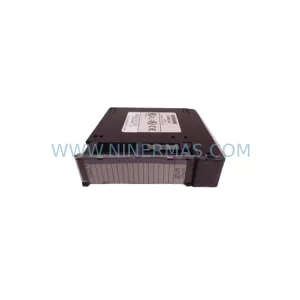
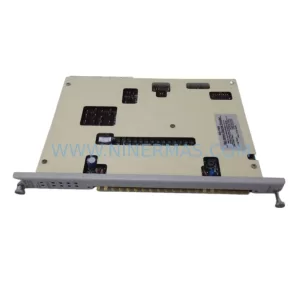
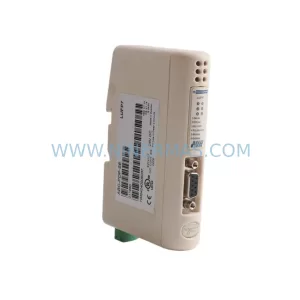
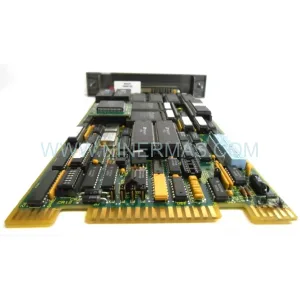
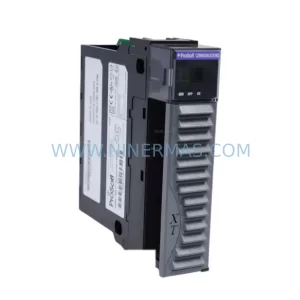
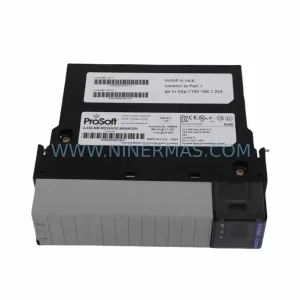
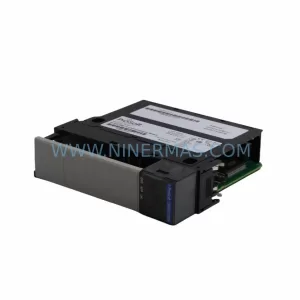
ProSoft 5201-DFNT-MCM Retrofit-Compatible DeviceNet Module
Verify the part, confirm the platform family, and move straight into quotation with the right commercial details.
RFQ Ready
- SKU5201-DFNT-MCM
- CategoryPLC & Industrial Automation Modules
- BrandProSoft Technology
- SupportAvailability, lead time, condition, and shipping coordination
How Buyers Usually Use This Page
- Confirm the exact part number and platform family before sending the quote request.
- Use direct email when quantity, condition, and destination are already defined internally.
- Switch to the broader brand or category archive when you need alternates nearby.
Series Navigation
Move through the most common platform families behind this part.
Product RFQ
Send this part directly for quotation.
Include quantity, required condition, destination country, and target delivery timing. Current reference: ProSoft 5201-DFNT-MCM Retrofit-Compatible DeviceNet Module with SKU 5201-DFNT-MCM.
ProSoft 5201-DFNT-MCM Retrofit-Compatible DeviceNet Communication Module for Legacy Systems
The ProSoft 5201-DFNT-MCM is a DeviceNet Master/Slave Communication Module designed for seamless integration into Allen-Bradley ControlLogix backplane environments. As legacy automation systems age and original spare parts become increasingly difficult to source, the 5201-DFNT-MCM provides a proven, retrofit-compatible solution for engineers tasked with modernizing aging production lines, upgrading control cabinets, or restoring discontinued communication links without triggering a full system overhaul.
Whether you are replacing a failed DeviceNet scanner in a food processing line, migrating a packaging machine from an older SLC 500 platform to a ControlLogix chassis, or extending the service life of a legacy drive network, the 5201-DFNT-MCM delivers the DeviceNet Master/Slave functionality required to maintain production continuity. It occupies a single slot in the ControlLogix 1756 chassis and communicates directly with the ControlLogix controller via the backplane, eliminating the need for external gateways or protocol converters in most retrofit scenarios.
Upgrade Compatibility Table
| Parameter | Details |
|---|---|
| Module SKU | 5201-DFNT-MCM |
| Series / Platform | ProSoft MVI / ControlLogix 1756 |
| Communication Protocol | DeviceNet (CAN-based, ISO 11898) |
| Backplane Interface | ControlLogix 1756 backplane (single slot) |
| Installation Requirement | 1756 chassis slot; compatible with 1756-A4, 1756-A7, 1756-A10, 1756-A13, 1756-A17 |
| Power Consumption | Supplied via ControlLogix backplane; verify 1756-PA72 or 1756-PB72 power supply capacity before installation |
| Replacement Compatibility | Direct functional replacement for legacy DeviceNet scanner cards in ControlLogix environments; verify node address and baud rate settings |
| Firmware / Configuration | Configured via ProSoft Configuration Builder (PCB); RSLogix 5000 / Studio 5000 Add-On Profile (AOP) supported |
| Commissioning Focus | Node address assignment, baud rate matching (125K/250K/500K), I/O mapping in controller tags, EDS file registration |
| Warranty | 12 Months — covers manufacturing defects; each unit ships after functional bench test |
Retrofit Planning for Existing Automation Systems
Successful integration of the 5201-DFNT-MCM into an existing control system begins well before the module arrives on site. Retrofit engineers should start by auditing the current ControlLogix chassis to confirm available slot count and backplane power budget. The 1756-PA72 or 1756-PB72 power supply must have sufficient headroom to support the additional module load; if the chassis is already near capacity, a supplemental 1756-PA75R redundant power supply may be required.
Terminal wiring for the DeviceNet trunk line — including the thick or thin cable shield drain, V+ (red), V- (black), CAN_H (white), and CAN_L (blue) — must be verified against the existing network topology. Termination resistors (121 Ω) at both ends of the trunk must be confirmed intact before powering the network. If the legacy system used a 1771-SDN Scanner Module in a PLC-5 chassis, the migration path typically involves re-mapping I/O data from the original PLC-5 data table into ControlLogix controller tags, which requires careful cross-referencing of the original ladder logic and DeviceNet device EDS files.
For systems that also incorporate a 1756-ENBT or 1756-EN2T Ethernet/IP communication module in the same chassis, engineers should verify that the backplane communication schedule does not introduce latency conflicts between the DeviceNet scan cycle and the Ethernet/IP requested packet interval (RPI). In multi-network cabinets where a 1756-DNB DeviceNet Bridge or a 1756-CN2 ControlNet module is also present, slot addressing and chassis configuration in RSLogix 5000 must be reviewed to prevent I/O tree conflicts.
HMI screens connected via a PanelView Plus 6 or PanelView Plus 7 terminal that reference DeviceNet device status tags will need tag path updates in FactoryTalk View Studio if the controller tag structure changes during the migration. Likewise, any SCADA system polling the ControlLogix controller via a 1756-ENBT OPC server connection should be tested against the new tag map before the system goes live.
Where the retrofit involves replacing multiple legacy communication modules simultaneously — for example, swapping out both a DeviceNet scanner and a 1756-MVI Modbus module — it is advisable to stage the replacement one module at a time, validating each network segment independently before proceeding to the next. This approach, combined with a full program backup using RSLogix 5000 prior to any hardware change, significantly reduces the risk of unrecoverable configuration loss.
Downtime Control During System Migration
Minimizing unplanned downtime is the primary concern for any brownfield retrofit involving the ProSoft 5201-DFNT-MCM. The recommended approach is to perform a complete offline backup of the ControlLogix program — including all controller tags, I/O configuration, and motion groups — using RSLogix 5000 or Studio 5000 before removing any hardware. This backup should be stored both locally and on a secure network share to ensure recovery options are available if commissioning encounters unexpected issues.
Where production schedules permit only a narrow maintenance window, pre-staging the 5201-DFNT-MCM with its ProSoft Configuration Builder (PCB) project file — including node address, baud rate, and I/O data table mapping — before the scheduled outage can reduce on-site configuration time to under 30 minutes for experienced engineers. EDS files for all DeviceNet slave devices on the network should be pre-loaded into RSNetWorx for DeviceNet and verified against the existing network scan list.
During the physical swap, the DeviceNet network should be powered down in a controlled sequence: first isolating the trunk line at the module end, then removing the module from the chassis with the chassis power off. Re-insertion of the 5201-DFNT-MCM should be followed by a controlled power-up sequence — chassis power first, then DeviceNet network power — to allow the module to enumerate the network before the controller begins its I/O scan. After power-up, the controller’s I/O tree should be verified in RSLogix 5000 online mode to confirm all DeviceNet devices are communicating at the expected RPI before releasing the line back to production.
For critical processes where even a brief interruption is unacceptable, a parallel commissioning approach — installing the new module in a spare chassis slot and validating communication offline while the legacy module remains active — can be used where chassis slot availability permits. This strategy is particularly effective when the retrofit is part of a broader control cabinet upgrade that also involves replacing the 1756-L61 or 1756-L71 ControlLogix controller itself.
Retrofit Support FAQ
Q1: Is the 5201-DFNT-MCM a direct drop-in replacement for the legacy 1771-SDN DeviceNet Scanner?
The 5201-DFNT-MCM is not a physical drop-in for the 1771-SDN, as it is designed for the ControlLogix 1756 backplane rather than the PLC-5 1771 chassis. However, it provides equivalent DeviceNet Master/Slave functionality and is the standard migration path when upgrading from a PLC-5 / 1771 platform to ControlLogix. I/O data mapping and EDS file re-registration are required as part of the migration process.
Q2: What commissioning steps are required after installing the 5201-DFNT-MCM?
After physical installation, configure the module using ProSoft Configuration Builder (PCB) to set the node address, baud rate, and I/O data table size. Register EDS files for all slave devices in RSNetWorx for DeviceNet, then download the updated I/O configuration to the ControlLogix controller via RSLogix 5000 or Studio 5000. Verify all slave devices appear online in the DeviceNet network scan before enabling the controller’s Run mode.
Q3: How do I verify wiring compatibility before installation?
Confirm that the existing DeviceNet trunk cable meets the standard 5-wire specification (shield, V+, V−, CAN_H, CAN_L) and that termination resistors are present at both ends of the trunk. Measure bus voltage (nominally 24 VDC on V+ to V−) and verify network baud rate matches the setting to be configured on the 5201-DFNT-MCM. If the legacy system used a non-standard cable or connector pinout, a wiring adapter or terminal block re-termination may be required.
Q4: What does the 12-month warranty cover, and how is stock availability managed?
Each 5201-DFNT-MCM unit is functionally bench-tested prior to shipment and covered by a 12-month warranty against manufacturing defects under normal operating conditions. Units are held in climate-controlled storage to preserve component integrity. For projects requiring multiple units or scheduled delivery against a maintenance plan, advance reservation is available — contact our team to confirm current inventory levels and lead times.
| Product Series | Other series |
|---|---|
| Country of Origin | US |
Catalog Continuation
More ProSoft Technology modules in the catalog.
Use the brand lane to compare nearby part numbers, platform-adjacent modules, and other inquiry-ready listings before sending your final RFQ.
Catalog Continuation
Alternative parts within PLC & Industrial Automation Modules.
Stay inside the same system family when you need substitutes, adjacent modules, or a broader shortlist for procurement review.