Original Industrial Spare Part
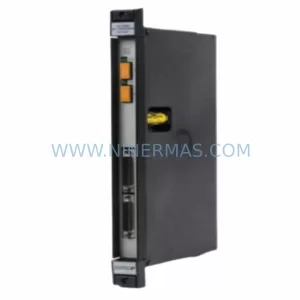
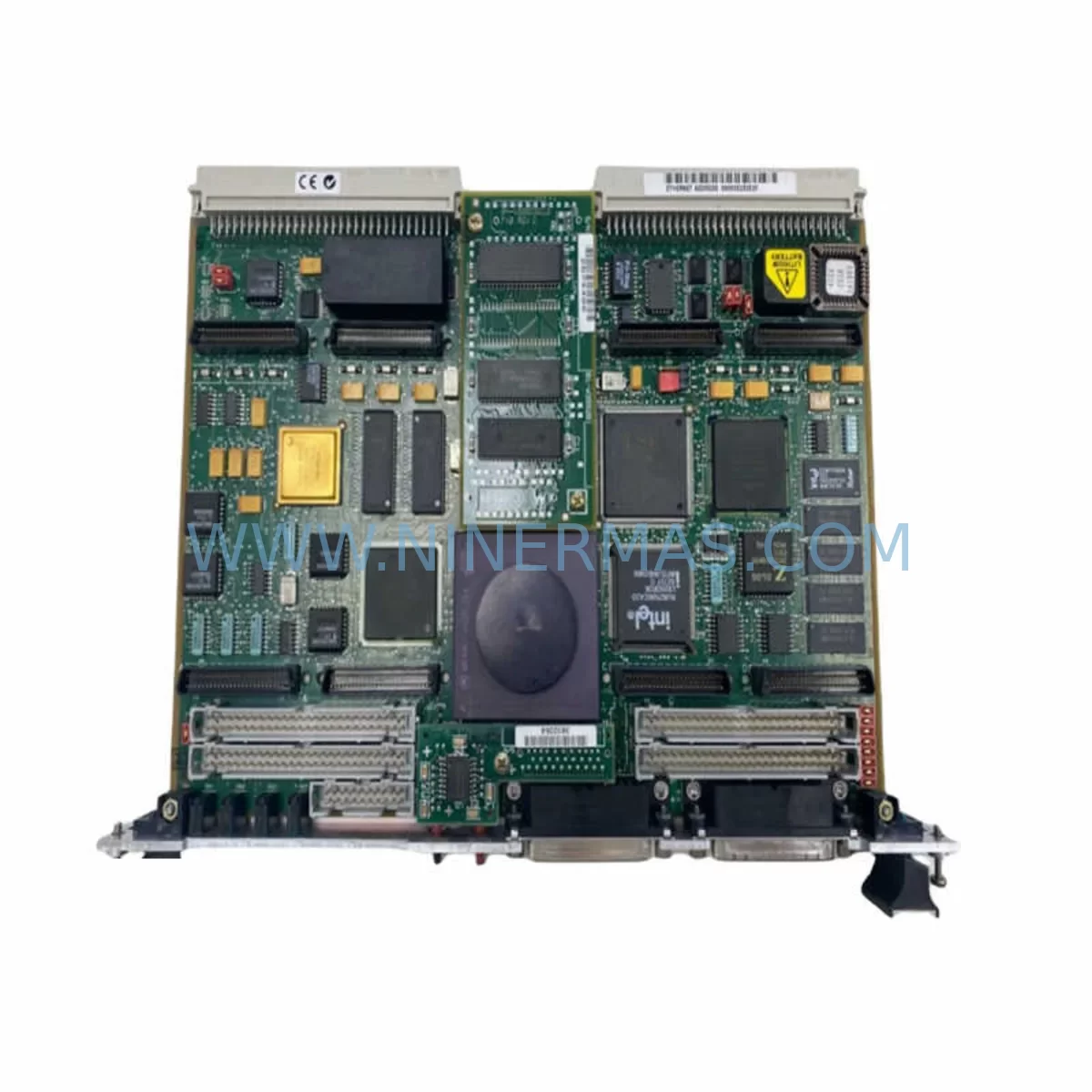
Motorola MVME162-433 Retrofit-Compatible VME Controller
Verify the part, confirm the platform family, and move straight into quotation with the right commercial details.
RFQ Ready
- SKUMVME162-433
- CategoryPLC & Industrial Automation Modules
- BrandMotorola
- SupportAvailability, lead time, condition, and shipping coordination
How Buyers Usually Use This Page
- Confirm the exact part number and platform family before sending the quote request.
- Use direct email when quantity, condition, and destination are already defined internally.
- Switch to the broader brand or category archive when you need alternates nearby.
Series Navigation
Move through the most common platform families behind this part.
Product RFQ
Send this part directly for quotation.
Include quantity, required condition, destination country, and target delivery timing. Current reference: Motorola MVME162-433 Retrofit-Compatible VME Controller with SKU MVME162-433.
Motorola MVME162-433 Retrofit-Compatible VME Controller: Legacy System Compatibility and Smooth Upgrade Path
The Motorola MVME162-433 is a high-performance VMEbus single-board computer built on the Motorola 68040 processor platform, widely deployed across process control, discrete manufacturing, and defense-grade automation systems throughout the 1990s and early 2000s. As the MVME162 series has reached end-of-life status, procurement teams and maintenance engineers face increasing pressure to source verified replacement units that can be installed without rewriting control logic, reconfiguring backplane addressing, or interrupting production continuity. NINERMAS maintains tested inventory of the MVME162-433 to support exactly these retrofit and lifecycle extension scenarios.
The MVME162-433 variant operates at 33 MHz with a full 68040 CPU, onboard DRAM, and a standard VME64 backplane interface. It is compatible with the MVME162 series chassis and can be installed alongside companion modules such as the MVME712 transition module, MVME230 SCSI/Ethernet mezzanine, and MVME761 IndustryPack carrier board without requiring hardware redesign. Engineers replacing a failed or aging MVME162-4xx board should verify the installed firmware revision, EPROM configuration, and any site-specific jumper settings before swapping the unit into service.
Upgrade Compatibility Table
| Parameter | MVME162-433 (This Unit) | Retrofit Notes |
|---|---|---|
| CPU | Motorola 68040 @ 33 MHz | Pin-compatible with MVME162-4xx family |
| Bus Interface | VMEbus (VME64 compatible) | Fits standard 6U VME backplane slots |
| Onboard Memory | Up to 32 MB DRAM (configuration-dependent) | Verify DRAM SIMMs match original configuration |
| I/O Interface | P1/P2 VME connectors + IP carrier slots | Confirm IndustryPack mezzanine compatibility |
| Communication | Serial (2× RS-232/RS-422), Ethernet (optional) | Match baud rate and protocol settings from original |
| OS / Firmware | VxWorks / OS-9 / bare-metal EPROM | Retain original EPROM image where possible |
| Installation Space | 6U VME single slot | No mechanical modification required |
| Replacement Path | Direct drop-in for MVME162-4xx variants | Cross-check jumper block J1–J6 settings |
| Commissioning | Pre-shipment power-on and functional test | Test report available on request |
| Warranty | 12-Month Warranty — covers functional failure under normal operating conditions | |
Retrofit Planning for Existing Automation Systems
Replacing the MVME162-433 in a live automation environment requires a structured approach that accounts for every layer of the control architecture. Begin by documenting the existing backplane slot assignments across the VME chassis — in a typical MVME162-based control cabinet, the SBC occupies slot 1 as the system controller, with adjacent slots populated by I/O modules such as the MVME2400 or MVME3100 series, analog input boards, and discrete I/O carriers. Removing the MVME162-433 without first capturing the slot address map and interrupt vector table is a common source of post-replacement faults.
Power supply capacity is a critical pre-check. The MVME162-433 draws from the VME backplane’s +5 V and ±12 V rails. If the existing power supply — often a Motorola MVME190 or equivalent third-party VME PSU — is already running near capacity due to added I/O modules or mezzanine cards, the replacement board should be tested under load before final installation. Confirm that the total slot current draw does not exceed the backplane’s rated capacity.
Terminal wiring and field I/O connections routed through the MVME712 transition module or a custom P2 breakout panel must be documented before the board is removed. Label every wire termination at the transition module, photograph the wiring harness, and retain the original I/O address map. If the system uses IndustryPack modules — such as an IP-Octal serial interface or an IP-Digital I/O carrier mounted on an MVME761 — verify that the IP module configuration registers are preserved and that the replacement MVME162-433 is configured to recognize the same IP slot addresses.
For systems running VxWorks or OS-9, the boot EPROM image is the most critical asset to preserve. If the original EPROM is readable, clone it before the swap. If the EPROM has degraded, NINERMAS can assist in sourcing compatible firmware images for standard MVME162 configurations. Systems using bare-metal EPROM monitor code for deterministic real-time control should be validated against the replacement board’s memory map before returning to production.
HMI screens connected via serial link — whether a legacy Motorola MVME335 serial interface or a modern panel PC communicating over RS-232 — should be tested for communication continuity after the board swap. Baud rate, parity, stop bits, and handshaking parameters must match exactly. If the system uses a PROFIBUS or DeviceNet gateway module in the same VME rack, verify that the gateway’s node address and scan list remain intact after the controller is replaced.
Signal isolators installed between field devices and the VME I/O modules — particularly on thermocouple, 4–20 mA, and RTD input channels — should be inspected during the retrofit window. A board replacement is an efficient opportunity to replace aging isolators that may be introducing measurement drift without triggering hard faults.
Downtime Control During System Migration
Minimizing production downtime during an MVME162-433 replacement requires pre-staging the replacement unit and completing all configuration verification steps before the maintenance window opens. The following sequence is recommended for controlled migration:
Pre-maintenance preparation: Bench-test the replacement MVME162-433 using a spare VME chassis or a portable test rack. Load the EPROM image, configure jumper blocks J1 through J6 to match the original board’s settings, and verify that the board boots cleanly to the OS prompt or application entry point. If the system uses a MVME712 transition module, connect a representative I/O load and confirm that all serial ports and discrete I/O channels respond correctly.
Program logic protection: Before powering down the production system, save a full backup of the application program, configuration database, and any non-volatile parameter tables stored in battery-backed SRAM. If the MVME162-433 uses an onboard real-time clock with battery backup, note the battery condition and replace it during the swap if the battery is more than three years old.
Controlled switchover: With the production system in a safe hold state and field devices in manual mode, remove the original board, install the pre-configured replacement, and restore power. Confirm that the system boots to the expected state, that all I/O channels scan correctly, and that HMI displays reflect live field values before releasing the system to automatic control.
Post-replacement validation: Run the system through at least one complete process cycle under operator supervision before declaring the retrofit complete. Document the replacement date, board serial number, firmware revision, and any configuration changes made during the swap. This record supports future maintenance planning and warranty claims.
NINERMAS ships the MVME162-433 with a pre-shipment functional test report. Units are powered on, booted, and exercised through standard diagnostic routines before dispatch. This reduces the risk of receiving a non-functional board and shortens the on-site commissioning window.
Retrofit Support FAQ
Q1: Is the MVME162-433 a direct drop-in replacement for other MVME162 variants such as the MVME162-233 or MVME162-522?
The MVME162-433 shares the same 6U VME form factor and P1/P2 connector pinout as all MVME162 variants, making physical installation straightforward. However, CPU speed, memory configuration, and EPROM content differ between variants. Before substituting the MVME162-433 for a different suffix variant, verify that the application software does not contain timing-sensitive routines that depend on a specific CPU clock rate, and confirm that the DRAM size meets the application’s minimum requirement.
Q2: What commissioning steps are required after installing the replacement board?
After physical installation, confirm that all jumper blocks are set to match the original board’s configuration. Power on the system and verify that the boot sequence completes without error. Check that all IndustryPack modules are recognized, that serial communication links to HMI and gateway devices are active, and that the application program loads and executes correctly. Run a full I/O scan and compare channel values against known-good reference readings before releasing the system to automatic operation.
Q3: Does NINERMAS provide wiring and interface documentation for the MVME162-433?
NINERMAS supplies the standard Motorola MVME162 user manual and hardware reference guide with each unit. This documentation covers P1/P2 connector pinouts, jumper block definitions, memory map, interrupt vector assignments, and serial port configuration. For site-specific wiring diagrams, customers should retain the original engineering drawings from the system integrator or OEM.
Q4: What does the 12-month warranty cover, and what is the process for a warranty claim?
The 12-month warranty covers functional failure of the MVME162-433 under normal operating conditions, including CPU, memory, and I/O interface faults. Physical damage caused by incorrect installation, overvoltage, or environmental contamination is excluded. To initiate a warranty claim, contact NINERMAS at sale@ninermas.com with the unit serial number, purchase date, and a description of the fault. NINERMAS will arrange return shipping and provide a replacement or repaired unit within the agreed lead time.
| Product Series | Other series |
|---|
Catalog Continuation
More Motorola modules in the catalog.
Use the brand lane to compare nearby part numbers, platform-adjacent modules, and other inquiry-ready listings before sending your final RFQ.
SKU: MVME2604 761I/O MVME260476
Motorola MVME2604-761I/O Safety-Reliable VME Controller
SKU: MVME2304 64-W5206C01B
Motorola MVME2304 64-W5206C01B Retrofit-Compatible Processor
Catalog Continuation
Alternative parts within PLC & Industrial Automation Modules.
Stay inside the same system family when you need substitutes, adjacent modules, or a broader shortlist for procurement review.
SKU: TVB3001-1/STI 3281-000035-19 1D86-006761-41 HPM5F4F4F6S468
TEL TVB3001-1/STI-3281-000035-19 Service-Ready Industrial Spare
SKU: EA-P2M-300-07/15A-0100-01
ETEL EA-P2M-300-07/15A-0100-01 Retrofit Power Module AccurET