
Original Industrial Spare Part
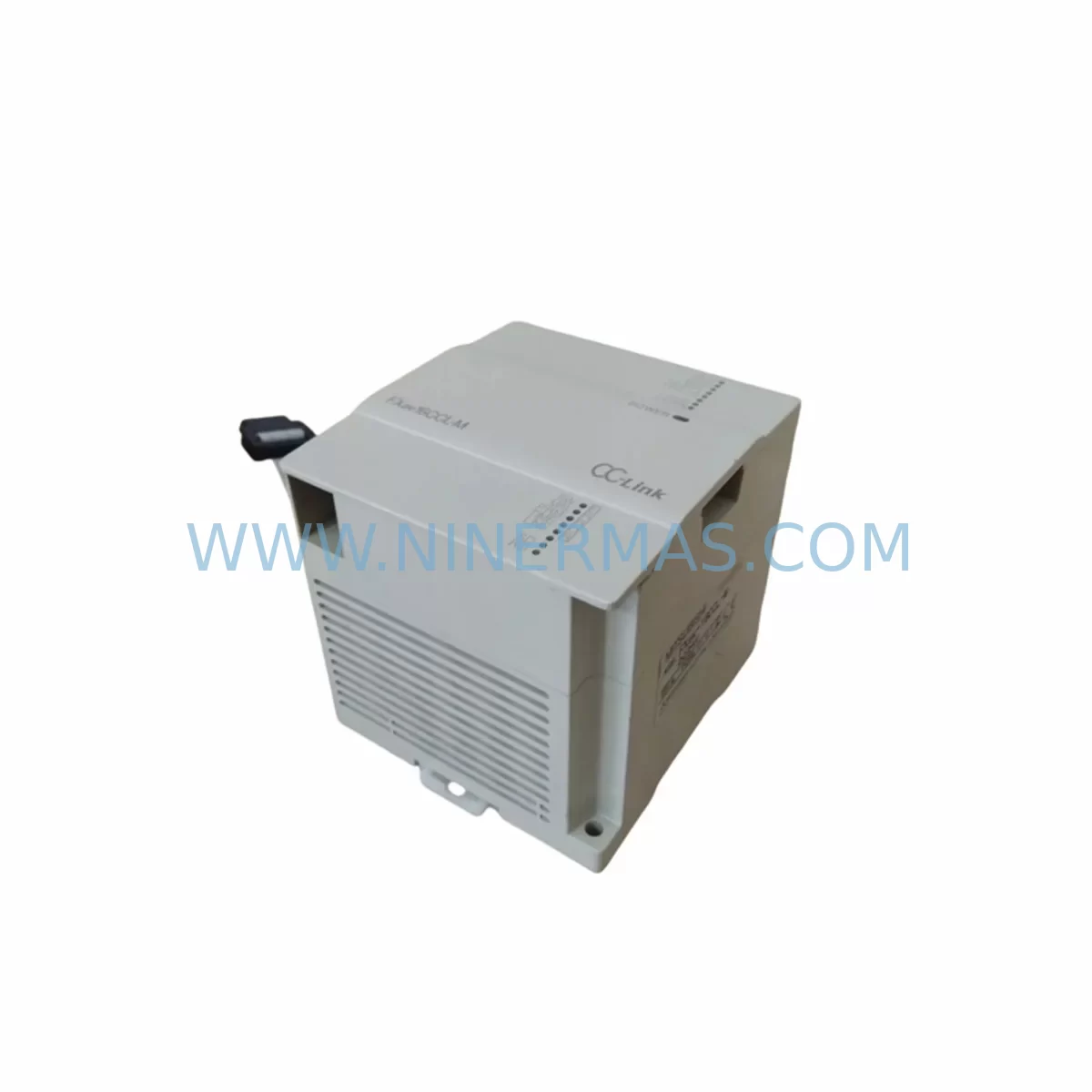
Mitsubishi FX2NC-CNV-IF Retrofit-Compatible Conversion Interface
Verify the part, confirm the platform family, and move straight into quotation with the right commercial details.
RFQ Ready
- SKUFX2NC-CNV-IF
- CategoryPLC & Industrial Automation Modules
- BrandMitsubishi Electric
- SupportAvailability, lead time, condition, and shipping coordination
How Buyers Usually Use This Page
- Confirm the exact part number and platform family before sending the quote request.
- Use direct email when quantity, condition, and destination are already defined internally.
- Switch to the broader brand or category archive when you need alternates nearby.
Series Navigation
Move through the most common platform families behind this part.
Product RFQ
Send this part directly for quotation.
Include quantity, required condition, destination country, and target delivery timing. Current reference: Mitsubishi FX2NC-CNV-IF Retrofit-Compatible Conversion Interface with SKU FX2NC-CNV-IF.
Mitsubishi FX2NC-CNV-IF Retrofit-Compatible Conversion Interface for Legacy Systems
The Mitsubishi FX2NC-CNV-IF is a critical conversion interface module designed to bridge the FX2NC series compact PLC platform with expansion and special function modules that use the standard FX bus connector format. As legacy FX2NC-based control systems approach end-of-life and spare parts become increasingly scarce, the FX2NC-CNV-IF plays an indispensable role in retrofit projects, panel upgrades, and system life extension programs across discrete manufacturing, process control, and building automation environments.
NINERMAS maintains verified stock of the FX2NC-CNV-IF with pre-shipment functional testing, full documentation, and a 12-month warranty. Our supply chain is structured to support long-term procurement commitments, making us a reliable source for maintenance engineers and system integrators managing aging Mitsubishi FX2NC installations.
Upgrade Compatibility Table
| Parameter | FX2NC-CNV-IF Specification | Retrofit Consideration |
|---|---|---|
| Compatible Base Unit | FX2NC series PLC (e.g. FX2NC-32MT, FX2NC-64MT) | Verify base unit connector type before ordering |
| Expansion Bus Interface | FX2NC compact bus → standard FX expansion bus | Enables connection of FX2N-series special function modules |
| Communication Compatibility | Transparent to PLC program; no protocol change required | Existing ladder logic and I/O addressing remain valid |
| Installation Space | Compact form factor; mounts directly to FX2NC right-side expansion port | Confirm DIN rail and panel depth clearance before installation |
| Power Consumption | Powered via FX2NC bus; no external supply required | Verify FX2NC power budget when adding multiple expansion modules |
| Replacement Path | Direct drop-in for failed or end-of-life FX2NC-CNV-IF units | No program modification required for like-for-like replacement |
| Debugging Support | Compatible with GX Works2 and GX Developer programming software | Use existing programming cable (e.g. SC-09 or USB-SC09-FX) for commissioning |
| Warranty | 12-Month Warranty | Pre-shipment tested | NINERMAS quality assurance | |
Retrofit Planning for Existing Automation Systems
When planning a retrofit or life extension project around an FX2NC-based control system, the FX2NC-CNV-IF is typically the first module to evaluate. Its function is to allow the compact FX2NC main unit — such as the FX2NC-32MT or FX2NC-64MT — to interface with the broader range of FX2N-compatible special function modules, including analog I/O modules like the FX2N-4AD and FX2N-4DA, high-speed counter modules such as the FX2N-1HC, and positioning modules like the FX2N-10PG. Without the CNV-IF adapter, these expansion modules cannot be physically or electrically connected to the FX2NC bus.
In a typical retrofit scenario, the maintenance engineer must first audit the existing panel layout to confirm available DIN rail space adjacent to the FX2NC base unit. The FX2NC-CNV-IF occupies the right-side expansion port of the FX2NC, so any existing right-side connections must be re-evaluated. If the panel also includes an FX2NC-32EX or FX2NC-16EYT I/O extension block, the engineer must confirm the total expansion module count does not exceed the FX2NC bus capacity.
Power budget verification is essential. The FX2NC internal power supply supports a defined maximum expansion current draw. When adding analog modules such as the FX2N-4AD-TC (thermocouple input) or communication modules like the FX2N-232-BD or FX2N-485-BD for RS-232C and RS-485 serial links, the cumulative current consumption must be calculated against the FX2NC-32MT or FX2NC-64MT power supply rating. Exceeding this budget will cause erratic behavior or module faults.
Terminal wiring adaptation is another key step. If the retrofit involves replacing a failed FX2NC-CNV-IF in an existing installation, the wiring to downstream expansion modules should be documented before removal. Photographs of the terminal block layout and module addressing labels will significantly reduce commissioning time. For new installations where the FX2NC-CNV-IF is being added to expand an existing system, the engineer should prepare a revised I/O map that accounts for the new module addresses assigned by GX Works2 or GX Developer.
HMI screen updates may also be required. If the system includes a Mitsubishi GOT1000 or GOT2000 series HMI panel communicating with the FX2NC via RS-422 or USB, and the retrofit involves adding new analog or positioning modules, the HMI project file will need to be updated to reflect new device addresses. This should be completed and tested in simulation before the scheduled maintenance window to minimize downtime.
For systems migrating from FX2NC to a newer platform such as the FX5U or iQ-F series, the FX2NC-CNV-IF can serve as a transitional component during phased migration, allowing the existing FX2N-series expansion modules to remain in service while the main CPU is upgraded. This approach reduces capital expenditure by preserving the investment in existing I/O and special function modules.
Downtime Control During System Migration
Minimizing unplanned downtime is the primary concern for any maintenance team managing a retrofit involving the FX2NC-CNV-IF. The recommended approach is to prepare a complete replacement kit — including the FX2NC-CNV-IF, any associated expansion modules, and a pre-tested programming cable — before the scheduled maintenance window. NINERMAS supports this approach by providing pre-shipment functional testing and documentation for every unit shipped.
Before the maintenance window opens, the engineer should use GX Works2 or GX Developer to back up the existing PLC program, including all device comments, parameter settings, and network configuration. This backup should be stored on at least two separate media. If the FX2NC is connected to an FX2N-232-BD or FX2N-485-BD communication board for SCADA or HMI integration, the communication parameters — baud rate, station number, data format — should be recorded and verified against the replacement unit configuration.
During the replacement, the sequence should follow: power down the panel, remove the failed or end-of-life FX2NC-CNV-IF, install the replacement unit, reconnect expansion modules in the original order, restore power, and verify module recognition in GX Works2 before restoring the program. If the system uses a GOT series HMI, the HMI communication link should be verified independently before returning the line to production. Total replacement time for a like-for-like FX2NC-CNV-IF swap in a well-documented installation is typically under two hours, making it suitable for a planned shift changeover window.
For phased migrations where the FX2NC-CNV-IF is being introduced to expand an existing system, the commissioning sequence should include a full I/O check using GX Works2 device monitoring, verification of analog module scaling, and a test cycle of any positioning or high-speed counter modules before the system is returned to automatic mode. NINERMAS technical documentation supports this process with wiring diagrams and parameter reference sheets available upon request.
Retrofit Support FAQ
Q1: Can the FX2NC-CNV-IF be used as a direct replacement for a failed unit without modifying the PLC program?
Yes. The FX2NC-CNV-IF is a passive conversion interface with no programmable parameters. A like-for-like replacement requires no changes to the existing ladder logic, device addresses, or communication settings. After installation, verify module recognition in GX Works2 or GX Developer and perform a standard I/O check before returning to production.
Q2: What expansion modules are compatible with the FX2NC-CNV-IF?
The FX2NC-CNV-IF enables connection of FX2N-series special function modules to the FX2NC bus. Compatible modules include analog I/O units (FX2N-4AD, FX2N-4DA, FX2N-4AD-TC), positioning modules (FX2N-10PG, FX2N-20PG), high-speed counter modules (FX2N-1HC), and communication adapters. Standard FX2N I/O extension blocks are also supported. Always verify the total expansion current draw against the FX2NC power supply rating.
Q3: Does NINERMAS provide pre-shipment testing for the FX2NC-CNV-IF?
Yes. Every FX2NC-CNV-IF unit shipped by NINERMAS undergoes functional testing prior to dispatch. Units are verified for bus connector integrity, electrical continuity, and physical condition. A 12-month warranty is provided from the date of shipment, covering manufacturing defects and functional failures under normal operating conditions.
Q4: What is the typical lead time and inventory availability for the FX2NC-CNV-IF?
NINERMAS maintains stock of the FX2NC-CNV-IF to support urgent maintenance and planned retrofit projects. Standard orders are processed within 1–2 business days. For long-term supply commitments or bulk procurement programs supporting lifecycle extension projects, please contact our sales team to discuss inventory reservation and fixed lead time arrangements.
| Product Series | FX2N |
|---|---|
| Country of Origin | JP |
Catalog Continuation
More Mitsubishi Electric modules in the catalog.
Use the brand lane to compare nearby part numbers, platform-adjacent modules, and other inquiry-ready listings before sending your final RFQ.
SKU: A50CA55C BC186A433G53
Mitsubishi A50CA55C BC186A433G53 Spare Part for Maintenance
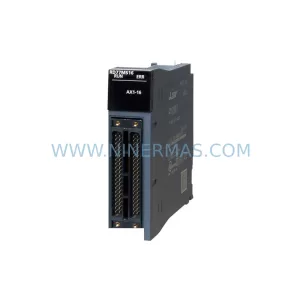
SKU: MELSEC RD77MS16 D 0140-76929 GAS N2, 40 SLM UFC-1660
Mitsubishi RD77MS16 Safety-Reliable Motion for Critical Sites
Catalog Continuation
Alternative parts within PLC & Industrial Automation Modules.
Stay inside the same system family when you need substitutes, adjacent modules, or a broader shortlist for procurement review.

SKU: OZDPROFI12MG12
Hirschmann OZDPROFI12MG12 Spare Part for Industrial Maintenance



SKU: 07025-0000-70-1-04
KONTRON 07025-0000-70-1-04 Service-Ready Spare Part



