Original Industrial Spare Part
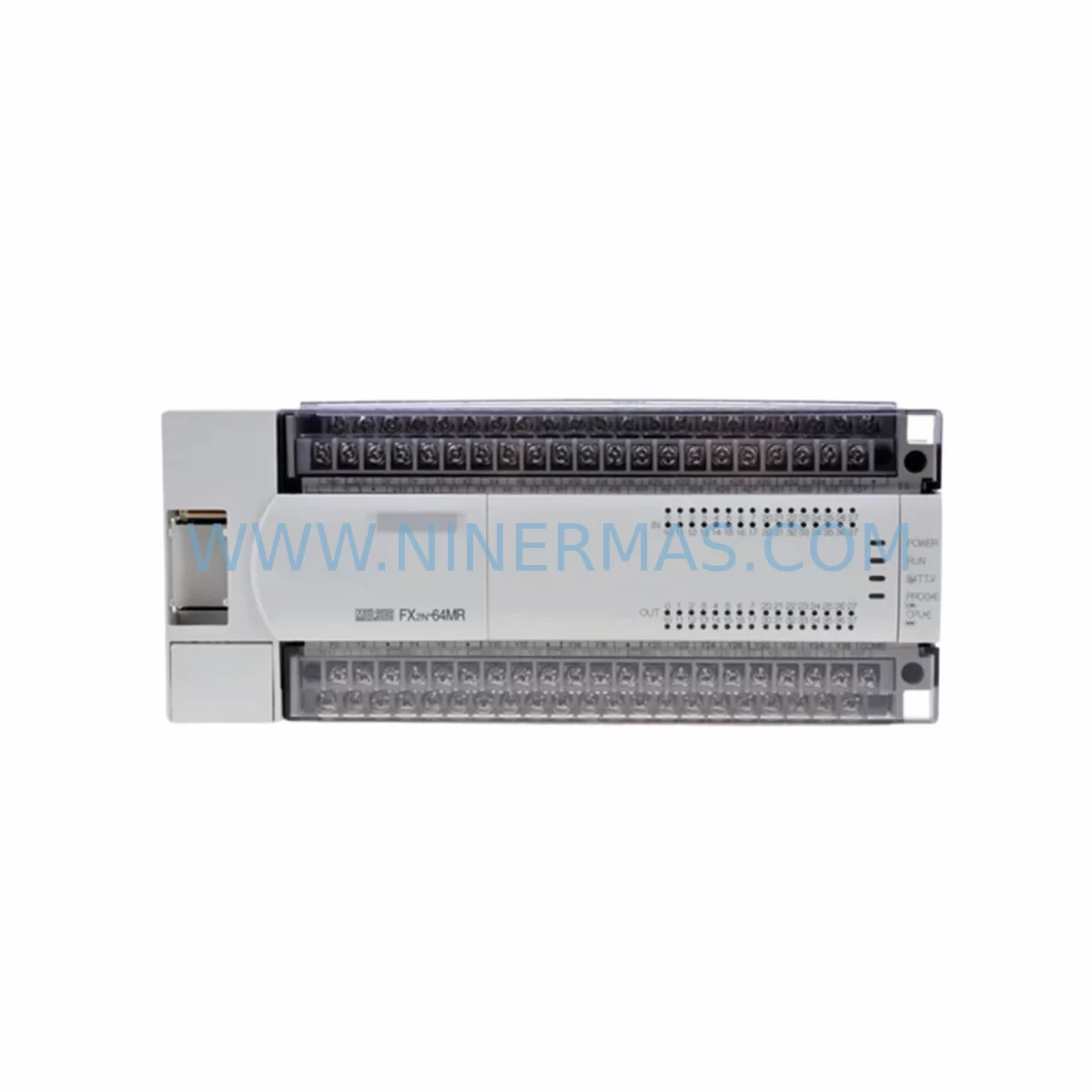
Mitsubishi FX0N-60MR-001 Retrofit-Compatible PLC for Legacy Systems
Verify the part, confirm the platform family, and move straight into quotation with the right commercial details.
RFQ Ready
- SKUFX0N-60MR-001
- CategoryPLC & Industrial Automation Modules
- BrandMitsubishi Electric
- SupportAvailability, lead time, condition, and shipping coordination
How Buyers Usually Use This Page
- Confirm the exact part number and platform family before sending the quote request.
- Use direct email when quantity, condition, and destination are already defined internally.
- Switch to the broader brand or category archive when you need alternates nearby.
Series Navigation
Move through the most common platform families behind this part.
Product RFQ
Send this part directly for quotation.
Include quantity, required condition, destination country, and target delivery timing. Current reference: Mitsubishi FX0N-60MR-001 Retrofit-Compatible PLC for Legacy Systems with SKU FX0N-60MR-001.
Mitsubishi FX0N-60MR-001 Retrofit-Compatible PLC for Legacy Systems
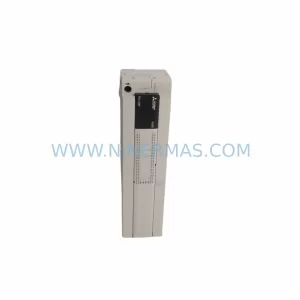
The Mitsubishi FX0N-60MR-001 is a compact, relay-output programmable logic controller from the FX0N series, designed for legacy automation environments where space is constrained and control reliability is non-negotiable. With 36 DC inputs and 24 relay outputs in a single base unit, this controller has served as the backbone of countless production lines, packaging machines, conveyor systems, and control cabinet installations across manufacturing facilities worldwide. As the FX0N series approaches end-of-life and original units become increasingly difficult to source, the FX0N-60MR-001 remains one of the most sought-after retrofit-compatible replacements for engineers managing aging automation infrastructure.
For maintenance engineers and procurement teams responsible for keeping legacy systems operational, the FX0N-60MR-001 offers a direct path to system continuity without requiring a full platform migration. Its compatibility with the FX0N instruction set, existing FX0N-65EC expansion cable, and standard DIN-rail mounting profile means that in most retrofit scenarios, the physical installation footprint and wiring layout can be preserved with minimal modification. This is critical in environments where downtime windows are measured in hours, not days, and where the cost of reprogramming or rewiring a control cabinet from scratch is prohibitive.
At NINERMAS, we maintain verified stock of the FX0N-60MR-001 to support long-term spare parts programs and emergency replacement requirements. Each unit ships with a 12-month warranty and undergoes pre-shipment functional testing to confirm I/O response, communication port integrity, and power-on self-diagnostics before leaving our facility.
Upgrade Compatibility Table
| Parameter | FX0N-60MR-001 (This Unit) | Retrofit Notes |
|---|---|---|
| I/O Configuration | 36 DC Inputs / 24 Relay Outputs | Verify field wiring terminal assignments match existing layout before power-on |
| Power Supply | 100–240 VAC, 50/60 Hz | Confirm cabinet power rail capacity; check against FX0N-65EC expansion load if used |
| Communication Port | RS-422 (Programming Port) | Compatible with SC-09 programming cable; verify HMI communication settings if GOT1000 or GOT2000 series panels are connected |
| Mounting | DIN Rail / Panel Mount | Standard 35mm DIN rail; confirm backplane clearance for expansion modules |
| Program Memory | 2,000 Steps | Verify existing program step count before transfer; use GX Developer or GX Works2 for upload/download |
| Expansion Compatibility | Up to 2 expansion modules via FX0N-65EC | Compatible with FX0N-8EX, FX0N-8ER, FX0N-8EYR expansion units |
| Instruction Set | FX0N Series | Direct program compatibility with existing FX0N ladder logic; no recompilation required in most cases |
| Replacement Path | FX0N → FX3G / FX5U (if upgrading) | FX3G-60MR/ES or FX5U-64MR/ES for full platform upgrade; requires program conversion via GX Works3 |
| Warranty | 12-Month Warranty — All units pre-tested before shipment | |
Retrofit Planning for Existing Automation Systems
Successful retrofit of the FX0N-60MR-001 into an existing control system begins well before the unit arrives on-site. The first step is a thorough audit of the existing control cabinet: document the current terminal block wiring, confirm the power supply output capacity (typically an S8VS-06024 or equivalent 24VDC rail supply), and photograph the existing module arrangement before disassembly. If the system uses an FX0N-65EC expansion cable to connect FX0N-8EX input expansion units or FX0N-8EYR relay output expansion units, verify that the cable seating and module address assignments are recorded, as these will need to be replicated exactly on the replacement unit.
For systems where the FX0N-60MR-001 communicates with an HMI panel — such as a Mitsubishi GOT1000 series GT1055-QSBD or a third-party panel using RS-422 — the communication parameters (baud rate, station number, data format) must be confirmed and matched on the replacement unit before the HMI is reconnected. Failure to replicate these settings is one of the most common causes of extended commissioning time during PLC replacement projects.
If the existing installation includes analog signal conditioning via an FX0N-3A analog I/O module or signal isolators for thermocouple or 4–20mA inputs, these modules should be tested independently before the new base unit is powered. Analog module calibration offsets stored in the original PLC’s data registers (D registers) should be backed up using GX Developer prior to the swap. Similarly, if the system uses an FX0N-232ADP RS-232C communication adapter for barcode scanner integration or SCADA connectivity, the adapter’s wiring and protocol settings must be preserved.
In multi-axis or multi-zone systems where the FX0N-60MR-001 operates as a sub-controller networked to a larger FX2N or Q-series master via CC-Link or RS-485, the network station address and baud rate settings must be re-entered after the unit swap. Confirm that the master controller’s I/O map still reflects the correct station assignments, and perform a full network scan before resuming production. Where the installation includes an SC-09 programming cable for on-site program maintenance, verify cable compatibility with the replacement unit’s programming port before the maintenance team departs the site.
Downtime Control During System Migration
Minimizing unplanned downtime during a PLC replacement is the primary concern for any maintenance team working with legacy FX0N-series equipment. The most effective strategy is to prepare the replacement FX0N-60MR-001 off-line before the scheduled maintenance window. Using GX Developer or GX Works2, upload the existing program from the original unit while it is still operational, verify the program checksum, and write it to the replacement unit in a controlled environment. This eliminates the risk of program loss during the physical swap and allows the commissioning team to focus entirely on wiring verification and I/O testing during the downtime window.
Where the original unit has failed and program recovery is not possible from the PLC itself, check for backup copies stored on an FX-EEPROM-8L memory cassette, in the SCADA historian, or in the engineering workstation’s GX Developer project archive. If no backup exists, the program may need to be reconstructed from the original machine documentation — a process that underscores the importance of maintaining up-to-date program archives for all critical controllers.
During the physical swap, label all terminal block connections before disconnection, use a continuity tester to verify wiring integrity after reconnection, and perform a dry-run I/O test with the machine in manual mode before enabling automatic operation. For systems with safety interlocks — such as door switches wired through an FX0N input to a safety relay module — verify interlock function independently before resuming normal production. A structured commissioning checklist, completed and signed off by the responsible engineer, provides both a quality record and a reference for future maintenance events.
NINERMAS maintains ready stock of the FX0N-60MR-001 to support emergency replacement scenarios where lead time is critical. Standard orders ship within 1–3 business days, and expedited arrangements are available for urgent production recovery situations. All units are covered by a 12-month warranty from the date of shipment.
Retrofit Support FAQ
Q1: Is the FX0N-60MR-001 a direct drop-in replacement for a failed FX0N-60MR unit?
The FX0N-60MR-001 is the standard production designation for the FX0N-60MR base unit and is functionally equivalent. In most installations, the existing program, wiring, and expansion module configuration can be transferred directly without modification. Confirm the power supply voltage range and communication port settings match your existing installation before powering on.
Q2: Can I transfer the existing ladder program without a working original unit?
If the original unit is non-functional, check for program backups on an FX-EEPROM-8L memory cassette, in GX Developer project files on the engineering workstation, or in SCADA system archives. If no backup is available, NINERMAS can advise on program reconstruction options based on the machine’s original documentation.
Q3: What commissioning steps are required after installing the replacement unit?
After physical installation and wiring reconnection, verify all I/O points in manual mode before enabling automatic operation. Confirm communication parameters for any connected HMI panels (GOT1000/GOT2000 series) or network devices. Re-enter any data register values (timers, counters, analog offsets) that were not stored in the program itself. Perform a full functional test of all safety interlocks before resuming production.
Q4: Does NINERMAS provide a warranty on the FX0N-60MR-001?
Yes. All FX0N-60MR-001 units supplied by NINERMAS are covered by a 12-month warranty from the date of shipment. Each unit undergoes pre-shipment functional testing including I/O verification, communication port check, and power-on self-diagnostics. In the event of a warranty claim, NINERMAS provides direct technical support and replacement coordination to minimize impact on your production schedule.
| Product Series | FX0N |
|---|---|
| Country of Origin | JP |
Catalog Continuation
More Mitsubishi Electric modules in the catalog.
Use the brand lane to compare nearby part numbers, platform-adjacent modules, and other inquiry-ready listings before sending your final RFQ.
SKU: A50CA55C BC186A433G53
Mitsubishi A50CA55C BC186A433G53 Spare Part for Maintenance
SKU: MELSEC RD77MS16 D 0140-76929 GAS N2, 40 SLM UFC-1660
Mitsubishi RD77MS16 Safety-Reliable Motion for Critical Sites
Catalog Continuation
Alternative parts within PLC & Industrial Automation Modules.
Stay inside the same system family when you need substitutes, adjacent modules, or a broader shortlist for procurement review.

SKU: OZDPROFI12MG12
Hirschmann OZDPROFI12MG12 Spare Part for Industrial Maintenance



SKU: 07025-0000-70-1-04
KONTRON 07025-0000-70-1-04 Service-Ready Spare Part