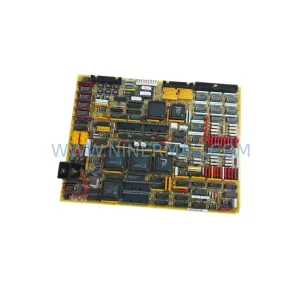
Original Industrial Spare Part
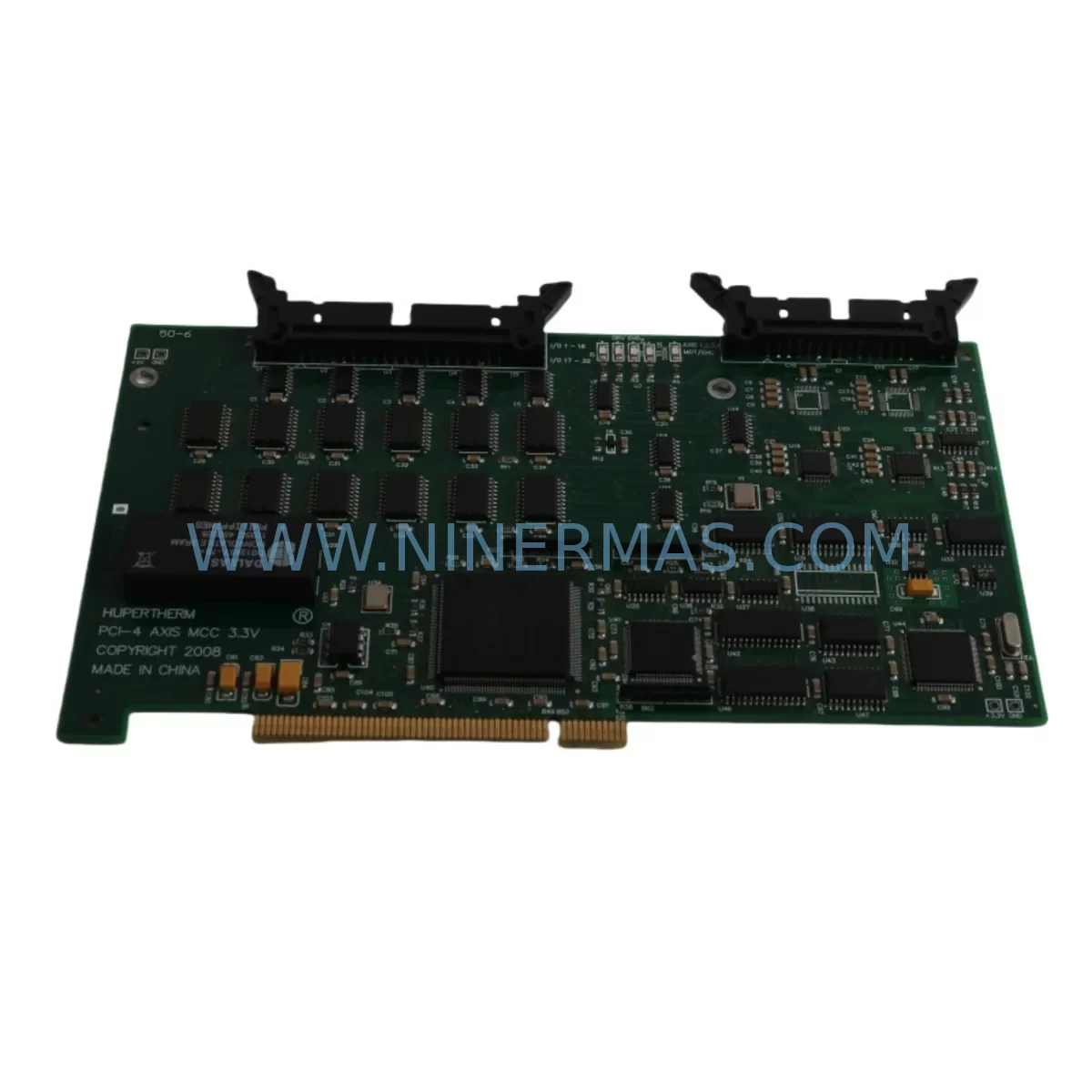
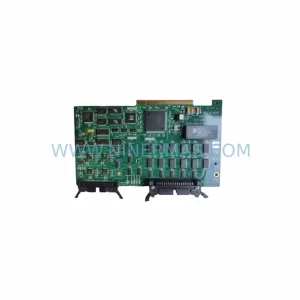
Hypertherm PCBS-0115/B Retrofit-Compatible Axis Control Card
Verify the part, confirm the platform family, and move straight into quotation with the right commercial details.
RFQ Ready
- SKUPCBS-0115/B
- CategoryPLC & Industrial Automation Modules
- BrandHypertherm
- SupportAvailability, lead time, condition, and shipping coordination
How Buyers Usually Use This Page
- Confirm the exact part number and platform family before sending the quote request.
- Use direct email when quantity, condition, and destination are already defined internally.
- Switch to the broader brand or category archive when you need alternates nearby.
Series Navigation
Move through the most common platform families behind this part.
Product RFQ
Send this part directly for quotation.
Include quantity, required condition, destination country, and target delivery timing. Current reference: Hypertherm PCBS-0115/B Retrofit-Compatible Axis Control Card with SKU PCBS-0115/B.
Hypertherm PCBS-0115/B Retrofit-Compatible Axis Control Card for Legacy Systems
The Hypertherm PCBS-0115/B is a precision-engineered axis control card designed for retrofit integration into legacy Hypertherm plasma cutting systems. As industrial facilities face the challenge of maintaining aging plasma cutting equipment — particularly systems where original control boards have been discontinued or are no longer available through standard distribution channels — the PCBS-0115/B provides a reliable, service-ready solution that preserves existing machine functionality while minimizing retrofit complexity and unplanned downtime.
Maintenance engineers and procurement teams working with legacy Hypertherm cutting platforms will recognize the PCBS-0115/B as a critical component in the motion control chain. This axis control card governs the coordinated movement of cutting axes, interfacing directly with the machine’s motion controller, drive amplifiers, and encoder feedback circuits. When this board fails or degrades, the entire cutting system becomes inoperable — making rapid, compatible replacement essential for production continuity.
At NINERMAS, every PCBS-0115/B unit is sourced from verified supply channels, functionally tested prior to shipment, and backed by a 12-month warranty. Our inventory is maintained to support both emergency replacement orders and planned annual maintenance procurement cycles.
Upgrade Compatibility Table
| Parameter | Details |
|---|---|
| Part Number | PCBS-0115/B |
| Brand | Hypertherm |
| Series / Platform | Hypertherm Legacy Plasma Cutting Systems (HT Series / Older Automation Platforms) |
| Function | Axis Motion Control Card — coordinates multi-axis cutting movement |
| Interface Compatibility | Compatible with original backplane connectors and motion controller bus on legacy Hypertherm cabinets |
| Communication | Interfaces with onboard motion controller; verify signal protocol with existing drive amplifier |
| Installation Requirement | Direct board swap; confirm PCB revision, connector pinout, and jumper configuration before installation |
| Retrofit Recommendation | Inspect encoder cables, drive amplifier outputs, and power supply rails during replacement |
| Commissioning Notes | Re-zero axis positions after installation; verify homing sequence and soft limits in CNC controller |
| Origin | United States |
| Warranty | 12 Months — covers manufacturing defects and functional failure under normal operating conditions |
Retrofit Planning for Existing Automation Systems
Replacing the PCBS-0115/B in a legacy Hypertherm plasma cutting system is rarely an isolated task. Experienced maintenance engineers understand that a failed axis control card is often a symptom of broader electrical stress within the control cabinet. Before completing the retrofit, a thorough inspection of the surrounding components is strongly recommended to prevent repeat failures and ensure long-term system stability.
Begin by evaluating the DC power supply rails feeding the control card. Voltage ripple or marginal regulation from an aging switching power supply can accelerate PCB component failure. If the existing power supply shows signs of wear — audible noise, output voltage drift, or thermal discoloration — replacement with a compatible unit should be scheduled alongside the PCBS-0115/B swap.
Next, inspect the drive amplifier modules connected to each cutting axis. These amplifiers receive motion commands from the axis control card and translate them into motor current. Degraded amplifier output stages can cause erratic axis movement even after a new control card is installed. Verify amplifier fault codes and check for abnormal heat signatures on the amplifier heatsinks.
The encoder feedback cables and connectors running from each servo motor back to the axis card deserve careful attention. Cracked insulation, loose connector pins, or intermittent shield grounding are common causes of position feedback errors that can be misdiagnosed as axis card failures. Replace any suspect cables during the retrofit window to avoid repeat service calls.
Within the control cabinet, examine the terminal blocks and wiring harnesses connecting the axis card to the machine’s I/O system. Loose terminations or corroded contacts introduce resistance that can corrupt signal integrity. Re-torque all terminal connections and apply contact cleaner where oxidation is visible.
If the system uses a CNC controller or motion controller board to issue commands to the PCBS-0115/B, verify that the controller firmware is compatible with the replacement card revision. Some later board revisions introduced minor changes to command timing or fault reporting that may require a firmware update on the controller side.
For systems that include a height control module (THC — Torch Height Controller), confirm that the THC’s analog output signals are within specification after the axis card replacement. The THC interfaces with the Z-axis motion circuit, and any offset in its output can cause incorrect cut height and consumable damage.
The plasma power supply interface board — which coordinates firing signals between the CNC controller and the plasma torch — should also be inspected. A failing interface board can produce symptoms that mimic axis control card faults, so confirming its health before and after the retrofit prevents misdiagnosis.
Finally, review the operator interface panel (HMI or operator console) for any stored fault codes or axis error logs that predate the card failure. These historical records can reveal whether the axis card failure was sudden or progressive, informing decisions about whether additional components in the motion control chain require proactive replacement.
Downtime Control During System Migration
Minimizing production downtime during a PCBS-0115/B retrofit requires disciplined pre-planning. The most effective approach is to complete all preparatory work — parts procurement, documentation review, and tool staging — before the machine is taken offline. This reduces the actual machine-down window to the physical swap and commissioning sequence, which an experienced technician can typically complete within a single shift.
Before powering down the system, document the current axis configuration: record soft limit settings, homing offsets, axis scaling parameters, and any custom motion profiles stored in the CNC controller. These values are not always retained after a control card replacement, and re-entering them from memory introduces risk of error. A printed or digital copy of the controller parameter file is essential.
During the physical swap, follow proper ESD (electrostatic discharge) precautions. The PCBS-0115/B contains sensitive CMOS components that can be damaged by static discharge during handling. Use a grounded wrist strap and anti-static mat, and avoid touching PCB traces or connector pins directly.
After installing the replacement card, power up the system in a controlled sequence: energize the control power first, confirm that the axis card initializes without fault codes, then enable drive power and perform a manual jog test on each axis before running any automatic cutting program. This staged power-up procedure isolates any residual issues before the machine is returned to production.
For facilities that operate continuous production schedules, maintaining a spare PCBS-0115/B in the on-site spare parts inventory is the most effective strategy for downtime control. A stocked spare eliminates procurement lead time entirely, reducing the response window from days to hours. NINERMAS supports long-term supply agreements for customers who require guaranteed inventory availability for critical spare parts.
Retrofit Support FAQ
Q1: Is the PCBS-0115/B a direct drop-in replacement for the original board in my Hypertherm system?
In most legacy Hypertherm plasma cutting systems, the PCBS-0115/B is a direct board-level replacement. However, we recommend confirming the PCB revision marking on your existing board and comparing connector pinouts before installation. If you provide your machine model and serial number, our technical team can assist with compatibility verification prior to shipment.
Q2: What pre-shipment testing does NINERMAS perform on the PCBS-0115/B?
Every unit undergoes functional testing before dispatch. Testing includes power-on initialization checks, communication interface verification, and output signal validation. Units that do not pass testing are not shipped. A test report is available upon request for customers with quality documentation requirements.
Q3: Can NINERMAS support long-term supply of the PCBS-0115/B for our maintenance inventory?
Yes. NINERMAS maintains stock of the PCBS-0115/B and can support both single-unit emergency orders and bulk procurement for annual maintenance budgets. We offer long-term supply agreements for customers who require guaranteed availability of critical spare parts. Contact our sales team to discuss inventory reservation options.
Q4: What warranty coverage applies to the PCBS-0115/B?
All PCBS-0115/B units supplied by NINERMAS are covered by a 12-month warranty from the date of shipment. The warranty covers manufacturing defects and functional failure under normal operating conditions. It does not cover damage resulting from incorrect installation, overvoltage events, or physical mishandling. Our after-sales team provides technical support throughout the warranty period.
| Product Series | Other series |
|---|
Catalog Continuation
More Hypertherm modules in the catalog.
Use the brand lane to compare nearby part numbers, platform-adjacent modules, and other inquiry-ready listings before sending your final RFQ.
Catalog Continuation
Alternative parts within PLC & Industrial Automation Modules.
Stay inside the same system family when you need substitutes, adjacent modules, or a broader shortlist for procurement review.