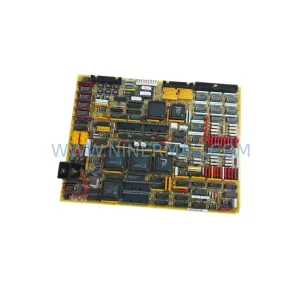
Original Industrial Spare Part
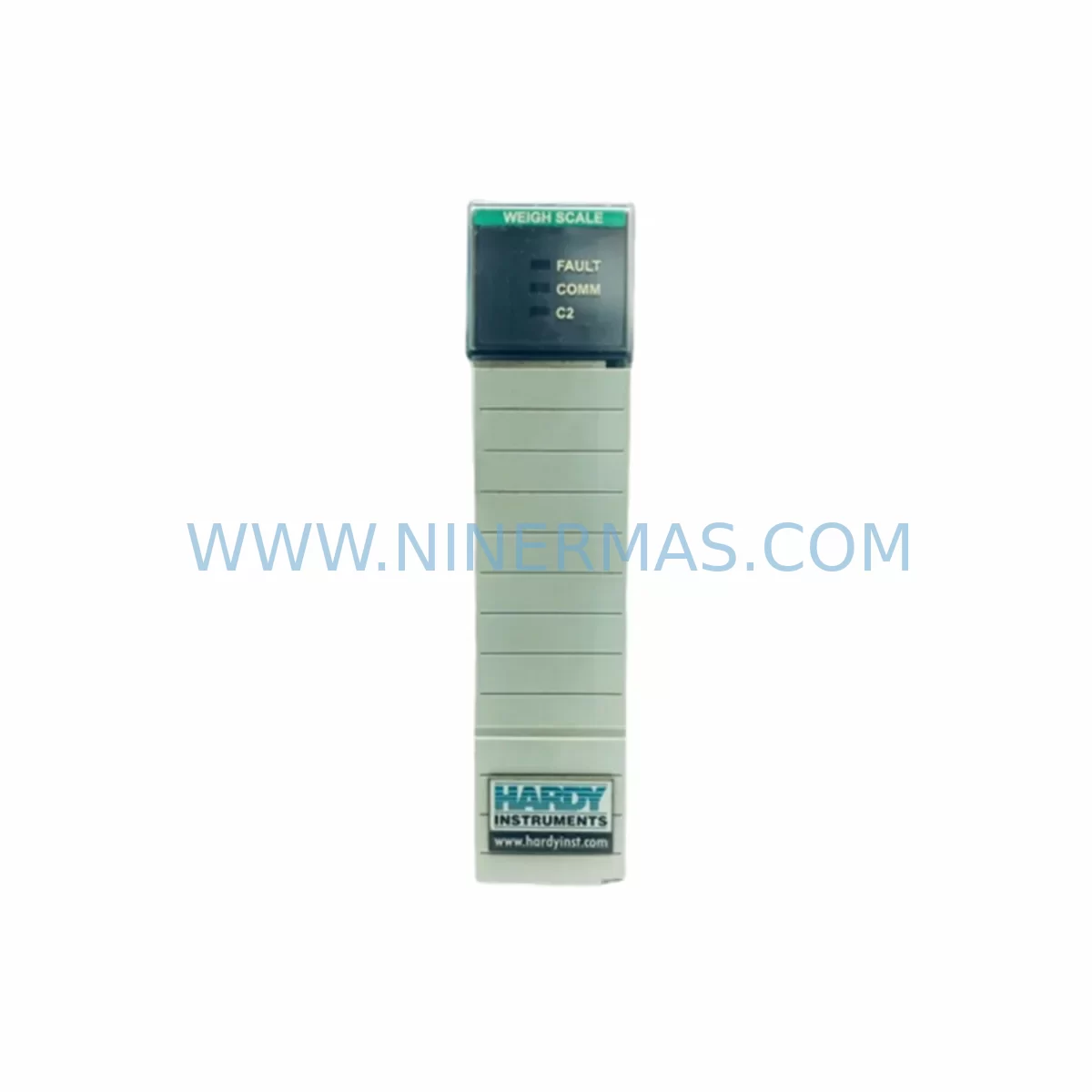
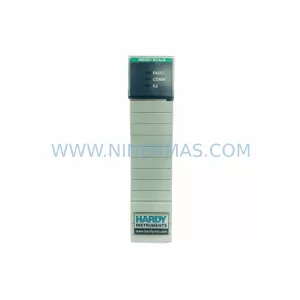
HARDY 1756-WS Retrofit-Compatible Weigh Scale Module
Verify the part, confirm the platform family, and move straight into quotation with the right commercial details.
RFQ Ready
- SKU1756-WS
- CategoryPLC & Industrial Automation Modules
- BrandHARDY
- SupportAvailability, lead time, condition, and shipping coordination
How Buyers Usually Use This Page
- Confirm the exact part number and platform family before sending the quote request.
- Use direct email when quantity, condition, and destination are already defined internally.
- Switch to the broader brand or category archive when you need alternates nearby.
Series Navigation
Move through the most common platform families behind this part.
Product RFQ
Send this part directly for quotation.
Include quantity, required condition, destination country, and target delivery timing. Current reference: HARDY 1756-WS Retrofit-Compatible Weigh Scale Module with SKU 1756-WS.
HARDY 1756-WS Retrofit-Compatible Weigh Scale Module for Legacy System Modernization
The HARDY 1756-WS is a ruggedized weigh scale module engineered for seamless integration into Allen-Bradley ControlLogix 1756-series backplanes. Designed with industrial retrofit projects in mind, this module serves as a direct replacement for discontinued Hardy weighing solutions and aging analog weight transmitters in process control, batching, and filling line applications. Whether you are modernizing a legacy PLC-5 or SLC 500 weighing system, migrating from a standalone Hardy C2 junction box setup, or upgrading an existing ControlLogix rack to support precision weight measurement, the 1756-WS delivers the accuracy, durability, and protocol compatibility required for mission-critical automation environments.
Procurement engineers and maintenance teams working on retrofit projects frequently encounter the challenge of sourcing compatible weigh scale I/O for aging control architectures. The 1756-WS addresses this directly by fitting into any standard 1756 chassis — including the 1756-A4, 1756-A7, 1756-A10, and 1756-A13 backplane configurations — without requiring chassis replacement or additional mounting hardware. This makes it an ideal candidate for phased upgrade strategies where the control cabinet structure, power distribution, and existing field wiring are preserved while only the I/O and weighing intelligence layers are modernized.
Upgrade Compatibility Table
| Parameter | HARDY 1756-WS | Retrofit Notes |
|---|---|---|
| Backplane Compatibility | 1756 ControlLogix (all chassis sizes) | Fits 1756-A4 / A7 / A10 / A13; no chassis swap required |
| Load Cell Input | Up to 8 load cells (350 Ω) | Verify existing C2 junction box wiring; re-use field cables where possible |
| Communication Protocol | ControlLogix backplane (CIP) | Compatible with EtherNet/IP via 1756-EN2T or 1756-ENBT bridge modules |
| Power Supply Requirement | Backplane-powered (1756-PA72 / 1756-PB72) | Confirm available slot power budget before installation |
| Module Addressing | Slot-based, configured in Studio 5000 | Update RSLogix 5000 / Studio 5000 project; verify I/O tree slot assignment |
| HMI Integration | Tag-based via ControlLogix controller tags | Update FactoryTalk View or PanelView tag database to reflect new weight tags |
| Installation Space | Single-slot 1756 module | One free slot required; confirm rack slot availability before ordering |
| Calibration | Software calibration via Hardy HMC or Studio 5000 AOI | Re-calibrate after installation; document span and zero reference values |
| Warranty | 12-Month Warranty Included — All units ship tested and verified | |
Retrofit Planning for Existing Automation Systems
A successful retrofit using the HARDY 1756-WS begins with a thorough audit of the existing control architecture. In most legacy installations, the weighing function is handled by a standalone Hardy Instruments controller — such as the Hardy HI 2151/30WC weight controller or the older Hardy HI 3000 series — connected to the PLC via analog 4–20 mA signals or serial RS-232/RS-485 links. Migrating from this architecture to the 1756-WS eliminates the intermediate weight controller entirely, moving weight processing directly onto the ControlLogix backplane and simplifying the overall system topology.
Before installation, engineers should verify the power budget of the existing 1756-PA72 or 1756-PB72 power supply. Adding the 1756-WS to a heavily loaded rack — one already populated with analog I/O modules such as the 1756-IF16 or 1756-OF8, plus communication modules like the 1756-EN2T EtherNet/IP bridge — may require a power supply upgrade or rack expansion. In multi-rack systems, a 1756-RM2 redundancy module or a secondary chassis connected via 1756-SYNCH may also affect available slot and power resources.
Field wiring adaptation is another critical step. Existing load cell cables routed through a Hardy C2 junction box can typically be re-terminated directly to the 1756-WS terminal block, provided the cable shielding and grounding practices meet Hardy’s specifications for the module. Technicians should inspect each load cell for impedance drift and confirm that the combined parallel resistance of the load cell network falls within the module’s excitation capacity. Signal isolation requirements should also be reviewed — in environments with significant electrical noise from variable frequency drives (VFDs) or high-current motor starters, a signal isolator or surge suppressor on the load cell lines is strongly recommended before connecting to the 1756-WS input terminals.
On the software side, the retrofit requires creating or importing an Add-On Instruction (AOI) for the 1756-WS within the Studio 5000 project. Hardy provides a standard AOI package that maps weight values, status bits, and calibration parameters to controller tags. These tags must then be cross-referenced with any existing HMI screens built in FactoryTalk View SE or displayed on a PanelView Plus 7 terminal. Weight display faceplates, setpoint entry screens, and alarm logic referencing the old analog weight signal must all be updated to point to the new tag structure. Batch recipe logic, particularly in systems using FactoryTalk Batch or custom sequential function chart (SFC) routines, should be reviewed to ensure that weight-triggered transitions and tolerance windows are correctly mapped to the new module’s output tags.
Downtime Control During System Migration
Minimizing production downtime during a weigh scale module retrofit requires careful pre-staging and a disciplined cutover plan. The recommended approach is to complete all software preparation — AOI import, tag mapping, HMI screen updates, and batch logic revisions — in offline simulation mode before the physical installation window begins. Using the Studio 5000 Logix Designer offline project, engineers can validate the entire I/O configuration, including the 1756-WS slot assignment and module properties, without connecting to the live system.
During the physical cutover, the existing weight controller or analog I/O module should be removed only after the replacement 1756-WS is confirmed to be on-hand, tested, and ready for installation. NINERMAS ships all 1756-WS units with a pre-shipment functional test report, confirming that the module powers up correctly, communicates on the backplane, and responds to a calibration load. This eliminates the risk of discovering a defective module after the line has already been taken down.
Once the module is installed and the controller project is downloaded, the calibration sequence should be performed with the actual process load cells in place — not with simulated inputs. Document the zero reference, span value, and calibration date in the plant maintenance system. If the system uses a Hardy HMC (Hardy Maintenance Console) or a web-based calibration interface, confirm that the PC or HMI used for calibration can communicate with the module via the ControlLogix Ethernet path before the maintenance window closes. Keeping the original program backup and the previous module’s calibration records on file ensures that the system can be restored to its prior state if unexpected issues arise during commissioning.
Retrofit Support FAQ
Q1: Is the HARDY 1756-WS a direct drop-in replacement for the Hardy HI 2151/30WC weight controller?
The 1756-WS replaces the weighing function of the HI 2151/30WC but integrates directly into the ControlLogix backplane rather than operating as a standalone panel-mount controller. Field wiring from the load cell junction box can typically be re-used, but the RS-232 or analog output connection to the PLC is eliminated. A Studio 5000 AOI replaces the serial communication driver previously used to read weight data.
Q2: What calibration tools are required after installation?
Calibration can be performed using the Hardy AOI within Studio 5000, the Hardy HMC software over Ethernet, or a compatible PanelView HMI faceplate. A certified calibration weight set appropriate for the process capacity is required on-site. NINERMAS recommends performing a two-point calibration (zero and span) immediately after installation and documenting the results for quality records.
Q3: Can the 1756-WS operate in a ControlLogix redundancy system?
The 1756-WS is compatible with ControlLogix redundancy configurations using the 1756-RM2 redundancy module. However, Hardy’s AOI and module configuration must be validated against the specific firmware version of the redundancy module in use. Consult the Hardy 1756-WS user manual and the ControlLogix Redundancy System User Manual for firmware compatibility matrices before deploying in a redundant architecture.
Q4: What does the 12-month warranty cover, and how does NINERMAS handle warranty claims?
All HARDY 1756-WS units supplied by NINERMAS carry a 12-month warranty from the date of shipment, covering manufacturing defects and functional failures under normal operating conditions. Each unit is functionally tested prior to dispatch. In the event of a warranty claim, NINERMAS will arrange replacement or repair with priority handling to minimize impact on production schedules. Contact sale@ninermas.com with your order reference and a description of the fault to initiate a claim.
| Product Series | Other series |
|---|
Catalog Continuation
More HARDY modules in the catalog.
Use the brand lane to compare nearby part numbers, platform-adjacent modules, and other inquiry-ready listings before sending your final RFQ.
Catalog Continuation
Alternative parts within PLC & Industrial Automation Modules.
Stay inside the same system family when you need substitutes, adjacent modules, or a broader shortlist for procurement review.