
Original Industrial Spare Part
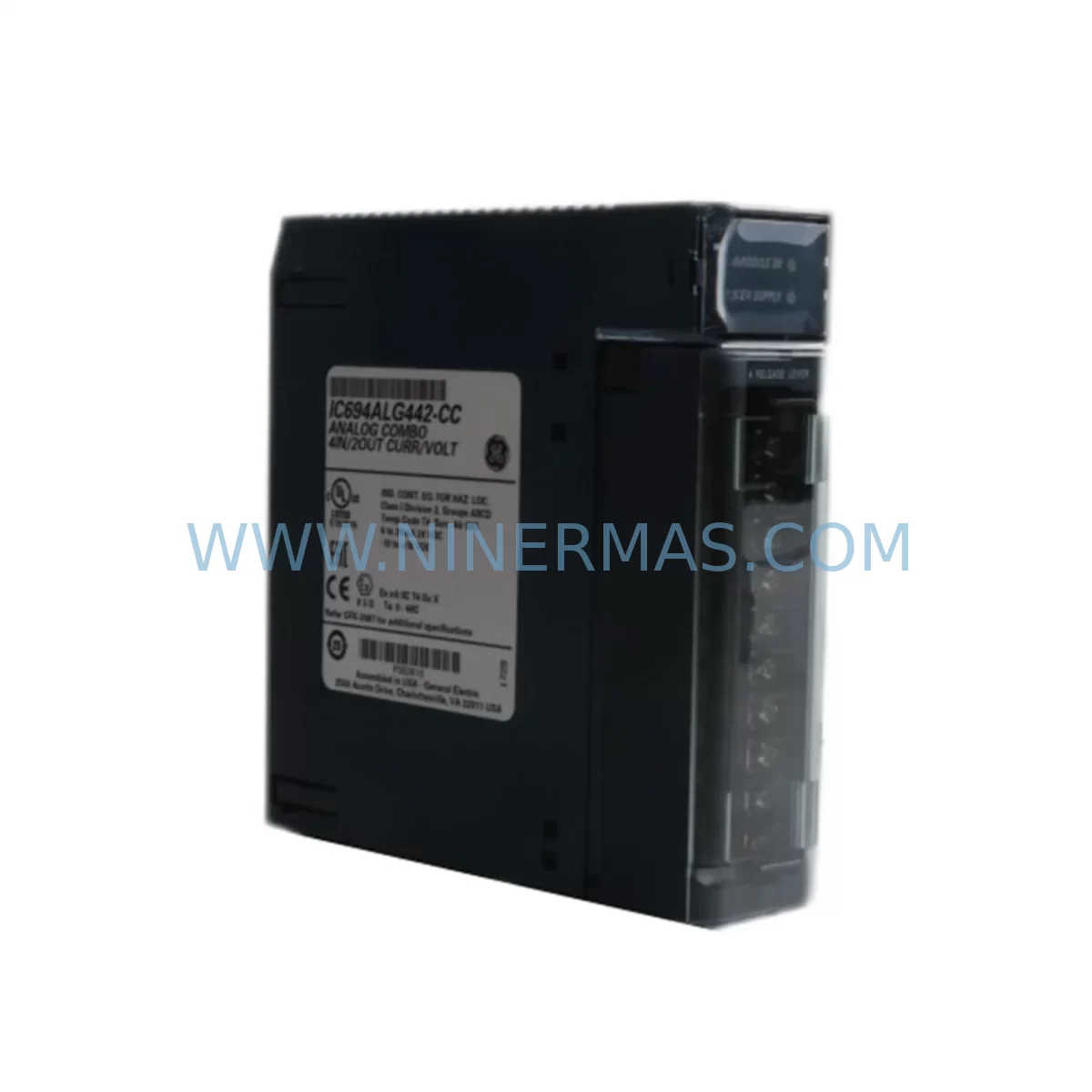
GE IC694ALG442 Service-Ready Spare Part for Industrial Maintenance
Verify the part, confirm the platform family, and move straight into quotation with the right commercial details.
RFQ Ready
- SKUIC694ALG442
- CategoryPLC & Industrial Automation Modules
- BrandGE
- SupportAvailability, lead time, condition, and shipping coordination
How Buyers Usually Use This Page
- Confirm the exact part number and platform family before sending the quote request.
- Use direct email when quantity, condition, and destination are already defined internally.
- Switch to the broader brand or category archive when you need alternates nearby.
Series Navigation
Move through the most common platform families behind this part.
Product RFQ
Send this part directly for quotation.
Include quantity, required condition, destination country, and target delivery timing. Current reference: GE IC694ALG442 Service-Ready Spare Part for Industrial Maintenance with SKU IC694ALG442.
GE IC694ALG442 Service-Ready Spare Part for Industrial Maintenance
The GE IC694ALG442 is an original analog combination module designed for the GE PACSystems RX3i control platform. As a mixed-signal I/O module supporting both analog inputs and analog outputs on a single backplane slot, the IC694ALG442 is a critical component in process control, machine automation, and continuous manufacturing environments. When this module fails or degrades, the consequences extend beyond a single I/O channel — the entire analog loop, including PID control, sensor feedback, and actuator command signals, can be disrupted, leading to unplanned downtime and production loss.
Sourced as an original GE spare part, this IC694ALG442 unit is tested prior to shipment, packaged for safe transit, and backed by a 12-month warranty. It is intended for maintenance engineers and procurement teams who require a reliable, drop-in replacement that restores system compatibility without re-engineering the control architecture.
Spare Maintenance Table
| Part Number | IC694ALG442 |
| Brand / Manufacturer | GE (General Electric Automation) |
| Series | PACSystems RX3i |
| Module Type | Analog Combination Module (Input + Output) |
| Analog Inputs | 4 channels (voltage/current selectable) |
| Analog Outputs | 2 channels (voltage/current selectable) |
| Input Range | 0–10 VDC / 4–20 mA (configurable) |
| Output Range | 0–10 VDC / 4–20 mA (configurable) |
| Resolution | 16-bit |
| Backplane Compatibility | IC694CHS392, IC694CHS398 (RX3i Universal Backplane) |
| Power Consumption | Supplied via RX3i backplane bus |
| Operating Temperature | 0°C to 60°C |
| Relative Humidity | 5% to 95% non-condensing |
| Installation | Hot-swap capable (with RX3i CPU support); DIN rail backplane mount |
| Origin | USA |
| Condition | Original, tested before shipment |
| Warranty | 12 Months |
| Application | Process control, machine automation, PID loop, sensor/actuator interface |
| Maintenance Recommendation | Inspect wiring terminals and field wiring annually; verify channel calibration after replacement; confirm CPU firmware compatibility before installation |
Maintenance Planning for Continuous Operation
Replacing the IC694ALG442 is rarely an isolated task. In a well-maintained PACSystems RX3i control cabinet, the analog combination module sits at the intersection of field instrumentation and the CPU’s data acquisition loop. A thorough site inspection during replacement should extend to the surrounding components that share the same electrical environment and backplane resources.
Begin with the IC694PWR331 or IC694PWR330 power supply module, which feeds the RX3i backplane. A degraded power supply can cause intermittent analog errors that mimic module failure — verifying output voltage stability before condemning the IC694ALG442 is essential. Similarly, inspect the IC694CHS392 backplane itself for bent connector pins, corrosion, or mechanical damage that could cause poor module seating and erratic I/O behavior.
On the field wiring side, check the terminal blocks and field wiring connected to the IC694ALG442’s analog channels. Loose terminations, corroded contacts, or incorrect shielding on signal cables are common causes of analog drift and noise. If the plant uses signal isolators between field instruments and the module — such as loop-powered 4–20 mA isolators or voltage signal conditioners — these should be tested for output accuracy and isolation integrity.
For the CPU side, confirm that the IC694CPU315 or IC694CPU320 CPU module’s firmware version supports the IC694ALG442’s configuration parameters. After module replacement, re-download the hardware configuration from Proficy Machine Edition to ensure the new module is correctly recognized. If the system uses a IC694CMM321 Ethernet communications module or a IC694DSM314 motion controller sharing the same backplane, verify that backplane communication is stable after the swap.
Procurement engineers building annual spare parts kits for PACSystems RX3i systems should consider stocking at minimum one IC694ALG442, one power supply module, and one spare CPU module per critical control cabinet. For high-availability lines, a complete spare backplane assembly — including populated I/O modules — reduces mean time to repair (MTTR) from hours to minutes. Fuses protecting the 24 VDC field power circuits feeding analog output loads should also be inspected and replaced on a scheduled basis, as blown fuses are a frequent cause of apparent analog output failures that are misdiagnosed as module faults.
Where the plant operates legacy GE Series 90-30 systems alongside RX3i platforms, note that the IC693ALG442 is the Series 90-30 equivalent and is not directly interchangeable with the IC694ALG442 — maintaining clear labeling in the spare parts store prevents costly installation errors during emergency repairs.
Site Replacement Workflow
Step 1 — Pre-replacement verification: Before removing the IC694ALG442, document the current analog channel configuration (input/output ranges, scaling, alarm setpoints) from Proficy Machine Edition. Take a photograph of the field wiring terminal connections for reference during reinstallation.
Step 2 — Safe isolation: Place the CPU in Stop mode or use the RX3i’s I/O override feature to hold analog outputs at safe values before removing the module. For hot-swap capable systems, confirm the CPU firmware supports hot insertion before proceeding without a full system shutdown.
Step 3 — Module removal and inspection: Remove the IC694ALG442 by releasing the module latch and sliding it out of the backplane slot. Inspect the backplane connector for damage. Check the removed module’s terminal block for signs of overheating, corrosion, or mechanical damage that may indicate a root cause beyond the module itself.
Step 4 — Replacement installation: Insert the new IC694ALG442 into the same backplane slot. Reconnect the field wiring terminal block, verifying each channel connection against the documented wiring photograph. Ensure the module is fully seated and the latch is engaged.
Step 5 — Configuration restore and test: Download the hardware configuration to the CPU. Place the CPU in Run mode and verify each analog input channel reads the expected engineering unit value from the connected field instrument. Verify each analog output channel drives the correct signal to the connected actuator or positioner. Document the post-replacement readings for the maintenance record.
Step 6 — System handover: Update the maintenance log with the replacement date, new module serial number, and post-replacement test results. Return the removed module to the spare parts store for evaluation — some modules can be repaired and returned to service as secondary spares.
Spare Parts Support FAQ
Q1: Is the IC694ALG442 still available as a new original part, or only as refurbished stock?
The IC694ALG442 is available as an original spare part. Each unit is tested before shipment to verify analog channel functionality, output accuracy, and backplane communication. Units are supplied with a 12-month warranty covering manufacturing defects and functional failures under normal operating conditions.
Q2: How do I confirm compatibility between the IC694ALG442 and my existing PACSystems RX3i CPU firmware?
Compatibility is determined by the CPU firmware version and the Proficy Machine Edition hardware configuration file. The IC694ALG442 is supported across the standard RX3i CPU range including IC694CPU315 and IC694CPU320. After replacement, always re-download the hardware configuration to ensure the module is correctly enumerated. If you are unsure of your firmware version, contact our technical team with your CPU part number and we will confirm compatibility before shipment.
Q3: What is your lead time and long-term supply commitment for the IC694ALG442?
Standard orders ship within 3–7 business days. For customers requiring guaranteed long-term supply — particularly for plants operating legacy PACSystems RX3i systems beyond the GE product lifecycle — we offer inventory reservation agreements. Contact our sales team to discuss volume pricing and multi-year supply arrangements that protect your maintenance program from market shortages.
Q4: Can I return a module for evaluation if I am not certain it is faulty?
Yes. We support a pre-diagnosis exchange process for customers who need to confirm whether the IC694ALG442 is the root cause of their system fault before committing to a purchase. Contact our team to arrange an evaluation unit or discuss our exchange program. All replacement units are covered by the 12-month warranty from the date of shipment.
| Product Series | PACSystems |
|---|---|
| Country of Origin | US |
Catalog Continuation
Nearby part numbers around IC694ALG.
Use this lane when the buyer is comparing adjacent model numbers, revision-near items, or closely related spare variants within the same brand family.

Catalog Continuation
More GE modules in the catalog.
Use the brand lane to compare nearby part numbers, platform-adjacent modules, and other inquiry-ready listings before sending your final RFQ.
SKU: Bridge Interface Mark VI
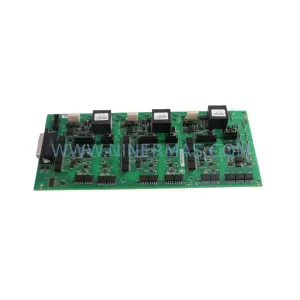
GE IS210AEDBH4AGD Safety-Reliable Bridge Interface for Critical Control
SKU: DS200ADMAH1AA
GE DS200ADMAH1AA | Industrial Safety & Performance Component
Catalog Continuation
Alternative parts within PLC & Industrial Automation Modules.
Stay inside the same system family when you need substitutes, adjacent modules, or a broader shortlist for procurement review.



SKU: HDD02.2-W040N-HS12-01-FW FWA-DIAX04-ELS-05VRS-MS
Rexroth HDD02.2-W040N-HS12-01-FW Service-Ready Spare Part

SKU: I5DAE375F10010000S
Lenze I5DAE375F10010000S Service-Ready Spare Part for Industrial Maintenance



