
Original Industrial Spare Part
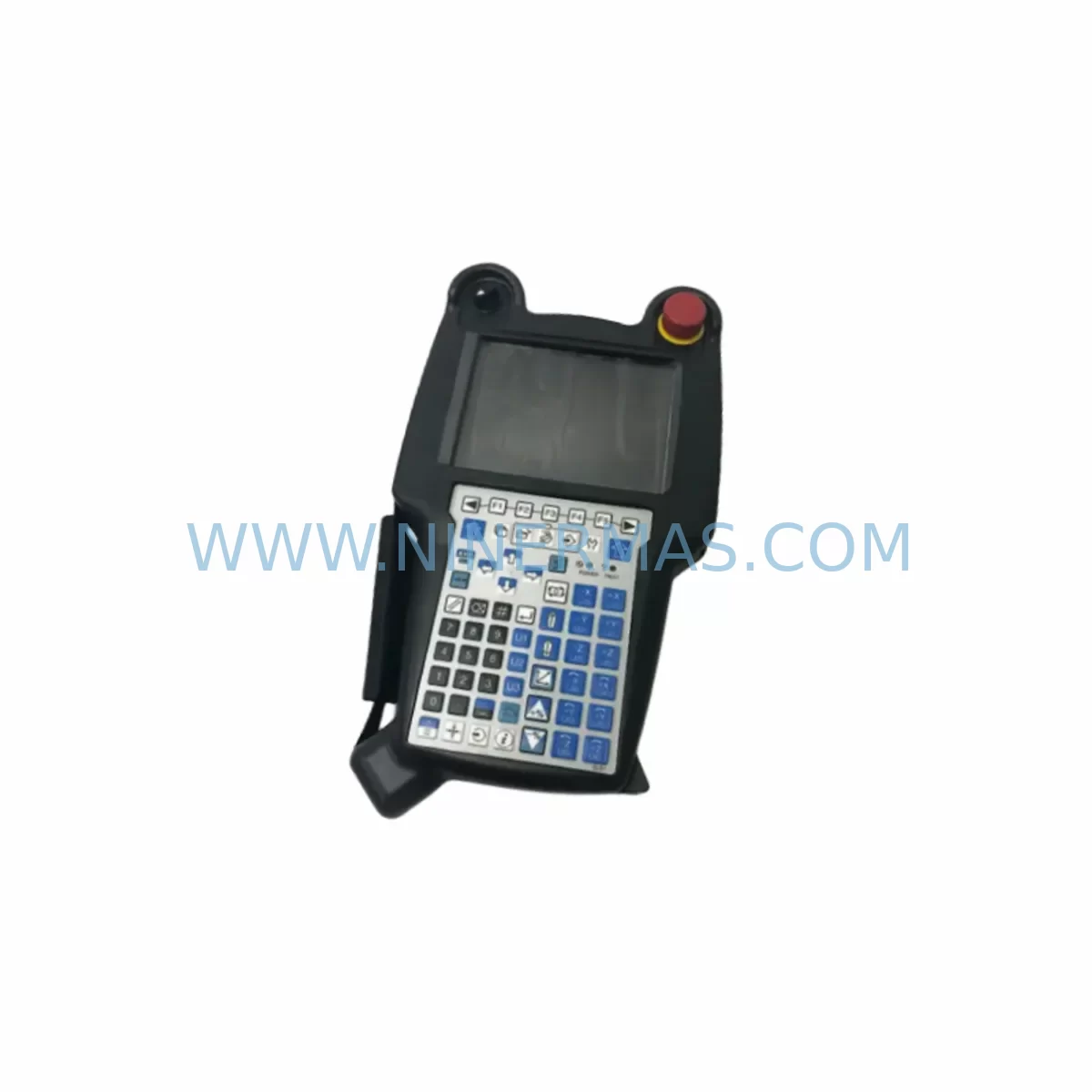
FANUC A20B-2004-038 Retrofit-Compatible PCB for Legacy Systems
Verify the part, confirm the platform family, and move straight into quotation with the right commercial details.
RFQ Ready
- SKUA20B-2004-038
- CategoryPLC & Industrial Automation Modules
- BrandFANUC
- SupportAvailability, lead time, condition, and shipping coordination
How Buyers Usually Use This Page
- Confirm the exact part number and platform family before sending the quote request.
- Use direct email when quantity, condition, and destination are already defined internally.
- Switch to the broader brand or category archive when you need alternates nearby.
Series Navigation
Move through the most common platform families behind this part.
Product RFQ
Send this part directly for quotation.
Include quantity, required condition, destination country, and target delivery timing. Current reference: FANUC A20B-2004-038 Retrofit-Compatible PCB for Legacy Systems with SKU A20B-2004-038.
FANUC A20B-2004-038 Retrofit-Compatible PCB for Legacy CNC Systems
The FANUC A20B-2004-038 is a critical printed circuit board (PCB) designed for use in FANUC CNC control systems, widely deployed across legacy machining centers, turning centers, and multi-axis manufacturing lines. As original equipment manufacturers discontinue support for older FANUC Series 0, Series 15, and Series 16 platforms, the A20B-2004-038 has become one of the most sought-after retrofit and replacement boards for facilities committed to extending the operational life of their existing automation infrastructure. NINERMAS maintains verified stock of this board, pre-shipment tested and backed by a 12-month warranty, to support uninterrupted production continuity for industrial customers worldwide.
Facilities operating legacy FANUC-controlled machine tools frequently encounter the A20B-2004-038 as a core logic or interface board within the CNC cabinet. Its role in signal routing, axis control interfacing, and I/O coordination makes it indispensable during both emergency replacement scenarios and planned retrofit programs. Whether you are managing a single spindle failure or executing a full control cabinet modernization, sourcing a verified replacement A20B-2004-038 is often the fastest path to restoring machine availability without committing to a full CNC system overhaul.
Upgrade Compatibility Table
| Parameter | Details |
|---|---|
| Part Number | A20B-2004-038 |
| Brand | FANUC |
| Compatible Series | FANUC Series 0, Series 15, Series 16, Series 18, Series 21 |
| Board Type | PCB Control / Interface Board |
| Mounting Interface | FANUC standard backplane slot (verify rack generation before installation) |
| Communication Compatibility | FANUC I/O Link, RS-232C serial interface |
| Power Supply Requirement | Confirm ±5V / ±12V / ±24V rail availability from existing PSU (e.g., A16B-1212-series power supply) |
| Installation Space | Standard FANUC CNC cabinet slot; verify clearance against adjacent modules |
| Replacement Recommendation | Direct replacement for failed or degraded A20B-2004-038 boards; confirm firmware revision compatibility |
| Commissioning Notes | Re-initialize parameters after board swap; verify axis data, PMC ladder, and macro programs |
| Pre-Shipment Testing | Yes — functional verification performed before dispatch |
| Warranty | 12 Months |
| Origin | Japan |
Retrofit Planning for Existing Automation Systems
Successful integration of the A20B-2004-038 into an existing FANUC-controlled system requires a structured retrofit assessment before any hardware is removed from the cabinet. The first step is to document the current CNC configuration, including the FANUC control model, software series, and the specific slot position of the board within the main CPU rack or sub-rack. FANUC racks such as the A16B-3200-series backplane define the physical and electrical interface that the A20B-2004-038 must mate with, and confirming backplane compatibility prevents costly installation errors.
Power supply integrity is a non-negotiable prerequisite. The A16B-1212-series or equivalent FANUC power supply unit must be verified to deliver stable voltage rails before the new board is seated. Degraded capacitors or marginal voltage output from an aging PSU are a common root cause of repeated PCB failures, and replacing the A20B-2004-038 without addressing upstream power quality will result in premature board failure. Use a calibrated multimeter to confirm all DC rails are within FANUC-specified tolerances prior to installation.
Terminal wiring and connector integrity must be inspected at the same time. The A20B-2004-038 interfaces with the machine’s I/O modules — including digital input/output boards such as the A20B-2002-series I/O cards — through the backplane bus and dedicated cable harnesses. Inspect all ribbon cables, connector pins, and locking latches for corrosion, mechanical damage, or loose seating. In older installations, the I/O Link cable connecting the CNC to remote I/O units on the machine body may also require replacement if signal integrity has degraded over years of thermal cycling.
For systems that include FANUC Servo Amplifier modules — such as the αi-series or βi-series servo drives — the retrofit plan must account for the communication path between the CNC control board and the drive units. The A20B-2004-038 participates in the FSSB (FANUC Serial Servo Bus) or I/O Link architecture depending on the control generation, and any axis parameter data stored in the CNC must be backed up before the board is removed. FANUC SRAM backup via a memory card or PC-based backup tool (such as FANUC LADDER-III or FANUC SERVO GUIDE) is strongly recommended to protect PMC ladder programs, macro variables, tool offset data, and work coordinate settings.
HMI screen configurations and operator panel assignments should also be reviewed during the retrofit. If the machine uses a FANUC MDI unit or a dedicated operator panel connected through the A20B-2004-038’s interface logic, panel button assignments and screen display parameters may need to be re-verified after the board swap. In some installations, the CNC’s display unit — such as a FANUC LCD/MDI unit — will prompt for parameter initialization on first power-up with a new board, requiring the maintenance engineer to reload all system parameters from backup before the machine can be returned to automatic operation.
Where the retrofit involves a broader control cabinet upgrade — for example, migrating from a FANUC Series 0-C to a Series 0i-D platform — the A20B-2004-038 may serve as an interim replacement to stabilize the existing system while the full migration is planned. In this scenario, the board extends the operational window of the legacy control, allowing production to continue while new Series 0i hardware, including updated I/O modules, servo amplifiers, and spindle drive units, is procured and staged for installation. Signal isolation requirements between the legacy machine wiring and the new control platform should be assessed, and signal isolators or relay interface modules may be required to bridge voltage level differences between old and new I/O circuits.
Downtime Control During System Migration
Minimizing unplanned downtime is the primary operational concern when replacing the A20B-2004-038 in a production environment. The recommended approach is to perform all preparatory work — parameter backup, wiring documentation, spare parts staging, and test procedure preparation — during scheduled maintenance windows or planned production gaps, so that the actual board swap can be completed within a single shift.
Before powering down the machine, capture a complete backup of the CNC memory. This includes all machining programs stored in CNC memory, PMC ladder logic, system parameters (Parameter Write Enable must be set to 1 temporarily), pitch error compensation data, and custom macro programs. Store backups on at least two independent media — a compact flash card and a PC-based backup — to eliminate single-point-of-failure risk during the restoration phase.
During the board replacement, follow FANUC’s ESD handling procedures strictly. The A20B-2004-038 contains sensitive CMOS logic that can be damaged by electrostatic discharge during handling. Use a grounded wrist strap and anti-static mat, and avoid touching board traces or connector pins directly. Seat the replacement board firmly into the backplane slot, confirm all locking mechanisms are engaged, and reconnect all cable harnesses in the correct orientation before applying power.
On first power-up with the replacement board, the CNC may display alarm codes related to memory initialization or parameter loss. This is expected behavior. Follow the FANUC alarm recovery procedure: clear alarms, reload parameters from backup, restore PMC ladder, and perform a controlled axis reference return (zero return) before running any machining programs. Verify spindle orientation, axis travel limits, and feedrate override functions before returning the machine to production. A short dry-run cycle with the spindle locked and axes moving at reduced feedrate is recommended to confirm all control functions are operating correctly before resuming live cutting operations.
For facilities managing multiple FANUC-controlled machines, maintaining a small buffer stock of critical boards — including the A20B-2004-038 and associated power supply and I/O modules — significantly reduces mean time to repair (MTTR) and protects against extended lead times for obsolete components. NINERMAS supports long-term supply programs with committed stock allocation for high-volume customers, ensuring that critical spare parts remain available throughout the extended lifecycle of legacy FANUC systems.
Retrofit Support FAQ
Q1: Is the A20B-2004-038 a direct drop-in replacement for my existing board?
In most cases, yes — provided the host CNC control series and backplane generation are compatible. Before ordering, confirm your FANUC control model, the board’s slot position, and the firmware revision of the existing board. NINERMAS technical support can assist with compatibility verification based on your machine’s nameplate data and CNC software version.
Q2: What pre-shipment testing is performed on the A20B-2004-038?
Every A20B-2004-038 unit dispatched by NINERMAS undergoes functional verification testing prior to shipment. This includes power-on self-test, I/O signal integrity checks, and visual inspection for component damage, solder joint integrity, and connector condition. A test report is available upon request. All units are covered by a 12-month warranty from the date of shipment.
Q3: How do I back up my CNC parameters before replacing the board?
Use the FANUC CNC’s built-in I/O function (SYSTEM → ALL IO menu) to output all parameters, PMC data, and machining programs to a compact flash card or RS-232C-connected PC. Tools such as FANUC LADDER-III can also be used to back up PMC ladder programs. Ensure the backup is verified readable before proceeding with the board replacement. NINERMAS recommends retaining backups for a minimum of 12 months after the retrofit is completed.
Q4: What is the typical lead time and stock availability for the A20B-2004-038?
NINERMAS maintains in-stock inventory of the A20B-2004-038 to support urgent replacement requirements. Standard orders are dispatched within 1–3 business days. For customers with planned maintenance schedules or multi-unit requirements, NINERMAS offers stock reservation programs to guarantee availability. Contact our sales team at sale@ninermas.com or +0086 187 5021 5667 to confirm current stock levels and arrange priority dispatch.
| Product Series | Legacy |
|---|---|
| Country of Origin | JP |
Catalog Continuation
More FANUC modules in the catalog.
Use the brand lane to compare nearby part numbers, platform-adjacent modules, and other inquiry-ready listings before sending your final RFQ.
SKU: A06B-2115-B805 2007-T299A660-4005-T080 A97L-0218-088610ia
FANUC A06B-2115-B805 Service-Ready Spare Part for Industrial Maintenance
Catalog Continuation
Alternative parts within PLC & Industrial Automation Modules.
Stay inside the same system family when you need substitutes, adjacent modules, or a broader shortlist for procurement review.



SKU: HDD02.2-W040N-HS12-01-FW FWA-DIAX04-ELS-05VRS-MS
Rexroth HDD02.2-W040N-HS12-01-FW Service-Ready Spare Part

SKU: I5DAE375F10010000S
Lenze I5DAE375F10010000S Service-Ready Spare Part for Industrial Maintenance



