
Original Industrial Spare Part
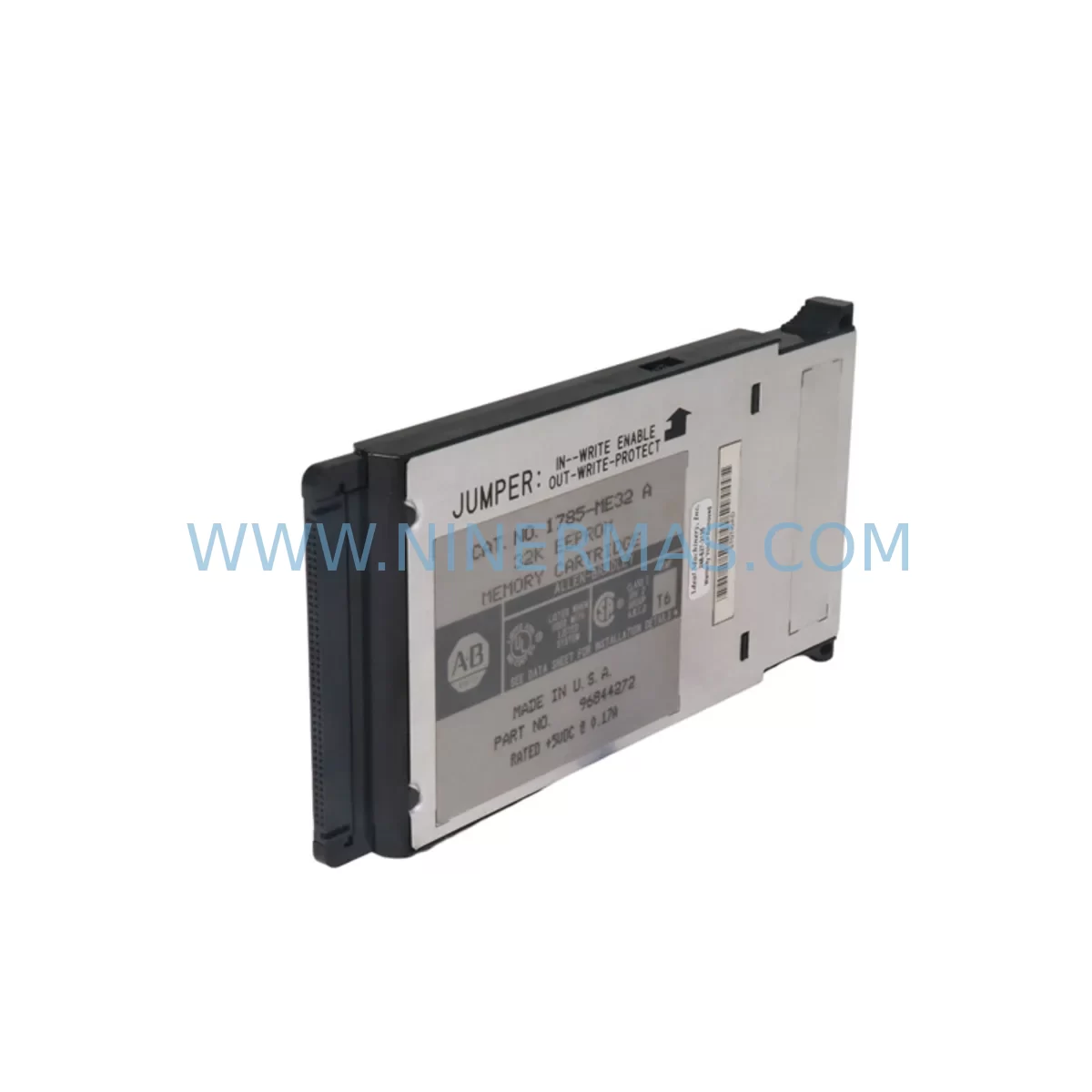
Allen-Bradley 1785-ME32 Retrofit-Compatible Memory for Legacy Systems
Verify the part, confirm the platform family, and move straight into quotation with the right commercial details.
RFQ Ready
- SKU1785-ME32
- CategoryPLC & Industrial Automation Modules
- BrandAllen-Bradley
- SupportAvailability, lead time, condition, and shipping coordination
How Buyers Usually Use This Page
- Confirm the exact part number and platform family before sending the quote request.
- Use direct email when quantity, condition, and destination are already defined internally.
- Switch to the broader brand or category archive when you need alternates nearby.
Series Navigation
Move through the most common platform families behind this part.
Product RFQ
Send this part directly for quotation.
Include quantity, required condition, destination country, and target delivery timing. Current reference: Allen-Bradley 1785-ME32 Retrofit-Compatible Memory for Legacy Systems with SKU 1785-ME32.
Allen-Bradley 1785-ME32 Retrofit-Compatible Memory for Legacy Systems
The Allen-Bradley 1785-ME32 is a 32K-word user memory expansion module designed for the PLC-5 programmable controller family. As legacy PLC-5 platforms approach end-of-life and original spare parts become increasingly scarce, the 1785-ME32 remains a critical component for facilities that must maintain continuous production without committing to a full control system migration. NINERMAS maintains verified stock of the 1785-ME32 to support retrofit projects, emergency replacements, and planned system upgrades across manufacturing, oil and gas, water treatment, and discrete automation environments.
Whether you are extending the service life of an existing PLC-5/20, PLC-5/30, PLC-5/40, or PLC-5/60 rack, or executing a phased migration toward a ControlLogix or CompactLogix platform, the 1785-ME32 provides the memory headroom required to run expanded ladder logic, function block routines, and data table structures without replacing the processor module itself. This makes it an ideal solution for sites where capital expenditure approval for a full system replacement is pending, but production continuity cannot be interrupted.
Upgrade Compatibility Table
| Parameter | Details |
|---|---|
| SKU / Part Number | 1785-ME32 |
| Compatible Processors | PLC-5/20, PLC-5/30, PLC-5/40, PLC-5/40L, PLC-5/60, PLC-5/60L, PLC-5/80 |
| Memory Capacity | 32K Words User Memory |
| Backplane Interface | PLC-5 Universal Remote I/O Backplane |
| Installation Slot | Processor slot of 1771 I/O chassis |
| Communication Compatibility | DH+, Remote I/O (RIO), DH-485 |
| Replaces / Upgrades From | 1785-ME16 (16K), 1785-ME8 (8K) |
| Retrofit Recommendation | Verify processor firmware revision supports 32K addressing before installation |
| Commissioning Note | Backup existing program to 1784-U2DHP or 6189V-IGXPGM10TP before swapping module |
| Warranty | 12 Months from date of shipment |
| Condition | New / Surplus New / Refurbished (specify at order) |
| Lead Time | In Stock — Ships within 1–3 business days |
Retrofit Planning for Existing Automation Systems
A successful 1785-ME32 retrofit begins well before the module arrives on site. Engineers must first audit the existing PLC-5 processor to confirm the installed firmware revision, since early revisions of the PLC-5/20 and PLC-5/30 processors impose a 16K memory ceiling regardless of the physical module installed. If the processor firmware is below the required revision, a processor swap to a later 1785-L20B or 1785-L30B variant may be necessary in parallel with the memory upgrade.
The 1771 I/O chassis and its associated 1771-A1B, 1771-A2B, or 1771-A4B backplane must be inspected for physical damage, corrosion on the backplane connector, and correct slot keying before the 1785-ME32 is seated. Incorrect keying is a common cause of module recognition failures during commissioning. The chassis power supply — typically a 1771-P4S or 1771-P7 — should be load-tested to confirm it can support the additional current draw of the expanded memory module alongside existing I/O modules such as 1771-OAD output modules, 1771-IAN input modules, and any installed 1771-SDN DeviceNet scanner cards.
Communication infrastructure also requires attention. Sites running Data Highway Plus (DH+) networks will use a 1784-KTX or 1784-PKTX card in the programming workstation to connect RSLogix 5 for program upload and verification. If the facility is in the process of migrating communication protocols from DH+ toward EtherNet/IP, a 1761-NET-ENI or a ControlLogix 1756-ENBT bridge module may already be present in the control cabinet, and the 1785-ME32 installation must not disrupt the existing network node addressing. Any changes to the processor memory map can affect the data table addresses referenced by SCADA systems, HMI panels such as the PanelView 1000 or PanelView Plus 6, and upstream MES integrations — all of which must be re-validated after the memory module is replaced.
For sites running I/O expansion across multiple 1771 racks connected via the 1771-ASB remote adapter, the program logic controlling rack-to-rack communication must be reviewed to ensure that expanded data table files do not conflict with existing remote I/O map assignments. Signal isolators installed between field devices and analog input modules such as the 1771-IFE should also be verified for loop integrity, as any power interruption during the retrofit window can introduce ground loops that affect signal quality after restart.
Downtime Control During System Migration
Minimizing unplanned downtime is the primary concern for any PLC-5 memory module replacement. The recommended approach is to schedule the swap during a planned maintenance window and to prepare a full program backup using RSLogix 5 before any hardware is touched. The backup should be saved to at least two independent media — a local workstation and a USB drive — and the backup file should be verified by performing a compare against the live processor before shutdown.
During the physical swap, the 1771 chassis power supply should be de-energized and locked out in accordance with site LOTO procedures. The 1785-ME32 module should be inserted firmly until the locking tabs engage, and the processor should be powered up in Program mode rather than Run mode to allow the engineer to verify memory addressing and I/O configuration before resuming automatic control. If the processor fails to recognize the new memory module, the most common causes are an incompatible firmware revision, a bent backplane connector pin, or a module that has not been fully seated.
Once the processor is online in Program mode, the saved program should be downloaded and a full I/O force test performed on critical outputs before switching to Run mode. HMI screens on connected PanelView terminals should be checked for correct tag binding, and any alarm setpoints stored in the data table should be verified against the pre-retrofit baseline. For facilities with redundant control paths, the secondary controller should remain in control throughout the primary swap to maintain field control continuity and eliminate process upsets.
NINERMAS performs a pre-shipment functional test on all 1785-ME32 modules, including backplane communication verification and memory read/write cycle testing, to reduce the risk of DOA failures during critical retrofit windows. Each unit ships with a test report and is covered by a 12-month warranty from the date of shipment.
Retrofit Support FAQ
Q: Is the 1785-ME32 a direct drop-in replacement for the 1785-ME16?
A: Yes, the 1785-ME32 is physically and electrically compatible with the same processor slot used by the 1785-ME16. However, you must confirm that your PLC-5 processor firmware supports 32K memory addressing. Processors with early firmware revisions may require a firmware update or processor replacement to utilize the full 32K capacity.
Q: Do I need to modify my existing ladder logic program after installing the 1785-ME32?
A: No program modification is required if you are simply replacing a failed or smaller memory module. The existing program will download to the 1785-ME32 without changes. If you intend to expand the program to use the additional memory, new data table files or subroutine files can be added in RSLogix 5 without affecting existing logic.
Q: What commissioning steps are required after installation?
A: After seating the module and powering up in Program mode, download the verified program backup, perform an I/O status check, confirm DH+ node addressing is intact, verify HMI tag bindings on any connected PanelView units, and run a controlled output force test before switching to Run mode. Document all steps in your site change management log.
Q: What does the 12-month warranty cover?
A: The 12-month warranty covers manufacturing defects and functional failures under normal operating conditions from the date of shipment. NINERMAS will replace or refund any unit confirmed defective within the warranty period. Pre-shipment test reports are included with every order to support your incoming inspection process.
| Product Series | PLC-5 |
|---|---|
| Country of Origin | US |
Catalog Continuation
More Allen-Bradley modules in the catalog.
Use the brand lane to compare nearby part numbers, platform-adjacent modules, and other inquiry-ready listings before sending your final RFQ.




Catalog Continuation
Alternative parts within PLC & Industrial Automation Modules.
Stay inside the same system family when you need substitutes, adjacent modules, or a broader shortlist for procurement review.



SKU: HDD02.2-W040N-HS12-01-FW FWA-DIAX04-ELS-05VRS-MS
Rexroth HDD02.2-W040N-HS12-01-FW Service-Ready Spare Part

SKU: I5DAE375F10010000S
Lenze I5DAE375F10010000S Service-Ready Spare Part for Industrial Maintenance



