
Original Industrial Spare Part
Allen-Bradley 1769-OV16 Retrofit-Compatible Output Module
Verify the part, confirm the platform family, and move straight into quotation with the right commercial details.
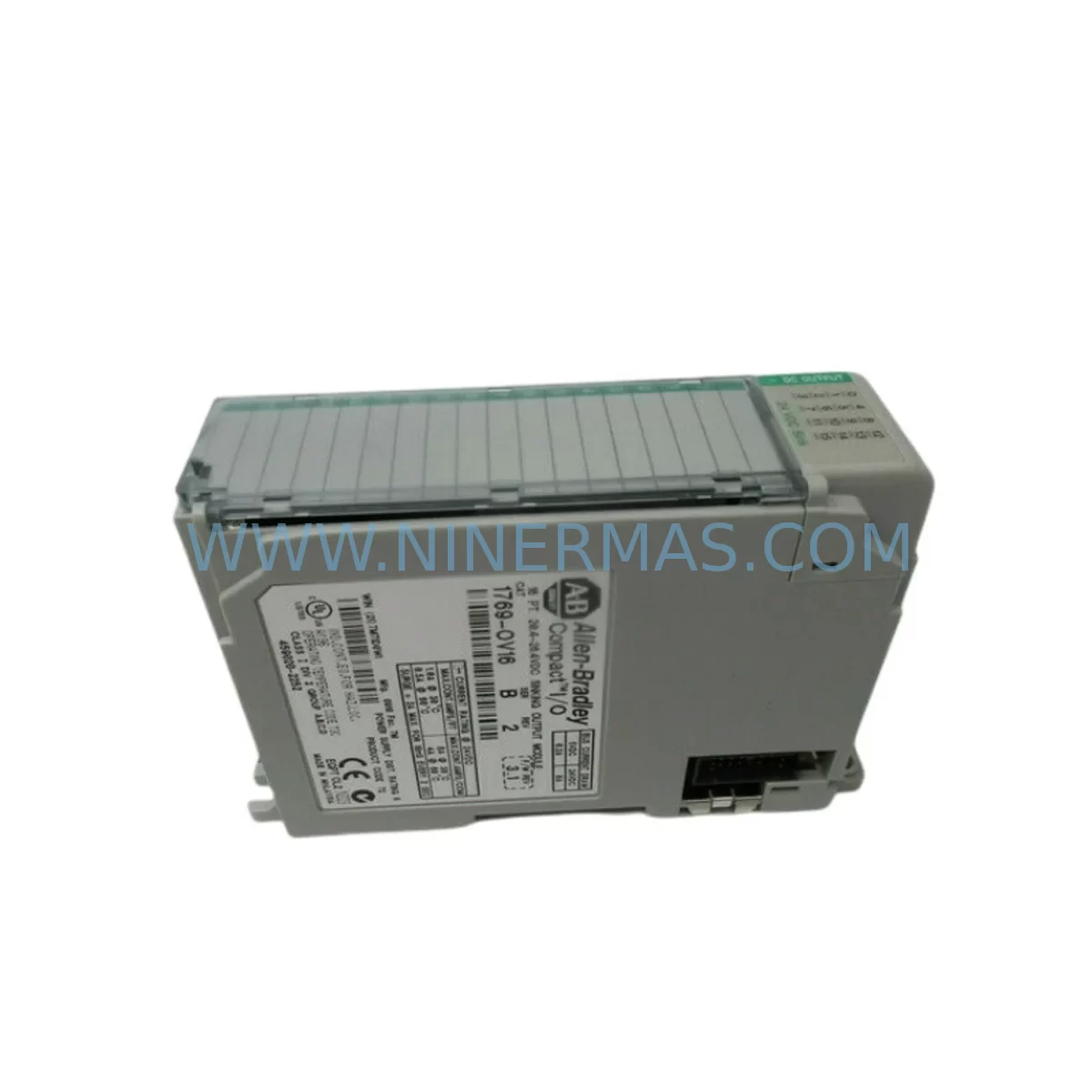
RFQ Ready
- SKU1769-OV16
- CategoryPLC & Industrial Automation Modules
- BrandAllen-Bradley
- SupportAvailability, lead time, condition, and shipping coordination
How Buyers Usually Use This Page
- Confirm the exact part number and platform family before sending the quote request.
- Use direct email when quantity, condition, and destination are already defined internally.
- Switch to the broader brand or category archive when you need alternates nearby.
Series Navigation
Move through the most common platform families behind this part.
Product RFQ
Send this part directly for quotation.
Include quantity, required condition, destination country, and target delivery timing. Current reference: Allen-Bradley 1769-OV16 Retrofit-Compatible Output Module with SKU 1769-OV16.
Allen-Bradley 1769-OV16 Retrofit-Compatible Output Module: Legacy System Compatibility & Smooth Upgrade
The Allen-Bradley 1769-OV16 is a 16-point solid state DC output module designed for the CompactLogix 1769 Compact I/O platform. As legacy automation systems age and original spare parts become increasingly difficult to source, the 1769-OV16 serves as a critical retrofit component for engineers tasked with modernizing aging control panels, replacing discontinued output modules, and extending the operational life of existing PLC-based control architectures. NINERMAS COMPANY LIMITED maintains verified inventory of the 1769-OV16 to support planned maintenance shutdowns, emergency replacements, and phased system upgrades across manufacturing, process control, and infrastructure industries.
When replacing a discontinued or end-of-life output module with the 1769-OV16, engineers must first confirm that the existing 1769 Compact I/O backplane has an available slot with sufficient power budget. The 1769-OV16 draws current from the system power bus, and the total load across all installed modules — including analog input modules such as the 1769-IF4 and communication modules such as the 1769-L30ER CompactLogix controller — must remain within the backplane’s rated capacity. Verify the power consumption figures in the system configuration tool before committing to the slot assignment.
Terminal wiring compatibility is a key consideration during retrofit. The 1769-OV16 uses a removable terminal block, which simplifies field replacement without disturbing existing field wiring. However, engineers should confirm that the existing wiring gauge, terminal torque specifications, and field device voltage ratings (typically 10–30V DC) are consistent with the module’s output specifications. Where the legacy system used relay output modules such as the 1769-OW16 or 1769-OW8, the transition to solid state outputs eliminates mechanical contact wear but requires verification that the connected loads are compatible with transistor-type switching characteristics, including leakage current and voltage drop considerations.
Module addressing and I/O tree configuration must be updated in the Logix Designer project file following physical installation. If the 1769-OV16 is replacing a module of a different type or point count, the I/O configuration tree in Studio 5000 Logix Designer must be modified to reflect the new module identity. Tag mappings, rung logic referencing output bits, and any HMI faceplates built in FactoryTalk View ME or FactoryTalk View SE that display output status indicators will require review and update to ensure display accuracy after the swap. Failure to update HMI screen tag bindings is a common source of post-retrofit commissioning delays.
Communication link integrity should be confirmed before and after module replacement. In systems where the CompactLogix controller communicates upstream via EtherNet/IP to a supervisory SCADA system or downstream to distributed I/O via DeviceNet or ControlNet adapters such as the 1769-ADN DeviceNet adapter, the I/O module swap must not interrupt the established network topology. Confirm that the controller’s I/O connection path remains valid and that no inhibited module flags are present in the controller’s I/O tree after the replacement is saved and downloaded.
Installation space confirmation is essential in compact control cabinet environments. The 1769-OV16 occupies a single slot on the 1769 Compact I/O rail and is compatible with standard 1769 bus expansion cables, including the 1769-CRL3 and 1769-CRR3 right- and left-end caps. In retrofit scenarios where the control cabinet has limited DIN rail space, engineers should verify that adjacent modules — such as the 1769-PA2 power supply or 1769-ECR end cap — are not obstructed and that the module can be fully seated and latched without mechanical interference.
Program compatibility verification is a mandatory step before returning the system to production. After downloading the updated I/O configuration, perform a controlled test of all output channels using the controller’s forced I/O function to confirm that each field device responds correctly. Where the system includes a 1769-L24ER-QB1B or similar CompactLogix controller with onboard I/O, ensure that the local I/O configuration does not conflict with the expanded I/O module addressing. Document the pre- and post-retrofit I/O status for maintenance records and future reference.
Upgrade Compatibility Table
| Parameter | Detail |
|---|---|
| Module SKU | 1769-OV16 |
| Series | Allen-Bradley 1769 CompactLogix Compact I/O |
| Output Type | Solid State (Transistor) DC Output |
| Output Points | 16 Points |
| Output Voltage Range | 10–30V DC |
| Backplane Interface | 1769 Compact I/O Bus (Single Slot) |
| Terminal Block | Removable, Field-Wiring Compatible |
| Communication Compatibility | EtherNet/IP, DeviceNet (via adapter), ControlNet (via adapter) |
| Controller Compatibility | 1769-L16ER, 1769-L24ER, 1769-L30ER, 1769-L33ER, 1769-L36ERM and compatible CompactLogix controllers |
| Common Replacement For | 1769-OW16, 1769-OB16, legacy relay and transistor output modules |
| Installation Requirement | Single 1769 Compact I/O slot; confirm backplane power budget |
| Commissioning Tool | Studio 5000 Logix Designer (RSLogix 5000 compatible) |
| Warranty | 12-Month Warranty from NINERMAS COMPANY LIMITED |
Retrofit Planning for Existing Automation Systems
Successful integration of the 1769-OV16 into an existing automation system begins with a thorough audit of the current control architecture. In most retrofit scenarios, the 1769-OV16 is introduced as a direct replacement for a failed or end-of-life output module within an established 1769 Compact I/O rack. The rack may also house a 1769-IF4 analog input module for process variable monitoring, a 1769-IQ16 DC input module for digital field signals, and a 1769-OF4 analog output module for control valve or drive speed reference signals. All of these modules share the same backplane bus, and the power budget across the entire rack must be recalculated whenever a new module is added or substituted.
In control cabinets where the 1769-PA2 24V DC power supply is already installed, engineers should verify that the additional current draw of the 1769-OV16 does not exceed the supply’s rated output. If the existing power supply is operating near its capacity limit, a supplemental 1769-PB4 power supply may be required to support the expanded I/O configuration. This is particularly relevant in systems that have been incrementally expanded over time and may not have been re-evaluated for power budget compliance since the original commissioning.
For systems that use a 1761-CBL-PM02 or 1784-U2DHP programming cable to connect a laptop running RSLogix 5000 or Studio 5000 to the CompactLogix controller, the retrofit process should include a full program backup before any hardware changes are made. The backup should capture the controller program, I/O configuration, tag database, and any motion configuration associated with Kinetix servo drives or PowerFlex variable frequency drives that may be integrated into the same control system. Preserving the original program logic ensures that the retrofit can be reversed if unexpected compatibility issues arise during commissioning.
Where the control system includes a PanelView Plus 7 or PanelView Plus 6 HMI terminal communicating with the CompactLogix controller over EtherNet/IP, the HMI application must be reviewed to confirm that all output status displays, alarm triggers, and operator control buttons that reference the replaced module’s output tags are functioning correctly after the I/O configuration update. In some cases, the HMI tag database may need to be re-imported or manually updated to reflect any tag name changes introduced during the retrofit.
Signal isolation requirements should also be evaluated during retrofit planning. In environments with high electrical noise — such as those involving large motor starters, welding equipment, or variable frequency drives — the addition of a signal isolator or interposing relay between the 1769-OV16 output and the field device may be necessary to protect the module’s solid state outputs from voltage spikes and inductive kickback. This is especially important when replacing relay output modules that previously provided inherent galvanic isolation between the control circuit and the field device.
Downtime Control During System Migration
Minimizing production downtime during a 1769-OV16 retrofit requires careful pre-planning and a structured execution sequence. Before the scheduled maintenance window, all replacement hardware — including the 1769-OV16 module, any required bus expansion cables, and terminal block accessories — should be staged and verified against the system’s bill of materials. The updated Studio 5000 project file, with the new I/O configuration already incorporated and tested in an offline simulation environment, should be ready for download at the start of the maintenance window.
During the physical swap, the CompactLogix controller should be placed in Program mode before the existing output module is removed. This prevents uncontrolled output state changes that could affect connected field devices, actuators, or safety interlocks. After the 1769-OV16 is installed and the terminal block is reconnected, the updated program should be downloaded to the controller and the I/O connection verified in the controller’s diagnostic display before switching back to Run mode.
To further reduce risk, engineers can use the controller’s I/O force function to individually test each of the 16 output channels before returning the system to automatic operation. This channel-by-channel verification confirms that field wiring is correctly connected, that field devices respond as expected, and that no wiring errors were introduced during the terminal block reconnection. A structured commissioning checklist — covering power-up sequence, I/O status verification, HMI display confirmation, communication link status, and program logic validation — should be completed and signed off before the system is released to production operators.
For systems where continuous operation is critical and a full shutdown is not feasible, a phased migration approach can be considered. In this approach, the 1769-OV16 is installed in a new or spare slot while the existing output module remains in service. Output logic is gradually migrated to the new module during low-production periods, allowing the system to remain operational throughout the transition. This approach requires careful management of the I/O address assignments and program logic to avoid conflicts between the old and new module configurations.
Retrofit Support FAQ
Q1: Is the 1769-OV16 a direct drop-in replacement for the 1769-OW16 relay output module?
The 1769-OV16 occupies the same single-slot footprint on the 1769 Compact I/O backplane and uses the same removable terminal block interface, making the physical installation straightforward. However, the 1769-OV16 uses solid state transistor outputs rather than mechanical relay contacts, so field wiring and load compatibility must be verified before installation. Loads that require dry contact switching or AC voltage switching are not compatible with the 1769-OV16’s DC transistor outputs and may require an interposing relay.
Q2: What commissioning steps are required after installing the 1769-OV16 in an existing CompactLogix system?
After physical installation, the I/O configuration in the Studio 5000 Logix Designer project must be updated to reflect the new module type. The updated program must be downloaded to the controller, and each output channel should be tested using the I/O force function before returning the system to Run mode. HMI tag bindings and SCADA point configurations should also be reviewed to confirm that output status displays are accurate.
Q3: Does NINERMAS test the 1769-OV16 before shipment, and what warranty is provided?
All 1769-OV16 modules supplied by NINERMAS COMPANY LIMITED undergo functional testing prior to shipment to verify output channel operation, backplane communication, and module identification. Each unit is supplied with a 12-month warranty covering manufacturing defects and functional failures under normal operating conditions. Expedited shipping options are available to support urgent maintenance and emergency replacement requirements.
Q4: Can the 1769-OV16 be used in systems running older versions of RSLogix 5000?
The 1769-OV16 is supported by RSLogix 5000 version 16 and later, as well as all versions of Studio 5000 Logix Designer. For systems running earlier versions of RSLogix 5000, a software upgrade may be required to access the module’s full feature set and diagnostic capabilities. NINERMAS recommends confirming the controller firmware version and programming software version compatibility before proceeding with the retrofit.
| Product Series | CompactLogix |
|---|---|
| Country of Origin | US |
Catalog Continuation
More Allen-Bradley modules in the catalog.
Use the brand lane to compare nearby part numbers, platform-adjacent modules, and other inquiry-ready listings before sending your final RFQ.


Catalog Continuation
Alternative parts within PLC & Industrial Automation Modules.
Stay inside the same system family when you need substitutes, adjacent modules, or a broader shortlist for procurement review.

SKU: ZINT-541 3AUA00000658960
ABB ZINT-541 3AUA00000658960 Retrofit-Compatible Inverter Power Module
SKU: DSQC633 3HAC022286-001
ABB DSQC633 3HAC022286-001 Service-Ready Spare Part
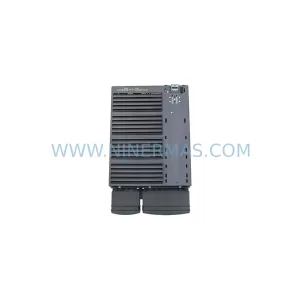
SKU: 6SL3224-0BE33-7UA0
Siemens 6SL3224-0BE33-7UA0 Service-Ready Spare Part
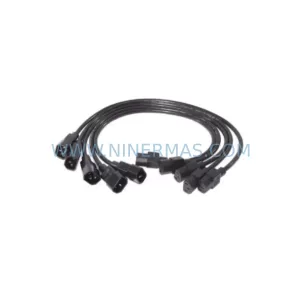
SKU: HENF331395R0001 P4LDA
ABB HENF331395R0001 Service-Ready Industrial Spare Part



