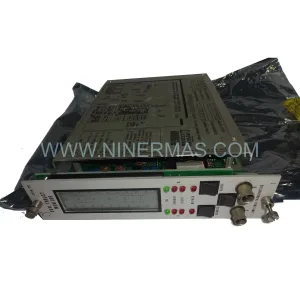
Original Industrial Spare Part
Wavetronics WT307C-0010-00138-ENG1003 Service-Ready Spare Part
Verify the part, confirm the platform family, and move straight into quotation with the right commercial details.
RFQ Ready
- SKUWT307C-0010-00138-ENG1003
- CategoryPLC & Industrial Automation Modules
- BrandWAVETRONICS
- SupportAvailability, lead time, condition, and shipping coordination
How Buyers Usually Use This Page
- Confirm the exact part number and platform family before sending the quote request.
- Use direct email when quantity, condition, and destination are already defined internally.
- Switch to the broader brand or category archive when you need alternates nearby.
Series Navigation
Move through the most common platform families behind this part.
Product RFQ
Send this part directly for quotation.
Include quantity, required condition, destination country, and target delivery timing. Current reference: Wavetronics WT307C-0010-00138-ENG1003 Service-Ready Spare Part with SKU WT307C-0010-00138-ENG1003.
Wavetronics WT307C-0010-00138-ENG1003 Service-Ready Spare Part: Minimizing Downtime Risk in Industrial Laser Applications
The Wavetronics WT307C-0010-00138-ENG1003 is a ruggedized laser module engineered for continuous operation in demanding industrial environments. Whether your facility runs automated assembly lines, precision measurement systems, or process control loops that depend on optical sensing, an unplanned failure of this module can cascade into hours of unscheduled downtime. Holding a verified, service-ready spare of the WT307C-0010-00138-ENG1003 in your maintenance inventory is one of the most cost-effective decisions a maintenance or procurement engineer can make for long-term plant reliability.
NINERMAS maintains original-specification stock of the WT307C-0010-00138-ENG1003, sourced through authorized industrial channels, pre-shipment tested under load, and backed by a 12-month warranty. Every unit is inspected for optical alignment, electrical integrity, and housing seal before dispatch — ensuring that what arrives on-site is ready to install, not ready to troubleshoot.
Spare Maintenance Table
| Parameter | Specification / Recommendation |
|---|---|
| Part Number | WT307C-0010-00138-ENG1003 |
| Brand / Series | WAVETRONICS / WT307C Series |
| Module Type | Ruggedized Industrial Laser Module |
| Supply Voltage | 24 VDC ±10% (typical industrial rail) |
| Operating Temperature | -20°C to +70°C (ruggedized grade) |
| Protection Rating | IP65 (dust-tight, water-jet resistant) |
| Laser Class | Class 2 / Class 3R (application-dependent; verify on nameplate) |
| Mounting | DIN rail or panel-mount bracket (M4 fixing points) |
| Output Interface | Digital switching output / analog signal (model-dependent) |
| Compatibility | WT307C series control cabinets; compatible with standard 24 VDC I/O modules |
| Application Environment | Automated production lines, precision gauging, conveyor detection, robotic guidance |
| Maintenance Interval | Inspect optical window every 6 months; replace seals annually in high-dust environments |
| Pre-Shipment Testing | Functional load test, optical output verification, housing seal check |
| Warranty | 12 Months from date of shipment — NINERMAS standard coverage |
Maintenance Planning for Continuous Operation
When scheduling a replacement of the WT307C-0010-00138-ENG1003, experienced maintenance engineers treat the swap as an opportunity for a broader cabinet and circuit audit. The laser module does not operate in isolation — it sits within an electrical ecosystem where adjacent components directly affect its performance and longevity.
Begin with the 24 VDC DIN rail power supply feeding the module. A power supply operating near its rated capacity or showing output ripple above specification will shorten the service life of any precision optical component. If the power supply is more than five years old, consider scheduling it for replacement alongside the WT307C-0010-00138-ENG1003. Similarly, inspect the terminal blocks on the supply rail — loose or corroded connections introduce voltage drops that can cause intermittent laser output faults that are notoriously difficult to diagnose under production pressure.
Check the signal cable and fiber optic patch cord routing from the laser module to the receiving sensor or PLC input card. Bend radius violations, pinched cable jackets, or contaminated fiber connectors are common root causes of signal degradation that get misattributed to the laser module itself. Replacing the WT307C-0010-00138-ENG1003 without addressing a damaged fiber patch cord will result in a repeat fault within weeks.
On the control side, verify the digital input module or analog input card that receives the laser’s switching or measurement signal. I/O cards in high-cycle applications accumulate contact wear; a marginal input channel may read the new module’s output as intermittent. If your system uses a signal isolator or signal conditioner between the laser output and the PLC input, inspect it for drift — these components are frequently overlooked during spare parts audits yet are critical for signal integrity in electrically noisy environments.
For systems where the WT307C series module communicates over a fieldbus or industrial Ethernet backbone, confirm that the communication module (PROFIBUS DP slave, EtherNet/IP adapter, or equivalent) is operating within normal diagnostic parameters. A communication timeout fault logged around the same time as a laser module alarm often indicates a network-layer issue rather than a hardware failure of the module itself.
Do not overlook the protective fuse or circuit breaker on the laser module’s supply branch. A fuse that has experienced a nuisance trip and been reset without investigation may have degraded rupture capacity. Replace it as a matter of course during any planned maintenance window. Finally, if your control cabinet includes an HMI panel for operator interaction with the laser system, verify that the HMI’s I/O mapping and alarm thresholds are correctly configured for the replacement module — particularly if the new unit has a slightly different output characteristic than the aged unit it replaces.
Keeping a coordinated spare kit — WT307C-0010-00138-ENG1003 module, matched power supply, signal cable set, input fuse, and signal isolator — reduces mean time to repair (MTTR) from hours to under thirty minutes for a trained technician.
Site Replacement Workflow
Step 1 — Pre-replacement verification. Before removing the existing unit, document the current laser output reading, supply voltage at the module terminals, and any active diagnostic codes on the PLC or HMI. Photograph the cable routing and connector orientation. This baseline data is essential if the replacement unit behaves differently and you need to isolate whether the issue is the module, the wiring, or the receiving system.
Step 2 — Safe isolation. De-energize the supply branch at the circuit breaker or fuse holder. Confirm zero voltage at the module terminals with a calibrated multimeter before disconnecting any cables. For laser modules, also confirm that the laser enable signal is de-asserted at the PLC output before physical removal — some WT307C series configurations latch the enable signal in hardware.
Step 3 — Module removal and inspection. Remove the WT307C-0010-00138-ENG1003 from its mounting. Inspect the vacated mounting surface for corrosion, moisture ingress, or mechanical damage. Clean the optical window aperture area before installing the replacement unit. If the module uses a fiber optic connection, clean the fiber ferrule with an appropriate fiber optic cleaning tool before mating to the new module.
Step 4 — Installation and commissioning. Mount the replacement WT307C-0010-00138-ENG1003, reconnect all cables in the documented order, and restore power. Allow the module a 60-second warm-up period before evaluating output. Compare the laser output reading against the pre-replacement baseline. Adjust the detection threshold on the receiving I/O card if the new module’s output level differs by more than 5% from the aged unit — this is normal for end-of-life component replacement and does not indicate a fault.
Step 5 — System validation and documentation. Run the production line through a full cycle test before releasing to production. Log the replacement in your maintenance management system with the new module’s serial number, installation date, and commissioning readings. Update your spare parts inventory to trigger a reorder of the consumed WT307C-0010-00138-ENG1003 unit — maintaining a minimum of one verified spare prevents the next failure from becoming an emergency procurement event.
Spare Parts Support FAQ
Q1: Is the WT307C-0010-00138-ENG1003 still available as a new original spare, or only as a refurbished unit?
NINERMAS stocks the WT307C-0010-00138-ENG1003 as original-specification spare parts sourced through industrial supply channels. Each unit undergoes pre-shipment functional testing and optical output verification. We do not ship untested or cosmetically refurbished units without explicit disclosure. If original new stock is exhausted, we will advise you in advance and confirm compatibility before shipment.
Q2: What is the recommended inventory strategy for the WT307C-0010-00138-ENG1003 in a multi-line facility?
For facilities running two or more production lines that depend on WT307C series laser modules, we recommend holding a minimum of one spare per three installed units, with a reorder trigger set at one unit remaining. Given that ruggedized laser modules in high-cycle applications typically have a service life of three to seven years depending on duty cycle and environment, a rolling replacement program — replacing the oldest installed units proactively rather than reactively — significantly reduces unplanned downtime risk. NINERMAS can support long-term supply agreements with reserved inventory for high-volume customers.
Q3: How do I verify compatibility between the WT307C-0010-00138-ENG1003 and my existing control system before ordering?
Compatibility verification should focus on three parameters: supply voltage (confirm 24 VDC rail availability), output signal type (digital NPN/PNP switching or analog 4–20 mA / 0–10 V), and mechanical mounting format (DIN rail vs. panel mount). Share your existing module’s nameplate data or the control cabinet drawing with our technical team at sale@ninermas.com and we will confirm compatibility before processing your order. We do not recommend ordering based on part number alone if the existing unit’s nameplate is damaged or illegible.
Q4: What does the 12-month warranty cover, and what is the process for a warranty claim?
The NINERMAS 12-month warranty covers manufacturing defects and functional failures under normal operating conditions from the date of shipment. It does not cover damage resulting from incorrect installation, supply voltage outside the specified range, physical impact, or environmental exposure beyond the module’s rated IP class. To initiate a warranty claim, contact sale@ninermas.com with your order reference, the module’s serial number, a description of the failure mode, and any available diagnostic data from your PLC or HMI. We target a response within one business day and will arrange replacement shipment or technical support as appropriate.
| Product Series | Other series |
|---|---|
| Country of Origin | GB |
Catalog Continuation
Alternative parts within PLC & Industrial Automation Modules.
Stay inside the same system family when you need substitutes, adjacent modules, or a broader shortlist for procurement review.

SKU: 6FC5370-8AA20-0AA0
SIEMENS 6FC5370-8AA20-0AA0 Retrofit-Compatible CNC Memory
SKU: 6SL3020-2TE21-0AA4
Siemens 6SL3020-2TE21-0AA4 Service-Ready Spare Part
SKU: DX100DX200 jZRCR-YPP01-1 JZRCR-YPP21-1 SRDA-SDB95A01A-E 10Y-06A DC-24V
Yaskawa JZRCR-YPP01-1 Retrofit-Compatible Pendant for Legacy Systems