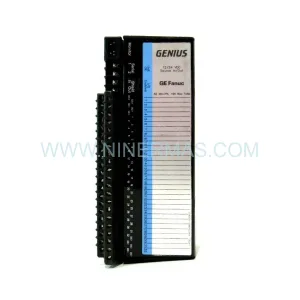
Original Industrial Spare Part
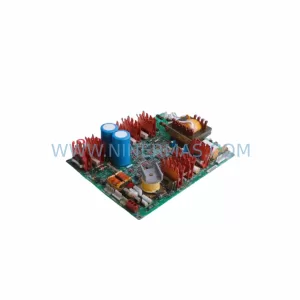
INPUT 3402062000 640-34020619XD Service-Ready Spare Part
Verify the part, confirm the platform family, and move straight into quotation with the right commercial details.
RFQ Ready
- SKU3402062000 640-34020619XD-1FA 640-34020619XD-2FA
- CategoryPLC & Industrial Automation Modules
- BrandINPUT
- SupportAvailability, lead time, condition, and shipping coordination
How Buyers Usually Use This Page
- Confirm the exact part number and platform family before sending the quote request.
- Use direct email when quantity, condition, and destination are already defined internally.
- Switch to the broader brand or category archive when you need alternates nearby.
Series Navigation
Move through the most common platform families behind this part.
Product RFQ
Send this part directly for quotation.
Include quantity, required condition, destination country, and target delivery timing. Current reference: INPUT 3402062000 640-34020619XD Service-Ready Spare Part with SKU 3402062000 640-34020619XD-1FA 640-34020619XD-2FA.
INPUT 3402062000 640-34020619XD Service-Ready Spare Part for Industrial Maintenance
The INPUT 3402062000 — cross-referenced as 640-34020619XD-1FA and 640-34020619XD-2FA — is a service-ready industrial input module designed for continuous-duty control cabinet environments. Sourced as an original spare, this component supports rapid field replacement in 640 Series automation systems, minimising unplanned downtime and restoring production continuity with confidence. NINERMAS maintains verified stock of this module with full pre-shipment functional testing and a 12-month warranty on every unit dispatched.
Maintenance engineers and procurement teams operating legacy or active 640 Series control architectures rely on this input module as a critical node in the signal acquisition chain. Whether the replacement is triggered by a scheduled annual overhaul, a fault-isolation event, or an emergency line-down scenario, having a certified spare on the shelf eliminates the lead-time risk that typically extends unplanned outages from hours into days.
Spare Maintenance Table
| Parameter | Specification |
|---|---|
| Primary Part Number | 3402062000 |
| Cross-Reference SKUs | 640-34020619XD-1FA & 640-34020619XD-2FA |
| Series | 640 Series Industrial Control |
| Module Type | Digital Input Module |
| Rated Supply Voltage | 24 V DC (nominal) |
| Input Signal Type | Digital / Discrete (PNP/NPN compatible) |
| Operating Temperature | -10 °C to +55 °C |
| Protection Rating | IP20 (panel-mount, control cabinet) |
| Mounting | DIN Rail / Backplane slot |
| Compatibility | 640 Series PLC/DCS backplane; replaces -1FA and -2FA variants |
| Application Environment | Industrial automation, motor control centres, process control panels |
| Condition | Original spare — new or service-equivalent tested stock |
| Pre-Shipment Testing | Full functional verification before dispatch |
| Warranty | 12 months from date of shipment |
| Origin | Germany (DE) |
Maintenance Planning for Continuous Operation
When replacing the INPUT 3402062000 / 640-34020619XD input module during a planned or corrective maintenance event, a disciplined site engineer will treat the replacement as an opportunity to audit the surrounding electrical circuit for latent faults that could trigger the next failure. The following components share the same control cabinet environment and should be inspected or held as co-stocked spares:
Begin with the 24 V DC power supply module feeding the input rail — voltage ripple or marginal regulation is a common root cause of intermittent input signal errors that are misdiagnosed as module failure. Verify output voltage under load and check the capacitor condition if the unit has accumulated significant operating hours. Alongside the power supply, inspect the terminal block assemblies (Phoenix Contact or equivalent) connected to the input wiring; loose or corroded terminations introduce resistance that corrupts low-level digital signals.
The 640 Series backplane or bus coupler should be examined for bent connector pins and oxidation on the edge connector. A damaged backplane slot will cause recurring module faults regardless of how many replacement input modules are installed. If the system uses a PROFIBUS DP or PROFINET communication module on the same rack, confirm that the network address and baud-rate settings are preserved after the swap — some 640 Series configurations require a cold restart of the communications module to re-enumerate the I/O map.
Check the signal isolator or signal conditioner upstream of the input module if field sensors are 4–20 mA or thermocouple types; a failed isolator will present as an input module fault at the controller level. Similarly, inspect any interposing relay modules (such as Finder 40-series or Phoenix Contact PLC-RSC types) in the signal path — coil resistance drift and contact wear are common in high-cycle applications. The fuse terminal blocks protecting individual input channels should be tested for continuity; a blown fuse on a shared common line will disable an entire input group and is frequently overlooked during fault isolation.
For systems with an HMI panel (Weintek, Siemens TP series, or equivalent) connected to the same PLC, verify that the tag database correctly maps to the new module’s I/O addresses after replacement, particularly if the -1FA and -2FA variants carry different channel assignments. Finally, review the cable harness and field wiring entering the cabinet — insulation breakdown, chafing against cabinet edges, and connector fatigue are leading causes of repeat input module failures in mobile or high-vibration plant environments.
Site Replacement Workflow
Step 1 — Isolation & Lockout: Follow site LOTO (Lockout/Tagout) procedure. De-energise the 24 V DC supply rail feeding the 640 Series rack. Confirm zero-energy state with a calibrated multimeter before touching any module.
Step 2 — Document Current Configuration: Photograph or record the existing wiring terminations, DIP switch settings, and any rotary address selectors on the INPUT 3402062000 before removal. Capture the PLC I/O map or force table if the module is currently in a faulted-but-communicating state.
Step 3 — Module Removal: Release the DIN rail locking tab or unscrew the backplane retention screw (depending on 640 Series variant). Slide the module clear of the backplane connector with a straight pull — do not rock or lever, as this risks bending the bus connector pins on the backplane.
Step 4 — Compatibility Verification: Confirm the replacement unit’s part number (3402062000) and variant suffix (-1FA or -2FA as required by your system BOM). Both variants are electrically interchangeable in most 640 Series configurations, but verify against your system’s wiring diagram before installation.
Step 5 — Installation & Re-termination: Seat the replacement module firmly onto the backplane. Re-terminate field wiring to the original positions using the documentation captured in Step 2. Torque terminal screws to the manufacturer’s specification (typically 0.5–0.6 N·m for 2.5 mm² conductors).
Step 6 — Power-Up & Functional Test: Re-energise the supply rail. Confirm the module’s status LED indicates healthy operation (typically solid green). Exercise each input channel from the field device side and verify correct state change in the PLC I/O monitor or HMI tag display.
Step 7 — Return to Service & Documentation: Clear any latched faults in the PLC or DCS. Update the maintenance log with the replacement date, new module serial number, and technician sign-off. File the 12-month warranty documentation from NINERMAS for future reference.
Spare Parts Support FAQ
Q1: Is the INPUT 3402062000 a direct drop-in replacement for both the 640-34020619XD-1FA and -2FA variants?
In the majority of 640 Series installations, yes — both suffix variants share the same electrical interface and backplane pinout. However, always cross-check your system’s wiring diagram and BOM before installation, as some site-specific configurations may have variant-dependent channel assignments or firmware dependencies.
Q2: How does NINERMAS verify stock condition before shipment?
Every INPUT 3402062000 unit undergoes a full functional test on a live 640 Series test bench prior to dispatch. We verify input channel response, bus communication integrity, and power consumption against OEM specifications. A test report is available on request. All units are shipped in anti-static packaging with individual serial number traceability.
Q3: What is the lead time, and can NINERMAS support long-term supply agreements for this SKU?
In-stock units typically ship within 1–3 business days globally. For customers managing planned maintenance programmes or annual shutdown schedules, NINERMAS offers long-term supply agreements with reserved stock allocation, fixed pricing, and priority dispatch — contact sale@ninermas.com to discuss a tailored spare-parts programme for the 640 Series.
Q4: What does the 12-month warranty cover, and what is the claims process?
The 12-month warranty covers manufacturing defects and functional failure under normal operating conditions from the date of shipment. It does not cover damage resulting from incorrect installation, overvoltage events, or physical mishandling. To initiate a warranty claim, contact NINERMAS with the order reference, serial number, and a brief fault description — we will arrange return logistics and replacement dispatch with minimal disruption to your maintenance schedule.
| Product Series | Other series |
|---|
Catalog Continuation
Alternative parts within PLC & Industrial Automation Modules.
Stay inside the same system family when you need substitutes, adjacent modules, or a broader shortlist for procurement review.
SKU: TTLM10-11 ELVIF-F 3895-120321-21 TTLD14-12 WCIF-L 3881-020032-11 TTLM11-11 W/TIF-L 3895-120322-21
TEL 3895-120321-21 Service-Ready Spare for Industrial Maintenance
SKU: KR6 00-204-935 00-204-551
KUKA KR6 00-204-935 00-204-551 Retrofit-Compatible Signal Cable for Legacy Systems