
Original Industrial Spare Part
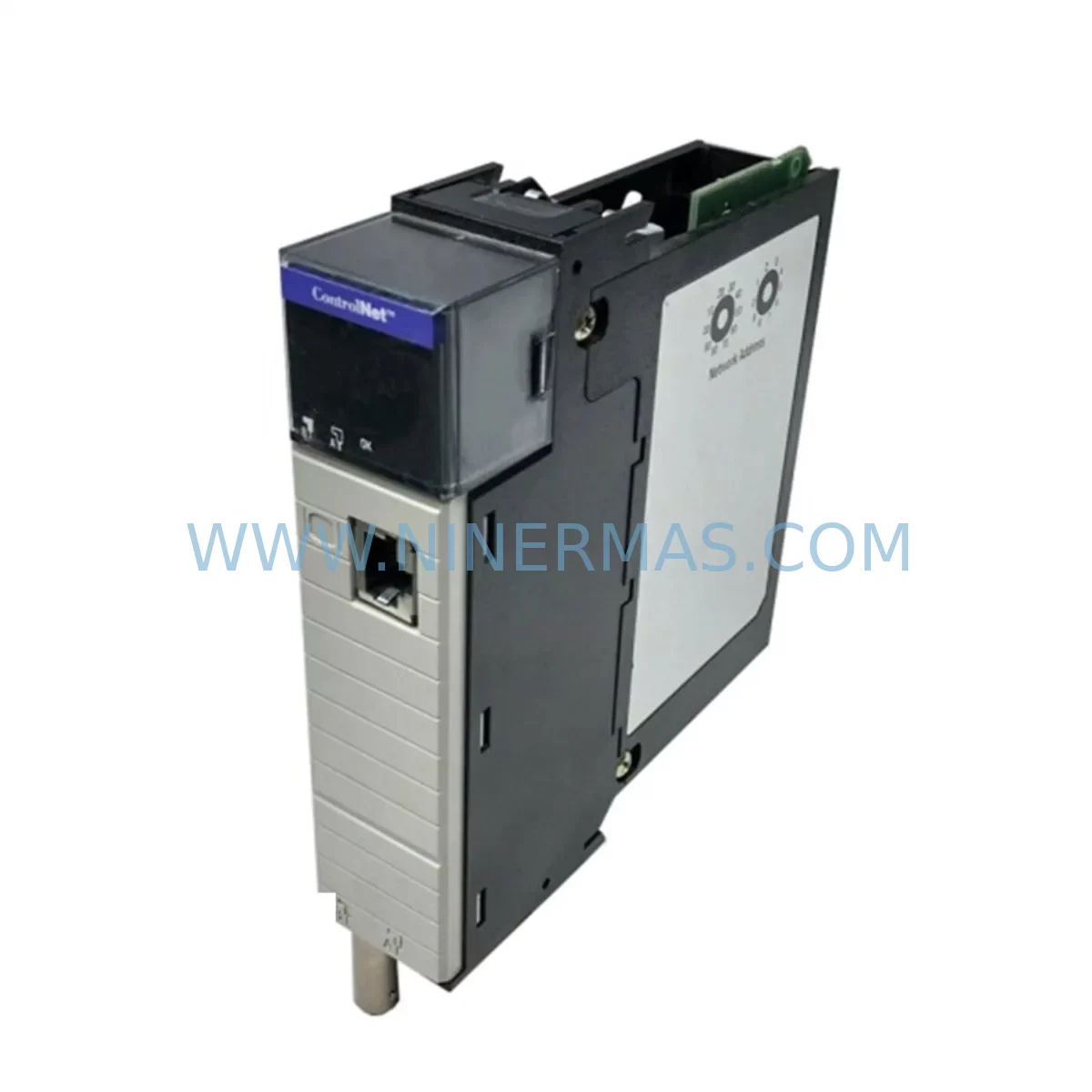
Allen-Bradley 1756-CNBR/D ControlNet Bridge Retrofit for ControlLogix
Verify the part, confirm the platform family, and move straight into quotation with the right commercial details.
RFQ Ready
- SKU1756-CNBR/D
- CategoryPLC & Industrial Automation Modules
- BrandAllen-Bradley
- SupportAvailability, lead time, condition, and shipping coordination
How Buyers Usually Use This Page
- Confirm the exact part number and platform family before sending the quote request.
- Use direct email when quantity, condition, and destination are already defined internally.
- Switch to the broader brand or category archive when you need alternates nearby.
Series Navigation
Move through the most common platform families behind this part.
Product RFQ
Send this part directly for quotation.
Include quantity, required condition, destination country, and target delivery timing. Current reference: Allen-Bradley 1756-CNBR/D ControlNet Bridge Retrofit for ControlLogix with SKU 1756-CNBR/D.
Allen-Bradley 1756-CNBR/D ControlNet Bridge Retrofit for ControlLogix Legacy Systems
The Allen-Bradley 1756-CNBR/D is a ControlNet Bridge Module designed for the ControlLogix platform, enabling seamless integration between ControlLogix backplanes and ControlNet communication networks. As legacy automation systems age and original spare parts become increasingly difficult to source, the 1756-CNBR/D serves as a critical retrofit and replacement component for facilities operating older ControlNet-based control architectures. Whether you are upgrading a discontinued 1771 PLC-5 network, migrating from an older SLC 500 remote I/O topology, or restoring a failed ControlNet segment in an existing ControlLogix system, this module provides the bridge connectivity required to maintain production continuity without a full system overhaul.
For engineers and maintenance teams planning a retrofit, the 1756-CNBR/D fits directly into any 1756 ControlLogix chassis — including the 1756-A4, 1756-A7, 1756-A10, and 1756-A13 rack sizes — and occupies a single slot. Before installation, it is essential to verify available slot capacity in the existing chassis, confirm that the chassis power supply (such as the 1756-PA72 or 1756-PB72) can support the additional module load, and check that the ControlNet media — coaxial trunk cable, taps, and terminators — meets the physical layer requirements for the network segment being restored or extended.
Upgrade Compatibility Table
| Parameter | Details |
|---|---|
| Module SKU | 1756-CNBR/D |
| Series | ControlLogix Series D |
| Communication Protocol | ControlNet (IEEE 802.4 / ANSI/EIA-709.1) |
| Backplane Interface | 1756 ControlLogix Backplane |
| Compatible Chassis | 1756-A4, 1756-A7, 1756-A10, 1756-A13, 1756-A17 |
| Replaces / Upgrades From | 1756-CNB, 1756-CNB/D, 1756-CNBR (earlier series) |
| Installation Requirement | Single slot, hot-swap capable with proper precautions |
| Network Redundancy | Yes — dual-port redundant ControlNet media supported |
| Programming Software | RSLogix 5000 / Studio 5000 Logix Designer |
| Commissioning Tool | RSNetWorx for ControlNet |
| Warranty | 12 Months |
Retrofit Planning for Existing Automation Systems
A successful retrofit using the 1756-CNBR/D begins well before the module arrives on site. Maintenance engineers should start by auditing the existing ControlNet network topology — documenting all node addresses, scheduled and unscheduled bandwidth allocations, and the physical media layout including tap positions and cable lengths. In systems where the 1756-CNBR/D is replacing a failed 1756-CNB or an earlier 1756-CNBR series module, the node address and network update time (NUT) settings must be replicated exactly to avoid disrupting other devices on the same ControlNet segment.
When the retrofit involves migrating from a legacy PLC-5 or SLC 500 platform to ControlLogix, the scope expands significantly. The 1756-CNBR/D will typically work alongside a 1756-L7x or 1756-L8x ControlLogix controller, and the migration project will require converting the original ladder logic programs using tools such as the Rockwell Automation Migration Assistant. Remote I/O racks previously connected via 1771 I/O chassis may need to be re-homed through a 1756-DHRIO or 1756-DNB DeviceNet Bridge module, depending on the field device communication protocol in use.
For facilities with distributed I/O on the ControlNet segment — such as 1794 FLEX I/O adapters, 1734 POINT I/O ControlNet adapters, or 1756 remote I/O chassis — each adapter’s node address and scheduled connection parameters must be verified in RSNetWorx for ControlNet before the replacement module is brought online. Failure to match the original network schedule can result in I/O connection faults and unexpected controller faults at startup.
Power budget verification is another critical step. The 1756-CNBR/D draws power from the 1756 chassis backplane, and the existing chassis power supply must have sufficient capacity to support it alongside all other installed modules. In chassis running near their power budget limit — common in older installations where modules have been added incrementally — it may be necessary to upgrade to a higher-capacity 1756-PA75R redundant power supply or add a second chassis to distribute the load.
HMI systems connected to the ControlNet network, such as PanelView Plus terminals communicating via ControlNet, should also be reviewed. Tag name changes, controller path updates, or communication driver reconfiguration in FactoryTalk View Studio may be required if the controller slot assignment or network node address changes during the retrofit. Ensuring HMI screen functionality is validated before returning the system to production is a key step in minimizing post-retrofit support calls.
Downtime Control During System Migration
Minimizing unplanned downtime is the primary concern for any industrial retrofit project. When replacing the 1756-CNBR/D in a running system, the recommended approach is to pre-configure the replacement module offline using RSNetWorx for ControlNet, loading the existing network schedule file (.xC file) so that the module is ready to assume its role on the network immediately upon installation. This eliminates the need for live network reconfiguration and reduces the window during which the ControlNet segment is offline.
Where production schedules allow only brief maintenance windows, a staged migration strategy is advisable. This involves installing the new 1756-CNBR/D in a spare chassis slot (if available), verifying its configuration offline, and then performing a hot-swap during a planned micro-shutdown. The original controller program — stored in the 1756-L series controller’s non-volatile memory or backed up to a CompactFlash card — should be verified and backed up immediately before the swap to protect against any unexpected program loss.
For systems where ControlNet redundancy is already in place using a dual-media ring topology, the migration can often be performed with zero impact to the running process by failing over to the redundant media path before removing the primary bridge module. This approach is particularly valuable in continuous process industries where even brief I/O communication interruptions can trigger process upsets or safety system responses.
All replacement modules supplied by NINERMAS are tested prior to shipment to verify basic communication functionality, reducing the risk of receiving a non-functional unit and extending the downtime window. Each unit is supplied with a 12-month warranty covering manufacturing defects, giving maintenance teams confidence that the replacement will perform reliably in service.
Retrofit Support FAQ
Q: Is the 1756-CNBR/D a direct drop-in replacement for the 1756-CNB/D?
A: Yes, the 1756-CNBR/D is the redundant media version of the 1756-CNB/D and is physically and functionally compatible with the same chassis slot. If your existing installation uses single-media ControlNet, the 1756-CNBR/D can be used in place of the 1756-CNB/D — simply connect only one of the two ControlNet ports. The node address and network schedule configuration remain identical.
Q: What commissioning steps are required after installing the replacement module?
A: After physical installation, connect to the module using RSNetWorx for ControlNet and download the saved network schedule file. Verify that all scheduled connections are re-established and that the network update time (NUT) matches the original configuration. Check the controller’s I/O tree in Studio 5000 Logix Designer to confirm all remote I/O connections are healthy before returning the system to automatic mode.
Q: How do I verify wiring and terminal compatibility during the retrofit?
A: The 1756-CNBR/D connects to the ControlNet network via BNC connectors on the module face — no terminal block wiring is required for the network connection itself. Backplane power is supplied automatically through the chassis. Verify that the ControlNet coaxial cable, taps, and BNC connectors are in good condition and that cable lengths and tap spacing comply with the ControlNet physical layer specification before powering up the replacement module.
Q: What is the warranty and what does it cover?
A: All 1756-CNBR/D units supplied by NINERMAS carry a 12-month warranty from the date of shipment. The warranty covers manufacturing defects and functional failures under normal operating conditions. Each unit undergoes pre-shipment functional testing. For warranty claims or technical support, contact our team at sale@ninermas.com or +0086 187 5021 5667.
| Product Series | ControlLogix |
|---|---|
| Country of Origin | US |
Catalog Continuation
Likely ControlLogix 1756 platform matches.
These parts are closer to the same platform family signaled by the current SKU and title, so buyers can validate continuity before sending a final RFQ.




Catalog Continuation
More Allen-Bradley modules in the catalog.
Use the brand lane to compare nearby part numbers, platform-adjacent modules, and other inquiry-ready listings before sending your final RFQ.
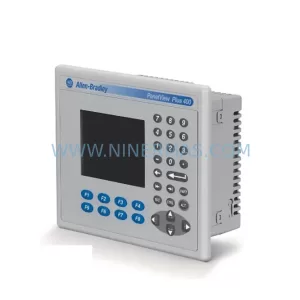
SKU: 2711P-B10C15A2/A
Allen-Bradley 2711P-B10C15A2 Service-Ready Spare Part
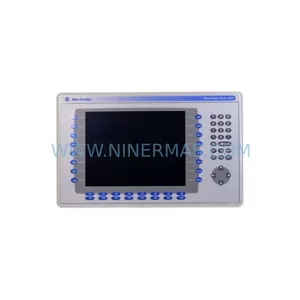
SKU: 2711P-T19C22A9P
Allen-Bradley 2711P-T19C22A9P Service-Ready Spare Part
Catalog Continuation
Alternative parts within PLC & Industrial Automation Modules.
Stay inside the same system family when you need substitutes, adjacent modules, or a broader shortlist for procurement review.



SKU: HDD02.2-W040N-HS12-01-FW FWA-DIAX04-ELS-05VRS-MS
Rexroth HDD02.2-W040N-HS12-01-FW Service-Ready Spare Part

SKU: I5DAE375F10010000S
Lenze I5DAE375F10010000S Service-Ready Spare Part for Industrial Maintenance



