Original Industrial Spare Part
MITSUMI FX48A0W Retrofit-Compatible Optical Sensor Legacy
Verify the part, confirm the platform family, and move straight into quotation with the right commercial details.
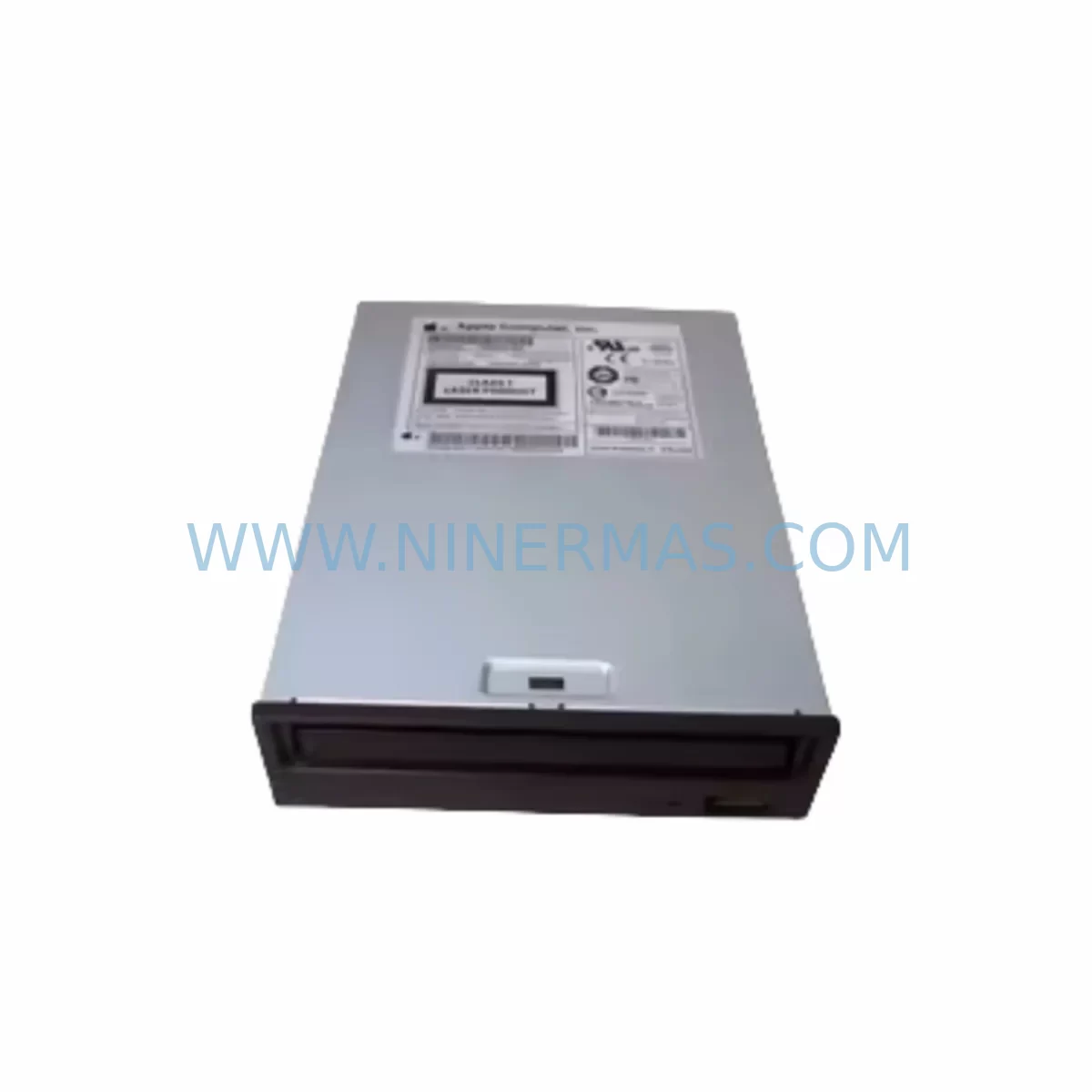
RFQ Ready
- SKUFX48A0W FX48AOW
- CategoryPLC & Industrial Automation Modules
- BrandMITSUMI
- SupportAvailability, lead time, condition, and shipping coordination
How Buyers Usually Use This Page
- Confirm the exact part number and platform family before sending the quote request.
- Use direct email when quantity, condition, and destination are already defined internally.
- Switch to the broader brand or category archive when you need alternates nearby.
Series Navigation
Move through the most common platform families behind this part.
Product RFQ
Send this part directly for quotation.
Include quantity, required condition, destination country, and target delivery timing. Current reference: MITSUMI FX48A0W Retrofit-Compatible Optical Sensor Legacy with SKU FX48A0W FX48AOW.
MITSUMI FX48A0W FX48AOW Retrofit-Compatible Optical Sensor for Legacy Industrial Systems
The MITSUMI FX48A0W (also referenced as FX48AOW) is a compact industrial optical sensor designed for precision detection in legacy automation lines. As original equipment manufacturers discontinue support for aging control platforms, the FX48A0W has become a critical retrofit component for engineers tasked with extending the operational life of existing machinery without full-line replacement. NINERMAS maintains verified stock of this sensor, pre-shipment tested and backed by a 12-month warranty, ensuring reliable supply for planned maintenance windows and emergency breakdowns alike.
Industrial facilities running legacy conveyor systems, pick-and-place units, packaging lines, and discrete manufacturing cells frequently depend on optical sensors of this form factor. When the original MITSUMI FX48A0W reaches end-of-life or becomes unavailable through standard distribution channels, procurement teams face pressure to source compatible replacements that preserve existing wiring harnesses, mounting brackets, and PLC input card assignments. The FX48A0W addresses this need directly — its physical footprint, connector pinout, and output signal characteristics allow drop-in installation in most legacy sensor positions without requiring panel redesign or PLC program modification.
Upgrade Compatibility Table
| Parameter | Detail |
|---|---|
| Model | MITSUMI FX48A0W / FX48AOW |
| Type | Industrial Optical / Photoelectric Sensor |
| Brand | MITSUMI |
| Origin | Japan |
| Mounting Compatibility | Standard M-series bracket; compatible with legacy sensor mounting rails |
| Output Signal | Digital output compatible with 24VDC PLC input modules |
| Connector / Wiring | Retain existing harness in most legacy installations; verify pinout before energizing |
| Communication Compatibility | Hardwired discrete I/O; no protocol migration required |
| Replacement Recommendation | Direct drop-in for legacy MITSUMI FX-series optical sensors in equivalent housings |
| Commissioning Notes | Verify sensing distance, light/dark ON mode, and output polarity before restart |
| Pre-Shipment Testing | Yes — functional verification performed before dispatch |
| Warranty | 12 Months from date of shipment |
| Stock Status | Available — contact for lead time confirmation on bulk orders |
Retrofit Planning for Existing Automation Systems
Replacing an optical sensor in a live production environment requires careful coordination across mechanical, electrical, and software disciplines. When integrating the MITSUMI FX48A0W into an existing control cabinet or machine frame, the first step is to confirm that the 24VDC power supply module feeding the sensor circuit has sufficient current headroom. Many legacy panels use aging power supply units — such as OMRON S8VS or Siemens SITOP PSU100S series — that may be operating near capacity. Verifying available current margin before adding or swapping sensors prevents nuisance tripping and protects downstream I/O modules.
Terminal wiring is the next critical checkpoint. Legacy machines often use numbered terminal blocks from manufacturers such as Phoenix Contact or Weidmüller, and the original sensor’s three-wire or four-wire connection must be mapped accurately to the replacement unit. Confirm the brown (24V+), blue (0V), and black (signal output) wire assignments against the machine’s original wiring diagram. Where diagrams are unavailable, a continuity check and voltage measurement at the terminal block before connection is strongly recommended.
On the PLC side, the FX48A0W connects to a digital input module — commonly a Mitsubishi MELSEC QX40, FX3U-16EX, or equivalent 24VDC sink/source input card. Confirm the input address assignment in the PLC program matches the physical wiring. If the legacy system uses a Mitsubishi FX3G, FX3U, or Q-series controller, the input point address should be verified in GX Works2 or GX Developer before the machine is restarted. For systems using Siemens S7-300 or S7-1200 PLCs with SM321 digital input modules, the same address verification applies in TIA Portal or STEP 7.
Where the legacy line includes an HMI panel — such as a Mitsubishi GOT2000 series, Proface GP4000, or Siemens SIMATIC HMI TP700 — sensor status bits displayed on operator screens should be confirmed to reflect the correct input address after replacement. Screen tag bindings do not change with a sensor swap, but a functional test of the HMI display during commissioning confirms that the new sensor’s signal is being read and displayed correctly.
For systems where the FX48A0W is part of a larger I/O expansion rack — for example, a Mitsubishi MELSEC Q68AD analog/digital mixed rack or an OMRON CJ1W I/O expansion unit — confirm that the rack’s backplane power budget accommodates the sensor’s supply current. Backplane current limits are often overlooked during incremental upgrades and can cause intermittent faults that are difficult to diagnose under production pressure.
If the retrofit involves migrating from an older communications protocol — such as CC-Link to CC-Link IE Field, or DeviceNet to EtherNet/IP — the optical sensor itself is unaffected as a hardwired discrete device, but the I/O module it connects to may change. In such cases, the sensor wiring is redirected to the new I/O module’s terminal block, and the PLC program’s input address mapping is updated accordingly. A signal isolator or relay interposing module may be required if the new I/O module’s input voltage range differs from the legacy installation.
Installation space confirmation is essential before ordering. The FX48A0W’s housing dimensions should be verified against the available mounting envelope on the machine frame or control cabinet door. Where space is constrained, a right-angle bracket adapter may be required. NINERMAS can advise on dimensional specifications upon request to support pre-installation planning.
Downtime Control During System Migration
Minimizing production downtime during a sensor replacement is a primary concern for maintenance engineers. The MITSUMI FX48A0W’s drop-in compatibility with legacy MITSUMI FX-series sensor positions means that mechanical installation can typically be completed within a single planned maintenance window — often under 30 minutes for an experienced technician familiar with the machine layout.
To protect the original PLC program logic, no changes to the ladder diagram or function block program should be made during a like-for-like sensor replacement. The input address, normally-open or normally-closed contact logic, and any associated timer or counter instructions remain valid for the replacement unit. This preserves control continuity and eliminates the risk of introducing software errors during a hardware swap.
Before restarting the machine, a bench-level functional test of the new sensor is recommended. Connect the FX48A0W to a 24VDC bench supply, pass a target object through the sensing zone, and confirm the output switches correctly in both light-ON and dark-ON modes. This pre-installation verification — which NINERMAS performs as part of its standard pre-shipment testing protocol — confirms that the unit is operational before it is installed in the machine, eliminating the risk of a second unplanned shutdown caused by a defective replacement part.
For critical production lines where even a brief interruption is unacceptable, maintaining a spare sensor inventory of one to two units of the FX48A0W is a practical risk mitigation strategy. NINERMAS supports long-term spare parts programs with fixed lead times and committed stock allocation, allowing maintenance teams to hold verified, tested spares on-site without the uncertainty of spot-market sourcing.
After installation and restart, monitor the first production cycle closely. Confirm that the sensor’s detection range is correctly set for the target object’s reflectivity and distance, and that the PLC input status matches the expected ON/OFF sequence in the machine’s operating cycle. Any deviation should be investigated before returning the line to full production speed.
Retrofit Support FAQ
Q1: Is the MITSUMI FX48A0W a direct replacement for the FX48AOW?
Yes. FX48A0W and FX48AOW refer to the same MITSUMI optical sensor model — the difference is a character representation variant (zero vs. letter O) commonly seen in legacy documentation and parts lists. Both designations refer to the identical unit supplied by NINERMAS.
Q2: What commissioning checks are required after installation?
After mechanical installation and wiring, verify the sensing distance adjustment, confirm output polarity (NPN or PNP) matches the PLC input module’s sink/source configuration, and perform a live input status check in the PLC programming software (GX Works2, TIA Portal, or equivalent) to confirm the signal is being received correctly. Check the HMI display if sensor status is shown on an operator panel.
Q3: Does NINERMAS test the FX48A0W before shipment?
Yes. All MITSUMI FX48A0W units supplied by NINERMAS undergo functional pre-shipment testing to verify optical detection performance and output signal integrity. A 12-month warranty is provided from the date of shipment, covering defects in materials and workmanship under normal operating conditions.
Q4: Can NINERMAS support bulk or long-term supply commitments for the FX48A0W?
Yes. NINERMAS offers long-term spare parts supply programs with committed stock allocation and fixed lead times for the MITSUMI FX48A0W and related industrial sensor components. Contact our team to discuss volume requirements, delivery schedules, and inventory reservation terms.
| Product Series | Other series |
|---|
Catalog Continuation
Alternative parts within PLC & Industrial Automation Modules.
Stay inside the same system family when you need substitutes, adjacent modules, or a broader shortlist for procurement review.
SKU: 16-167627-00 8122 410 05002, 4022.470.78191 8122 410 55702 16-273491-00
Novellus 16-167627-00 Service-Ready Industrial Spare Part
SKU: 2305451-C DT2000 0626 P2, OLE36-10632-02
Advanced Energy 2305451-C Service-Ready Industrial Spare Part