Original Industrial Spare Part
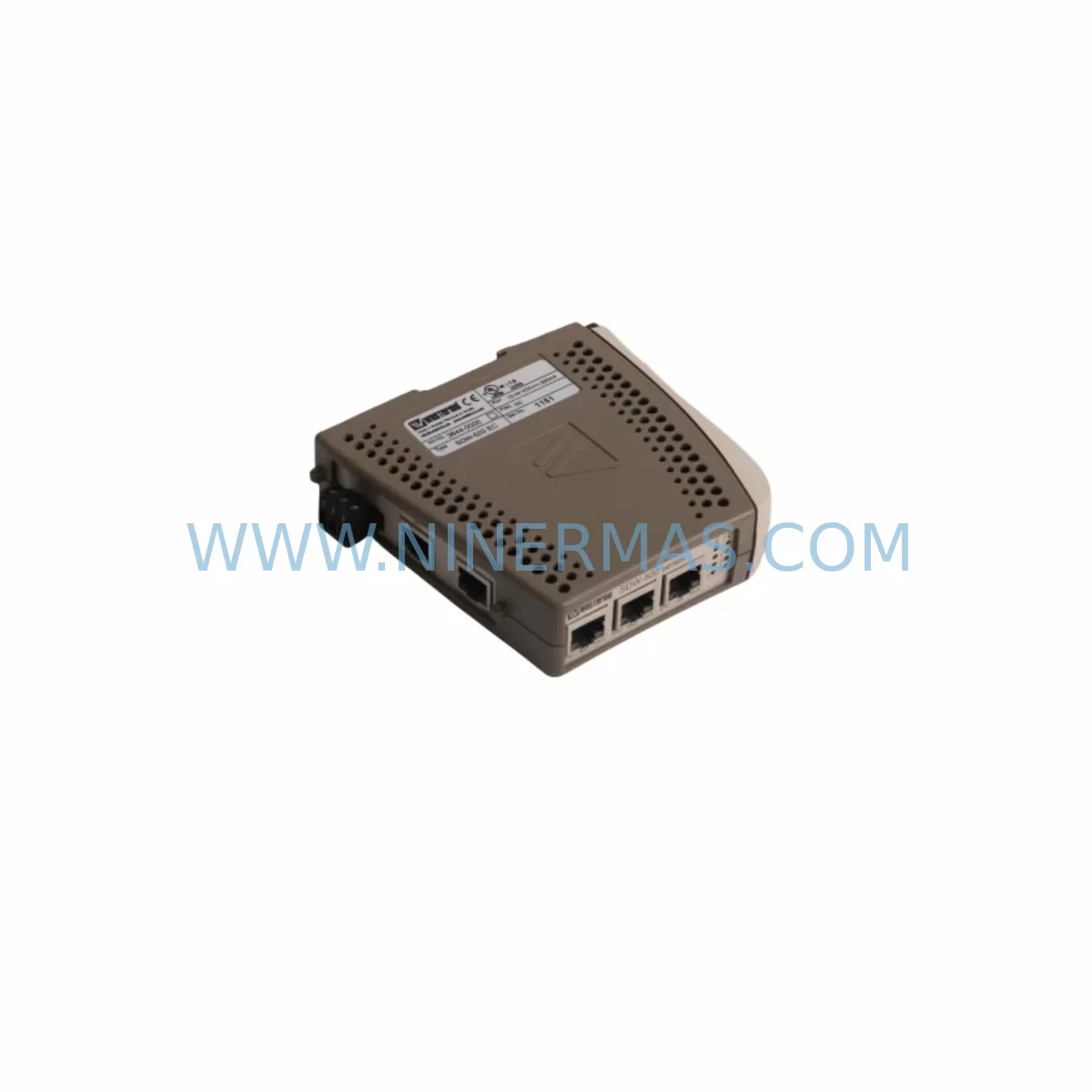
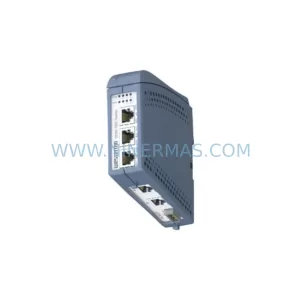
Westermo SDW-550 EC Service-Ready Spare Part for Industrial Maintenance
Verify the part, confirm the platform family, and move straight into quotation with the right commercial details.
RFQ Ready
- SKUSDW-550 EC
- CategoryPLC & Industrial Automation Modules
- BrandWestermo
- SupportAvailability, lead time, condition, and shipping coordination
How Buyers Usually Use This Page
- Confirm the exact part number and platform family before sending the quote request.
- Use direct email when quantity, condition, and destination are already defined internally.
- Switch to the broader brand or category archive when you need alternates nearby.
Series Navigation
Move through the most common platform families behind this part.
Product RFQ
Send this part directly for quotation.
Include quantity, required condition, destination country, and target delivery timing. Current reference: Westermo SDW-550 EC Service-Ready Spare Part for Industrial Maintenance with SKU SDW-550 EC.
Westermo SDW-550 EC Service-Ready Spare Part for Industrial Maintenance
The Westermo SDW-550 EC is a ruggedized managed Ethernet switch engineered for mission-critical industrial networks operating in harsh environments — including rail, power utilities, oil & gas, and heavy manufacturing. As a service-ready spare part, the SDW-550 EC is pre-tested, fully documented, and available for immediate dispatch to minimize unplanned downtime and support rapid control system recovery. Whether you are managing a scheduled annual overhaul, responding to an emergency network fault, or building a strategic spare parts inventory, the SDW-550 EC delivers the reliability and compatibility that maintenance and procurement engineers demand.
Sourced directly from authorized supply channels and subjected to pre-shipment functional verification, every unit shipped by NINERMAS carries a 12-month warranty and is backed by long-term supply commitment — ensuring your industrial communication infrastructure remains operational well beyond the original product lifecycle.
Spare Maintenance Table
| Parameter | Specification / Detail |
|---|---|
| SKU / Part Number | SDW-550 EC |
| Brand | Westermo |
| Series | SDW-550 Series |
| Product Type | Managed Industrial Ethernet Switch |
| Port Configuration | 5-port Fast Ethernet (copper + fiber combo, EC variant) |
| Media Type | Copper RJ45 + 100Base-FX Fiber (EC = Extended / Combo) |
| Operating Temperature | -40°C to +70°C (ruggedized for harsh environments) |
| Power Input | 10–60 VDC (dual redundant power inputs) |
| Mounting | DIN-rail mountable |
| Enclosure / Protection | IP30, metal housing for EMI resistance |
| Network Protocols | RSTP/STP, VLAN, IGMP Snooping, QoS |
| Compliance | EN 50155 (Railway), IEC 61850 (Substation), ATEX-ready environments |
| Origin | Sweden (SE) |
| Compatibility | Direct replacement for SDW-550 EC in Westermo WeOS-based network topologies |
| Application Environments | Rail rolling stock, power substations, oil & gas SCADA, water treatment, heavy manufacturing |
| Maintenance Recommendation | Replace at first sign of port failure, excessive CRC errors, or thermal shutdown events |
| Pre-Shipment Testing | Full functional verification performed before dispatch |
| Warranty | 12 months from date of shipment |
| Long-Term Supply | Available under NINERMAS long-term spare parts program |
Maintenance Planning for Continuous Operation
When a Westermo SDW-550 EC switch is flagged for replacement during a control cabinet inspection or network fault investigation, experienced maintenance engineers know that the switch rarely fails in isolation. A thorough site assessment should extend to the entire communication and power infrastructure surrounding the affected node.
Begin by verifying the 24 VDC or 48 VDC panel power supply feeding the switch — a degraded or undersized power supply is a common root cause of intermittent switch resets and port instability. Westermo’s own PWR-220-AC-DC or equivalent DIN-rail industrial power supplies should be inspected for output voltage drift and ripple. Simultaneously, check the fiber patch cables and SFP transceivers connected to the EC (fiber combo) ports; contaminated or damaged fiber connectors frequently cause link-loss events that are misdiagnosed as switch failures.
In SCADA and substation environments, the SDW-550 EC typically sits within a ring or star topology alongside other Westermo switches such as the SDW-532 series or Lynx DSS L106-F2G managed switches. If RSTP convergence times have increased or ring redundancy has failed over unexpectedly, inspect all adjacent switches in the ring for firmware version mismatches and port configuration drift. Westermo’s WeOS management platform allows centralized configuration backup — ensure the replacement unit is loaded with the correct configuration profile before commissioning.
For PLC and DCS integration points, verify the Ethernet I/O modules and communication interface cards connected downstream of the SDW-550 EC. In Siemens S7 or ABB AC500 environments, for example, PROFINET or Modbus TCP I/O modules may require a network re-scan after switch replacement. Check terminal blocks and field wiring at the switch’s power input terminals for corrosion or loose connections — a common issue in high-vibration or high-humidity enclosures.
Where the SDW-550 EC supports serial-to-Ethernet conversion via connected Westermo serial device servers (such as the Viper SC or Lynx 206-F2G), confirm that serial port settings and IP address assignments are preserved after the switch swap. Signal isolators and RS-485 repeaters in the same cabinet should also be inspected for ground loop issues that may have contributed to the original fault. Finally, review the HMI panel network connection — whether a Siemens TP700, Weintek, or Proface unit — to confirm it re-establishes communication cleanly after the replacement switch is powered up.
Building a structured spare parts kit around the SDW-550 EC for annual maintenance cycles is strongly recommended. A well-prepared kit typically includes spare DIN-rail power supply modules, fiber patch cords (SC/LC duplex), RJ45 industrial patch cables (Cat5e/Cat6 shielded), terminal block fuse holders, and at minimum one additional managed switch of the same model to support hot-swap capability during planned shutdowns.
Site Replacement Workflow
Step 1 — Pre-Replacement Preparation: Export the current switch configuration via WeOS CLI or web interface. Document all VLAN assignments, port settings, RSTP priorities, and IP management address. Photograph the physical wiring layout before disconnection.
Step 2 — Safe Isolation: Notify the control room and coordinate a maintenance window. De-energize the cabinet section feeding the switch using the appropriate isolation procedure. Verify zero-voltage with a calibrated meter before touching terminals.
Step 3 — Physical Swap: Remove the faulty SDW-550 EC from the DIN rail. Install the replacement unit in the same rail position. Reconnect power wiring to the dual-input terminals, observing correct polarity. Reconnect all Ethernet copper and fiber patch cables in the original port sequence.
Step 4 — Configuration Restore: Apply the saved configuration backup to the replacement unit via WeOS. Verify management IP, VLAN, and RSTP settings match the original. Confirm ring redundancy status shows “Forwarding” on all active ports.
Step 5 — Functional Verification: Restore power and monitor all downstream devices for successful network re-establishment. Ping all critical PLC, HMI, and I/O node addresses from the management workstation. Confirm SCADA data flow resumes within expected latency parameters.
Step 6 — Documentation & Spare Replenishment: Log the replacement event in the CMMS with the new unit’s serial number and installation date. Immediately initiate a purchase order for a replacement SDW-550 EC spare to restore your buffer stock — NINERMAS supports standing order and long-term supply agreements to ensure continuous availability.
Spare Parts Support FAQ
Q1: Is the SDW-550 EC a direct drop-in replacement for the original unit without firmware changes?
Yes, in most cases the SDW-550 EC replacement unit is a direct hardware drop-in. However, it is strongly recommended to restore the saved WeOS configuration backup to the new unit rather than relying on factory defaults. Firmware version alignment should also be verified — if the existing network runs a specific WeOS version for protocol compatibility (e.g., IEC 61850 GOOSE), ensure the replacement unit is updated to match before commissioning.
Q2: What is the warranty coverage and what does it include?
All SDW-550 EC units supplied by NINERMAS carry a 12-month warranty from the date of shipment. Coverage includes manufacturing defects and functional failures under normal operating conditions. Each unit undergoes pre-shipment functional testing. Warranty claims are supported by NINERMAS’s technical team with replacement dispatch prioritized to minimize site downtime.
Q3: Can NINERMAS support long-term or scheduled procurement for the SDW-550 EC?
Yes. NINERMAS operates a long-term spare parts supply program specifically designed for industrial automation components with extended lifecycle requirements. Customers managing aging Westermo network infrastructure can establish standing purchase agreements, scheduled delivery programs, or consignment stock arrangements. Contact our procurement team to discuss volume commitments and lead time guarantees tailored to your maintenance planning cycle.
Q4: How do I verify compatibility before ordering if my existing switch has a different hardware revision?
Provide your existing unit’s full part number, hardware revision (visible on the label), and WeOS firmware version to NINERMAS at the time of inquiry. Our technical team will cross-reference against known revision compatibility matrices and confirm whether the replacement unit requires any configuration adjustments. For critical infrastructure, we recommend requesting a pre-shipment compatibility confirmation report before dispatch.
| Product Series | Other series |
|---|---|
| Country of Origin | SE |
Catalog Continuation
More Westermo modules in the catalog.
Use the brand lane to compare nearby part numbers, platform-adjacent modules, and other inquiry-ready listings before sending your final RFQ.
SKU: 3640-1450 L308F2-SM-LC20
Westermo 3640-1450 L308F2-SM-LC20 Retrofit Fiber Switch
Catalog Continuation
Alternative parts within PLC & Industrial Automation Modules.
Stay inside the same system family when you need substitutes, adjacent modules, or a broader shortlist for procurement review.