Original Industrial Spare Part
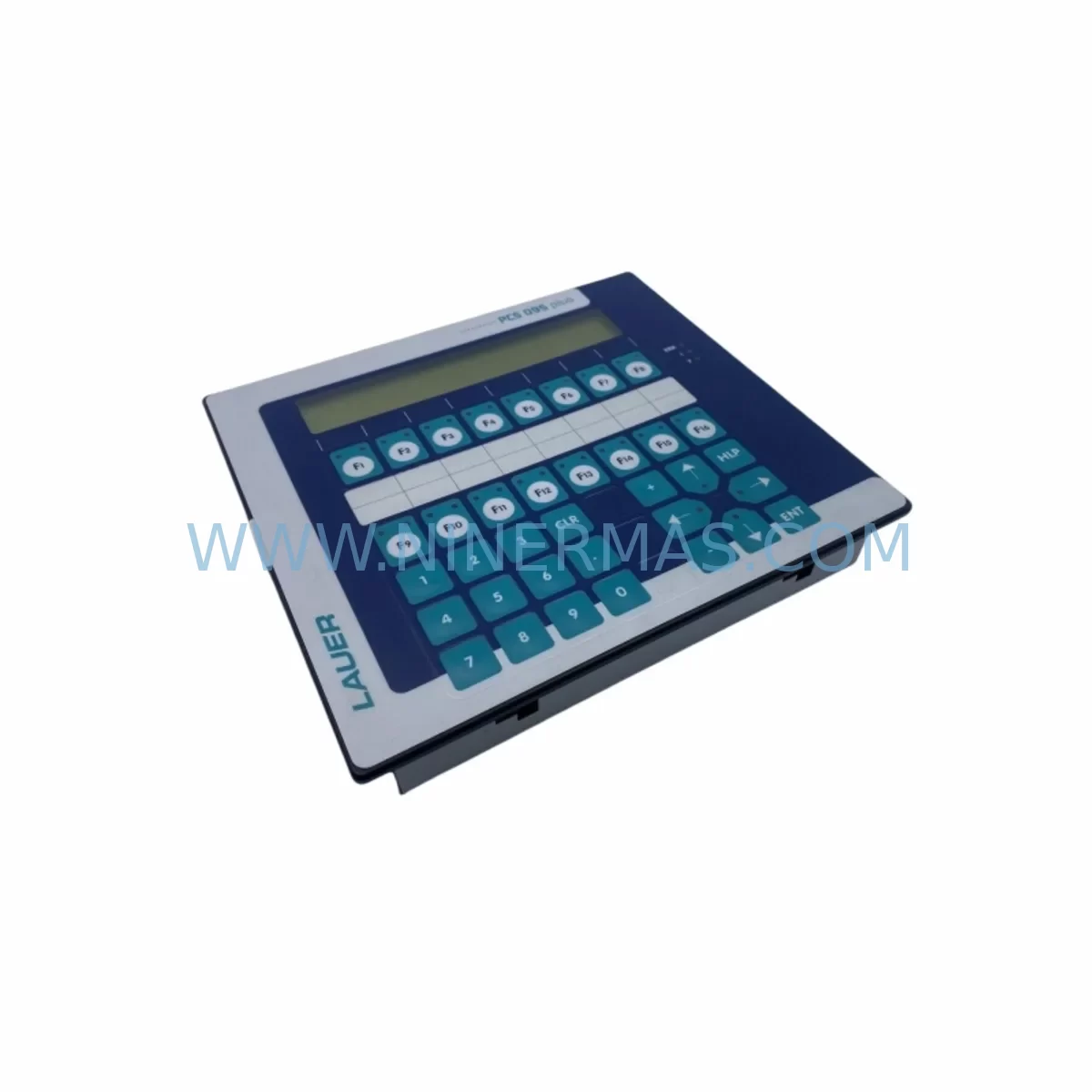
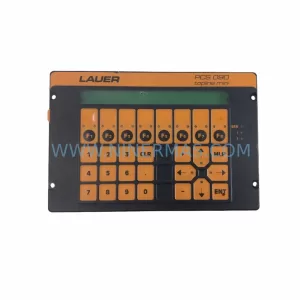
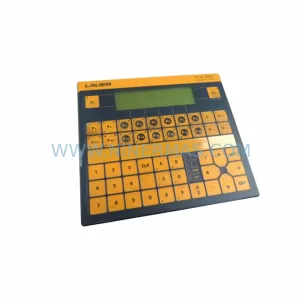
Lauer PCS095.S Retrofit-Compatible HMI for Legacy Systems
Verify the part, confirm the platform family, and move straight into quotation with the right commercial details.
RFQ Ready
- SKUPCS095.S 095S-i
- CategoryPLC & Industrial Automation Modules
- BrandLAUER
- SupportAvailability, lead time, condition, and shipping coordination
How Buyers Usually Use This Page
- Confirm the exact part number and platform family before sending the quote request.
- Use direct email when quantity, condition, and destination are already defined internally.
- Switch to the broader brand or category archive when you need alternates nearby.
Series Navigation
Move through the most common platform families behind this part.
Product RFQ
Send this part directly for quotation.
Include quantity, required condition, destination country, and target delivery timing. Current reference: Lauer PCS095.S Retrofit-Compatible HMI for Legacy Systems with SKU PCS095.S 095S-i.
Lauer PCS095.S Retrofit-Compatible HMI for Legacy Systems: Seamless Upgrade for Aging PCS Series Operator Panels
The Lauer PCS095.S (095S-i) is a field-proven operator panel from the Lauer PCS Series, widely deployed across discrete manufacturing lines, process control cabinets, and legacy machine tool installations throughout Europe and Asia. As original equipment manufacturers phase out support for first- and second-generation PCS terminals, plant engineers and maintenance teams face increasing pressure to source compatible replacements that preserve existing wiring, program logic, and HMI screen layouts without triggering a full control system overhaul.
NINERMAS maintains verified in-stock inventory of the PCS095.S 095S-i, pre-shipment tested and supplied with a 12-month warranty. Each unit undergoes functional verification covering display output, keypad response, communication port integrity, and power-on self-test before dispatch. This makes the PCS095.S a reliable drop-in candidate for retrofit projects where downtime windows are narrow and procurement lead times are critical.
Upgrade Compatibility Table
| Parameter | Lauer PCS095.S (095S-i) | Retrofit Notes |
|---|---|---|
| Display Type | Monochrome LCD / LED backlit | Verify screen resolution compatibility with existing HMI project files |
| Communication Interface | RS-232 / RS-485 serial | Confirm baud rate, parity, and stop-bit settings match PLC configuration |
| Power Supply Input | 24 VDC nominal | Check cabinet PSU capacity; allow 10–15% headroom above rated draw |
| Mounting Format | Panel-cut flush mount | Measure existing cutout; gasket seal condition should be inspected |
| Terminal / Connector | Rear-terminal screw block | Re-use existing cable harness where pin-out is identical; label all wires before removal |
| PLC Protocol Compatibility | Lauer PCS protocol; configurable | Validate driver version in programming software before upload |
| Program / Project Transfer | Via serial programming cable | Back up original project file from old unit before replacement |
| Installation Space | Standard DIN panel depth | Confirm rear clearance for cable routing and connector access |
| Warranty | 12-Month Warranty — covered by NINERMAS from date of shipment | |
Retrofit Planning for Existing Automation Systems
Replacing a Lauer PCS095.S in a live production environment requires a structured approach that accounts for every layer of the control architecture. The operator panel does not function in isolation — it sits at the intersection of the power distribution network, the PLC communication bus, the field I/O layer, and the operator interface logic. A poorly planned swap can introduce communication faults, screen mapping errors, or address conflicts that extend downtime well beyond the replacement window itself.
Begin by auditing the 24 VDC power supply feeding the panel. Many legacy control cabinets use shared rail PSUs that also power signal isolators, relay modules, and communication converters. Before removing the PCS095.S, measure actual rail voltage under load and confirm the supply has sufficient residual capacity for the replacement unit. If the existing PSU is marginal, this is an appropriate time to upgrade to a higher-capacity unit — a common step in modernization projects that also involve adding Ethernet gateway modules or additional I/O expansion racks.
Next, document the serial communication wiring in detail. The PCS095.S communicates via RS-232 or RS-485 depending on the installation. Photograph and label every terminal before disconnection. Confirm the baud rate, data bits, parity, and stop-bit configuration stored in the connected PLC — whether that is a Siemens S5 or S7 series controller, a Mitsubishi MELSEC FX or Q series unit, or an older Allen-Bradley SLC 500 rack. The communication driver loaded into the PCS095.S must match the PLC’s protocol exactly, and any mismatch will prevent the HMI from establishing a link after power-up.
For installations where the PCS095.S is mounted alongside I/O expansion modules — such as digital input cards, analog output modules, or thermocouple input boards — verify that the module addresses and rack slot assignments are unchanged after the panel swap. In systems using a shared backplane or rack-based I/O architecture, a new HMI unit that re-initializes the communication bus can temporarily disrupt I/O polling cycles. Coordinate with the PLC programmer to confirm that the scan cycle and watchdog timer settings will tolerate the brief communication interruption during panel hot-swap or cold-restart procedures.
HMI screen layouts and tag mappings stored in the original PCS095.S project file must be extracted and backed up before the old unit is removed. Use the appropriate Lauer programming cable and software version to read out the project. If the original project file is unavailable — a common situation with panels that have been in service for 10 or more years — the replacement unit will need to be reprogrammed from scratch using the PLC’s I/O list and the operator’s functional specification. This is also the point at which teams often choose to migrate the HMI project to a more modern platform, using the PCS095.S as a transitional unit while a longer-term upgrade to a color touchscreen panel or PC-based SCADA interface is planned.
In control cabinets where the PCS095.S is installed alongside communication interface modules — such as PROFIBUS DP adapters, Modbus RTU converters, or DeviceNet gateway cards — confirm that the panel’s node address and network segment settings do not conflict with other devices on the bus. Address conflicts are a frequent source of intermittent faults in retrofitted systems and can be difficult to diagnose without a bus analyzer. Where protocol migration is part of the project scope, this is the appropriate stage to introduce an Ethernet/IP or PROFINET gateway to bridge the legacy serial network to a modern plant LAN.
Finally, confirm the physical installation space in the control cabinet door or enclosure. The PCS095.S uses a standard panel-cut flush-mount format, but years of field modifications — added cable ducts, relocated terminal blocks, or supplementary DIN rail sections — can reduce the available rear clearance. Measure the depth from the panel face to the nearest obstruction and confirm that the replacement unit’s connector and cable bend radius will fit without forcing the wiring harness.
Downtime Control During System Migration
Minimizing unplanned downtime during a PCS095.S replacement requires preparation that begins well before the maintenance window opens. The single most effective measure is to have the replacement unit fully configured, tested, and loaded with the correct HMI project file before the old panel is removed from service. This means completing the project file backup, verifying the communication settings, and performing a bench test of the new unit against a simulator or spare PLC before the scheduled outage.
Where the production process permits, a parallel run approach is preferable. The new PCS095.S is connected to the communication bus alongside the existing panel — in listen-only mode if the protocol supports it — allowing engineers to verify that screen updates, alarm triggers, and operator inputs are functioning correctly before the old unit is taken offline. This approach is particularly valuable in process industries where a single HMI panel monitors multiple control loops simultaneously.
For sites where a parallel run is not feasible, prepare a manual fallback procedure that allows operators to control critical process variables directly from the PLC or from local field instruments during the panel swap. Document the fallback procedure and brief the operations team before the maintenance window begins. Assign a dedicated technician to monitor the PLC’s diagnostic buffer during the swap to catch any communication errors or I/O faults immediately.
After the new PCS095.S is installed and powered up, perform a structured commissioning checklist: confirm communication link establishment, verify all screen pages load correctly, test each operator input for correct PLC response, check alarm acknowledgment functions, and validate any setpoint entry screens against the process limits defined in the PLC program. Document the commissioning results and retain them as part of the machine’s maintenance record. The 12-month warranty supplied with each NINERMAS unit provides additional assurance during the post-commissioning period.
Retrofit Support FAQ
Q1: Is the Lauer PCS095.S a direct drop-in replacement for other PCS Series panels such as the PCS090 or PCS100?
The PCS095.S shares the same communication protocol and power supply requirements as other units in the Lauer PCS Series, but physical dimensions, display resolution, and keypad layout may differ between models. Always compare the panel-cut dimensions and connector pin-out of the specific model being replaced before ordering. NINERMAS can provide dimensional data and compatibility guidance on request.
Q2: What pre-shipment testing does NINERMAS perform on the PCS095.S 095S-i?
Each unit is powered on and subjected to a full functional test covering display output, keypad input response, communication port continuity, and power supply regulation. Units that do not pass all test criteria are quarantined and not dispatched. A test record is available upon request for quality-critical procurement processes.
Q3: Can the PCS095.S communicate with PLCs from brands other than Lauer, such as Siemens, Mitsubishi, or Schneider Electric?
The PCS095.S supports configurable serial communication parameters and can be programmed to interface with a range of PLC platforms via RS-232 or RS-485, provided the correct communication driver is available in the Lauer programming software. Compatibility with specific third-party PLC models should be confirmed against the driver library version installed on the programming workstation.
Q4: What is the warranty coverage and what does it include?
NINERMAS provides a 12-month warranty from the date of shipment covering manufacturing defects and functional failures under normal operating conditions. The warranty does not cover damage resulting from incorrect installation, overvoltage, or physical impact. In the event of a warranty claim, NINERMAS will arrange replacement or repair and work to minimize disruption to the customer’s production schedule.
| Product Series | Legacy |
|---|
Catalog Continuation
More LAUER modules in the catalog.
Use the brand lane to compare nearby part numbers, platform-adjacent modules, and other inquiry-ready listings before sending your final RFQ.
Catalog Continuation
Alternative parts within PLC & Industrial Automation Modules.
Stay inside the same system family when you need substitutes, adjacent modules, or a broader shortlist for procurement review.


SKU: 6FC5357-0BB12-0AE0
Siemens 6FC5357-0BB12-0AE0 Service-Ready Industrial Spare Part

SKU: 3BSE011790R1(PXHK401)
ABB 3BSE011790R1 PXHK401 Retrofit-Ready Communication Module