
Original Industrial Spare Part
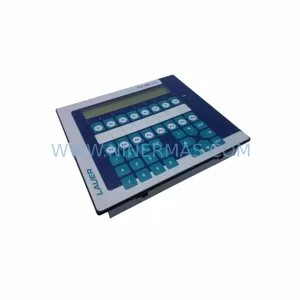
LAUER 920.100.2 Retrofit-Compatible HMI Panel for Legacy Systems
Verify the part, confirm the platform family, and move straight into quotation with the right commercial details.
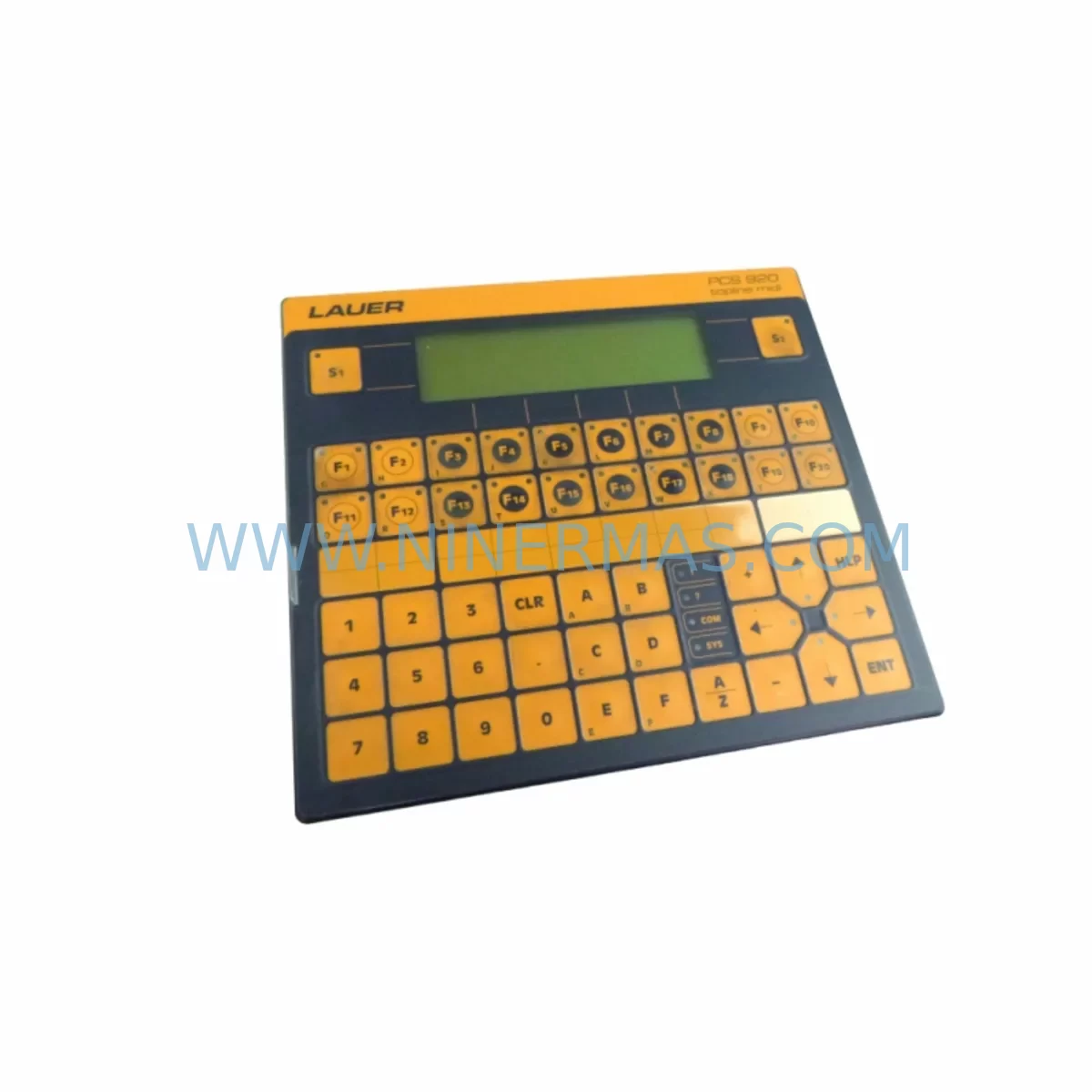
RFQ Ready
- SKU920.100.2
- CategoryPLC & Industrial Automation Modules
- BrandLAUER
- SupportAvailability, lead time, condition, and shipping coordination
How Buyers Usually Use This Page
- Confirm the exact part number and platform family before sending the quote request.
- Use direct email when quantity, condition, and destination are already defined internally.
- Switch to the broader brand or category archive when you need alternates nearby.
Series Navigation
Move through the most common platform families behind this part.
Product RFQ
Send this part directly for quotation.
Include quantity, required condition, destination country, and target delivery timing. Current reference: LAUER 920.100.2 Retrofit-Compatible HMI Panel for Legacy Systems with SKU 920.100.2.
LAUER 920.100.2 Retrofit-Compatible HMI Panel for Legacy Systems
The LAUER 920.100.2 is a retrofit-ready HMI operator panel engineered for seamless integration into legacy industrial control systems. As production lines built around the LAUER PCS series approach end-of-life, the 920.100.2 provides a verified drop-in replacement path that preserves existing wiring infrastructure, terminal layouts, and PLC communication links — minimising engineering rework and unplanned downtime during the upgrade cycle.
Industrial facilities running ageing LAUER PCS 900 or PCS 950 operator terminals frequently encounter discontinued spare part availability, degraded touchscreen response, and communication protocol mismatches when integrating newer controllers. The 920.100.2 addresses each of these pain points directly: it maintains physical panel cutout compatibility, supports the serial communication protocols common to legacy LAUER installations, and ships fully pre-tested against documented factory parameters before dispatch.
Whether you are executing a planned control cabinet modernisation, responding to an unplanned HMI failure on a critical production line, or building a long-term spare parts inventory for multi-site operations, the LAUER 920.100.2 delivers the reliability and supply continuity that industrial maintenance teams require.
Upgrade Compatibility Table
| Parameter | Details |
|---|---|
| SKU / Part Number | 920.100.2 |
| Brand / Manufacturer | LAUER (Germany) |
| Product Series | LAUER PCS Series (PCS 900 / PCS 950 compatible) |
| Product Type | Industrial HMI Operator Touch Panel |
| Primary Function | Operator interface, process visualisation, alarm management |
| Communication Interface | Serial (RS-232 / RS-485); compatible with legacy LAUER PLC link protocols |
| Panel Cutout Compatibility | Drop-in replacement for existing LAUER PCS 900-series cutout dimensions |
| Power Supply Requirement | 24 V DC (verify existing cabinet PSU capacity before installation) |
| Terminal / Connector Type | Compatible with original LAUER PCS wiring harness; verify pin-out against site drawings |
| Mounting | Panel-mount; standard DIN-rail cabinet installation |
| Replacement Recommendation | Direct replacement for LAUER 920.100.2; evaluate LAUER PCS 950 series for extended feature upgrade |
| Commissioning Notes | Upload existing project file via LAUER programming cable; verify tag addresses and screen navigation before live handover |
| Origin | Germany |
| Warranty | 12 Months — all units pre-shipment tested |
Retrofit Planning for Existing Automation Systems
A successful retrofit centred on the LAUER 920.100.2 requires a structured review of the surrounding control architecture before any hardware is removed from service. Begin by auditing the existing cabinet layout: confirm that the 24 V DC power supply — typically a SITOP PSU100S or equivalent rail-mount unit — has sufficient residual capacity to support the replacement panel without derating adjacent I/O modules.
Terminal block wiring should be photographed and cross-referenced against the original LAUER PCS wiring diagram. In many legacy installations, the HMI communicates with the host PLC — commonly a Siemens S5-115U, S5-135U, or an early S7-300 CPU — via an RS-485 multi-drop link. Confirm baud rate, parity, and station address settings on both the panel and the PLC before powering the new unit. Where the host controller has already been migrated to a Siemens S7-1200 or S7-1500 platform, a protocol gateway or updated communication driver may be required to bridge the legacy LAUER serial protocol to PROFINET or MPI.
I/O expansion modules connected to the same backplane or DIN rail — such as LAUER PCS I/O extension units or third-party signal isolators — should be inspected for firmware compatibility. If the control cabinet also houses a LAUER PCS programming interface or a dedicated LAUER programming cable adapter, retain these components during the swap to allow project file re-upload and screen verification without requiring a laptop reconfiguration.
For systems where the HMI drives alarm outputs to a remote annunciator panel or feeds data to a SCADA historian via Modbus RTU, verify that the 920.100.2 project file contains the correct register map and polling interval settings. Retain a backup copy of the original project file on a secure engineering workstation before initiating any upload. Where the original project file is unavailable, NINERMAS technical support can assist with partial reconstruction based on screen photographs and PLC variable lists.
Cabinet space confirmation is a frequently overlooked step: measure the available depth behind the panel cutout to ensure the 920.100.2 housing clears any cable trays, terminal blocks, or adjacent modules such as a LAUER PCS communication module or a Weidmüller signal conditioner mounted on the rear DIN rail. Allow a minimum service loop on all signal and power cables to facilitate future maintenance access.
Downtime Control During System Migration
Minimising production interruption during an HMI replacement requires a pre-planned sequence that protects the existing PLC program logic and maintains field control continuity throughout the changeover window. Before isolating the cabinet, confirm that the host PLC — whether a Siemens S7-300, a Mitsubishi Q-series, or an equivalent legacy controller — is in a safe hold state and that all field outputs are in a known, safe condition.
The recommended approach is a cold-swap procedure: power down the cabinet, disconnect the LAUER 920.100.2 wiring harness using the documented terminal reference, remove the panel from the cutout, install the replacement unit, reconnect terminals in reverse order, and restore power. Total mechanical swap time for an experienced technician is typically under 30 minutes. The majority of the migration window is consumed by project file upload, screen navigation verification, and communication link confirmation — tasks that can be pre-staged by uploading the project file to the replacement panel on the bench before the scheduled maintenance window begins.
Where the production process cannot tolerate a full cabinet shutdown, consider a parallel commissioning approach: mount the replacement 920.100.2 on a temporary panel adjacent to the cabinet, connect it to the PLC communication bus via a T-tap on the RS-485 link, and verify all screen functions and alarm responses before the final cutover. This approach reduces live changeover time to under five minutes and allows the original panel to remain in service until the replacement is fully validated.
Post-installation, conduct a structured commissioning checklist: verify all HMI tag reads and writes against the PLC data block, confirm alarm trigger thresholds, test operator input response times, and document the final configuration in the site maintenance log. All LAUER 920.100.2 units supplied by NINERMAS are covered by a 12-month warranty and have undergone pre-shipment functional testing to reduce the risk of infant failure during the critical post-installation period.
Retrofit Support FAQ
Q1: Is the LAUER 920.100.2 a direct drop-in replacement for the original unit?
Yes. The 920.100.2 is designed as a direct replacement for the original LAUER PCS series panel of the same part number. Physical dimensions, panel cutout requirements, and terminal connector layouts are identical to the original specification. No cabinet modification is required in standard installations. Verify the existing wiring diagram against the replacement unit’s pin-out sheet before powering up.
Q2: What communication protocols does the 920.100.2 support, and is it compatible with my existing PLC?
The 920.100.2 supports the serial communication protocols standard to the LAUER PCS series, including RS-232 and RS-485 links used with Siemens S5, early S7-300, and compatible third-party PLC platforms. If your host controller has been upgraded to a newer platform such as a Siemens S7-1200 or S7-1500 with PROFINET, a protocol converter will be required. Contact our technical team with your PLC model and firmware version for a compatibility assessment before ordering.
Q3: How do I transfer my existing HMI project file to the replacement panel?
Project file transfer is performed via the LAUER programming cable connected between a Windows engineering workstation and the panel’s programming port. Use the LAUER PCS programming software version compatible with your original project file. If the original project file has been lost, a partial reconstruction may be possible from screen photographs and PLC variable documentation. NINERMAS recommends backing up the project file to a secure location before initiating any hardware replacement.
Q4: What warranty and pre-shipment testing does NINERMAS provide for the LAUER 920.100.2?
Every LAUER 920.100.2 unit supplied by NINERMAS is covered by a 12-month warranty from the date of dispatch. Prior to shipment, each unit undergoes a functional pre-shipment test covering power-up sequence, touchscreen calibration, communication port integrity, and display output verification. Units that do not pass the full test protocol are not dispatched. In-stock units are available for same-week dispatch; contact our sales team to confirm current inventory levels and lead times.
| Product Series | Legacy |
|---|
Catalog Continuation
More LAUER modules in the catalog.
Use the brand lane to compare nearby part numbers, platform-adjacent modules, and other inquiry-ready listings before sending your final RFQ.
Catalog Continuation
Alternative parts within PLC & Industrial Automation Modules.
Stay inside the same system family when you need substitutes, adjacent modules, or a broader shortlist for procurement review.


SKU: 6FC5357-0BB12-0AE0
Siemens 6FC5357-0BB12-0AE0 Service-Ready Industrial Spare Part

SKU: 3BSE011790R1(PXHK401)
ABB 3BSE011790R1 PXHK401 Retrofit-Ready Communication Module




