
Original Industrial Spare Part
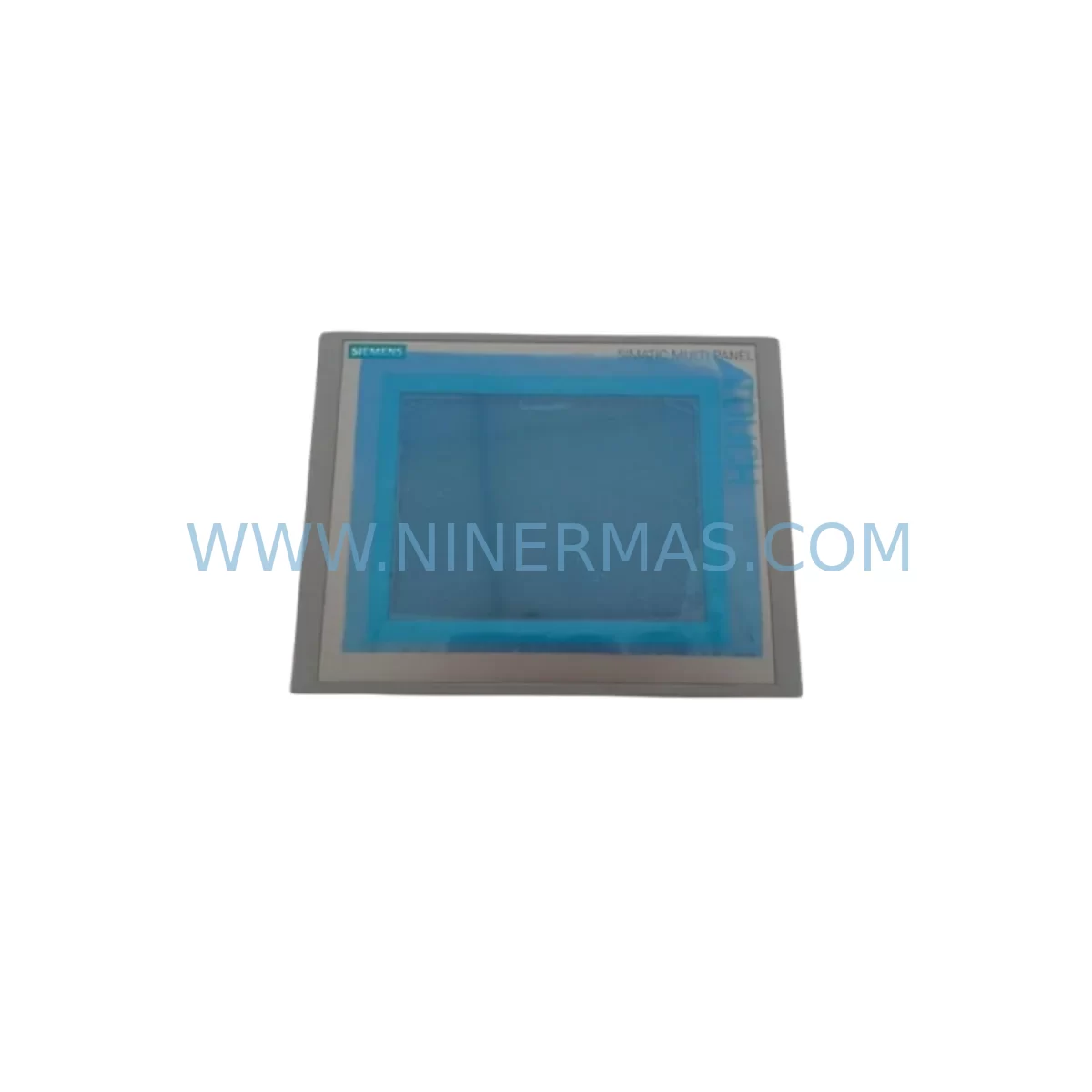
Siemens 6AV6 643-0CB01-1AX1 Retrofit-Compatible HMI for Legacy Systems
Verify the part, confirm the platform family, and move straight into quotation with the right commercial details.
RFQ Ready
- SKU6AV6 643-0CB01-1AX1
- CategoryPLC & Industrial Automation Modules
- BrandSiemens
- SupportAvailability, lead time, condition, and shipping coordination
How Buyers Usually Use This Page
- Confirm the exact part number and platform family before sending the quote request.
- Use direct email when quantity, condition, and destination are already defined internally.
- Switch to the broader brand or category archive when you need alternates nearby.
Series Navigation
Move through the most common platform families behind this part.
Product RFQ
Send this part directly for quotation.
Include quantity, required condition, destination country, and target delivery timing. Current reference: Siemens 6AV6 643-0CB01-1AX1 Retrofit-Compatible HMI for Legacy Systems with SKU 6AV6 643-0CB01-1AX1.
Siemens 6AV6 643-0CB01-1AX1 Retrofit-Compatible HMI for Legacy Systems
The Siemens 6AV6 643-0CB01-1AX1 is a 10.4-inch SIMATIC MP277 series Human Machine Interface panel widely deployed across legacy manufacturing lines, process control cabinets, and discrete automation systems. As Siemens has progressively phased out the MP277 product family, procurement engineers and maintenance teams face increasing pressure to source verified replacement units or plan a structured migration to current-generation platforms such as the SIMATIC Comfort Panel series. NINERMAS maintains in-stock inventory of the 6AV6 643-0CB01-1AX1 to support both direct spare-part replacement and phased retrofit programs, backed by a 12-month warranty on every unit shipped.
Whether your facility requires a like-for-like swap to restore a failed HMI or a broader control system modernization, the 6AV6 643-0CB01-1AX1 serves as a proven bridge component. Its compatibility with WinCC flexible runtime projects means that existing visualization screens, alarm configurations, and tag mappings can often be transferred with minimal rework, significantly reducing engineering hours and unplanned downtime during the changeover.
Upgrade Compatibility Table
| Parameter | 6AV6 643-0CB01-1AX1 (MP277 10″ Touch) | Retrofit / Migration Notes |
|---|---|---|
| Display Size | 10.4″ TFT Color | Verify cutout dimensions before panel installation; standard 19″ rack cutout compatible |
| Operating System | Windows CE 5.0 | WinCC flexible 2008 SP3 or later required for project transfer |
| Communication Interfaces | PROFIBUS DP, MPI, Ethernet (RJ45), USB | Confirm PLC communication protocol; MPI/PROFIBUS requires matching DP connector and baud rate settings |
| Power Supply | 24 V DC (18–30 V DC range) | Verify existing PSU output capacity; SITOP PSU100S or equivalent 24 V DC rail recommended |
| Mounting | Panel flush-mount, IP65 front | Check gasket condition; replace if degraded to maintain ingress protection rating |
| PLC Compatibility | S7-300, S7-400, S7-1200*, S7-1500* | *S7-1200/1500 requires Ethernet connection; MPI/PROFIBUS not supported on newer CPUs |
| Project Migration | WinCC flexible runtime | Projects can be migrated to TIA Portal WinCC for Comfort Panel upgrade path |
| Replacement Path | Direct MP277 swap or upgrade to KTP1000 Comfort / TP1200 Comfort | Comfort Panel upgrade requires TIA Portal V13+ and project re-engineering |
| Warranty | 12-Month Warranty — All units tested and verified before shipment by NINERMAS | |
Retrofit Planning for Existing Automation Systems
A successful retrofit of the 6AV6 643-0CB01-1AX1 begins well before the replacement unit arrives on site. Maintenance engineers should first audit the existing control cabinet layout to confirm that the 24 V DC power rail — typically supplied by a SITOP PSU100S or a comparable Siemens power supply module — can sustain the HMI’s current draw alongside other panel-mounted devices. In cabinets where the original power budget is tight, adding a dedicated 24 V DC branch with appropriate circuit protection is strongly recommended before commissioning the new panel.
Terminal wiring for the MP277 follows a straightforward 24 V DC positive and negative arrangement at the rear connector, but field teams should photograph and document the existing wiring before disconnection. If the installation includes a PROFIBUS DP network, the bus termination resistors on the DP connector must be verified — incorrect termination is a leading cause of communication faults after HMI replacement. For systems running MPI, the network address assigned to the outgoing panel must be reassigned to the replacement unit using STEP 7 or TIA Portal before the new device is brought online.
In lines where the 6AV6 643-0CB01-1AX1 communicates with a SIMATIC S7-300 CPU — such as a CPU 315-2 DP or CPU 317-2 PN/DP — the hardware configuration in STEP 7 should be reviewed to confirm that the HMI station is correctly defined in the network topology. If the PLC program references specific HMI data blocks or global data blocks for screen navigation and alarm acknowledgment, these must remain intact and unmodified during the swap. Backing up the PLC program to a memory card or PC before any physical work begins is non-negotiable.
For facilities that also operate SIMATIC ET 200S or ET 200M distributed I/O racks connected via PROFIBUS, the retrofit window should be coordinated to avoid simultaneous changes to the I/O configuration. A single-point change — replacing only the HMI — minimizes diagnostic complexity if communication issues arise during restart. Similarly, if the control cabinet houses a CP 343-1 Ethernet communications processor for supervisory connectivity, its IP address table and routing configuration should be documented prior to the outage.
Where the existing visualization project was developed in WinCC flexible 2008, the project file should be archived and a backup copy transferred to the replacement panel via USB or Ethernet before the old unit is removed. Screen layouts, recipe data, trend archives, and alarm history logs stored on the original panel’s Compact Flash card should be exported if operational records are required for compliance or process continuity. After the new 6AV6 643-0CB01-1AX1 is mounted and powered, a full functional test of all HMI screens, setpoint entry fields, alarm pop-ups, and trend displays should be completed before the line is returned to production.
Facilities planning a longer-term migration from the MP277 platform to the SIMATIC Comfort Panel family — such as the KTP1000 Comfort or TP1200 Comfort — should note that the project migration from WinCC flexible to TIA Portal WinCC requires a structured re-engineering effort. During the transition period, maintaining a verified spare 6AV6 643-0CB01-1AX1 in the storeroom alongside a SIMATIC S7 programming cable (PC Adapter USB or CP 5611) ensures that emergency recovery is possible without waiting for a new unit to be sourced.
Downtime Control During System Migration
Minimizing production downtime during an HMI replacement on a live automation line requires a disciplined pre-outage preparation sequence. The most effective approach is to complete all software preparation — project backup, address verification, communication parameter documentation, and spare part pre-testing — before the scheduled maintenance window opens. NINERMAS ships every 6AV6 643-0CB01-1AX1 with a pre-shipment functional test report, which allows the receiving engineer to confirm panel operation on the bench before the line is taken offline.
On the day of the swap, the recommended sequence is: isolate the HMI power feed at the cabinet breaker, disconnect the PROFIBUS or Ethernet cable, remove the panel from the cutout, install the replacement unit, reconnect communications, restore power, and load the backed-up WinCC flexible project. In most MP277 installations, this physical exchange can be completed in under 30 minutes by a trained technician. The remaining time in the maintenance window should be allocated to functional verification — cycling through all operator screens, triggering test alarms, confirming setpoint write-back to the PLC, and verifying trend data logging.
For lines where continuous process control is critical, a parallel commissioning approach can be used: the replacement HMI is configured and tested on a bench setup connected to a spare S7-300 CPU or a PLCSIM instance before the live swap. This eliminates software-related delays during the actual outage and ensures that the only variable during the live changeover is the physical installation. Keeping a SIMATIC S7 memory card with the latest PLC program backup inserted in the CPU throughout the process provides an additional recovery layer if an unexpected fault occurs during restart.
Retrofit Support FAQ
Q1: Is the 6AV6 643-0CB01-1AX1 a direct drop-in replacement for other MP277 variants?
The 6AV6 643-0CB01-1AX1 is the 10-inch touch-screen variant of the MP277 family. It is mechanically and electrically compatible with other MP277 10″ Touch units sharing the same order number prefix. Variants with different display sizes (e.g., the 8-inch MP277) have different cutout dimensions and are not direct drop-in replacements. Always verify the full order number before ordering.
Q2: Can I transfer my existing WinCC flexible project to the replacement panel without re-engineering?
Yes, in most cases. If the replacement unit runs the same WinCC flexible runtime version as the original, the project file can be transferred directly via USB or Ethernet with no modification required. If the runtime version differs, a compatibility check in WinCC flexible is recommended before transfer. NINERMAS can advise on runtime version matching based on your project file details.
Q3: What communication cables and adapters are needed for commissioning?
For PROFIBUS/MPI connections, a standard 9-pin DP connector with the correct bus termination setting is required. For Ethernet-based commissioning and project transfer, a standard RJ45 patch cable is sufficient. If programming the connected S7-300 PLC during the retrofit, a PC Adapter USB or CP 5611 PCI card is needed to connect a programming laptop to the MPI/PROFIBUS network.
Q4: What warranty and post-shipment support does NINERMAS provide?
Every 6AV6 643-0CB01-1AX1 unit supplied by NINERMAS carries a 12-month warranty covering manufacturing defects and functional failures under normal operating conditions. Each unit undergoes a pre-shipment functional test before dispatch. In-stock units are available for same-week shipment to support urgent maintenance requirements. For technical commissioning questions, contact our team at sale@ninermas.com or +0086 187 5021 5667.
| Product Series | WinCC |
|---|---|
| Country of Origin | DE |
Catalog Continuation
More Siemens modules in the catalog.
Use the brand lane to compare nearby part numbers, platform-adjacent modules, and other inquiry-ready listings before sending your final RFQ.
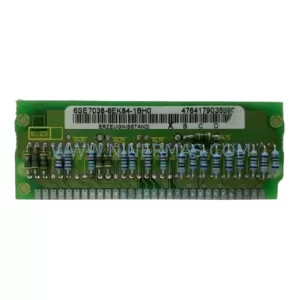
SKU: 6SE7038-6EK84-1BH0
Siemens 6SE7038-6EK84-1BH0 Retrofit Drive Control Module
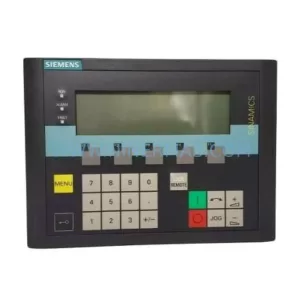
SKU: 6SL3055-0AA00-4CA5
Siemens 6SL3055-0AA00-4CA5 Retrofit-Compatible Operator Panel for Legacy Systems
Catalog Continuation
Alternative parts within PLC & Industrial Automation Modules.
Stay inside the same system family when you need substitutes, adjacent modules, or a broader shortlist for procurement review.

SKU: OZDPROFI12MG12
Hirschmann OZDPROFI12MG12 Spare Part for Industrial Maintenance



SKU: 07025-0000-70-1-04
KONTRON 07025-0000-70-1-04 Service-Ready Spare Part



