
Original Industrial Spare Part
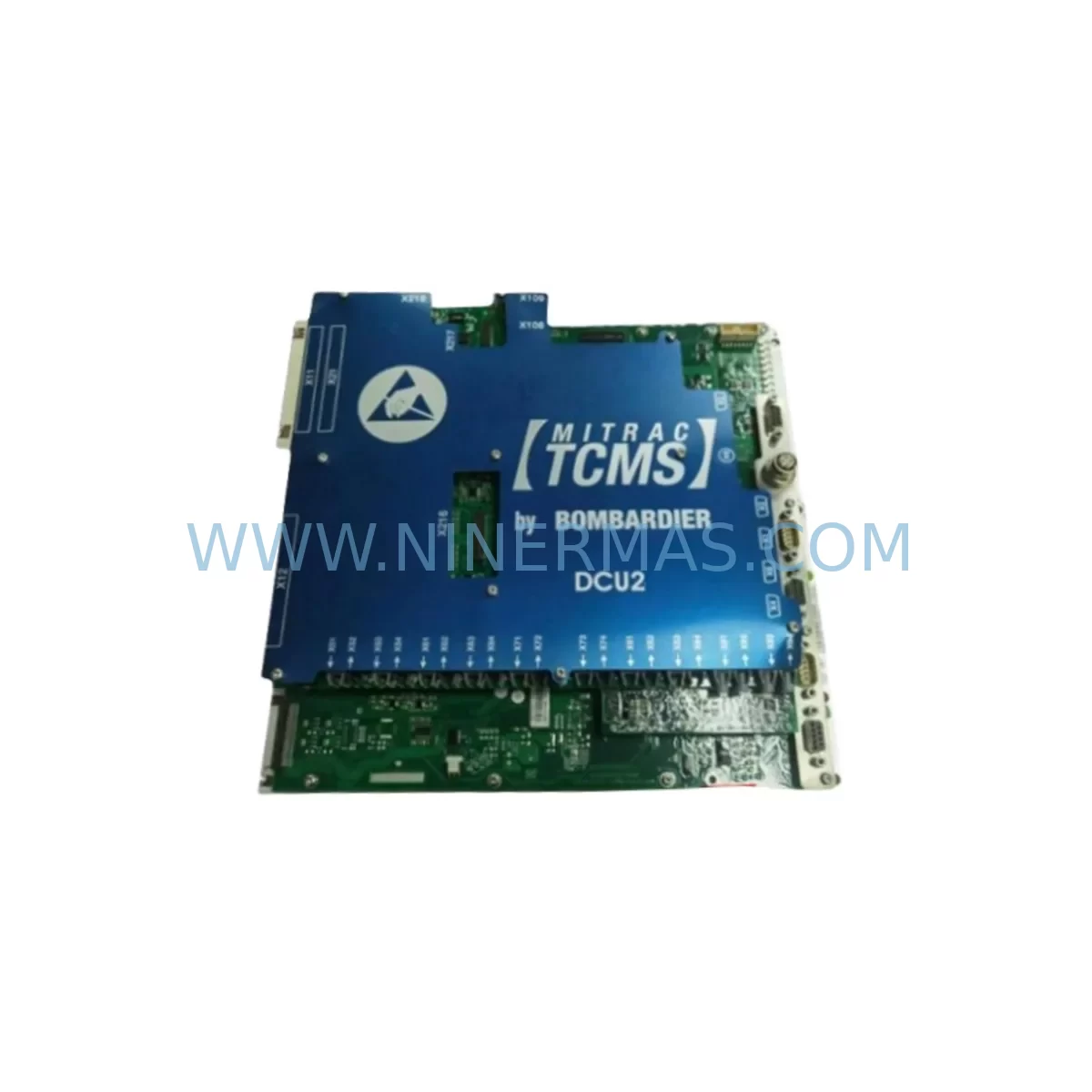
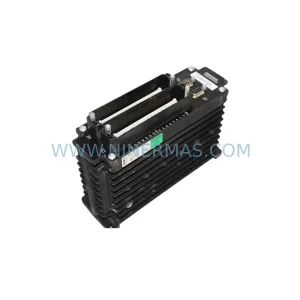
Bombardier DCU2 DCC 2580B Service-Ready Spare Part
Verify the part, confirm the platform family, and move straight into quotation with the right commercial details.
RFQ Ready
- SKUDCU2 DCC 2580B
- CategoryPLC & Industrial Automation Modules
- BrandBombardier
- SupportAvailability, lead time, condition, and shipping coordination
How Buyers Usually Use This Page
- Confirm the exact part number and platform family before sending the quote request.
- Use direct email when quantity, condition, and destination are already defined internally.
- Switch to the broader brand or category archive when you need alternates nearby.
Series Navigation
Move through the most common platform families behind this part.
Product RFQ
Send this part directly for quotation.
Include quantity, required condition, destination country, and target delivery timing. Current reference: Bombardier DCU2 DCC 2580B Service-Ready Spare Part with SKU DCU2 DCC 2580B.
Bombardier DCU2 DCC 2580B Service-Ready Spare Part for Industrial Maintenance
The Bombardier DCU2 DCC 2580B is a Drive Control Unit designed for use within the Bombardier DCC series drive control platform. As a critical spare part for industrial maintenance operations, this unit supports rapid fault recovery, planned annual overhauls, and long-term system life extension in facilities that continue to operate legacy Bombardier drive control architectures. Whether your maintenance team is responding to an unplanned shutdown or executing a scheduled control cabinet inspection, having a verified, pre-tested DCU2 DCC 2580B in your spare parts inventory is essential to minimizing production downtime and protecting system continuity.
The DCU2 functions as the central drive control processor within the DCC series platform, coordinating motor drive commands, feedback signal processing, and fault diagnostics. When this unit fails or degrades, the entire drive loop is affected — making fast, compatible replacement a top priority for both maintenance engineers and procurement teams. This spare is supplied fully tested prior to shipment, with a 12-month warranty covering manufacturing defects and functional performance under normal operating conditions.
Spare Maintenance Table
| Parameter | Specification / Detail |
|---|---|
| Part Number | DCU2 DCC 2580B |
| Brand / Series | Bombardier / DCC Series |
| Unit Type | Drive Control Unit (DCU) |
| Application | Industrial drive control, traction and process automation systems |
| Compatibility | Bombardier DCC series control platforms; legacy DCC drive cabinets |
| Installation | Rack/backplane mount; confirm slot address and connector pinout before installation |
| Communication | DCC series internal bus; verify protocol compatibility with host controller |
| Power Supply | Confirm DC bus voltage and auxiliary supply ratings against cabinet specification |
| Condition | Refurbished / New Old Stock — pre-shipment tested |
| Warranty | 12 Months from date of shipment |
| Lead Time | In stock — contact for availability confirmation |
| Origin | Canada |
Maintenance Planning for Continuous Operation
Effective maintenance planning for systems built around the Bombardier DCU2 DCC 2580B requires a holistic view of the drive control cabinet and its interconnected components. When a maintenance or procurement engineer schedules a replacement of this unit, several adjacent components should be inspected or staged simultaneously to avoid repeat shutdowns.
The DCC series backplane that hosts the DCU2 should be inspected for connector wear, oxidation, and mechanical damage before the new unit is seated. A degraded backplane can cause intermittent faults even after a successful board replacement. Similarly, the DCC power supply module — which provides regulated DC voltage to the control board stack — should be load-tested to confirm it can sustain the DCU2’s operating current without voltage droop.
On the I/O side, the DCC digital input/output modules connected to the drive control loop should be verified for signal integrity. Faulty I/O modules can mask or mimic DCU2 faults, leading to misdiagnosis. Inline signal isolators used to protect the DCU2’s analog feedback inputs from ground loops or voltage spikes should also be checked and replaced if response time has degraded.
The DCC communication interface module — responsible for linking the DCU2 to the supervisory PLC or DCS — should be confirmed operational before commissioning the replacement unit. A communication fault at this layer will prevent the new DCU2 from receiving setpoints or reporting status, even if the unit itself is fully functional. If the site uses a Modbus RTU or PROFIBUS DP link between the drive controller and the plant SCADA, the cable termination resistors and shield grounding should be verified as part of the replacement workflow.
Terminal blocks and DIN rail-mounted terminal strips within the control cabinet should be inspected for loose connections, especially on the feedback and reference signal wiring that feeds the DCU2. Loose terminals are a common root cause of intermittent drive faults and can cause premature failure of a newly installed spare. Blade-type fuses and miniature circuit breakers protecting the auxiliary supply circuits should also be checked and replaced if they show signs of thermal stress.
For sites with operator interface panels, the DCC-compatible HMI should be tested after the DCU2 replacement to confirm that drive status screens, fault history logs, and parameter displays are updating correctly. In some configurations, the HMI communicates directly with the DCU2 via a dedicated serial port, and the communication parameters — baud rate, parity, and station address — must match the replacement unit’s factory defaults or be reconfigured on-site.
Finally, if the site maintains a programming cable and laptop-based configuration tool for the DCC platform, this should be used to verify that the replacement DCU2’s firmware version is compatible with the existing application program. Parameter upload from a backup file should be performed before the unit is placed in service, and a full functional test — including a no-load drive run and a loaded ramp test — should be completed before the line is returned to production.
Site Replacement Workflow
When replacing the Bombardier DCU2 DCC 2580B on-site, a structured workflow reduces the risk of extended downtime and ensures the replacement unit is commissioned correctly the first time.
Step 1 — Isolation and Lockout: De-energize the drive cabinet following site LOTO procedures. Confirm that the DC bus has fully discharged before opening the cabinet door. Record the existing DCU2’s parameter settings and fault log using the DCC configuration tool if the unit is still partially functional.
Step 2 — Physical Inspection: Before removing the failed DCU2, inspect the backplane connector, adjacent modules, and wiring harness for signs of damage, overheating, or contamination. Document the slot address and any DIP switch or jumper settings on the outgoing unit.
Step 3 — Unit Swap: Remove the failed DCU2 and install the replacement DCC 2580B. Confirm that the backplane connector seats fully and that any retention screws or locking levers are engaged. Replicate the DIP switch and jumper configuration from the outgoing unit.
Step 4 — Parameter Restore: Connect the programming cable and upload the saved parameter file to the replacement unit. Verify that all drive parameters — including ramp times, current limits, speed references, and fault thresholds — match the application requirements.
Step 5 — Communication Verification: Confirm that the DCU2 is visible on the plant communication network. Check that the supervisory PLC or DCS is receiving valid status data from the drive controller before proceeding to a live test.
Step 6 — Functional Test: Perform a no-load test run to confirm basic drive operation, then a loaded test at reduced speed before returning to full production speed. Monitor the DCU2’s fault output and the drive’s current feedback during the test run.
Step 7 — Documentation: Record the replacement date, the new unit’s serial number, and the post-commissioning test results in the site maintenance log. Update the spare parts inventory to reflect the consumed unit and initiate a reorder if stock falls below the minimum holding level.
Spare Parts Support FAQ
Q1: Is the DCU2 DCC 2580B compatible with all DCC series drive cabinets?
The DCU2 DCC 2580B is designed for use within the Bombardier DCC series platform. Compatibility depends on the specific cabinet revision, backplane version, and firmware baseline in use at your site. We recommend confirming the existing unit’s part number suffix and hardware revision before ordering. Our technical team can assist with compatibility verification based on your cabinet’s nameplate data.
Q2: Is the unit tested before shipment?
Yes. Every DCU2 DCC 2580B supplied by NINERMAS undergoes pre-shipment functional testing to verify power-up behavior, communication response, and output signal integrity. A test report is available upon request. The unit is covered by a 12-month warranty from the date of shipment.
Q3: What is the typical lead time and long-term supply availability?
We maintain stock of the DCU2 DCC 2580B and can confirm current availability upon inquiry. For sites with planned annual maintenance schedules, we recommend securing a minimum of one spare unit per drive system to avoid lead time risk during unplanned failures. Long-term supply continuity is a core part of our spare parts strategy for legacy Bombardier DCC components.
Q4: Can NINERMAS support parameter backup and commissioning guidance?
We can provide general commissioning guidance and documentation references for the DCC series platform. For sites without an existing parameter backup, we recommend performing a parameter read from the installed unit before it fails, using the DCC configuration tool. If the unit has already failed and no backup exists, our team can advise on factory default parameter sets as a starting point for recommissioning.
| Product Series | Other series |
|---|
Catalog Continuation
More Bombardier modules in the catalog.
Use the brand lane to compare nearby part numbers, platform-adjacent modules, and other inquiry-ready listings before sending your final RFQ.
Catalog Continuation
Alternative parts within PLC & Industrial Automation Modules.
Stay inside the same system family when you need substitutes, adjacent modules, or a broader shortlist for procurement review.
SKU: SCE906A2-002-01 SCE906A200201
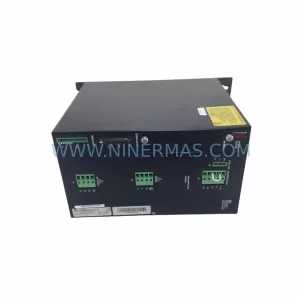
Pacific Scientific SCE906A2-002-01 Retrofit Servo Amplifier
SKU: EPC500 3183062451
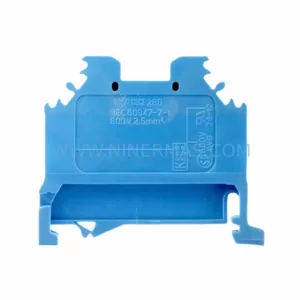
Alfa Laval EPC500 3183062451 Service-Ready Spare Part



