Original Industrial Spare Part
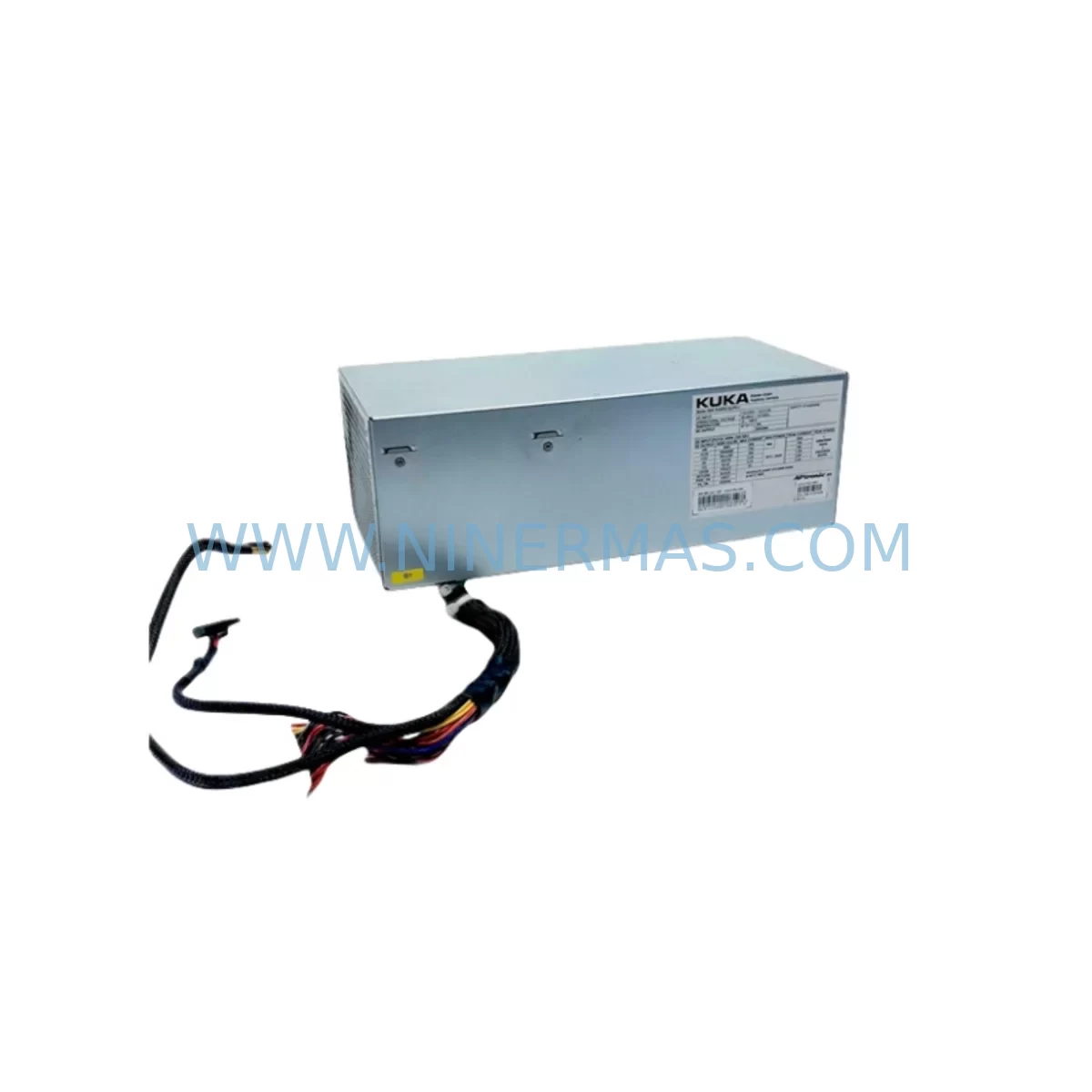
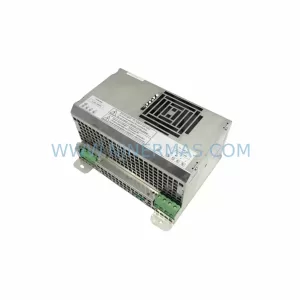
KUKA 00-205-143 Retrofit Power Supply for KR Series
Verify the part, confirm the platform family, and move straight into quotation with the right commercial details.
RFQ Ready
- SKU00-205-143
- CategoryPLC & Industrial Automation Modules
- BrandKUKA
- SupportAvailability, lead time, condition, and shipping coordination
How Buyers Usually Use This Page
- Confirm the exact part number and platform family before sending the quote request.
- Use direct email when quantity, condition, and destination are already defined internally.
- Switch to the broader brand or category archive when you need alternates nearby.
Series Navigation
Move through the most common platform families behind this part.
Product RFQ
Send this part directly for quotation.
Include quantity, required condition, destination country, and target delivery timing. Current reference: KUKA 00-205-143 Retrofit Power Supply for KR Series with SKU 00-205-143.
KUKA 00-205-143 Retrofit Power Supply for KR Series: Legacy-Compatible Upgrade for Industrial Robot Systems
The KUKA 00-205-143 is a factory-grade industrial power supply module designed for seamless integration into KUKA KR Series robot controllers, including legacy KRC1 and KRC2 cabinet configurations that remain active on production floors worldwide. As original KUKA spare parts become increasingly difficult to source through standard distribution channels, the 00-205-143 serves as a critical retrofit component for maintenance engineers and system integrators tasked with extending the operational life of existing automation infrastructure without committing to a full controller replacement.
This power supply module provides the regulated DC output voltages required by the KR Series controller backplane, supporting the drive electronics, I/O interface boards, and communication modules that form the backbone of KUKA robot control architecture. Its form factor and connector pinout are compatible with the original mounting positions inside the KRC cabinet, reducing installation time and eliminating the need for custom wiring harnesses or bracket fabrication during retrofit projects.
For facilities operating mixed fleets of KUKA KR 6, KR 16, KR 30, KR 60, or KR 150 robots alongside newer KRC4 or KRC5 controllers, maintaining a reliable supply of 00-205-143 units ensures that legacy cells can continue operating in parallel with modernized lines, protecting capital investment and deferring full system replacement until operationally appropriate.
Upgrade Compatibility Table
| Parameter | Details |
|---|---|
| SKU / Part Number | 00-205-143 |
| Brand | KUKA |
| Compatible Series | KR Series (KRC1, KRC2 cabinets) |
| Typical Robot Models | KR 6, KR 16, KR 30, KR 60, KR 150 |
| Module Function | Regulated DC Power Supply for Controller Backplane |
| Mounting Interface | Direct drop-in to KRC cabinet power bay; original connector pinout retained |
| Communication Compatibility | Compatible with KRC1/KRC2 internal bus; no firmware modification required |
| Replacement Scope | Direct replacement for failed or end-of-life 00-205-143 units |
| Installation Requirement | Verify input voltage range and cabinet grounding before installation |
| Commissioning Note | Re-initialize controller after module swap; confirm axis enable and safety relay status |
| Pre-Shipment Testing | Yes — functional load test performed before dispatch |
| Warranty | 12 Months from date of shipment |
| Origin | Germany |
Retrofit Planning for Existing Automation Systems
Replacing the 00-205-143 power supply is rarely an isolated task. In most KRC1 and KRC2 retrofit scenarios, the power supply failure is symptomatic of broader aging across the controller cabinet. A structured retrofit plan should account for the full electrical and mechanical context of the installation before the replacement unit is installed.
Begin by auditing the cabinet’s input power conditioning. The KRC2 cabinet typically draws single-phase or three-phase AC input through a dedicated circuit breaker and EMC filter assembly. If the filter or breaker shows signs of wear, replacing them alongside the 00-205-143 prevents repeat failures caused by upstream voltage transients. The KUKA KPS-600 or equivalent power supply section within the cabinet may also require inspection if the 00-205-143 failure was accompanied by drive fault codes on the teach pendant.
Terminal block integrity is a common oversight in aging cabinets. The X11 safety interface connector, X21 drive bus connector, and internal DC bus terminals should be inspected for oxidation, loose crimps, and insulation degradation before the new power supply is energized. Torque all terminal connections to specification and verify continuity across the DC distribution rail before closing the cabinet.
For systems using the KUKA KRC2 with a Profibus DP or DeviceNet communication card, confirm that the communication module’s power draw is within the new supply’s rated output. In some configurations, the addition of a KUKA KM 40 I/O expansion module or a third-party Anybus communication gateway may have increased the total load beyond the original design margin, contributing to premature power supply failure.
If the robot cell includes a KUKA KCP2 teach pendant connected via the X19 pendant cable, verify that the pendant interface board inside the cabinet is receiving correct supply voltage after the module swap. Pendant communication errors following a power supply replacement are typically caused by marginal voltage at the pendant interface rather than a fault in the pendant itself.
For cells where the KRC2 controller is networked to a Siemens S7-300 or S7-400 PLC via Profibus, or to an Allen-Bradley ControlLogix system via EtherNet/IP through a gateway, confirm that the robot’s communication node address and baud rate settings are preserved after the controller restart that follows the power supply replacement. In some cases, a battery-backed SRAM module within the KRC2 may need replacement if the controller has been without power for an extended period, as program and configuration data may be lost.
Facilities running KUKA WorkVisual for offline programming and configuration backup should ensure that a current project backup exists before beginning the retrofit. After the 00-205-143 is installed and the controller is restarted, deploy the saved WorkVisual project to restore axis mastering data, tool and base frame definitions, and safety configuration. If the cell uses a KUKA SmartPAD or legacy KCP teach pendant with custom HMI screens, verify that all operator interface elements display correctly and that the program selection and override controls respond as expected before returning the cell to production.
Physical installation space should be confirmed before ordering. The 00-205-143 occupies a defined slot within the KRC cabinet power section. If the cabinet has been modified to accommodate additional I/O modules, a KUKA KM 40 expansion rack, or supplementary cooling hardware, verify that the power supply bay remains unobstructed and that airflow through the cabinet is not compromised by the new module’s position.
Downtime Control During System Migration
Minimizing unplanned downtime during a KRC2 power supply replacement requires preparation that begins well before the maintenance window opens. The most effective approach is to treat the 00-205-143 replacement as a planned maintenance event rather than an emergency repair, even when the failure is sudden.
Before the maintenance window, use KUKA WorkVisual or the KRC2’s built-in backup utility to create a full controller backup, including robot programs, system configuration, safety parameters, and mastering data. Store this backup on an external USB drive or network share that is accessible from the cabinet location. If the controller is connected to a plant-level SCADA or MES system, notify the operations team of the planned outage window and confirm that the cell’s production schedule can accommodate the downtime.
During the replacement, follow a structured sequence: isolate the cabinet from mains power using the main disconnect, discharge any residual energy in the DC bus capacitors according to the KRC2 service manual, remove the failed 00-205-143, install the replacement unit, verify all connector seating, and restore mains power. Perform a controlled startup sequence, monitoring the controller’s boot messages on the teach pendant for any fault codes that indicate incomplete initialization or hardware mismatch.
After the controller reaches the ready state, restore the WorkVisual project backup, re-master all axes using the stored mastering values, and run a slow-speed test cycle through the robot’s full working envelope before returning to production speed. If the cell uses external safety devices such as a SICK safety scanner, Pilz PNOZ relay, or Schmersal safety interlock, verify that all safety circuits are correctly recognized by the KRC2 safety controller before enabling automatic mode.
For facilities with multiple KR Series robots sharing a common controller network, consider staggering the replacement schedule to maintain partial cell productivity during the maintenance period. Keeping one or two pre-tested 00-205-143 units in local spare parts inventory eliminates lead time as a factor in downtime duration and is strongly recommended for facilities where robot uptime is directly tied to production throughput targets.
Retrofit Support FAQ
Q: Is the KUKA 00-205-143 a direct replacement for the original unit in my KRC2 cabinet?
A: Yes. The 00-205-143 is designed as a direct drop-in replacement for the original power supply module in KRC1 and KRC2 cabinets. The connector pinout, mounting dimensions, and output voltage specifications match the original unit. No wiring modifications or bracket fabrication are required for standard cabinet configurations.
Q: What commissioning steps are required after installing the 00-205-143?
A: After installation, restore mains power and allow the KRC2 controller to complete its boot sequence. Check the teach pendant for any fault codes related to drive initialization or safety relay status. Restore your WorkVisual project backup, re-master all robot axes using stored mastering values, and run a slow-speed test cycle before returning to production. If the controller was without power for an extended period, check the SRAM battery status and replace if necessary.
Q: How do I verify compatibility if my cabinet has been modified with additional I/O or communication modules?
A: Calculate the total power draw of all installed modules, including any KUKA KM 40 I/O expansion modules, Profibus or DeviceNet communication cards, and third-party gateway devices. Confirm that the total load is within the 00-205-143’s rated output capacity. If the load has increased significantly due to cabinet modifications, consult the KRC2 service documentation or contact our technical team before installation.
Q: What warranty and testing does this unit include?
A: Every 00-205-143 unit is functionally tested under load before shipment to verify output voltage regulation, ripple performance, and thermal stability. The unit is covered by a 12-month warranty from the date of shipment. In-stock units are available for immediate dispatch, and our team can provide documentation of test results upon request.
| Product Series | Power Supply for KR Series |
|---|---|
| Country of Origin | DE |
Catalog Continuation
More KUKA modules in the catalog.
Use the brand lane to compare nearby part numbers, platform-adjacent modules, and other inquiry-ready listings before sending your final RFQ.
SKU: 033.56.84.10C 033.56.84.10D
KUKA 033.56.84.10C/10D Retrofit-Compatible Gearbox for Legacy Systems
Catalog Continuation
Alternative parts within PLC & Industrial Automation Modules.
Stay inside the same system family when you need substitutes, adjacent modules, or a broader shortlist for procurement review.
SKU: BFK458-25 (400 N.M) 180VDC
Lenze BFK458-25 400NM 180VDC Service-Ready Spare Part
SKU: 6ES7138-4CF03-0AB0
Siemens 6ES7138-4CF03-0AB0 Service-Ready Spare Part for Industrial Maintenance