Original Industrial Spare Part
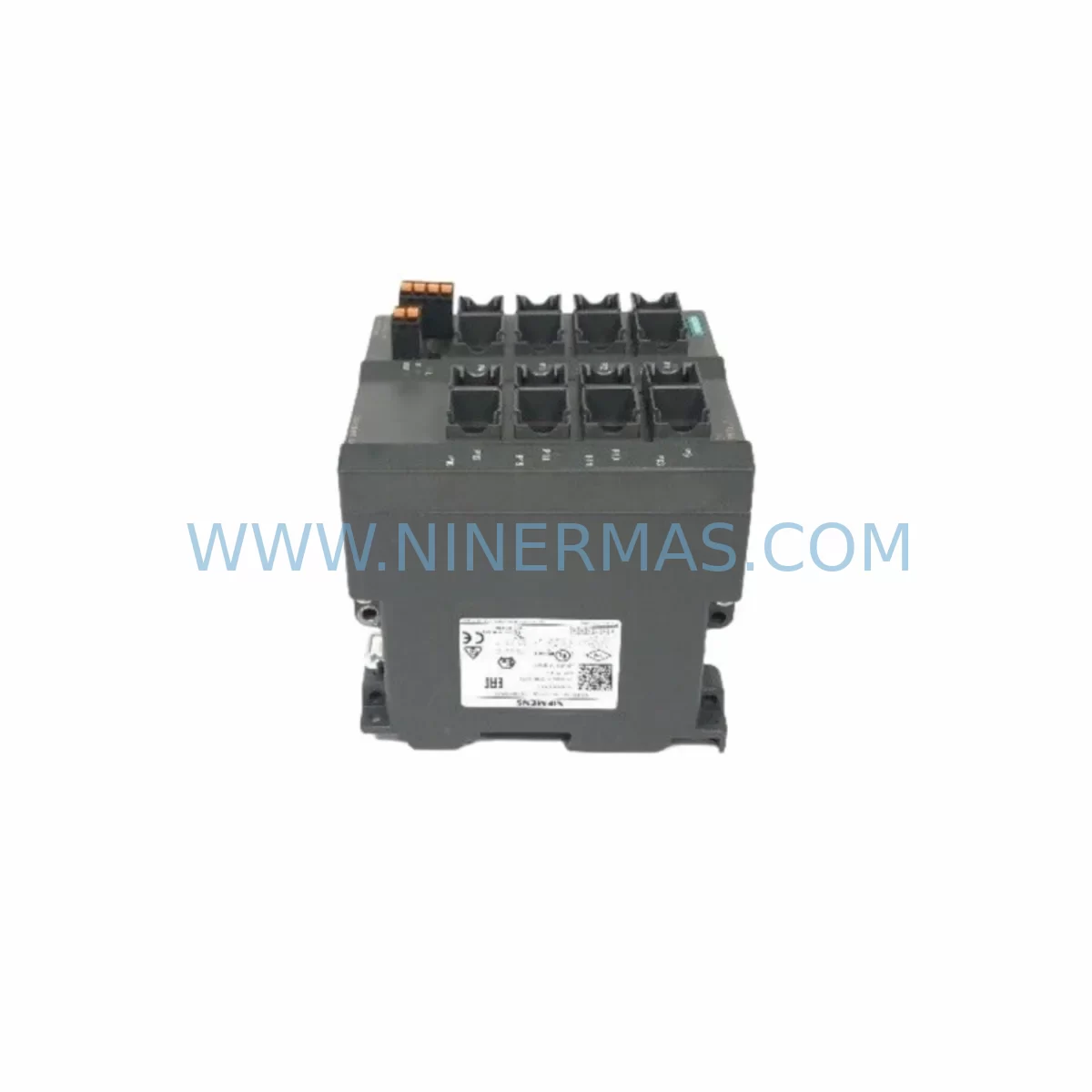
Siemens 6GK5216-0BA00-2AA3 Service-Ready Spare Part for Industrial Maintenance
Verify the part, confirm the platform family, and move straight into quotation with the right commercial details.
RFQ Ready
- SKU6GK5216-0BA00-2AA3
- CategoryPLC & Industrial Automation Modules
- BrandSiemens
- SupportAvailability, lead time, condition, and shipping coordination
How Buyers Usually Use This Page
- Confirm the exact part number and platform family before sending the quote request.
- Use direct email when quantity, condition, and destination are already defined internally.
- Switch to the broader brand or category archive when you need alternates nearby.
Series Navigation
Move through the most common platform families behind this part.
Product RFQ
Send this part directly for quotation.
Include quantity, required condition, destination country, and target delivery timing. Current reference: Siemens 6GK5216-0BA00-2AA3 Service-Ready Spare Part for Industrial Maintenance with SKU 6GK5216-0BA00-2AA3.
Siemens 6GK5216-0BA00-2AA3 Service-Ready Spare Part for Industrial Maintenance
The Siemens 6GK5216-0BA00-2AA3 is a managed industrial Ethernet switch from the SCALANCE X200 series, engineered for reliable network communication in demanding automation environments. As a service-ready spare part, it is stocked and pre-tested to support rapid on-site replacement, minimise unplanned downtime, and sustain continuous operation across PROFINET, PROFIBUS, and Ethernet-based control architectures. Whether you are managing a scheduled annual overhaul, responding to an emergency network fault, or building a strategic spare parts inventory for a critical production line, the 6GK5216-0BA00-2AA3 delivers the compatibility, durability, and supply assurance that maintenance and procurement engineers require.
Industrial Ethernet switches such as the SCALANCE X200 series are central to the communication backbone of modern control cabinets. A failed or degraded switch can cascade into PLC communication loss, HMI disconnection, and full production stoppage. Holding a verified replacement unit on-site — or securing one through a long-term supply agreement — is a fundamental element of any robust maintenance strategy for facilities running Siemens S7-300, S7-400, S7-1500, or distributed I/O systems.
Spare Maintenance Table
| Parameter | Specification |
|---|---|
| Part Number (SKU) | 6GK5216-0BA00-2AA3 |
| Brand | Siemens |
| Series | SCALANCE X200 |
| Product Type | Managed Industrial Ethernet Switch |
| Ports | 16 × RJ45 10/100 Mbit/s |
| Management | Web-based, SNMP, CLI |
| Supply Voltage | 24 V DC (SELV/PELV) |
| Power Consumption | Approx. 8 W (typical) |
| Operating Temperature | 0 °C to +60 °C |
| Protection Class | IP30 |
| Mounting | DIN rail / S7-300 rail compatible |
| Protocol Support | PROFINET IO, IGMP Snooping, VLAN, Spanning Tree |
| Compatibility | Siemens S7-300, S7-400, S7-1500, ET 200 distributed I/O, SIMATIC NET |
| Country of Origin | Germany |
| Warranty | 12 Months — covers manufacturing defects and functional failure under normal operating conditions |
| Pre-shipment Testing | Power-on functional verification, port link test, firmware check |
| Delivery Condition | Service-ready, individually packaged |
Maintenance Planning for Continuous Operation
When replacing the 6GK5216-0BA00-2AA3 in a live control cabinet, a disciplined maintenance engineer will not stop at the switch itself. The surrounding electrical and communication infrastructure must be inspected simultaneously to prevent repeat failures and ensure the restored network performs reliably through the next maintenance cycle.
Begin with the 24 V DC power supply feeding the switch — units such as the Siemens SITOP PSU100S or equivalent DIN-rail power supplies should be load-tested and checked for output ripple, as an unstable supply voltage is a leading cause of premature switch failure. Inspect the terminal blocks and power wiring at the cabinet entry point; corroded or loose terminals introduce voltage drops that degrade switch performance under load.
Review all RJ45 patch cables and industrial Ethernet cables connected to the switch. In high-vibration or high-temperature environments, cable shielding degrades over time, introducing noise that manifests as intermittent communication faults. Replace any cables showing jacket cracking, connector corrosion, or bend-radius violations. For PROFINET-critical links, verify that cables meet Cat 5e or Cat 6 industrial specifications.
Check the PROFINET IO controller configuration in the connected S7-1500 or S7-300 CPU — after switch replacement, device names and IP address assignments must be re-confirmed in TIA Portal or STEP 7 to avoid address conflicts. If the cabinet includes a CP 343-1 or CP 443-1 communications processor, verify its firmware version and connection parameters, as these modules interact directly with the SCALANCE switch for PROFINET device management.
Inspect any ET 200SP or ET 200M distributed I/O stations connected through the switch. A switch replacement is an ideal opportunity to verify that all I/O modules are seated correctly, that their status LEDs indicate normal operation, and that no diagnostic alarms are pending in the CPU. Similarly, check signal isolators and surge protection devices on analogue I/O lines entering the cabinet — these components are often overlooked during network-focused maintenance but are critical to signal integrity.
If the control system includes a SIMATIC HMI panel (such as a KTP700, TP1200, or Comfort Panel) communicating via Ethernet, confirm that the HMI project’s network settings align with the replacement switch’s VLAN and port configuration. An HMI that loses its network path during a switch swap can trigger operator alarms and complicate the restart sequence. For cabinets with SCALANCE W wireless access points or SCALANCE S security modules in the same network segment, review their configuration files to ensure compatibility with the restored switch topology.
Finally, document the replacement event in your CMMS or maintenance log, recording the switch serial number, firmware version loaded, port assignments, and the date of installation. This record supports future fault analysis and underpins the 12-month warranty claim process if a defect is identified within the coverage period.
Site Replacement Workflow
The 6GK5216-0BA00-2AA3 is a direct form-fit-function replacement for earlier SCALANCE X200 variants, including the 6GK5216-0BA00-2AA3 predecessor revisions and compatible X216 configurations. The DIN-rail footprint, port layout, and power connector are consistent across the X200 series, allowing a trained technician to complete a physical swap in under 15 minutes without cabinet modification.
Step 1 — Isolation: Notify the control room and place the affected network segment into a safe state. Where possible, use the managed switch’s port-disable feature to isolate the faulty unit before physical removal, reducing the impact on connected devices.
Step 2 — Configuration backup: If the existing switch is still partially functional, export its configuration via the web interface or SINEMA Remote Connect before removal. This backup accelerates recommissioning of the replacement unit.
Step 3 — Physical replacement: Disconnect power, remove all Ethernet cables (label each port before removal), unclip the switch from the DIN rail, and install the replacement 6GK5216-0BA00-2AA3. Reconnect cables in the original port sequence.
Step 4 — Configuration restore: Apply the saved configuration or manually re-enter VLAN, PROFINET device name, IP address, and port settings via the web interface. Confirm firmware version matches your site standard — update if required before going live.
Step 5 — Functional verification: Restore power, confirm all port link LEDs are active, check PROFINET diagnostic status in TIA Portal, and verify HMI communication is restored. Log the completion time and update your spare parts inventory record.
This workflow is designed to minimise mean time to repair (MTTR) and restore production within a single maintenance window, avoiding the extended downtime associated with sourcing replacement parts reactively from the open market.
Spare Parts Support FAQ
Q1: Is the 6GK5216-0BA00-2AA3 compatible with my existing SCALANCE X200 network configuration?
Yes. The 6GK5216-0BA00-2AA3 is fully compatible with SCALANCE X200 series network topologies and supports standard PROFINET IO, VLAN, and IGMP configurations used in Siemens S7-based control systems. Before installation, confirm the firmware version matches your site standard and verify port assignments against your network diagram. If your system uses a specific PROFINET device name, this must be reassigned to the replacement unit via TIA Portal or STEP 7 during commissioning.
Q2: What pre-shipment testing is performed before delivery?
Every unit undergoes power-on functional verification, port link testing across all 16 RJ45 ports, and a firmware integrity check before dispatch. Units are individually packaged to prevent transit damage. A test report is available upon request for quality-critical procurement processes. The 12-month warranty covers manufacturing defects and functional failure under normal operating conditions from the date of delivery.
Q3: Can you support long-term spare parts supply agreements for this SKU?
Yes. NINERMAS supports long-term supply arrangements for the 6GK5216-0BA00-2AA3 and related SCALANCE X200 series components. For facilities with annual maintenance schedules or multi-site spare parts programmes, we can discuss reserved stock allocation, scheduled delivery, and volume pricing. Contact our team to discuss your maintenance planning requirements and establish a supply framework that aligns with your shutdown calendar.
Q4: What should I do if the replacement switch does not resolve the network fault?
If the network fault persists after switch replacement, the issue is likely upstream or downstream of the switch. Inspect the 24 V DC power supply for output stability, check all patch cables for continuity and shielding integrity, and review the PROFINET diagnostic buffer in the connected CPU for device-level fault codes. If a CP communications module or distributed I/O station is reporting errors, address those components next. Our technical support team can assist with fault isolation guidance — contact sale@ninermas.com with your system topology and diagnostic data.
| Product Series | SIMATIC |
|---|---|
| Country of Origin | DE |
Catalog Continuation
More Siemens modules in the catalog.
Use the brand lane to compare nearby part numbers, platform-adjacent modules, and other inquiry-ready listings before sending your final RFQ.
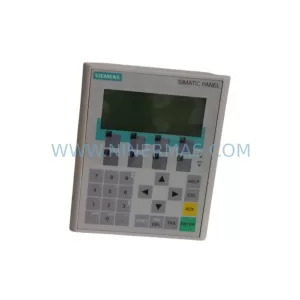
SKU: 6AV6641-0CA01-0AX1
Siemens 6AV6641-0CA01-0AX1 Service-Ready Spare Part for Industrial Maintenance
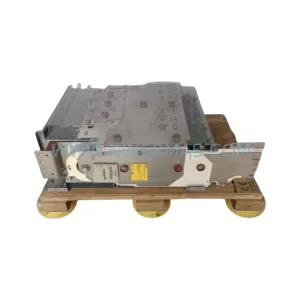
SKU: 6SE7037-0EK84-1JC2
SIEMENS 6SE7037-0EK84-1JC2 Retrofit AC Drive Legacy Systems
Catalog Continuation
Alternative parts within PLC & Industrial Automation Modules.
Stay inside the same system family when you need substitutes, adjacent modules, or a broader shortlist for procurement review.