Original Industrial Spare Part
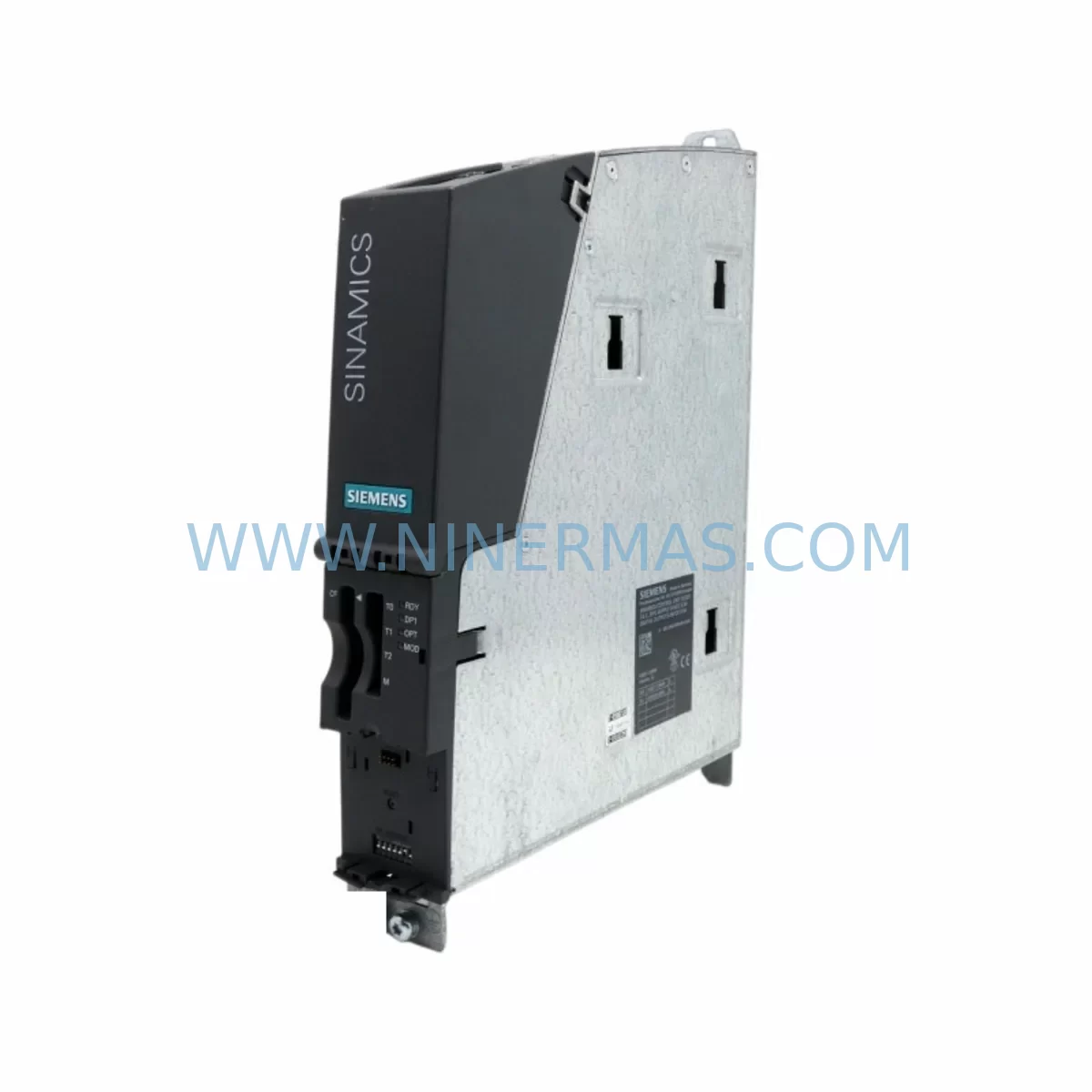
Siemens 6SL3040-0MA00-0AA1 Retrofit-Compatible CU320 Control Unit
Verify the part, confirm the platform family, and move straight into quotation with the right commercial details.
RFQ Ready
- SKU6SL3040-0MA00-0AA1
- CategoryPLC & Industrial Automation Modules
- BrandSiemens
- SupportAvailability, lead time, condition, and shipping coordination
How Buyers Usually Use This Page
- Confirm the exact part number and platform family before sending the quote request.
- Use direct email when quantity, condition, and destination are already defined internally.
- Switch to the broader brand or category archive when you need alternates nearby.
Series Navigation
Move through the most common platform families behind this part.
Product RFQ
Send this part directly for quotation.
Include quantity, required condition, destination country, and target delivery timing. Current reference: Siemens 6SL3040-0MA00-0AA1 Retrofit-Compatible CU320 Control Unit with SKU 6SL3040-0MA00-0AA1.
Siemens 6SL3040-0MA00-0AA1 Retrofit-Compatible CU320 Control Unit for Legacy SINAMICS S120 Systems
The Siemens 6SL3040-0MA00-0AA1 is a CU320 Control Unit designed for the SINAMICS S120 drive platform, widely deployed across processing industries, paper mills, steel plants, and continuous manufacturing lines. As legacy SINAMICS S120 installations age and original CU320 units reach end-of-life, the 6SL3040-0MA00-0AA1 serves as a direct retrofit-compatible replacement that preserves existing wiring infrastructure, backplane connections, and drive topology without requiring a full system overhaul.
NINERMAS maintains verified stock of the 6SL3040-0MA00-0AA1 to support planned maintenance windows, emergency breakdowns, and long-term spare parts programs. Each unit undergoes pre-shipment functional testing and ships with a 12-month warranty, giving engineering and procurement teams confidence in both delivery timelines and post-installation reliability.
Upgrade Compatibility Table
| Parameter | Details |
|---|---|
| Part Number | 6SL3040-0MA00-0AA1 |
| Module Type | CU320 Control Unit |
| Platform | SINAMICS S120 |
| Interface | DRIVE-CLiQ, PROFIBUS DP, Digital I/O |
| Backplane Compatibility | Compatible with SINAMICS S120 booksize and chassis format racks |
| Firmware | Supports SINAMICS S120 firmware upload via CompactFlash or STARTER/SCOUT |
| Replaces | Earlier CU320 revisions; direct drop-in for same-format installations |
| Communication | PROFIBUS DP (up to 12 Mbit/s); DRIVE-CLiQ topology preserved |
| Commissioning Tool | SIEMENS STARTER / SINAMICS SCOUT / TIA Portal with S120 add-in |
| Installation Space | Standard S120 booksize slot; verify cabinet depth and cooling clearance |
| Pre-Shipment Test | Yes — functional verification before dispatch |
| Warranty | 12 Months |
Retrofit Planning for Existing Automation Systems
Replacing a CU320 control unit in an active SINAMICS S120 installation requires careful pre-planning to protect program logic, preserve axis configurations, and avoid unplanned downtime. Before removing the existing 6SL3040-0MA00-0AA1 or its predecessor, engineers should back up the complete drive project using SIEMENS STARTER or SINAMICS SCOUT, including all axis parameters, setpoint sources, and safety function configurations stored on the CompactFlash card.
The DRIVE-CLiQ wiring topology must be documented prior to disassembly. Each DRIVE-CLiQ cable connects the CU320 to downstream components such as the ALM (Active Line Module), SLM (Smart Line Module), Single Motor Modules, and Double Motor Modules. Incorrect reconnection sequence after CU320 replacement can cause topology recognition errors during startup. Label each DRIVE-CLiQ port and cable before removal.
Terminal wiring on the CU320’s digital I/O interface — typically used for enable signals, fault acknowledgment, external interlocks, and speed references — should be photographed and mapped against the existing wiring diagram. The 6SL3040-0MA00-0AA1 maintains the same terminal layout as earlier CU320 variants, but field verification against the site-specific wiring schedule is always recommended before energizing.
For installations using PROFIBUS DP as the primary communication link to a SIMATIC S7-300, S7-400, or S7-1500 PLC, the PROFIBUS node address stored in the CU320 must be re-entered after replacement. The address is not retained on the CompactFlash card in all firmware versions — confirm this with the project backup before proceeding. Where PROFINET has been introduced as part of a broader network migration, the CU320 replacement window is often used to simultaneously upgrade the communication module and re-map I/O addresses in the PLC program.
Power supply integrity is a critical checkpoint during CU320 retrofit. The 24 VDC control supply feeding the CU320 and associated SITOP power supply modules should be verified for voltage stability and ripple before the new unit is installed. Undersized or aging power supplies are a common root cause of repeated CU320 faults in legacy systems. If the existing SITOP PSU shows signs of wear, replacement alongside the CU320 is advisable to prevent repeat failures.
Where the installation includes a Sensor Module Cabinet-Mounted (SMC) for encoder feedback, or a Terminal Module (TM31, TM41) for additional analog and digital I/O expansion, these modules remain in place during CU320 replacement and are re-recognized automatically via DRIVE-CLiQ after the new control unit is powered and the project is restored. Similarly, the Braking Module and associated braking resistor circuits are unaffected by the CU320 swap and do not require reconfiguration.
For sites running SIMATIC HMI panels — including TP700, TP900, or KTP series — connected to the drive system via PROFIBUS or PROFINET, the HMI screen logic and tag bindings do not require modification following a like-for-like CU320 replacement. However, if the replacement is combined with a firmware upgrade, HMI tag names and drive parameter addresses should be cross-checked against the new firmware’s parameter list to confirm compatibility.
Downtime Control During System Migration
Minimizing production interruption during a CU320 replacement begins with preparation, not execution. A well-structured replacement procedure for the 6SL3040-0MA00-0AA1 can typically be completed within a planned maintenance window of four to eight hours, depending on system complexity and the number of axes controlled.
The most effective downtime reduction strategy is to pre-configure the replacement CU320 offline before the maintenance window begins. Using SIEMENS STARTER or SINAMICS SCOUT, the complete drive project — including all axis parameters, safety configurations, and communication settings — can be loaded onto the CompactFlash card of the new unit in advance. When the maintenance window opens, the swap becomes a hardware exchange followed by a controlled startup sequence rather than a full recommissioning exercise.
During the startup sequence after CU320 replacement, the drive system will perform a DRIVE-CLiQ topology scan. Engineers should monitor the fault buffer and alarm list carefully during first energization. Common startup faults following CU320 replacement include topology mismatch errors (F01375), encoder recognition failures, and PROFIBUS communication timeouts — all of which are resolvable through parameter adjustment without requiring hardware changes.
Where the production process cannot tolerate even a brief interruption, a cold standby strategy using a pre-configured spare 6SL3040-0MA00-0AA1 held on-site provides the fastest possible recovery path. NINERMAS supports long-term spare parts programs that allow customers to hold pre-tested, pre-configured units in their own stores, reducing mean time to repair (MTTR) to under two hours in most scenarios.
Field commissioning support, including parameter verification, DRIVE-CLiQ topology confirmation, and first-run axis testing, should be planned as part of the replacement procedure. Documenting the post-replacement parameter set and comparing it against the pre-replacement backup provides a clear audit trail and confirms that the system has been restored to its original operating state.
Retrofit Support FAQ
Q1: Is the 6SL3040-0MA00-0AA1 a direct replacement for earlier CU320 revisions?
Yes. The 6SL3040-0MA00-0AA1 is designed as a retrofit-compatible replacement for earlier CU320 control unit variants used in SINAMICS S120 booksize and chassis installations. The DRIVE-CLiQ interface, terminal layout, and CompactFlash slot are consistent across CU320 generations, allowing direct substitution without mechanical modification. Firmware version compatibility should be confirmed against the existing drive project before installation.
Q2: What commissioning steps are required after replacing the CU320?
After installing the 6SL3040-0MA00-0AA1, restore the drive project from the CompactFlash card or via STARTER/SCOUT. Power up the system and allow the DRIVE-CLiQ topology scan to complete. Verify the PROFIBUS node address, check digital I/O assignments, confirm encoder feedback recognition via the SMC module, and perform a no-load test run on each axis before returning the system to production. Safety function validation (STO, SS1, SLS) must be re-verified if safety-integrated functions are active.
Q3: Does NINERMAS provide pre-shipment testing and what does the 12-month warranty cover?
Yes. Every 6SL3040-0MA00-0AA1 unit supplied by NINERMAS undergoes functional pre-shipment testing to verify power-up behavior, communication interface integrity, and I/O response. The 12-month warranty covers manufacturing defects and functional failures under normal operating conditions. Units that fail within the warranty period are replaced or repaired at no additional cost. Warranty claims are supported by NINERMAS’s technical team with documented fault analysis.
Q4: Can NINERMAS support long-term spare parts supply for the 6SL3040-0MA00-0AA1?
Yes. NINERMAS offers structured spare parts programs for the 6SL3040-0MA00-0AA1 and the broader SINAMICS S120 platform, including CU320 control units, Line Modules, Motor Modules, and associated DRIVE-CLiQ components. Long-term supply agreements can be arranged to ensure stock availability aligned with your planned maintenance schedule and asset lifecycle strategy. Contact our team to discuss volume requirements and delivery lead times.
| Product Series | SINAMICS |
|---|---|
| Country of Origin | DE |
Catalog Continuation
More Siemens modules in the catalog.
Use the brand lane to compare nearby part numbers, platform-adjacent modules, and other inquiry-ready listings before sending your final RFQ.
SKU: 6SE7038-6EK84-1BH0
Siemens 6SE7038-6EK84-1BH0 Retrofit Drive Control Module
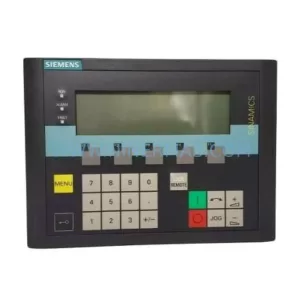
SKU: 6SL3055-0AA00-4CA5
Siemens 6SL3055-0AA00-4CA5 Retrofit-Compatible Operator Panel for Legacy Systems
Catalog Continuation
Alternative parts within PLC & Industrial Automation Modules.
Stay inside the same system family when you need substitutes, adjacent modules, or a broader shortlist for procurement review.

SKU: OZDPROFI12MG12
Hirschmann OZDPROFI12MG12 Spare Part for Industrial Maintenance



SKU: 07025-0000-70-1-04
KONTRON 07025-0000-70-1-04 Service-Ready Spare Part