
Original Industrial Spare Part
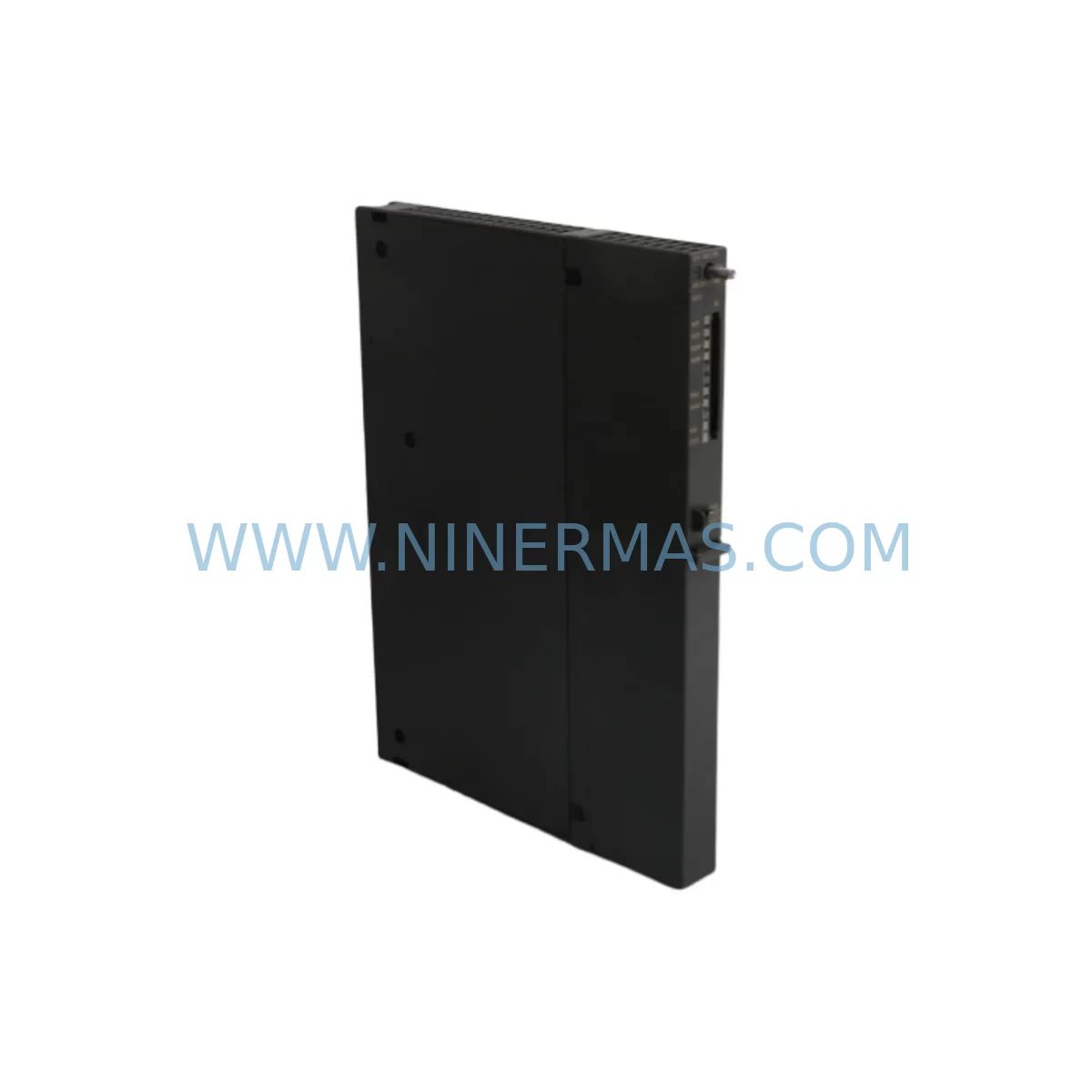
SIEMENS 6ES7412-2EK06-0AB0 Retrofit-Compatible CPU for S7-400
Verify the part, confirm the platform family, and move straight into quotation with the right commercial details.
RFQ Ready
- SKU6ES7412-2EK06-0AB0
- CategoryPLC & Industrial Automation Modules
- BrandSiemens
- SupportAvailability, lead time, condition, and shipping coordination
How Buyers Usually Use This Page
- Confirm the exact part number and platform family before sending the quote request.
- Use direct email when quantity, condition, and destination are already defined internally.
- Switch to the broader brand or category archive when you need alternates nearby.
Series Navigation
Move through the most common platform families behind this part.
Product RFQ
Send this part directly for quotation.
Include quantity, required condition, destination country, and target delivery timing. Current reference: SIEMENS 6ES7412-2EK06-0AB0 Retrofit-Compatible CPU for S7-400 with SKU 6ES7412-2EK06-0AB0.
SIEMENS 6ES7412-2EK06-0AB0 Retrofit-Compatible CPU for Legacy S7-400 Systems
The SIEMENS 6ES7412-2EK06-0AB0 is a SIMATIC S7-400 CPU 412-2 PN/DP module engineered for demanding industrial automation environments. As legacy S7-400 platforms age and original CPU modules reach end-of-life, the 6ES7412-2EK06-0AB0 provides a verified retrofit-compatible replacement path — enabling production facilities to extend system life, avoid costly full-platform migrations, and maintain control continuity without rewriting core program logic.
This CPU supports both PROFINET IO and PROFIBUS DP communication interfaces, making it directly compatible with existing field device networks, distributed I/O racks, and HMI connections already deployed in the control cabinet. Its dual-port architecture allows engineers to retain existing communication topologies during the replacement process, significantly reducing commissioning time and downtime risk.
At NINERMAS, every 6ES7412-2EK06-0AB0 unit undergoes pre-shipment functional testing to verify CPU initialization, memory integrity, communication port operation, and firmware compatibility before dispatch. Units are supplied with a 12-month warranty and backed by stable inventory for long-term spare parts programs.
Upgrade Compatibility Table
| Parameter | Details |
|---|---|
| SKU / Order Number | 6ES7412-2EK06-0AB0 |
| Series | SIMATIC S7-400 |
| Module Type | CPU 412-2 PN/DP |
| Communication Interfaces | 1× PROFINET IO (2-port switch), 1× PROFIBUS DP (MPI/DP) |
| Work Memory | 1.4 MB (code + data) |
| Rack Compatibility | UR1, UR2, UR2-H, CR2, CR3 (S7-400 standard racks) |
| Power Supply Compatibility | PS 405 / PS 407 series (4A / 10A / 20A variants) |
| Installation | S7-400 backplane slot, no additional mounting hardware required |
| Replacement Recommendation | Direct slot-compatible replacement for earlier 6ES7412-2EK05-0AB0 and 6ES7412-2EK04-0AB0 |
| Commissioning Notes | Verify STEP 7 / TIA Portal project CPU type assignment; update hardware configuration if firmware version differs |
| Operating Temperature | 0 °C to +60 °C |
| Protection Class | IP20 |
| Origin | Germany |
| Warranty | 12 Months (NINERMAS) |
Retrofit Planning for Existing Automation Systems
Replacing a CPU in an operational S7-400 system requires careful pre-migration planning across multiple subsystems. The 6ES7412-2EK06-0AB0 slots directly into standard S7-400 racks including the UR1 and UR2 universal racks, eliminating the need for mechanical modifications. However, engineers must verify the following before proceeding:
Power Supply Capacity: Confirm that the installed SIEMENS PS 407 10A (6ES7407-0KA02-0AA0) or equivalent power supply module provides sufficient current budget for the CPU plus all installed I/O and communication modules. Undersized power supplies are a leading cause of intermittent faults during post-replacement commissioning.
Backplane and Rack Integrity: Inspect the S7-400 backplane bus connectors for oxidation or mechanical wear before seating the replacement CPU. Damaged backplane contacts can cause address recognition errors or prevent the CPU from entering RUN mode. If the rack has been in service for more than 10 years, consider replacing the UR2 rack assembly as part of the same maintenance window.
I/O Module Address Mapping: All installed SM 321 digital input modules, SM 322 digital output modules, SM 331 analog input modules, and SM 332 analog output modules retain their configured slot addresses. The replacement CPU reads these addresses from the hardware configuration stored in the STEP 7 project. Ensure the project file is backed up and the CPU memory card (6ES7952-1KK00-0AA0 or equivalent) is correctly programmed before power-up.
Communication Link Verification: The 6ES7412-2EK06-0AB0 supports PROFIBUS DP master/slave operation. Existing CP 443-1 Ethernet communication processors and CP 342-5 PROFIBUS modules installed in the same rack will continue to operate without reconfiguration, provided the CPU’s MPI/DP address is set identically to the replaced unit. PROFINET IO device assignments must be verified in the hardware configuration to avoid IP address conflicts.
HMI and SCADA Connectivity: If the control system includes a SIEMENS TP1500 Comfort Panel or WinCC SCADA station connected via MPI or PROFINET, confirm that the HMI project’s PLC connection parameters match the replacement CPU’s configured address and subnet. No HMI program changes are typically required if the CPU address is preserved.
Programming Cable and Firmware: Use a SIEMENS PC Adapter USB A2 (6ES7972-0CB20-0XA0) or PROFINET-connected PG/PC to load the project and perform online diagnostics after replacement. Verify that the installed firmware version is compatible with the STEP 7 or TIA Portal version used in the project. Firmware updates can be performed via the memory card or online programming interface.
Downtime Control During System Migration
Minimizing production interruption during a CPU replacement requires a structured approach. At NINERMAS, we recommend the following sequence to protect program logic and maintain field control continuity:
1. Pre-Replacement Backup: Upload the complete project from the existing CPU using STEP 7 or TIA Portal. Save the program blocks, hardware configuration, symbol table, and force tables. Archive the project to both local storage and an off-site backup location.
2. Memory Card Preparation: Pre-program the replacement CPU’s memory card with the verified project offline. This allows the new CPU to boot directly into the correct configuration without requiring an online download during the maintenance window — reducing live commissioning time to under 30 minutes in most cases.
3. Controlled Power-Down: Follow the plant’s lockout/tagout (LOTO) procedure. Power down the PS 407 supply module before removing the CPU. Avoid hot-swapping the CPU module, as this can corrupt backplane bus data on adjacent I/O modules.
4. Post-Replacement Verification: After seating the 6ES7412-2EK06-0AB0 and restoring power, verify CPU RUN mode, check all I/O module status LEDs, confirm PROFIBUS DP slave recognition, and validate PROFINET IO device connections. Use the CPU’s diagnostic buffer to confirm no hardware faults are present before releasing the system to production.
5. Parallel Testing (where applicable): For critical continuous processes, consider staging the replacement during a planned shutdown or using a parallel test rack to validate program execution before the live cutover.
Retrofit Support FAQ
Q1: Is the 6ES7412-2EK06-0AB0 a direct replacement for the 6ES7412-2EK05-0AB0?
Yes. The -2EK06- revision is the direct successor to the -2EK05- and -2EK04- variants. It is slot-compatible with the same S7-400 racks and uses the same hardware configuration structure in STEP 7. A hardware configuration update in the project file is recommended to reflect the new firmware version, but the program logic and I/O addressing require no changes.
Q2: What pre-shipment testing does NINERMAS perform on this CPU module?
Every 6ES7412-2EK06-0AB0 unit is powered on and tested for CPU initialization, memory self-test completion, PROFINET and PROFIBUS port communication, and RUN/STOP mode transition before dispatch. Units that do not pass all functional checks are not shipped. A test record is available upon request.
Q3: Can this CPU be used with both STEP 7 Classic and TIA Portal?
The 6ES7412-2EK06-0AB0 is primarily configured using STEP 7 V5.5 or later. TIA Portal support for S7-400 CPUs is available from TIA Portal V13 SP1 onward using the S7-400 migration toolset. Confirm your engineering software version before planning the replacement to ensure full hardware configuration compatibility.
Q4: What is the warranty coverage and long-term supply availability?
All units supplied by NINERMAS carry a 12-month warranty covering manufacturing defects and functional failures under normal operating conditions. NINERMAS maintains stable inventory of S7-400 series modules to support long-term spare parts programs. For facilities requiring guaranteed stock reservation or multi-year supply agreements, contact our team directly to discuss dedicated inventory arrangements.
| Product Series | SIMATIC S7-400 |
|---|---|
| Country of Origin | DE |
Catalog Continuation
Likely Simatic S7-400 platform matches.
These parts are closer to the same platform family signaled by the current SKU and title, so buyers can validate continuity before sending a final RFQ.
SKU: 6ES7400-0HR51-4AB0
Siemens 6ES7400-0HR51-4AB0 Retrofit-Compatible Rack for Legacy Systems
SKU: 6SE7090-0XX87-4AH0
SIEMENS 6SE7090-0XX87-4AH0 Retrofit Communication Module
SKU: 6SY7000-0AA31
SIEMENS 6SY7000-0AA31 Retrofit-Compatible Rectifier Unit
Catalog Continuation
More Siemens modules in the catalog.
Use the brand lane to compare nearby part numbers, platform-adjacent modules, and other inquiry-ready listings before sending your final RFQ.
SKU: 6SL3120-1TE24-5AA1
Siemens 6SL3120-1TE24-5AA1 Service-Ready Spare Part for Industrial Maintenance
SKU: 6ES7341-1AH01-0AE0
Siemens 6ES7341-1AH01-0AE0 Retrofit-Compatible CP341 for Legacy Systems
SKU: 6SL3352-3AG35-8AA0
Siemens 6SL3352-3AG35-8AA0 Service-Ready Spare Part for Industrial Maintenance
Catalog Continuation
Alternative parts within PLC & Industrial Automation Modules.
Stay inside the same system family when you need substitutes, adjacent modules, or a broader shortlist for procurement review.
SKU: MDS60A0015-5A3-4-00 KV-U7 KV-C32XA KV-B16RA KV-DA40 KV-AD40 KV-1000 VER.4.13, 1080-00125 SM3410-APPMAT1
SEW MDS60A0015-5A3-4-00 Service-Ready Industrial Spare Part
SKU: KSD1-48 KSD1-08 KSD1-16 KSD1-32 KSD1-64
KUKA KSD1 Series Retrofit-Compatible Servo Drive for Legacy Systems



