
Original Industrial Spare Part
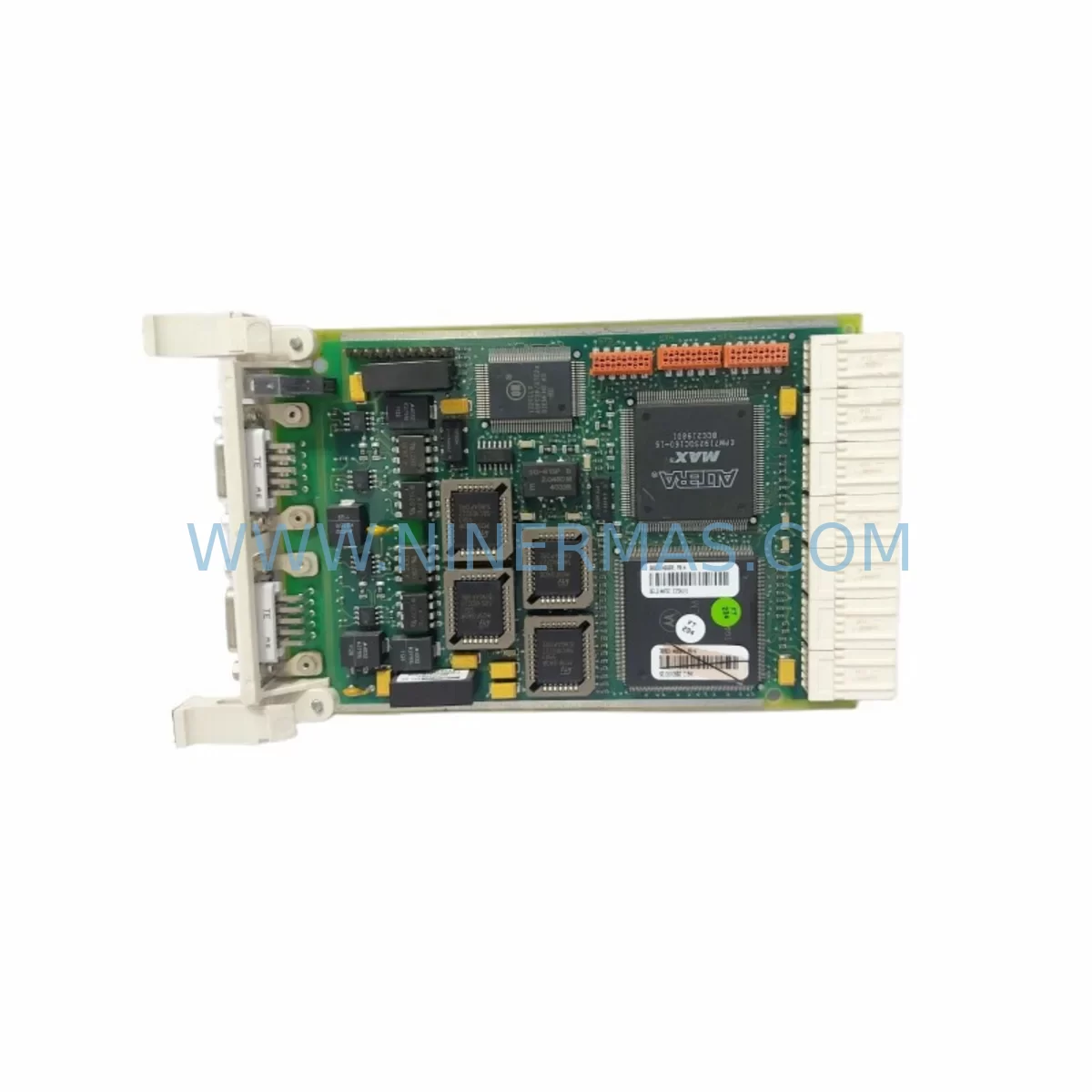
ABB 3BSE014666R1 CI541V1 Service-Ready Spare Part
Verify the part, confirm the platform family, and move straight into quotation with the right commercial details.
RFQ Ready
- SKU3BSE014666R1 CI541V1
- CategoryDCS Distributed Control Systems
- BrandABB
- SupportAvailability, lead time, condition, and shipping coordination
How Buyers Usually Use This Page
- Confirm the exact part number and platform family before sending the quote request.
- Use direct email when quantity, condition, and destination are already defined internally.
- Switch to the broader brand or category archive when you need alternates nearby.
Series Navigation
Move through the most common platform families behind this part.
Product RFQ
Send this part directly for quotation.
Include quantity, required condition, destination country, and target delivery timing. Current reference: ABB 3BSE014666R1 CI541V1 Service-Ready Spare Part with SKU 3BSE014666R1 CI541V1.
ABB 3BSE014666R1 CI541V1 Service-Ready Spare Part for Industrial Maintenance
The ABB 3BSE014666R1 CI541V1 is a ruggedized Profibus DP interface module engineered for demanding industrial environments. Designed as a communication gateway within ABB’s AC500 PLC platform, this module enables reliable PROFIBUS DP master/slave communication between the controller and field devices including drives, I/O stations, sensors, and actuators. For maintenance engineers managing aging automation systems or executing planned shutdowns, having a verified, service-ready CI541V1 in stock is a critical element of any spare parts strategy. Unplanned downtime caused by a failed communication module can cascade across an entire production line — the CI541V1 is the kind of component that must be available on the shelf, not on order.
Spare Maintenance Table
| Parameter | Specification |
|---|---|
| Part Number | 3BSE014666R1 |
| Model | CI541V1 |
| Brand | ABB |
| Series | AC500 PLC Series |
| Function | PROFIBUS DP Interface Module (Master/Slave) |
| Communication Protocol | PROFIBUS DP (EN 50170) |
| Baud Rate | Up to 12 Mbit/s |
| Supply Voltage | 24 VDC (via backplane) |
| Operating Temperature | -25°C to +70°C (ruggedized) |
| Protection Rating | IP20 (panel-mounted) |
| Mounting | AC500 CPU backplane / expansion rack |
| Compatibility | ABB AC500 PM5xx / PM5xxV2 CPU modules |
| Application Environment | Harsh industrial: vibration, wide temperature, EMI-exposed |
| Certifications | CE, UL (series-level) |
| Condition | Original, service-ready, tested before shipment |
| Warranty | 12 Months |
Maintenance Planning for Continuous Operation
When a CI541V1 Profibus interface module is flagged during a control cabinet inspection or fails during operation, the replacement process rarely ends with the module itself. Experienced maintenance engineers know that a communication fault on the PROFIBUS network can originate from — or propagate to — several adjacent components. A thorough site assessment should accompany any CI541V1 replacement.
Begin by verifying the integrity of the PROFIBUS DP cable and connectors (typically 9-pin Sub-D, shielded twisted pair). Damaged cable shielding or loose termination resistors are a frequent root cause of intermittent communication errors that are often misdiagnosed as module failure. Next, inspect the AC500 CPU module (such as the PM554 or PM564 series) for firmware version compatibility with the CI541V1, as mismatched firmware can cause initialization failures after module swap.
The 24 VDC power supply module feeding the AC500 backplane should be load-tested — a degraded power supply delivering marginal voltage under full I/O load is a common hidden cause of communication module instability. If the cabinet includes an ABB TB5xx terminal base or expansion backplane, inspect the backplane bus connectors for oxidation or mechanical damage before seating the new CI541V1.
For systems with distributed I/O on the PROFIBUS network, check the ABB DP/DP coupler or any PROFIBUS repeaters in the segment. A failing repeater can cause the entire segment to drop, making the CI541V1 appear faulty when the root cause is downstream. Similarly, review the GSD files loaded in the engineering station to confirm the replacement module’s device profile is correctly configured.
In multi-axis drive applications, the ABB ACS800 or ACS880 drive PROFIBUS adapter boards (such as the RPBA-01) connected to this segment should be inspected for parameter consistency after the CI541V1 is replaced. Drive communication parameters — node address, baud rate, watchdog timeout — must be re-verified. If the system includes ABB S800 I/O modules on a remote I/O station, confirm that the DP slave addresses are correctly mapped in the new module’s configuration.
For facilities running older AC500 V1 hardware, this is also an appropriate time to audit the lithium backup battery on the CPU module and review the status of any SD memory card used for program backup. Proactive replacement of these low-cost consumables during a planned CI541V1 swap prevents a secondary unplanned outage. Finally, if the cabinet houses an ABB CP600 or CP400 HMI panel communicating via Ethernet to the same AC500 CPU, verify that the HMI communication remains stable after the PROFIBUS reconfiguration — HMI alarm logs often contain early warning data that predates the module failure.
Site Replacement Workflow
Replacing the ABB 3BSE014666R1 CI541V1 in a live industrial environment requires a structured approach to minimize downtime and avoid configuration errors. The following workflow is recommended for maintenance and commissioning engineers:
Step 1 — Pre-Replacement Preparation: Export and back up the current AC500 project from Automation Builder or PS501 Control Builder. Document the CI541V1’s current PROFIBUS node address, baud rate setting, and DP slave configuration. Photograph the wiring and cable routing before disconnection.
Step 2 — Safe Isolation: Place the PLC in STOP mode. De-energize the control cabinet following your site’s lockout/tagout (LOTO) procedure. Do not hot-swap the CI541V1 without confirming the backplane supports live insertion for this module generation — the V1 variant typically requires a cold swap.
Step 3 — Module Removal and Inspection: Remove the CI541V1 from the terminal base. Inspect the terminal base contacts and backplane bus connector for damage. Clean with appropriate contact cleaner if oxidation is present. Retain the failed module for failure analysis if required by your maintenance management system.
Step 4 — Installation of Replacement Unit: Seat the new 3BSE014666R1 CI541V1 firmly into the terminal base. Reconnect the PROFIBUS cable, ensuring the termination resistor is correctly set (active only at the physical ends of the PROFIBUS segment). Restore power and set the CPU to RUN mode.
Step 5 — Commissioning Verification: Confirm all PROFIBUS slaves are online and communicating. Check diagnostic LEDs on the CI541V1 (BF, SF indicators). Verify I/O data exchange in the PLC program. Run a short functional test cycle before returning the line to production. Log the replacement in your CMMS with the new module’s serial number and installation date.
This workflow supports rapid recovery from unplanned outages and ensures the replacement is fully documented for future maintenance reference. Keeping a pre-configured spare CI541V1 — with the correct GSD file and node address pre-set — can reduce mean time to repair (MTTR) from hours to under 30 minutes.
Spare Parts Support FAQ
Q1: Is the 3BSE014666R1 CI541V1 compatible with all AC500 CPU generations?
The CI541V1 is designed for the AC500 V1 platform and is compatible with PM5xx series CPU modules. Compatibility with AC500 V2 (PM5xxV2) CPUs should be verified against ABB’s compatibility matrix, as V2 CPUs may require updated firmware or a CI541V2 variant. When in doubt, provide your CPU part number to our technical team for confirmation before ordering.
Q2: How is the CI541V1 tested before shipment?
Every 3BSE014666R1 CI541V1 unit supplied by NINERMAS undergoes functional verification prior to dispatch. Testing includes power-on self-test confirmation, communication interface check, and visual inspection for physical damage. Units are shipped in anti-static packaging with appropriate protection for international freight. A test report is available upon request for critical infrastructure procurement.
Q3: What does the 12-month warranty cover, and how is a claim handled?
The 12-month warranty covers manufacturing defects and functional failures under normal operating conditions. It does not cover damage caused by incorrect installation, overvoltage, or environmental conditions outside the module’s rated specifications. To initiate a warranty claim, contact our support team with the order number, installation date, and a description of the fault. Replacement or repair will be arranged within the agreed lead time.
Q4: Can NINERMAS support long-term or blanket purchase orders for the CI541V1?
Yes. For customers managing multi-site maintenance programs or operating large fleets of AC500-based systems, NINERMAS offers long-term supply agreements and scheduled delivery programs. This ensures a guaranteed stock allocation for your critical spare parts without requiring large upfront inventory investments. Contact our sales team to discuss volume pricing and delivery scheduling tailored to your maintenance calendar.
| Product Series | AC500 |
|---|---|
| Country of Origin | SE |
Catalog Continuation
Nearby part numbers around 3BSE0146.
Use this lane when the buyer is comparing adjacent model numbers, revision-near items, or closely related spare variants within the same brand family.
Catalog Continuation
More ABB modules in the catalog.
Use the brand lane to compare nearby part numbers, platform-adjacent modules, and other inquiry-ready listings before sending your final RFQ.
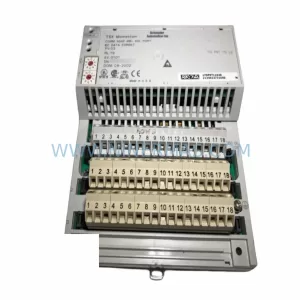
SKU: SDCS-PIN-H51 3ADT320700R1501
ABB SDCS-PIN-H51 3ADT320700R1501 Service-Ready Spare Part
SKU: 3HAC033624-001
ABB 3HAC033624-001 Retrofit-Compatible Drive Unit for IRC5
SKU: HESG324321R3 316DB63
ABB HESG324321R3 316DB63 Service-Ready Spare Part
SKU: AO650 3BHT300051R1
ABB AO650 3BHT300051R1 Safety-Reliable Analog Output Module
Catalog Continuation
Alternative parts within DCS Distributed Control Systems.
Stay inside the same system family when you need substitutes, adjacent modules, or a broader shortlist for procurement review.
SKU: EPC50 3183045463
Alfa Laval EPC50 3183045463 Retrofit DCS Control Module
SKU: KJ3241X1-EA1 12P2565X052
Emerson KJ3241X1-EA1 12P2565X052 Service-Ready Spare Part
SKU: 6ES5355-3UA11
Siemens 6ES5355-3UA11 Spare Part for Industrial Maintenance
SKU: KJ4001X2-BE1 12P0818X072
Emerson KJ4001X2-BE1 12P0818X072 Service-Ready Spare Part



