Original Industrial Spare Part
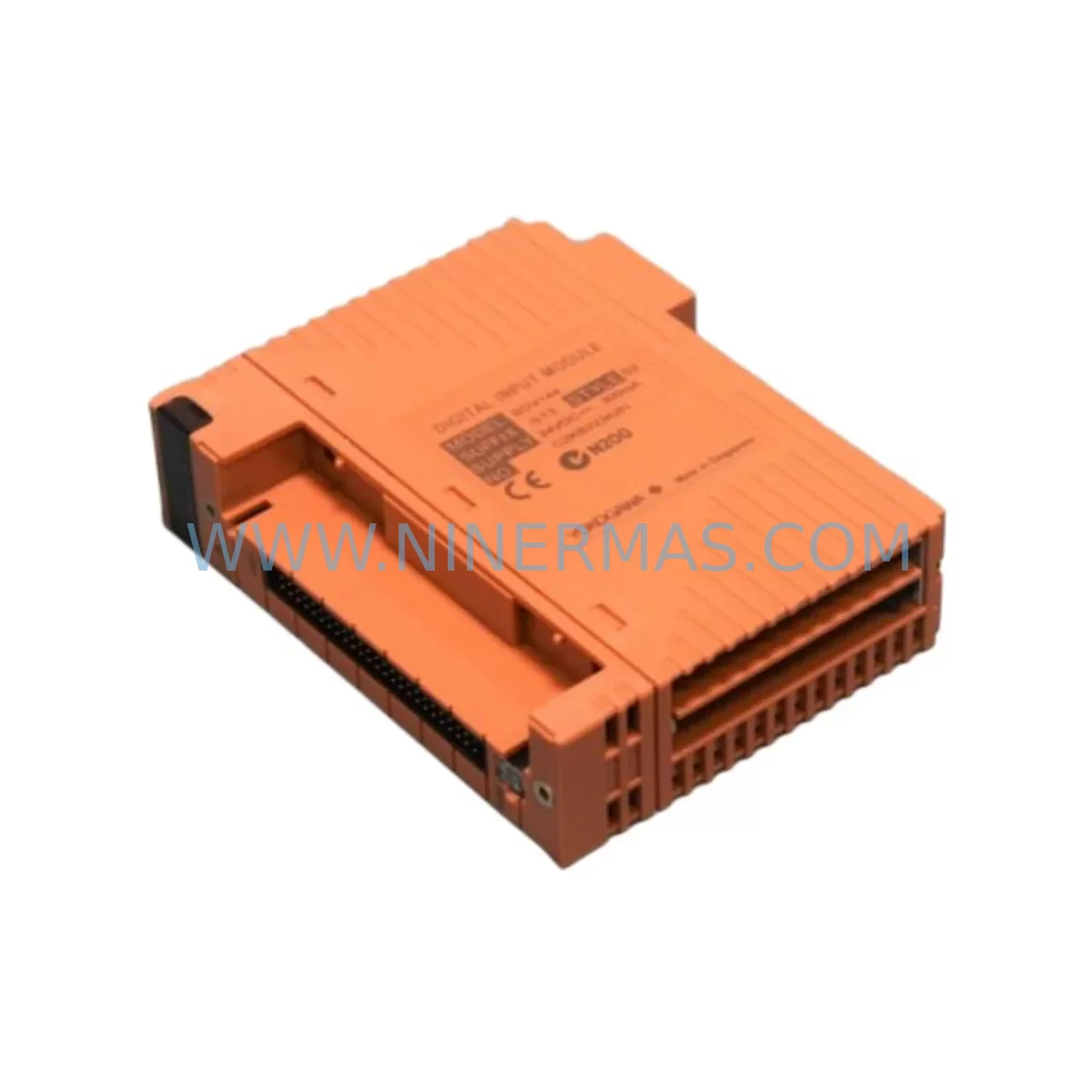
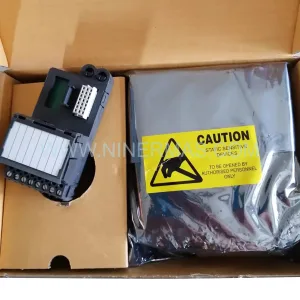
YOKOGAWA SDV144-S13 S2 Spare Part for Industrial Maintenance
Verify the part, confirm the platform family, and move straight into quotation with the right commercial details.
RFQ Ready
- SKUSDV144-S13 S2
- CategoryDCS Distributed Control Systems
- BrandYokogawa
- SupportAvailability, lead time, condition, and shipping coordination
How Buyers Usually Use This Page
- Confirm the exact part number and platform family before sending the quote request.
- Use direct email when quantity, condition, and destination are already defined internally.
- Switch to the broader brand or category archive when you need alternates nearby.
Series Navigation
Move through the most common platform families behind this part.
Product RFQ
Send this part directly for quotation.
Include quantity, required condition, destination country, and target delivery timing. Current reference: YOKOGAWA SDV144-S13 S2 Spare Part for Industrial Maintenance with SKU SDV144-S13 S2.
YOKOGAWA SDV144-S13 S2 Service-Ready Spare Part for Industrial Maintenance
The YOKOGAWA SDV144-S13 S2 is a ruggedized digital input (DI) module designed for demanding industrial environments within the YOKOGAWA CENTUM VP distributed control system (DCS) platform. As a critical field I/O component, the SDV144-S13 S2 handles discrete signal acquisition from field devices such as limit switches, proximity sensors, push-button stations, and relay contact outputs. When this module fails or reaches end-of-life, the impact on process visibility and control integrity can be immediate — making rapid, verified spare part availability a top priority for maintenance and reliability engineers.
At NINERMAS, we maintain ready stock of the SDV144-S13 S2 to support emergency breakdown recovery, scheduled annual shutdowns, and long-term spare parts inventory programs. Every unit is sourced from verified supply channels, function-tested prior to shipment, and backed by a 12-month warranty — giving procurement and maintenance teams the confidence they need when placing critical orders.
Spare Maintenance Table
| Parameter | Specification / Detail |
|---|---|
| Part Number | SDV144-S13 S2 |
| Brand | YOKOGAWA |
| Series | CENTUM VP / Vnet/IP Field I/O |
| Module Type | Digital Input (DI) Module |
| Input Channels | 16 channels (typical for SDV144 series) |
| Signal Type | Dry contact / Wet contact discrete input |
| Isolation | Channel-to-channel and channel-to-bus optical isolation |
| Operating Environment | Ruggedized for harsh industrial environments (S13 suffix) |
| Mounting | CENTUM VP field control station (FCS) node unit backplane |
| Communication | Vnet/IP internal bus |
| Compatibility | CENTUM VP R4.xx / R5.xx / R6.xx |
| Replacement Scope | Direct replacement for failed or end-of-life SDV144-S13 S2 units |
| Condition | Original, unused or refurbished with full function test |
| Warranty | 12 Months from shipment date |
| Lead Time | In stock — ships within 3–5 business days |
| Origin | Japan |
Maintenance Planning for Continuous Operation
Effective maintenance planning for a CENTUM VP system goes well beyond replacing a single DI module. When a maintenance engineer identifies a failed SDV144-S13 S2 during a fault isolation routine, the replacement workflow should also include a systematic inspection of adjacent components to prevent secondary failures and reduce the risk of repeat unplanned downtime.
Starting at the field wiring level, technicians should verify the terminal block assemblies and field wiring connectors associated with the affected DI channels. Corroded terminals or loose field cable connections are a common root cause of intermittent DI faults that are often misdiagnosed as module failures. Once the SDV144-S13 S2 is replaced, all 16 input channels should be loop-checked against the field device list before the module is returned to service.
Within the same field control station (FCS) node, it is good practice to inspect the node unit power supply module — typically a PW481 or equivalent CENTUM VP power supply — to confirm that the DC bus voltage is within specification. An aging or undersized power supply can cause intermittent module resets and false DI state changes that are difficult to trace without a power quality check. If the FCS node has been in service for more than five years, a proactive power supply replacement should be considered alongside the SDV144-S13 S2 swap.
The node unit backplane itself should also be visually inspected for signs of oxidation on the module connector pins. In high-humidity or chemically aggressive environments — exactly the conditions the S13 ruggedized variant is designed for — backplane connector degradation can cause poor contact even with a new module installed. A contact cleaner approved for industrial electronics should be used if contamination is observed.
For sites running CENTUM VP with Vnet/IP communication, the ESB bus coupler and Vnet/IP interface cards within the FCS should be checked for firmware version compatibility with the replacement SDV144-S13 S2. In some CENTUM VP revision combinations, a module firmware mismatch can prevent the DI module from being recognized by the field control unit (FCU). Confirming the FCU software version and the module’s embedded firmware version before installation avoids this issue entirely.
Maintenance teams should also review the status of any signal isolators or safety barriers installed between the SDV144-S13 S2 inputs and the field devices. Zener barriers and galvanic isolators have finite service lives and can degrade in ways that are not immediately visible — a failing isolator can introduce signal distortion that damages a new DI module prematurely. Replacing the SDV144-S13 S2 without checking the upstream signal conditioning components is a common maintenance oversight.
From a broader spare parts inventory perspective, sites operating CENTUM VP systems should maintain buffer stock of the SDV144-S13 S2 alongside related modules such as the SDV144-S13 S1 (an earlier suffix variant), the SDV541 analog input module for mixed I/O nodes, and the SAI143 or SAI533 series analog input cards used in the same FCS chassis. Keeping a balanced inventory of DI, AI, and AO modules — along with at least one spare FCU processor card — ensures that any single-point failure in the field control station can be resolved within a planned maintenance window rather than an emergency shutdown.
For HMI-connected systems, the YOKOGAWA FAST/TOOLS or Exaopc OPC server interface should be verified after module replacement to confirm that the DI tag database reflects the correct channel mapping for the new SDV144-S13 S2. Incorrect tag assignments after a module swap are a frequent source of post-maintenance alarms that delay production restart.
Site Replacement Workflow
Replacing the SDV144-S13 S2 on a live CENTUM VP system requires a structured approach to minimize downtime and protect process continuity. The recommended workflow begins with a pre-replacement review of the affected DI channel list in the CENTUM VP engineering environment (CAMS for HIS or equivalent), identifying which process tags will be affected and whether any interlock or safety logic depends on the inputs served by the failing module.
Before physically removing the module, the maintenance team should place the affected FCU in a safe operating mode — either by forcing the relevant DI tags to a safe state in the control database or by coordinating with the control room operator to acknowledge and suppress the expected alarms. This step is critical for sites where the SDV144-S13 S2 inputs feed into sequence of events (SOE) recording or safety instrumented system (SIS) logic.
Module removal should follow YOKOGAWA’s standard hot-swap procedure for CENTUM VP field I/O nodes, which allows the SDV144-S13 S2 to be replaced without powering down the entire FCS node — significantly reducing the scope of the maintenance impact. After inserting the replacement module, the FCU will automatically re-initialize the DI channels and restore communication within the Vnet/IP network. The operator should confirm that all 16 DI channels return to their correct states in the CENTUM VP HIS (human interface station) before releasing the system back to automatic control.
Post-replacement documentation should include the module serial number, installation date, channel verification results, and any observations about the condition of the backplane connector or field wiring. This record supports future maintenance planning and helps justify spare parts inventory decisions to plant management.
Spare Parts Support FAQ
Q1: Is the SDV144-S13 S2 a direct drop-in replacement for the SDV144-S13 S1?
A: In most CENTUM VP installations, the SDV144-S13 S2 is backward compatible with the S1 suffix variant and can be installed in the same backplane slot without hardware modification. However, we recommend confirming the FCU firmware version and the CENTUM VP system revision with your site engineer before installation, as minor configuration differences between suffix variants may require a parameter check in the engineering database.
Q2: How is the SDV144-S13 S2 tested before shipment?
A: Each unit undergoes a functional verification test covering all 16 DI channels, optical isolation integrity, and bus communication response before shipment. Units that do not pass the full test protocol are not shipped. A test report is available upon request for quality-critical procurement requirements.
Q3: What is the recommended spare parts holding quantity for a CENTUM VP site?
A: For sites with more than four SDV144-S13 S2 modules installed, we recommend holding a minimum of one spare unit on-site at all times. For large-scale CENTUM VP installations with 10 or more DI nodes, a two-unit buffer is advisable to cover simultaneous failures during peak production periods. NINERMAS can support long-term supply agreements to maintain your site’s spare parts inventory without requiring large upfront purchases.
Q4: What warranty and after-sales support does NINERMAS provide?
A: All SDV144-S13 S2 units supplied by NINERMAS are covered by a 12-month warranty from the date of shipment. If a unit fails within the warranty period under normal operating conditions, we will provide a replacement or full refund. Our technical team is available to assist with compatibility verification, installation guidance, and post-replacement troubleshooting at no additional charge.
| Product Series | CENTUM VP |
|---|---|
| Country of Origin | JP |
Catalog Continuation
More Yokogawa modules in the catalog.
Use the brand lane to compare nearby part numbers, platform-adjacent modules, and other inquiry-ready listings before sending your final RFQ.

Catalog Continuation
Alternative parts within DCS Distributed Control Systems.
Stay inside the same system family when you need substitutes, adjacent modules, or a broader shortlist for procurement review.
SKU: PM632 3BSE005831R1
ABB PM632 3BSE005831R1 Retrofit-Compatible Processor for Legacy Systems
SKU: High Performance Communication Controller
Honeywell 51401635-150 Service-Ready Spare for C300