Original Industrial Spare Part
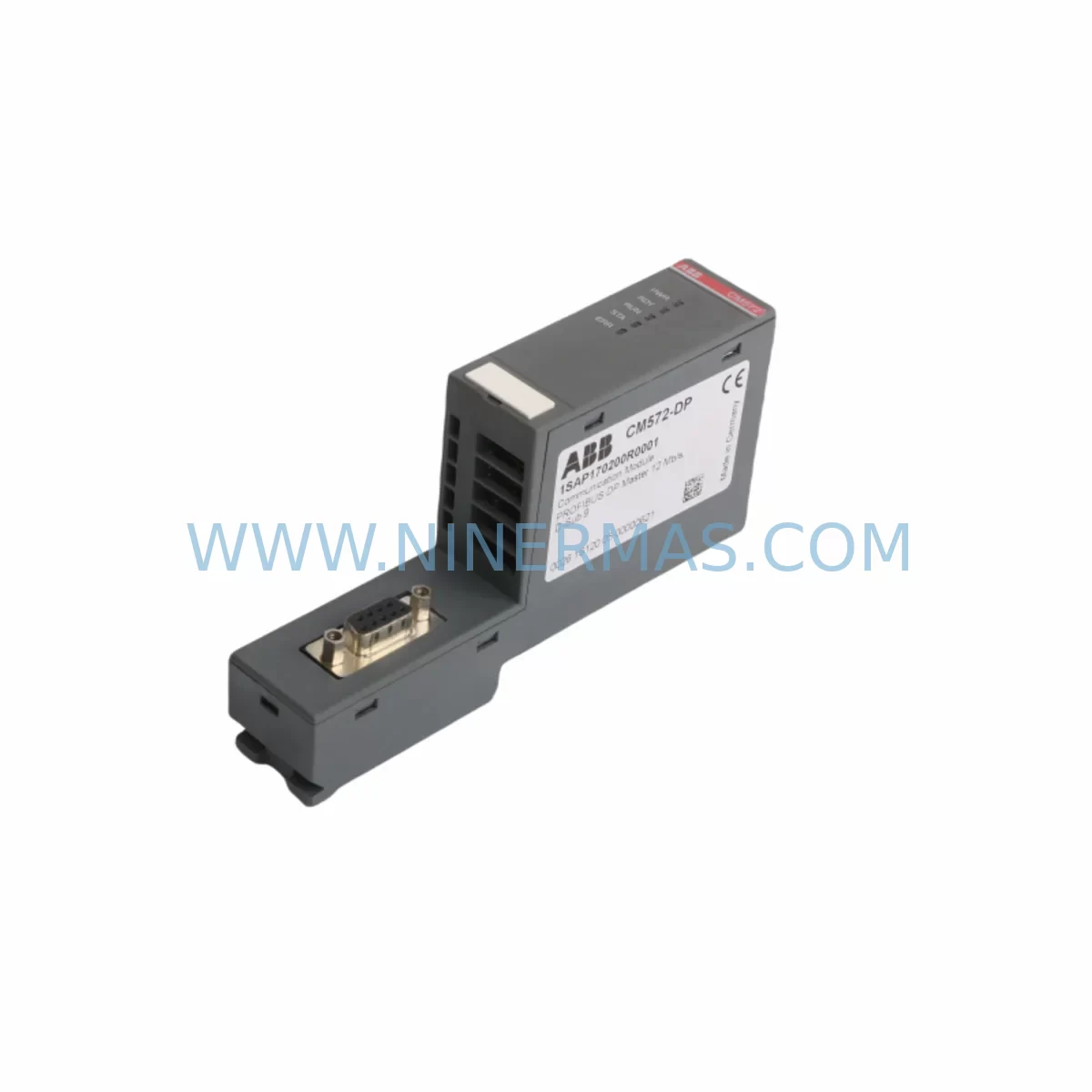
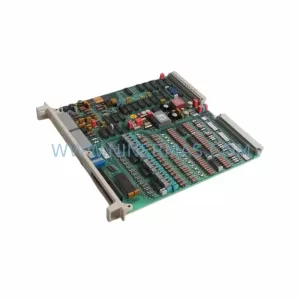
ABB CM572-DP 1SAP170200R0001 Retrofit PROFIBUS DP Module
Verify the part, confirm the platform family, and move straight into quotation with the right commercial details.
RFQ Ready
- SKUCM572-DP 1SAP170200R0001
- CategoryPLC & Industrial Automation Modules
- BrandABB
- SupportAvailability, lead time, condition, and shipping coordination
How Buyers Usually Use This Page
- Confirm the exact part number and platform family before sending the quote request.
- Use direct email when quantity, condition, and destination are already defined internally.
- Switch to the broader brand or category archive when you need alternates nearby.
Series Navigation
Move through the most common platform families behind this part.
Product RFQ
Send this part directly for quotation.
Include quantity, required condition, destination country, and target delivery timing. Current reference: ABB CM572-DP 1SAP170200R0001 Retrofit PROFIBUS DP Module with SKU CM572-DP 1SAP170200R0001.
ABB CM572-DP 1SAP170200R0001 Retrofit PROFIBUS DP Module: Legacy System Compatibility & Smooth Upgrade
The ABB CM572-DP (Part No. 1SAP170200R0001) is a PROFIBUS DP communication module designed for the ABB AC500 PLC platform. As industrial facilities face increasing pressure to modernize aging control infrastructure, the CM572-DP has become a critical component in retrofit projects — bridging legacy PROFIBUS DP field networks with current-generation AC500 CPU modules such as the PM573-ETH and PM554-T. Whether you are replacing a discontinued communication card, upgrading a control cabinet, or extending the service life of an existing automation system, the CM572-DP provides a proven, drop-in-compatible solution backed by ABB’s AC500 ecosystem.
In legacy system environments, PROFIBUS DP remains the dominant fieldbus protocol across a wide range of industries including water treatment, power generation, packaging, and discrete manufacturing. Many plants still operate first- and second-generation AC500 racks where original communication modules have reached end-of-life or are no longer available through standard distribution channels. The CM572-DP addresses this gap directly — offering full PROFIBUS DP master and slave functionality, GSD file compatibility, and seamless integration with existing rack backplanes including the TB521-ETH and TB511 terminal base units.
Upgrade Compatibility Table
| Parameter | Details |
|---|---|
| SKU / Part Number | CM572-DP / 1SAP170200R0001 |
| Brand & Series | ABB AC500 |
| Communication Protocol | PROFIBUS DP (Master / Slave) |
| Compatible CPU Modules | PM573-ETH, PM554-T, PM564-T, PM583-ETH (AC500 series) |
| Compatible Terminal Bases | TB521-ETH, TB511 (slot-based installation) |
| Installation Method | DIN Rail / Backplane slot mounting |
| Retrofit Replacement For | Legacy AC500 PROFIBUS DP communication cards (discontinued) |
| GSD File Support | Yes — compatible with existing PROFIBUS master configurations |
| Address Configuration | Hardware rotary switch (0–99) or software-defined |
| Baud Rate Support | 9.6 kbps – 12 Mbps (auto-detect) |
| Power Supply Requirement | Supplied via backplane (no external 24 VDC required) |
| Programming Environment | ABB Automation Builder / PS501 Control Builder Plus |
| Debugging Tool | Compatible with ABB programming cable TK503 and USB-to-serial adapters |
| Warranty | 12 Months — tested and verified before shipment |
Retrofit Planning for Existing Automation Systems
A successful CM572-DP retrofit begins well before the module arrives on-site. Engineers must first audit the existing control cabinet to confirm available backplane slots, verify that the installed AC500 CPU firmware version supports the CM572-DP’s function block library, and check that the existing TB521-ETH terminal base or equivalent is mechanically and electrically compatible. In many older installations, the backplane may already host a mix of I/O modules — such as DC532 digital input modules and DA501 analog output modules — leaving limited free slots. Slot assignment and module addressing must be carefully planned to avoid conflicts with existing I/O maps.
Power budget verification is equally important. While the CM572-DP draws power from the backplane rather than requiring a dedicated 24 VDC supply, the total current draw of all installed modules must remain within the capacity of the rack’s power supply module — typically a PS501 or PS560-T power supply unit. If the existing power supply is already near its rated output, adding the CM572-DP may require upgrading to a higher-capacity unit or redistributing modules across a second rack.
On the PROFIBUS DP network side, engineers should document the existing GSD files, slave device addresses, and baud rate settings before removing the old communication module. The CM572-DP supports the same address range and baud rates as its predecessors, so in most cases the existing PROFIBUS configuration can be imported directly into ABB Automation Builder without modification. However, if the legacy system used an older version of PS501 Control Builder, a project migration step may be required to ensure full compatibility with the current software environment.
For plants that also need to extend their network to Ethernet-based supervisory systems, the CM572-DP can coexist in the same rack with an CM589-PNIO PROFINET IO module or an CM579-ETHCAT EtherCAT module, enabling a hybrid communication architecture that preserves the existing PROFIBUS field layer while adding modern upper-level connectivity. This approach is particularly valuable in phased upgrade projects where replacing all field devices simultaneously is not feasible.
Wiring adaptation is another key consideration. The CM572-DP uses a standard 9-pin D-sub PROFIBUS connector. If the existing cable uses a different termination style or the cable shield grounding arrangement does not meet PROFIBUS specifications, signal integrity issues may arise — especially at baud rates above 1.5 Mbps. A pre-commissioning cable test using a PROFIBUS tester is strongly recommended before powering up the new module.
Downtime Control During System Migration
Minimizing production downtime is the primary concern in any live system retrofit. For CM572-DP replacements, the recommended approach is to prepare and validate the new module configuration offline before the scheduled maintenance window. Using ABB Automation Builder, engineers can build and simulate the updated PROFIBUS DP configuration — including all slave device assignments, I/O mapping, and diagnostic settings — without connecting to the live system. This allows the actual on-site swap to be reduced to a physical module exchange, address verification, and a short functional test.
Before powering down the control system, a full backup of the CPU program — including the PROFIBUS DP configuration, HMI screen tag assignments, and any custom function blocks — should be saved to a secure location. If the plant uses an ABB CP635 HMI panel or similar operator interface, the HMI project file should also be backed up separately, as communication variable addresses may need to be re-verified after the module swap.
During the physical replacement, the original module should be removed with the rack powered down. After installing the CM572-DP and confirming the rotary address switch setting matches the previous configuration, the system can be powered up in stages — first verifying backplane communication with the CPU, then enabling the PROFIBUS DP network, and finally confirming that all slave devices are recognized and reporting correctly. Most experienced engineers complete this sequence in under two hours for a single-rack installation, keeping unplanned downtime to a minimum.
For critical processes where even a brief interruption is unacceptable, a hot-standby approach using a redundant AC500 rack with a pre-configured CM572-DP can be considered. In this scenario, the standby rack takes over control while the primary rack is serviced, eliminating process interruption entirely. All units supplied by NINERMAS are pre-tested and verified before shipment, ensuring that the replacement module is ready for immediate installation upon arrival.
Retrofit Support FAQ
Q1: Is the CM572-DP (1SAP170200R0001) a direct replacement for older ABB AC500 PROFIBUS communication modules?
Yes. The CM572-DP is designed as a slot-compatible replacement for earlier-generation PROFIBUS DP communication modules in the AC500 platform. In most cases, the existing PROFIBUS network configuration, GSD files, and slave address assignments can be reused without modification. Minor firmware or software migration steps may be required if the host CPU is running an older version of PS501 Control Builder.
Q2: What wiring changes are needed when installing the CM572-DP in an existing control cabinet?
The CM572-DP uses a standard 9-pin D-sub PROFIBUS DP connector, which is compatible with most existing PROFIBUS cables. No wiring changes are typically required if the existing cable meets PROFIBUS specification. Engineers should verify cable shielding, termination resistors at both ends of the bus segment, and connector pin assignments before commissioning. If the existing installation uses non-standard connectors, a short adapter cable may be needed.
Q3: How is the CM572-DP configured and commissioned after installation?
Configuration is performed using ABB Automation Builder or PS501 Control Builder Plus. The module is recognized automatically by the software once installed in the rack. PROFIBUS DP master or slave mode, baud rate, and slave address assignments are all configured within the software environment. On-site commissioning typically involves verifying module status LEDs, confirming slave device recognition on the PROFIBUS network, and running a short I/O test to validate signal integrity before returning the system to production.
Q4: What warranty and pre-shipment testing does NINERMAS provide for the CM572-DP?
All CM572-DP units supplied by NINERMAS COMPANY LIMITED are covered by a 12-month warranty from the date of shipment. Each unit undergoes functional testing and verification before dispatch to ensure it meets ABB’s original performance specifications. In-stock units are available for immediate shipment, supporting urgent retrofit and breakdown replacement requirements. For technical support, spare part availability inquiries, or bulk order pricing, contact our team directly at sale@ninermas.com or +0086 187 5021 5667.
| Product Series | AC500 |
|---|---|
| Country of Origin | SE |
Catalog Continuation
More ABB modules in the catalog.
Use the brand lane to compare nearby part numbers, platform-adjacent modules, and other inquiry-ready listings before sending your final RFQ.
SKU: TV742 3BHB000528R0100
ABB TV742 3BHB000528R0100 Spare Part for Industrial Maintenance
SKU: 66403HAC030829-001 3HAC057549-005 3HAC17484-10 IRB66406600 3HAC026787-0010203
ABB 3HAC030829-001 Safety-Reliable CPU Module for Critical Sites
SKU: DSAI130H 57120001-NT
ABB DSAI130H 57120001-NT Service-Ready Spare Part
Catalog Continuation
Alternative parts within PLC & Industrial Automation Modules.
Stay inside the same system family when you need substitutes, adjacent modules, or a broader shortlist for procurement review.