Original Industrial Spare Part
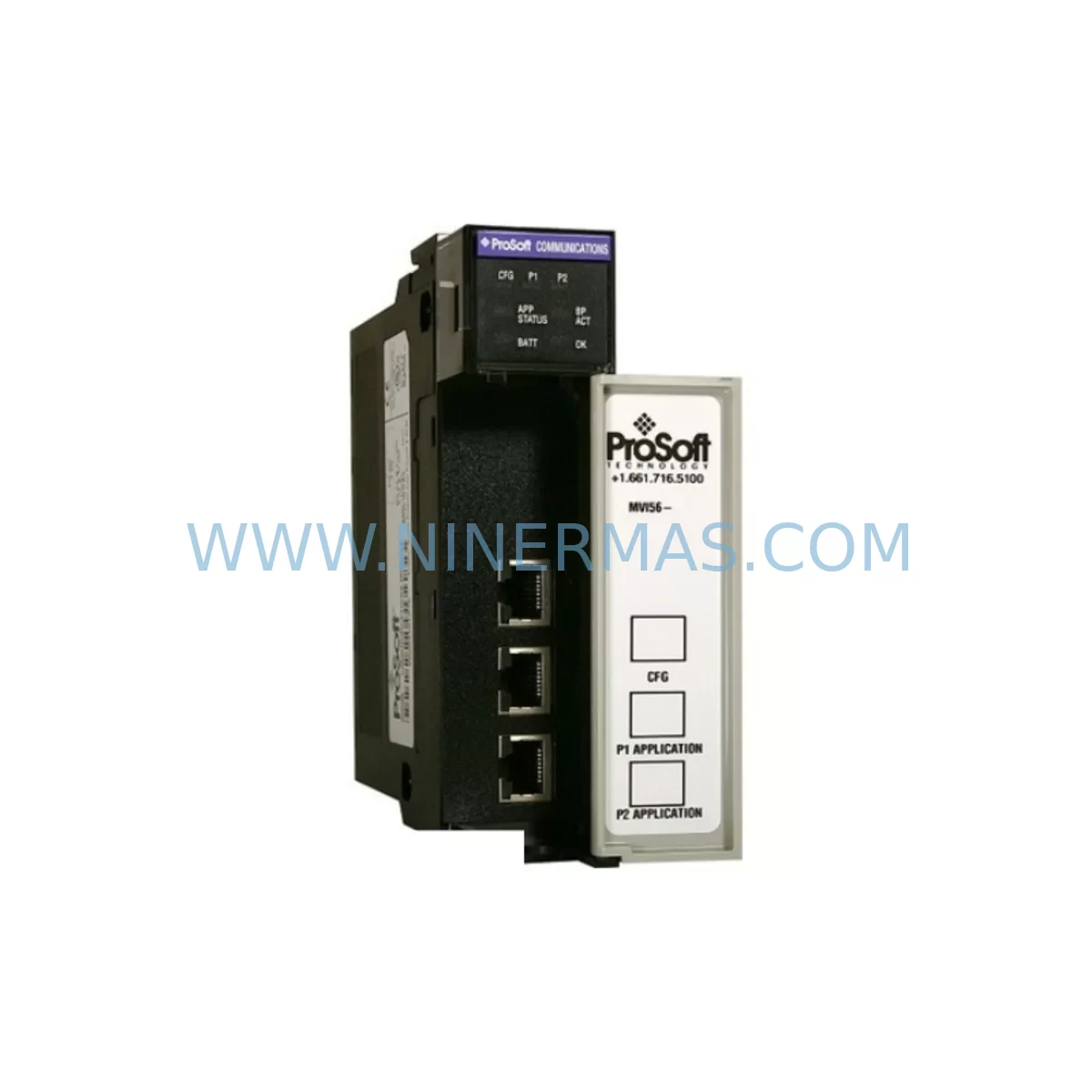
ProSoft MVI56-DNP Retrofit DNP3 Module for Legacy Systems
Verify the part, confirm the platform family, and move straight into quotation with the right commercial details.
RFQ Ready
- SKUMVI56-DNP
- CategoryPLC & Industrial Automation Modules
- BrandProSoft Technology
- SupportAvailability, lead time, condition, and shipping coordination
How Buyers Usually Use This Page
- Confirm the exact part number and platform family before sending the quote request.
- Use direct email when quantity, condition, and destination are already defined internally.
- Switch to the broader brand or category archive when you need alternates nearby.
Series Navigation
Move through the most common platform families behind this part.
Product RFQ
Send this part directly for quotation.
Include quantity, required condition, destination country, and target delivery timing. Current reference: ProSoft MVI56-DNP Retrofit DNP3 Module for Legacy Systems with SKU MVI56-DNP.
ProSoft MVI56-DNP Retrofit DNP3 Module for Legacy Systems
The ProSoft MVI56-DNP is a DNP3 (Distributed Network Protocol 3) communication module designed for the Allen-Bradley ControlLogix platform. As legacy SCADA systems, RTU networks, and utility automation infrastructure continue to operate beyond their original design life, the MVI56-DNP provides a reliable, retrofit-compatible solution for engineers tasked with modernizing aging control architectures without replacing the entire control system. This module bridges DNP3 master and slave communication requirements directly within the ControlLogix backplane, enabling seamless integration with substations, water treatment facilities, pipeline monitoring systems, and energy distribution networks that rely on DNP3 as their primary communication protocol.
For facilities operating legacy ProSoft MVI56-series communication modules or older third-party DNP3 interface cards, the MVI56-DNP represents a direct upgrade path that preserves existing program logic, minimizes rewiring, and reduces commissioning time. Its compatibility with the 1756-series ControlLogix chassis — including the 1756-A7, 1756-A10, and 1756-A13 backplanes — means that physical installation follows the same slot-based architecture engineers are already familiar with, significantly reducing the risk of installation errors during a live system migration.
Upgrade Compatibility Table
| Parameter | Details |
|---|---|
| Module SKU | MVI56-DNP |
| Platform Compatibility | Allen-Bradley ControlLogix 1756 Series |
| Backplane Interface | ControlLogix 1756 backplane (standard slot) |
| Communication Protocol | DNP3 (Master and Slave modes) |
| Serial Ports | 2 × RS-232/RS-422/RS-485 configurable ports |
| Installation Requirement | Standard 1756-series chassis slot; no special adapter required |
| Replacement Compatibility | Direct replacement for legacy MVI56-DNP units; compatible with existing ladder logic and AOI structures |
| Commissioning Focus | Module address assignment, DNP3 data object mapping, serial port configuration, and ladder logic verification |
| Communication Link Verification | DNP3 master/slave polling confirmation, data integrity check, and SCADA link validation |
| Warranty | 12-Month Warranty with pre-shipment functional testing |
Retrofit Planning for Existing Automation Systems
Successful retrofit of a DNP3 communication module within a ControlLogix-based control system requires careful pre-migration planning across multiple system layers. Before removing the legacy module, engineers should document the existing DNP3 data object configuration, including all analog input, analog output, binary input, binary output, and counter object assignments. This configuration data is typically stored in the ProSoft Configuration Builder (PCB) project file and must be transferred to the replacement MVI56-DNP unit prior to installation.
Power budget verification is a critical first step. The 1756-PA75 or 1756-PB75 power supply feeding the chassis must have sufficient capacity to support the MVI56-DNP alongside other installed modules such as the 1756-IF16 analog input module, 1756-OB16E digital output module, and any 1756-ENBT Ethernet communication modules already occupying the rack. Overloading the chassis power supply is a common cause of intermittent communication faults following a module replacement, and this risk must be eliminated before the new module is energized.
Terminal wiring at the serial port interface should be verified against the original wiring diagram. The MVI56-DNP uses a standard DB-9 connector for RS-232 communication and supports RS-422/RS-485 multi-drop configurations for longer cable runs to remote RTUs or substation IEDs. If the existing installation uses a 1756-TBCH terminal block or a third-party serial breakout panel, the wiring pinout must be confirmed before the replacement module is inserted. Incorrect wiring at this stage can damage the module’s serial interface and delay commissioning.
Module slot address assignment within the ControlLogix chassis must match the original configuration stored in the RSLogix 5000 or Studio 5000 project. If the MVI56-DNP is installed in a different slot than its predecessor, the module’s backplane address will change, requiring updates to the controller tags and ladder logic rungs that reference the module’s input and output data arrays. This is a common source of commissioning delays and should be resolved during the pre-migration planning phase rather than during the live cutover window.
For systems that also include a 1756-L72 or 1756-L73 ControlLogix controller, the existing Add-On Instruction (AOI) library for the MVI56-DNP should be verified for version compatibility with the replacement module’s firmware. ProSoft periodically releases firmware updates that introduce new data object types or modify the module’s configuration file structure, and mismatches between the AOI version and the module firmware can result in unexpected behavior during initial power-up.
HMI screen updates are often overlooked during DNP3 module replacements. If the facility uses a PanelView Plus or a SCADA workstation with tag-based data binding, any changes to the ControlLogix controller tag structure resulting from the module replacement must be reflected in the HMI project before the system is returned to service. Failure to update HMI tags can result in operators receiving stale or incorrect process data during the post-migration period.
Downtime Control During System Migration
Minimizing unplanned downtime during a DNP3 module replacement is a primary concern for operations teams in utilities, water treatment, and energy distribution environments where continuous monitoring is a regulatory requirement. A structured migration approach that separates the configuration preparation phase from the physical installation phase is the most effective strategy for reducing total outage duration.
Prior to the scheduled maintenance window, the replacement MVI56-DNP should be pre-configured using ProSoft Configuration Builder on a bench workstation. The DNP3 master or slave configuration file, including all data object definitions, polling intervals, unsolicited response settings, and serial port parameters, should be loaded and verified on the bench unit before it is transported to the field. This pre-configuration step eliminates the need for on-site configuration work during the maintenance window and reduces the risk of typographical errors under time pressure.
During the physical swap, the original program logic stored in the ControlLogix controller is not affected by the module replacement, provided the slot address and tag structure remain unchanged. The controller will continue to execute its scan cycle during the module removal and reinsertion, and communication with the DNP3 network will resume automatically once the replacement module completes its initialization sequence. For systems with redundant communication paths, the secondary communication link can be maintained throughout the replacement process to ensure continuous data availability to the SCADA host.
Post-installation verification should include a full DNP3 integrity poll from the SCADA master to confirm that all configured data objects are responding correctly, followed by a comparison of live process values against known reference readings to confirm data accuracy. Any discrepancies identified during this verification step should be resolved before the maintenance window is closed and the system is returned to normal operation. Pre-shipment functional testing performed on each MVI56-DNP unit prior to dispatch provides an additional layer of confidence that the replacement module will perform correctly from the moment it is energized.
Retrofit Support FAQ
Q1: Is the MVI56-DNP a direct replacement for an existing MVI56-DNP unit without modifying the ControlLogix program?
A: In most cases, yes. If the replacement module is installed in the same chassis slot and the firmware version is compatible with the existing AOI library, the ControlLogix program does not require modification. The existing DNP3 configuration file should be reloaded into the replacement module using ProSoft Configuration Builder to ensure all data object mappings are preserved.
Q2: What serial wiring configurations are supported, and do I need to rewire the field terminals?
A: The MVI56-DNP supports RS-232, RS-422, and RS-485 serial communication on both ports. If the existing installation uses the same serial standard, no rewiring is required. If the replacement involves a change in serial standard — for example, migrating from RS-232 to RS-485 for a longer cable run — the field wiring and termination resistors must be updated accordingly before commissioning.
Q3: How is compatibility with the existing SCADA master verified after installation?
A: Compatibility is verified by issuing a DNP3 integrity poll from the SCADA master immediately after the replacement module completes its initialization. All configured data objects should respond within the expected polling interval. If any objects fail to respond, the DNP3 configuration file should be reviewed for address mapping errors or unsolicited response configuration issues.
Q4: What warranty and inventory support is available for the MVI56-DNP?
A: Each MVI56-DNP unit is covered by a 12-month warranty from the date of shipment and undergoes pre-shipment functional testing to verify communication performance before dispatch. Reserved inventory programs are available for facilities that require guaranteed lead times for critical spare parts, ensuring that replacement units can be dispatched within agreed timeframes to support planned maintenance schedules and emergency repair requirements.
| Product Series | Legacy |
|---|---|
| Country of Origin | US |
Catalog Continuation
More ProSoft Technology modules in the catalog.
Use the brand lane to compare nearby part numbers, platform-adjacent modules, and other inquiry-ready listings before sending your final RFQ.
Catalog Continuation
Alternative parts within PLC & Industrial Automation Modules.
Stay inside the same system family when you need substitutes, adjacent modules, or a broader shortlist for procurement review.
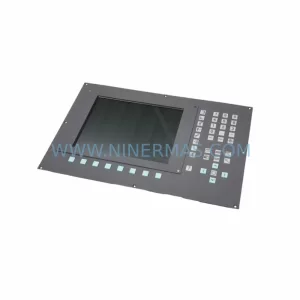
SKU: 6FC5203-0AF52-0AA0
Siemens 6FC5203-0AF52-0AA0 Service-Ready Spare Part
SKU: CM572-DP 1SAP170200R0001
ABB CM572-DP 1SAP170200R0001 Retrofit PROFIBUS DP Module