Original Industrial Spare Part
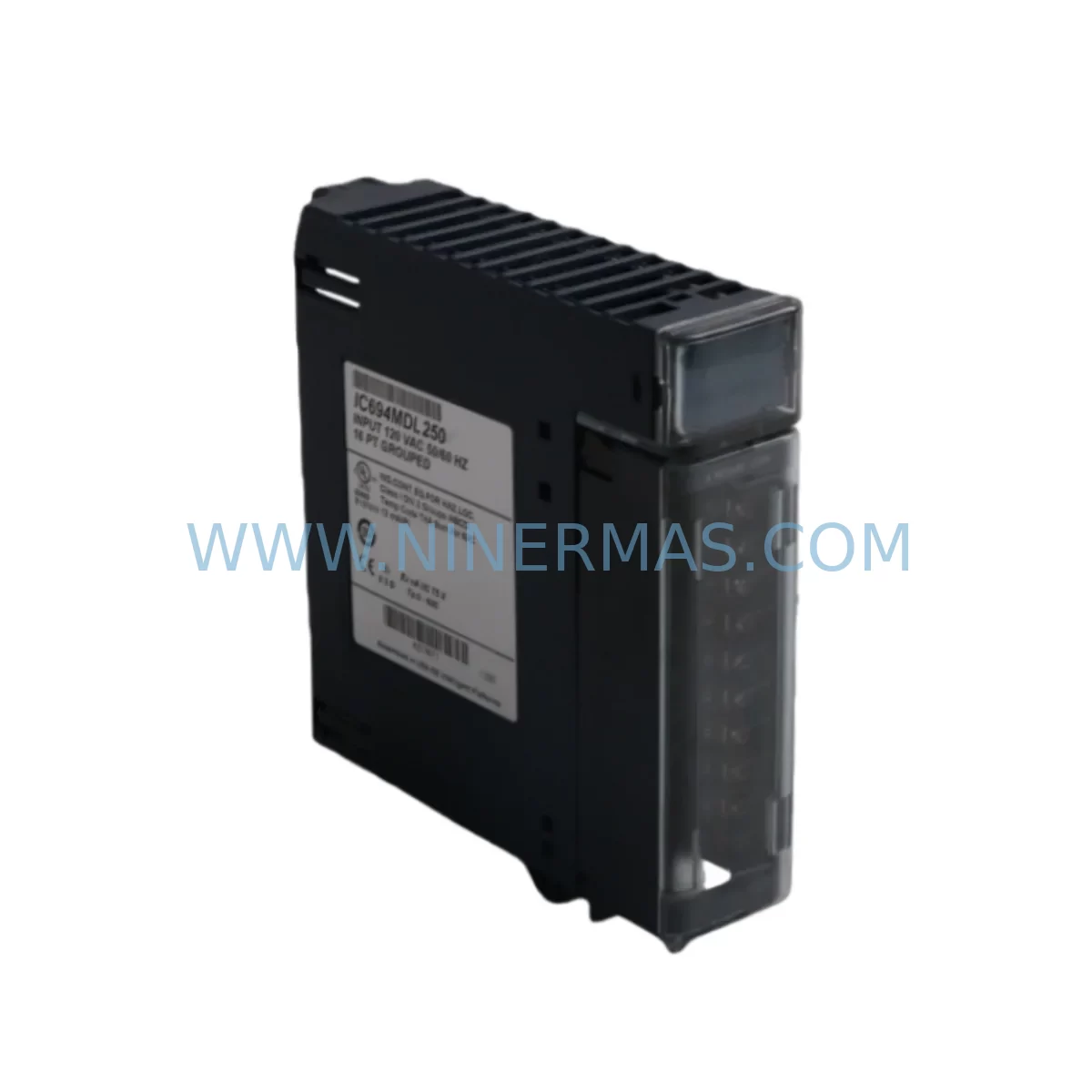
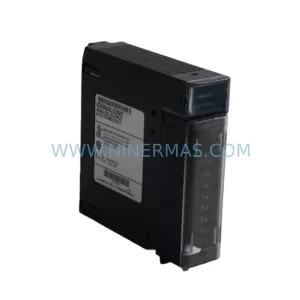
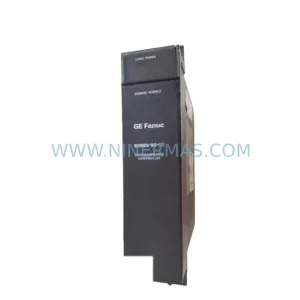
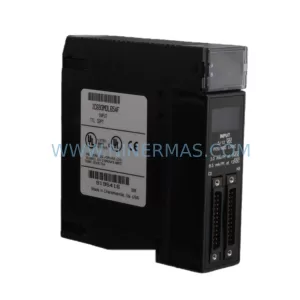
GE IC694MDL250 Service-Ready Spare Part for Industrial Maintenance
Verify the part, confirm the platform family, and move straight into quotation with the right commercial details.
RFQ Ready
- SKUIC694MDL250
- CategoryPLC & Industrial Automation Modules
- BrandGeneral Electric
- SupportAvailability, lead time, condition, and shipping coordination
How Buyers Usually Use This Page
- Confirm the exact part number and platform family before sending the quote request.
- Use direct email when quantity, condition, and destination are already defined internally.
- Switch to the broader brand or category archive when you need alternates nearby.
Series Navigation
Move through the most common platform families behind this part.
Product RFQ
Send this part directly for quotation.
Include quantity, required condition, destination country, and target delivery timing. Current reference: GE IC694MDL250 Service-Ready Spare Part for Industrial Maintenance with SKU IC694MDL250.
GE IC694MDL250 Service-Ready Spare Part for Industrial Maintenance
The General Electric IC694MDL250 is an AC Voltage Input Module designed for the GE PACSystems RX3i platform — one of the most widely deployed programmable automation controller (PAC) architectures in process manufacturing, power generation, water treatment, and discrete assembly environments. When this module fails or degrades, the consequences extend far beyond a single I/O channel: entire control loops can go offline, safety interlocks may become unreliable, and production lines face unplanned downtime that compounds into significant financial loss.
At NINERMAS, we stock the IC694MDL250 as a service-ready original spare part, pre-tested before shipment and backed by a 12-month warranty. Whether you are responding to an emergency fault, executing a planned annual overhaul, or building a resilient spare parts inventory for a critical facility, this module ships promptly to minimize your mean time to repair (MTTR).
Spare Maintenance Table
| Parameter | Specification / Detail |
|---|---|
| Part Number | IC694MDL250 |
| Brand | General Electric (GE Automation & Controls) |
| Series | PACSystems RX3i |
| Module Type | AC Voltage Input Module |
| Input Channels | 16 AC Voltage Input Channels |
| Input Voltage Range | 85–132 VAC / 170–265 VAC (field selectable) |
| Input Frequency | 47–63 Hz |
| Isolation | Optical isolation between field and backplane |
| Backplane Compatibility | IC694CHS392, IC694CHS398, IC694CHS016 (RX3i Universal Backplane) |
| CPU Compatibility | IC694CPU310, IC694CPU320, IC694CPU360, IC695CPU310, IC695CPU320 |
| Operating Temperature | 0°C to 60°C (32°F to 140°F) |
| Relative Humidity | 5–95% non-condensing |
| Installation | Hot-swap capable on RX3i backplane (firmware dependent) |
| Certifications | UL, CE, cUL |
| Country of Origin | United States |
| Condition | Original, service-ready spare |
| Warranty | 12 Months — NINERMAS Quality Guarantee |
| Lead Time | In stock — ships within 1–3 business days |
Maintenance Planning for Continuous Operation
Replacing the IC694MDL250 in a live RX3i control cabinet is rarely an isolated task. Experienced maintenance engineers know that a failing AC input module is often a symptom of broader electrical stress in the panel. Before returning the system to service, a thorough inspection of the surrounding components is essential to prevent repeat failures and ensure long-term reliability.
Begin with the IC694PWR321 or IC694PWR330 power supply module — the backbone of the RX3i rack. Verify output voltage stability under load; a sagging 5 VDC backplane rail can cause intermittent input module faults that are easily misdiagnosed as module failures. If the power supply is more than five years old or shows signs of capacitor aging (output ripple, thermal discoloration), treat it as a concurrent replacement candidate.
Next, inspect the IC694CHS392 or IC694CHS016 backplane for connector pin corrosion, mechanical damage, or burn marks at the module slot. A compromised backplane slot can damage a new IC694MDL250 within weeks of installation. Simultaneously, review the IC694MDL654 or IC694MDL660 DC output modules in adjacent slots — shared ground faults or wiring errors on the field terminal block can propagate across modules.
For facilities running mixed I/O architectures, check the IC694ALG220 or IC694ALG232 analog input modules for signal drift, particularly if the AC input module failure was preceded by erratic process variable readings. Signal isolation barriers and DIN-rail mounted signal isolators between field transmitters and the RX3i I/O bus are a worthwhile addition to any aging panel.
Communication integrity should also be verified. If the RX3i rack includes an IC695ETM001 Ethernet module or an IC694CMM302 communications module, confirm that the CPU is still polling all I/O modules correctly after the replacement. A module swap can occasionally trigger a configuration mismatch alarm if the hardware configuration stored in the CPU does not match the physical rack layout.
Finally, review the IC694MDL340 or IC694MDL341 relay output modules and associated terminal blocks. Loose field wiring at the terminal strip is a leading cause of AC input module stress — high-resistance connections generate localized heat that accelerates insulation breakdown and can introduce noise into adjacent input channels. Torque all terminal screws to specification and apply thermal imaging if available.
For HMI-connected systems, verify that the QuickPanel+ or CIMPLICITY SCADA display is correctly reflecting the restored I/O status after the module replacement. A stale tag value or a cached alarm state can mislead operators and delay confirmation that the repair is complete.
Building a structured spare parts kit around the IC694MDL250 — including at least one spare power supply, one spare CPU module, and a selection of commonly used I/O modules — is the most effective strategy for reducing unplanned downtime in facilities where RX3i systems are the primary control platform.
Site Replacement Workflow
Step 1 — Isolation & Safety: Follow your site’s lockout/tagout (LOTO) procedure. De-energize the field wiring connected to the IC694MDL250 terminal block before removing the module. Confirm zero voltage at the field terminals with a calibrated meter.
Step 2 — Configuration Backup: Using Proficy Machine Edition (PME), upload and save the current hardware configuration and ladder logic from the IC694CPU310/320/360 CPU. Store the backup on a secure, off-rack device. This step is critical — it ensures you can restore the exact I/O configuration if the CPU loses its program during the swap.
Step 3 — Module Removal: Release the module locking tab and slide the IC694MDL250 straight out of the backplane slot. Inspect the backplane connector for bent pins or debris before inserting the replacement unit.
Step 4 — Replacement Installation: Insert the new IC694MDL250 firmly into the same slot. The module is keyed to prevent incorrect installation. Reconnect the field terminal block and verify wiring polarity and torque.
Step 5 — Power-Up & Verification: Re-energize the rack. Observe the module’s LED status indicators — a solid green RUN LED confirms successful backplane communication. In PME, go online with the CPU and verify that all 16 input channels are reading correctly against known field conditions.
Step 6 — Documentation: Record the replacement in your maintenance management system (CMMS), including the date, technician name, old module serial number, and new module serial number. Update your spare parts inventory to trigger a replenishment order for the consumed IC694MDL250.
This workflow is compatible with both hot-standby and simplex RX3i configurations. For redundant CPU systems using the IC695RMX128 redundancy memory xchange module, coordinate the replacement with your redundancy switchover procedure to avoid a bumpless transfer event.
Spare Parts Support FAQ
Q1: Is the IC694MDL250 still in production, and can NINERMAS guarantee long-term supply?
GE has transitioned many PACSystems RX3i components to end-of-life or limited-availability status. NINERMAS maintains a dedicated inventory of IC694MDL250 modules sourced from authorized distribution channels and verified surplus stock. We conduct functional testing on every unit before shipment and can support long-term supply agreements for facilities with ongoing maintenance requirements. Contact our team to discuss volume pricing and reserved stock arrangements.
Q2: How do I verify compatibility between the IC694MDL250 and my existing RX3i CPU and backplane?
The IC694MDL250 is compatible with all standard RX3i universal backplanes (IC694CHS392, IC694CHS398, IC694CHS016) and all IC694/IC695 series CPUs running Proficy Machine Edition firmware version 6.0 or later. If you are running an older firmware version, contact us with your CPU part number and firmware revision — our technical team will confirm compatibility before shipment.
Q3: What does the 12-month warranty cover, and what is the return process?
Our 12-month warranty covers manufacturing defects and functional failures under normal operating conditions. It does not cover damage caused by incorrect installation, overvoltage events, or physical mishandling. To initiate a warranty claim, contact sale@ninermas.com with your order number and a description of the fault. We will arrange return shipping and provide a replacement or full refund within the warranty period.
Q4: Can NINERMAS supply other RX3i modules from the same order to reduce procurement lead time?
Yes. NINERMAS stocks a broad range of PACSystems RX3i components including CPU modules, power supplies, analog and digital I/O modules, communications modules, and backplanes. Consolidating your spare parts procurement into a single order reduces administrative overhead, simplifies incoming inspection, and ensures all components are tested and warranted under the same quality standard. Send your full BOM or spare parts list to sale@ninermas.com for a consolidated quotation.
| Product Series | PACSystems |
|---|---|
| Country of Origin | US |
Catalog Continuation
Nearby part numbers around IC694MDL.
Use this lane when the buyer is comparing adjacent model numbers, revision-near items, or closely related spare variants within the same brand family.
Catalog Continuation
More General Electric modules in the catalog.
Use the brand lane to compare nearby part numbers, platform-adjacent modules, and other inquiry-ready listings before sending your final RFQ.
Catalog Continuation
Alternative parts within PLC & Industrial Automation Modules.
Stay inside the same system family when you need substitutes, adjacent modules, or a broader shortlist for procurement review.


SKU: 6FC5357-0BB12-0AE0
Siemens 6FC5357-0BB12-0AE0 Service-Ready Industrial Spare Part

SKU: 3BSE011790R1(PXHK401)
ABB 3BSE011790R1 PXHK401 Retrofit-Ready Communication Module