
Original Industrial Spare Part
NINERMAS 2711P-T12C4D8 Retrofit-Compatible HMI for Legacy Systems
Verify the part, confirm the platform family, and move straight into quotation with the right commercial details.
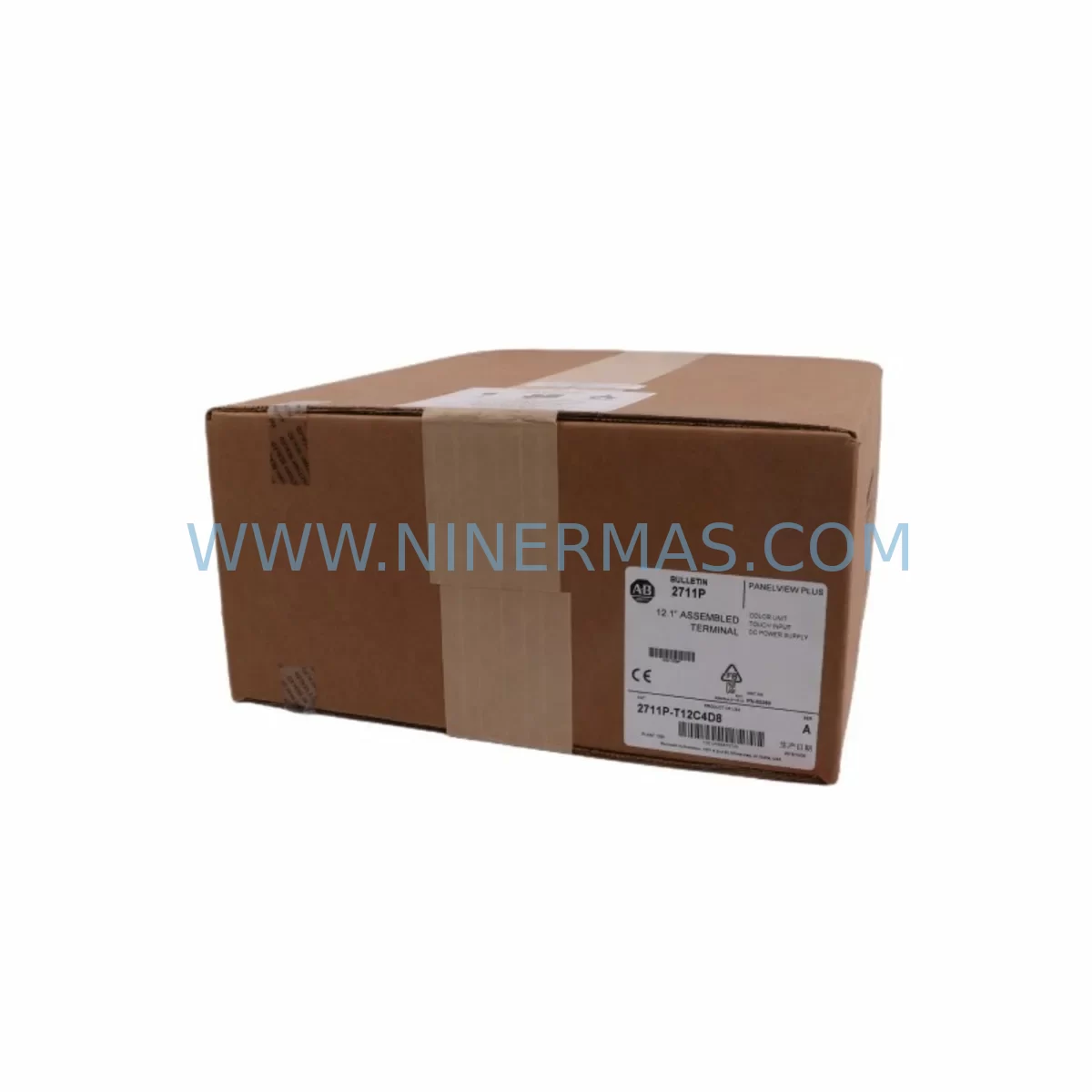
RFQ Ready
- SKU2711P-T12C4D8
- CategoryPLC & Industrial Automation Modules
- BrandAllen-Bradley
- SupportAvailability, lead time, condition, and shipping coordination
How Buyers Usually Use This Page
- Confirm the exact part number and platform family before sending the quote request.
- Use direct email when quantity, condition, and destination are already defined internally.
- Switch to the broader brand or category archive when you need alternates nearby.
Series Navigation
Move through the most common platform families behind this part.
Product RFQ
Send this part directly for quotation.
Include quantity, required condition, destination country, and target delivery timing. Current reference: NINERMAS 2711P-T12C4D8 Retrofit-Compatible HMI for Legacy Systems with SKU 2711P-T12C4D8.
NINERMAS 2711P-T12C4D8 Retrofit-Compatible HMI for Legacy Systems: Seamless Upgrade for Aging Automation Infrastructure
The Allen-Bradley 2711P-T12C4D8 is a 12-inch color touch-screen operator terminal from the PanelView Plus 1200 series, widely deployed across discrete manufacturing, process control, and utility automation environments. As Rockwell Automation has transitioned this model toward end-of-life status, plant engineers and maintenance teams are increasingly challenged to source reliable replacement units, validate compatibility with existing control architectures, and execute panel upgrades without disrupting production continuity. NINERMAS supplies the 2711P-T12C4D8 as a verified retrofit-compatible unit, fully tested prior to shipment, backed by a 12-month warranty, and supported by pre-sales technical consultation to ensure your migration proceeds on schedule and within budget.
Whether you are replacing a failed unit on an active production line, building a spare-parts inventory for aging PanelView Plus installations, or executing a planned control cabinet modernization, the 2711P-T12C4D8 represents a proven, cost-effective path to restoring and extending the operational life of your existing automation system without the disruption and expense of a full platform migration.
Upgrade Compatibility Table
| Parameter | 2711P-T12C4D8 Specification | Retrofit Consideration |
|---|---|---|
| Display Size | 12.1-inch TFT Color Touch Screen | Verify panel cutout dimensions match existing bezel opening (approx. 310 × 240 mm) |
| Power Supply | 24 VDC (18–32 VDC range) | Confirm existing 24 VDC rail capacity; check for shared loads with other devices such as 1769-PA2 or 1769-PB2 power supplies |
| Communication Ports | DH-485, RS-232, USB, Ethernet/IP | Validate existing network topology; if migrating from DH+ to Ethernet/IP, a 1761-NET-ENI or 1784-PKTX adapter may be required |
| Backplane / Rack Interface | Standalone (no backplane slot required) | No rack slot consumed; mounting is panel-mount only — confirm door depth and cable routing clearance |
| Application Compatibility | FactoryTalk View ME (Machine Edition) | Existing .MER application files are transferable; verify FactoryTalk View ME version compatibility (v5.x–v14.x) |
| HMI Screen Migration | Full graphic display support | Re-validate alarm tags, trend objects, and PLC tag bindings after transfer; test all navigation paths before go-live |
| Installation Space | Panel depth requirement approx. 95 mm | Measure available cabinet depth; account for connector and cable bend radius behind the unit |
| Commissioning Tool | FactoryTalk View Studio ME | Programming cable 2711P-CBL-EX04 or USB-A to USB-B cable required for application download |
| Warranty | 12-Month Warranty — covers hardware defects; includes pre-shipment functional test report | |
Retrofit Planning for Existing Automation Systems
A successful 2711P-T12C4D8 retrofit begins well before the unit arrives on site. The first step is a thorough audit of the existing control cabinet to document every component that interfaces with the HMI. In most legacy PanelView Plus installations, the terminal communicates with a MicroLogix 1100, MicroLogix 1400, or CompactLogix L-series controller via RS-232 or Ethernet/IP. If the existing controller is a MicroLogix 1000 or SLC 500 communicating over DH-485, the 2711P-T12C4D8 supports this protocol natively, which significantly simplifies the migration path and eliminates the need for protocol conversion hardware.
Power supply capacity is a critical checkpoint. The 2711P-T12C4D8 draws up to 30 W at full brightness. If the existing 24 VDC rail is shared with I/O modules such as 1769-IQ16 digital input modules, 1769-OB16 digital output modules, or analog modules like the 1769-IF4, the total current budget must be recalculated before installation. In many retrofit scenarios, adding a dedicated 24 VDC branch from a 1606-XLP power supply or equivalent resolves marginal power situations without requiring a full cabinet rewire.
Terminal block and wiring adaptation is another area that demands careful attention. The 2711P-T12C4D8 uses a standard 24 VDC two-wire power connection and a grounding lug. If the legacy unit used a different connector format, fabricating a short adapter harness using Phoenix Contact or Weidmuller terminal blocks is a common field solution that avoids modifying the existing cabinet wiring. Document all wire labels and terminal assignments before disconnecting the old unit.
For installations where the existing HMI communicated over a legacy DH+ network using a 1784-KTX or 1784-PKTX card, migrating to Ethernet/IP is strongly recommended as part of the retrofit. This typically involves adding a 1761-NET-ENI serial-to-Ethernet converter or upgrading the controller to a CompactLogix 5370 or ControlLogix L7x platform that natively supports Ethernet/IP. The 2711P-T12C4D8 Ethernet port supports 10/100 Mbps and is fully compatible with standard managed switches used in industrial Ethernet architectures.
If the retrofit scope includes I/O expansion — for example, adding additional 1769-IQ32 input modules or 1769-OW16 relay output modules to a CompactLogix system — these changes should be completed and tested in the controller program before the new HMI is commissioned. Tag database changes in the PLC will require corresponding updates in the FactoryTalk View ME application, and it is far more efficient to complete all PLC-side changes first, then perform a single HMI application update rather than iterating between the two.
Signal isolators such as the MTL5000 series or Phoenix Contact MACX series are frequently encountered in legacy installations where analog signals from field instruments were conditioned before reaching the I/O modules. These devices are typically unaffected by an HMI replacement, but their status indicators and alarm setpoints should be verified as part of the overall system checkout after the new terminal is installed.
Downtime Control During System Migration
Minimizing production downtime during an HMI replacement is achievable with disciplined pre-migration preparation. The most effective strategy is to complete all software work — application backup, tag verification, screen testing, and alarm configuration review — before the physical swap begins. Using FactoryTalk View Studio ME, create a full backup of the existing .MER application file and store it on at least two separate media (USB drive and network share). Verify the backup opens correctly and that all tag bindings resolve without errors in offline simulation mode.
On the day of the physical replacement, the sequence should be: power down the cabinet following your site’s lockout/tagout procedure, disconnect the old 2711P-T12C4D8 (or its predecessor unit), mount the new terminal, reconnect power and communications wiring, power up, download the application via USB or Ethernet, and perform a structured functional test covering all HMI screens, alarm acknowledgment, trend displays, and any recipe or parameter entry screens. A well-prepared team can complete this sequence in under two hours for a straightforward single-terminal replacement.
For installations where the HMI is the primary operator interface for a continuous process — such as a water treatment plant, compressor station, or chemical dosing system — consider scheduling the swap during a planned maintenance window and pre-staging the new unit with the application already loaded and verified. This reduces the on-site commissioning time to a physical swap and a brief functional check, keeping the process offline for the minimum possible duration.
If the existing controller program contains HMI-triggered outputs or interlocks — for example, a pushbutton on the HMI screen that directly controls a motor starter or valve — these logic paths must be verified as part of the post-installation test. Do not return the system to automatic operation until every HMI-to-PLC control path has been confirmed functional. Maintaining a written test checklist signed off by the commissioning engineer is both a best practice and a requirement under many site safety management systems.
Retrofit Support FAQ
Q: Is the NINERMAS 2711P-T12C4D8 a direct drop-in replacement for the original Allen-Bradley unit?
A: Yes. The unit is mechanically and electrically equivalent to the original 2711P-T12C4D8 specification. It uses the same panel cutout dimensions, 24 VDC power input, and communication port layout. Your existing FactoryTalk View ME application (.MER file) can be downloaded directly to the replacement unit without modification, provided the FactoryTalk View ME version is compatible. NINERMAS provides a pre-shipment functional test report confirming the unit powers on, displays correctly, and all communication ports are operational.
Q: What commissioning steps are required after installing the replacement unit?
A: After physical installation and power-up, download your .MER application file via USB or Ethernet using FactoryTalk View Studio ME. Verify that the terminal establishes communication with the controller (MicroLogix, CompactLogix, or ControlLogix as applicable), confirm all tag values are updating correctly on the HMI screens, test alarm generation and acknowledgment, and verify any recipe or data logging functions. For Ethernet/IP connections, confirm the IP address assignment matches your network configuration. Total commissioning time for a prepared team is typically 1–3 hours.
Q: Can NINERMAS supply related components needed for the retrofit, such as power supplies, communication adapters, or I/O modules?
A: Yes. NINERMAS maintains inventory of a broad range of Allen-Bradley and Rockwell Automation components commonly required in PanelView Plus retrofit projects, including CompactLogix controllers, 1769-series I/O modules, 1606-XLP power supplies, and communication adapters. Contact our technical sales team at sale@ninermas.com to discuss your complete bill of materials and receive a consolidated quotation.
Q: What does the 12-month warranty cover, and what is the process if a warranty claim is needed?
A: The 12-month warranty covers hardware defects in materials and workmanship from the date of shipment. It does not cover damage resulting from incorrect installation, overvoltage, or physical impact. In the event of a warranty claim, contact NINERMAS at sale@ninermas.com with your order number and a description of the fault. NINERMAS will arrange return shipping and either repair or replace the unit. Our standard warranty response time is 3–5 business days from receipt of the returned unit.
| Product Series | 2711 |
|---|---|
| Country of Origin | US |
Catalog Continuation
More Allen-Bradley modules in the catalog.
Use the brand lane to compare nearby part numbers, platform-adjacent modules, and other inquiry-ready listings before sending your final RFQ.


Catalog Continuation
Alternative parts within PLC & Industrial Automation Modules.
Stay inside the same system family when you need substitutes, adjacent modules, or a broader shortlist for procurement review.

SKU: ZINT-541 3AUA00000658960
ABB ZINT-541 3AUA00000658960 Retrofit-Compatible Inverter Power Module
SKU: DSQC633 3HAC022286-001
ABB DSQC633 3HAC022286-001 Service-Ready Spare Part
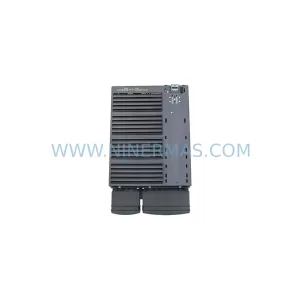
SKU: 6SL3224-0BE33-7UA0
Siemens 6SL3224-0BE33-7UA0 Service-Ready Spare Part
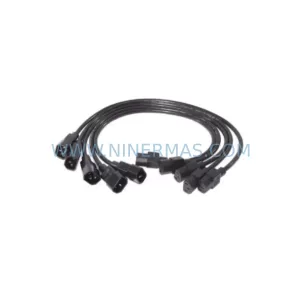
SKU: HENF331395R0001 P4LDA
ABB HENF331395R0001 Service-Ready Industrial Spare Part



