Original Industrial Spare Part
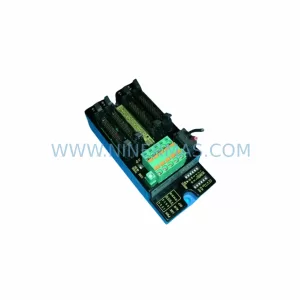
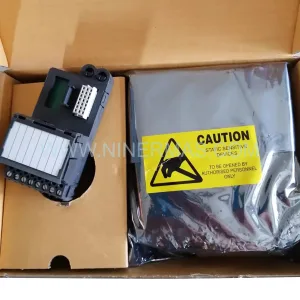
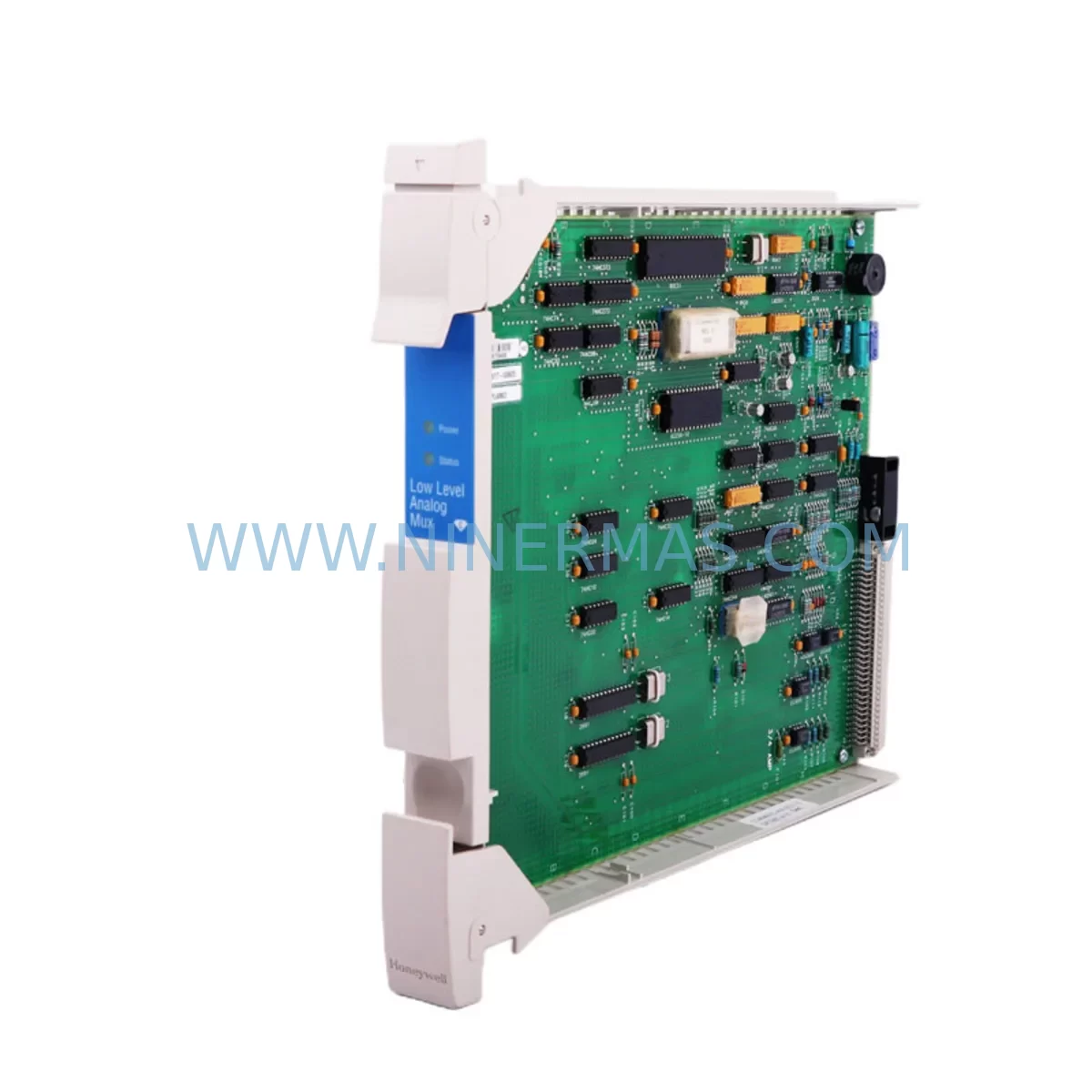
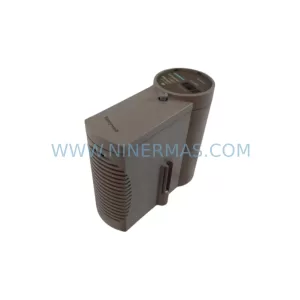
Honeywell MC-PLAM02 51304362-150 Analog MUX Retrofit Module
Verify the part, confirm the platform family, and move straight into quotation with the right commercial details.
RFQ Ready
- SKUMC-PLAM02 51304362-150
- CategoryDCS Distributed Control Systems
- BrandHoneywell
- SupportAvailability, lead time, condition, and shipping coordination
How Buyers Usually Use This Page
- Confirm the exact part number and platform family before sending the quote request.
- Use direct email when quantity, condition, and destination are already defined internally.
- Switch to the broader brand or category archive when you need alternates nearby.
Series Navigation
Move through the most common platform families behind this part.
Product RFQ
Send this part directly for quotation.
Include quantity, required condition, destination country, and target delivery timing. Current reference: Honeywell MC-PLAM02 51304362-150 Analog MUX Retrofit Module with SKU MC-PLAM02 51304362-150.
Honeywell MC-PLAM02 51304362-150 Analog MUX Retrofit Module
The Honeywell MC-PLAM02 (P/N 51304362-150) is an analog multiplexer module engineered for signal conditioning and multi-channel analog input management within Honeywell’s modular control architecture. As legacy Honeywell HC900 and Experion PKS installations age beyond their original design life, the MC-PLAM02 has become a critical retrofit component — enabling facilities to extend operational continuity without committing to full platform migration. For maintenance engineers managing aging distributed control systems, sourcing a verified, service-ready MC-PLAM02 is often the fastest path to restoring analog signal integrity and avoiding unplanned process shutdowns.
At NINERMAS, every MC-PLAM02 51304362-150 unit is sourced from authorized supply chains, subjected to pre-shipment functional testing, and backed by a 12-month warranty. Whether you are executing a planned annual turnaround, responding to an emergency analog channel failure, or building a retrofit-compatible spare inventory for a multi-year modernization program, this module ships ready for direct installation.
Upgrade Compatibility Table
| Parameter | Specification / Recommendation |
|---|---|
| Part Number | MC-PLAM02 / 51304362-150 |
| Module Function | Analog Multiplexer — multi-channel analog signal routing and conditioning |
| Compatible Platform | Honeywell HC900 Controller, Experion PKS (Process Knowledge System) |
| Replaces / Supersedes | Earlier MC-PLAM01 variants and equivalent analog mux modules in HC900 racks |
| Backplane Interface | HC900 modular rack backplane — direct slot insertion, no adapter required |
| Signal Type | Multi-channel analog input (voltage / current), configurable per channel |
| Installation Requirement | Confirm rack slot assignment, I/O address mapping, and controller firmware version before installation |
| Communication Compatibility | Compatible with HC900 controller communication bus; verify Experion PKS server tag mapping post-swap |
| Wiring Adaptation | Terminal block wiring compatible with standard HC900 field termination assemblies |
| Commissioning Note | Re-download I/O configuration from HC900 Designer or Experion Builder after module replacement |
| Pre-Shipment Test | Functional analog channel verification performed before dispatch |
| Warranty | 12 Months — covers manufacturing defects and functional failure under normal operating conditions |
Retrofit Planning for Existing Automation Systems
Replacing the MC-PLAM02 in an operating HC900 or Experion PKS environment requires a structured retrofit approach that goes well beyond swapping a single module. Maintenance and procurement engineers should treat this replacement as a system-level event, verifying the health and compatibility of all adjacent components before and after installation.
Begin with the HC900 Controller Module (such as the HC900-C30 or HC900-C70 CPU) — confirm that the controller firmware version supports the MC-PLAM02 51304362-150 revision. Outdated firmware can cause the controller to misidentify the module or fail to initialize analog channels correctly. Alongside the controller, inspect the HC900 Power Supply Module to ensure it can sustain the additional load of a freshly initialized analog mux module; power budget shortfalls are a common but overlooked cause of intermittent analog faults after module replacement.
Next, audit the HC900 Rack and Backplane Assembly. Backplane connector pins on aging racks can suffer from oxidation or mechanical wear, causing poor contact with the MC-PLAM02’s edge connector. A visual inspection and light cleaning of the backplane slot is recommended before inserting the replacement module. If the rack itself is approaching end-of-life, consider sourcing a spare HC900 rack chassis as part of the same procurement cycle.
On the field wiring side, verify that the Field Termination Assembly (FTA) connected to the MC-PLAM02 is undamaged and that all analog signal cables are correctly shielded and grounded. Analog multiplexer modules are particularly sensitive to ground loops and shield discontinuities — issues that may have contributed to the original module failure. If the FTA shows signs of corrosion or terminal wear, replace it concurrently with the MC-PLAM02 to avoid repeat failures.
For facilities running Experion PKS as the supervisory layer, the retrofit plan must include an HMI and server-side verification step. After the MC-PLAM02 is installed and the HC900 controller re-initialized, confirm that all analog tags associated with the replaced module are correctly resolved in the Experion Station display. Stale or unresolved tags can trigger false alarms or mask real process deviations. If the site uses Experion PKS Communication Modules (such as the MC-COMM series) for controller-to-server data exchange, verify that the communication link remains stable after the I/O configuration reload.
Where the retrofit scope extends to signal isolation — particularly in environments with high electrical noise, long cable runs, or mixed AC/DC field devices — consider installing or inspecting Signal Isolator Modules in the analog signal path. These components protect the MC-PLAM02 from transient overvoltage and ensure measurement accuracy across all multiplexed channels. Similarly, review the fuse and surge protection provisions on the analog input terminals; a blown fuse or failed surge arrester on a field circuit is often the root cause of apparent module failures.
Finally, if the retrofit is part of a broader migration from HC900 to a newer Honeywell platform — such as the Experion PKS Orion or a Safety Manager SC integration — document the MC-PLAM02’s I/O tag list and channel assignments before decommissioning. This data is essential for rebuilding the I/O map in the target platform and avoiding configuration errors during the cutover window.
Downtime Control During System Migration
Minimizing downtime during an MC-PLAM02 replacement requires preparation that begins well before the maintenance window opens. The following workflow is recommended for sites where the affected analog channels are connected to live process measurements:
Pre-Shutdown Preparation: Export the current HC900 controller configuration using HC900 Designer software. Capture a screenshot or export of all analog tag values associated with the MC-PLAM02 channels. Notify the Experion PKS operator station of the planned maintenance to suppress nuisance alarms during the swap. Confirm that the replacement MC-PLAM02 51304362-150 is on-site, unboxed, and visually inspected for shipping damage.
Module Removal: Place the HC900 controller in the appropriate maintenance mode to isolate the affected I/O rack without shutting down the entire control system, where the rack architecture permits. Remove the faulty MC-PLAM02 from its backplane slot. Inspect the slot connector and surrounding modules for signs of heat damage, moisture ingress, or contamination.
Module Installation and Re-initialization: Insert the replacement MC-PLAM02 into the correct rack slot. Power up the rack and allow the HC900 controller to auto-detect the new module. If auto-detection does not occur, perform a manual I/O configuration download from HC900 Designer. Verify that all analog channels report valid engineering-unit values within expected process ranges before releasing the system to operations.
Post-Replacement Verification: Confirm Experion PKS tag resolution for all affected analog points. Check the HC900 controller diagnostic log for any module initialization errors. Perform a 15–30 minute observation period to confirm signal stability across all multiplexed channels before closing the maintenance work order.
By following this structured approach, most MC-PLAM02 replacements can be completed within a 2–4 hour maintenance window, significantly reducing the production impact of an analog I/O failure in an HC900 or Experion PKS environment.
Retrofit Support FAQ
Q1: Is the MC-PLAM02 51304362-150 a direct drop-in replacement for earlier MC-PLAM01 variants?
In most HC900 rack configurations, the MC-PLAM02 is backward-compatible with slots previously occupied by MC-PLAM01 modules. However, you should verify the HC900 controller firmware version and I/O configuration file to confirm that the -150 revision is recognized. NINERMAS technical support can assist with compatibility verification before shipment.
Q2: How is the MC-PLAM02 tested before shipment?
Every unit undergoes functional analog channel verification prior to dispatch. Testing confirms that all multiplexed input channels respond correctly to reference signals within the module’s rated input range. A test report is available upon request. All units are covered by a 12-month warranty from the date of shipment.
Q3: Can NINERMAS supply the MC-PLAM02 for long-term retrofit programs requiring multiple units over 12–24 months?
Yes. NINERMAS maintains standing inventory of Honeywell HC900 and Experion PKS spare modules to support multi-year retrofit and maintenance programs. Blanket order arrangements and reserved stock agreements are available for procurement engineers managing large-scale legacy system modernization projects. Contact sale@ninermas.com to discuss supply planning.
Q4: What should I check if the MC-PLAM02 does not initialize correctly after installation?
First, confirm that the module is seated fully in the backplane slot and that the rack power supply is within specification. Next, check the HC900 controller firmware version for compatibility with the 51304362-150 revision. If the controller does not auto-detect the module, perform a manual I/O configuration download from HC900 Designer. If the issue persists, inspect the backplane connector for damage and contact NINERMAS for warranty support.
| Product Series | Experion PKS |
|---|---|
| Country of Origin | US |
Catalog Continuation
More Honeywell modules in the catalog.
Use the brand lane to compare nearby part numbers, platform-adjacent modules, and other inquiry-ready listings before sending your final RFQ.
Catalog Continuation
Alternative parts within DCS Distributed Control Systems.
Stay inside the same system family when you need substitutes, adjacent modules, or a broader shortlist for procurement review.