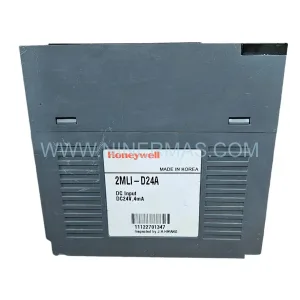
Original Industrial Spare Part
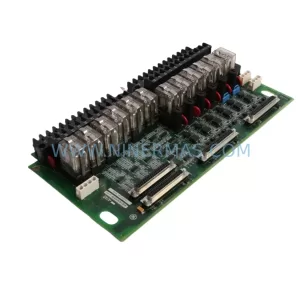
Honeywell FS-SCSBP212 Retrofit-Compatible Backplane Module
Verify the part, confirm the platform family, and move straight into quotation with the right commercial details.
RFQ Ready
- SKUFS-SCSBP212
- CategorySIS Safety & Redundancy Systems
- BrandHoneywell
- SupportAvailability, lead time, condition, and shipping coordination
How Buyers Usually Use This Page
- Confirm the exact part number and platform family before sending the quote request.
- Use direct email when quantity, condition, and destination are already defined internally.
- Switch to the broader brand or category archive when you need alternates nearby.
Series Navigation
Move through the most common platform families behind this part.
Product RFQ
Send this part directly for quotation.
Include quantity, required condition, destination country, and target delivery timing. Current reference: Honeywell FS-SCSBP212 Retrofit-Compatible Backplane Module with SKU FS-SCSBP212.
Honeywell FS-SCSBP212 Retrofit-Compatible Backplane Module: Legacy System Compatibility & Smooth Upgrade Path
The Honeywell FS-SCSBP212 is a ruggedized communication backplane module designed for use within the Honeywell Safety Manager (SM) platform — a widely deployed safety instrumented system (SIS) found across oil & gas, petrochemical, power generation, and continuous process industries. As aging Safety Manager installations approach end-of-life hardware cycles, the FS-SCSBP212 serves as a critical retrofit-compatible replacement for facilities seeking to extend system lifespan without committing to a full DCS or SIS migration.
NINERMAS maintains verified in-stock inventory of the FS-SCSBP212, supported by a 12-month warranty and pre-shipment functional testing. Each unit is inspected against Honeywell’s original hardware specifications to confirm backplane slot integrity, communication bus continuity, and connector pin alignment before dispatch.
Upgrade Compatibility Table
| Parameter | FS-SCSBP212 Specification | Retrofit / Replacement Notes |
|---|---|---|
| Platform | Honeywell Safety Manager (SM) | Compatible with SM SC and SM SX chassis generations |
| Backplane Slots | 12-slot communication backplane | Verify slot count matches existing chassis before installation |
| Communication Bus | Internal SM safety bus (proprietary) | No protocol conversion required; direct drop-in replacement |
| Power Input | Supplied via chassis power rail | Confirm FS-PSU-0512 or equivalent PSU output capacity before swap |
| Module Addressing | Auto-addressed via backplane slot position | No DIP switch or manual address configuration required |
| I/O Module Compatibility | Supports FS-SDO-0824, FS-SDI-0824, FS-SAI-0800 series | Confirm I/O module firmware revision compatibility |
| Controller Interface | Interfaces with FS-SCM-0512 Safety Controller Module | Verify SCM firmware version supports BP212 hardware revision |
| Installation Space | Standard SM chassis form factor | No panel modification required for like-for-like replacement |
| Commissioning | Requires SM Engineering Station (SMES) for validation | Hardware replacement does not require full logic re-download in most cases |
| Warranty | 12-Month Warranty — All units pre-tested before shipment by NINERMAS | |
Retrofit Planning for Existing Automation Systems
When planning a backplane replacement within an active Safety Manager installation, the scope extends well beyond the FS-SCSBP212 itself. A successful retrofit requires a structured review of every hardware layer that interfaces with the backplane — from the chassis power supply to the field I/O termination assemblies.
Begin with a power budget audit. The FS-PSU-0512 power supply module must be confirmed capable of sustaining full chassis load after the backplane swap, particularly if additional I/O modules such as the FS-SDI-0824 digital input module or FS-SDO-0824 digital output module are being added or reconfigured in the same maintenance window. Undersized power supply capacity is one of the most common causes of post-retrofit instability in Safety Manager systems.
Next, review the controller module. The FS-SCM-0512 Safety Controller Module communicates directly with the backplane and must be running a firmware version that recognizes the FS-SCSBP212 hardware revision. If the existing SCM is running legacy firmware, a firmware update via the SM Engineering Station may be required before the new backplane is brought online. In redundant controller configurations, both the primary and secondary SCM units must be validated.
For analog signal chains, the FS-SAI-0800 analog input module termination wiring should be documented and photographed before any chassis work begins. Backplane replacement does not alter field wiring, but terminal block seating and cable strain relief should be inspected during the maintenance window. Where field termination assemblies (FTAs) are used — such as the FS-FTA-0800 series — confirm that the FTA-to-module cable harnesses are undamaged and correctly re-seated after the backplane is installed.
Communication link integrity is another critical checkpoint. Safety Manager systems in larger installations often communicate upstream to a Honeywell Experion PKS DCS via the FS-SCNI-0101 network interface module. After the backplane replacement, the network interface module should be power-cycled and its link status confirmed from the Experion Station before the system is returned to operational mode. Any HART pass-through configurations active on the analog I/O modules should also be re-verified.
For facilities running hybrid architectures — where the Safety Manager coexists with legacy Honeywell TDC 3000 or Plantscape control systems — the backplane replacement window is also an appropriate time to audit the FS-SCNI-0101 gateway configuration and confirm that safety function data is correctly mapped to the supervisory control layer. Mismatched data tags between the SIS and DCS layers are a known source of nuisance alarms following hardware maintenance.
Finally, if the installation includes a Honeywell SM Engineering Station (SMES) connected via USB or Ethernet programming cable, confirm that the SMES software version is compatible with the replacement backplane’s hardware revision code. NINERMAS can provide hardware revision documentation for each FS-SCSBP212 unit upon request.
Downtime Control During System Migration
Minimizing process downtime during a Safety Manager backplane replacement requires careful pre-planning and a disciplined execution sequence. The following approach is recommended for facilities where continuous production cannot be interrupted for extended periods.
Pre-Shutdown Preparation: Before the maintenance window opens, export a full hardware configuration backup from the SM Engineering Station. This backup captures the current I/O module assignments, safety function logic, and network configuration. Store the backup on an isolated engineering workstation — not on the SMES connected to the live system — to protect against accidental overwrite.
Controlled Shutdown Sequence: Place the Safety Manager in bypass mode according to the site’s Management of Change (MOC) procedure. Document the bypass status for each safety function before proceeding. Remove I/O modules from the chassis in reverse slot order, labeling each module with its slot number and function tag. This labeling step is critical — incorrect module re-insertion after backplane replacement is a leading cause of post-maintenance faults.
Backplane Swap: Remove the failed or end-of-life FS-SCSBP212 backplane from the chassis. Inspect the chassis card guides and connector rails for mechanical damage before installing the replacement unit. Seat the new backplane firmly and confirm that all chassis retention screws are torqued to specification.
Module Re-installation and Validation: Re-insert I/O modules in their original slot positions. Power up the chassis and allow the FS-SCM-0512 controller to complete its self-test sequence. Connect the SM Engineering Station and perform a hardware comparison to confirm that the new backplane is recognized and all module slots are reporting correctly. Do not release the system from bypass until all I/O modules have passed their online diagnostics.
Return to Service: Release safety functions from bypass in the sequence defined by the site’s MOC procedure. Confirm field device status at the HMI — typically a Honeywell Experion Station or a dedicated Safety Manager HMI display — before closing the maintenance record. Total downtime for a like-for-like FS-SCSBP212 replacement in a well-prepared installation is typically 2–4 hours.
Retrofit Support FAQ
Q1: Is the FS-SCSBP212 a direct drop-in replacement for all Safety Manager chassis variants?
The FS-SCSBP212 is designed for the 12-slot Safety Manager chassis configuration. It is not interchangeable with 6-slot or 8-slot backplane variants. Confirm your chassis slot count from the existing hardware label or the SM Engineering Station hardware inventory report before ordering. NINERMAS can assist with chassis variant identification if the original documentation is unavailable.
Q2: Will I need to re-download the safety logic after replacing the backplane?
In most cases, a like-for-like backplane replacement does not require a full logic re-download. The safety application resides in the FS-SCM-0512 controller module, not the backplane. However, if the replacement backplane has a different hardware revision than the original, the SM Engineering Station may prompt a hardware configuration update. Always perform a hardware comparison in SMES after installation to confirm compatibility before returning the system to service.
Q3: What pre-shipment testing does NINERMAS perform on the FS-SCSBP212?
Each FS-SCSBP212 unit supplied by NINERMAS undergoes functional bench testing prior to shipment. Testing covers backplane bus continuity, connector pin integrity, and slot-to-slot communication verification. A test report is available upon request. All units are covered by a 12-month warranty from the date of shipment.
Q4: What is the typical lead time and stock availability for the FS-SCSBP212?
NINERMAS maintains ready stock of the FS-SCSBP212 to support urgent maintenance and planned retrofit projects. Standard lead time for in-stock units is 3–7 business days for international shipments, depending on destination and customs clearance. For time-critical shutdowns, expedited dispatch options are available. Contact our team at sale@ninermas.com or +0086 187 5021 5667 to confirm current stock levels and shipping timelines.
| Product Series | Safety Manager |
|---|---|
| Country of Origin | US |
Catalog Continuation
More Honeywell modules in the catalog.
Use the brand lane to compare nearby part numbers, platform-adjacent modules, and other inquiry-ready listings before sending your final RFQ.
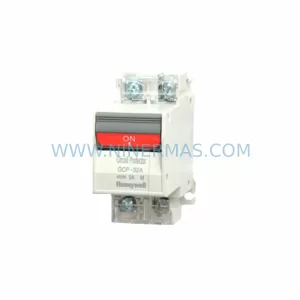
SKU: GCP-32AN 1A 2A 3A 4A 5A 7A 10A 15A 20A 25A 30A
Honeywell GCP-32AN Safety-Reliable Power Supply for Critical Sites
Catalog Continuation
Alternative parts within SIS Safety & Redundancy Systems.
Stay inside the same system family when you need substitutes, adjacent modules, or a broader shortlist for procurement review.