Original Industrial Spare Part
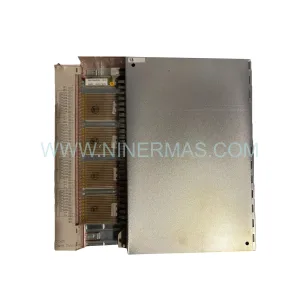
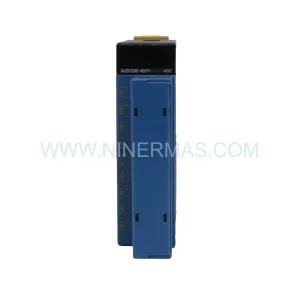
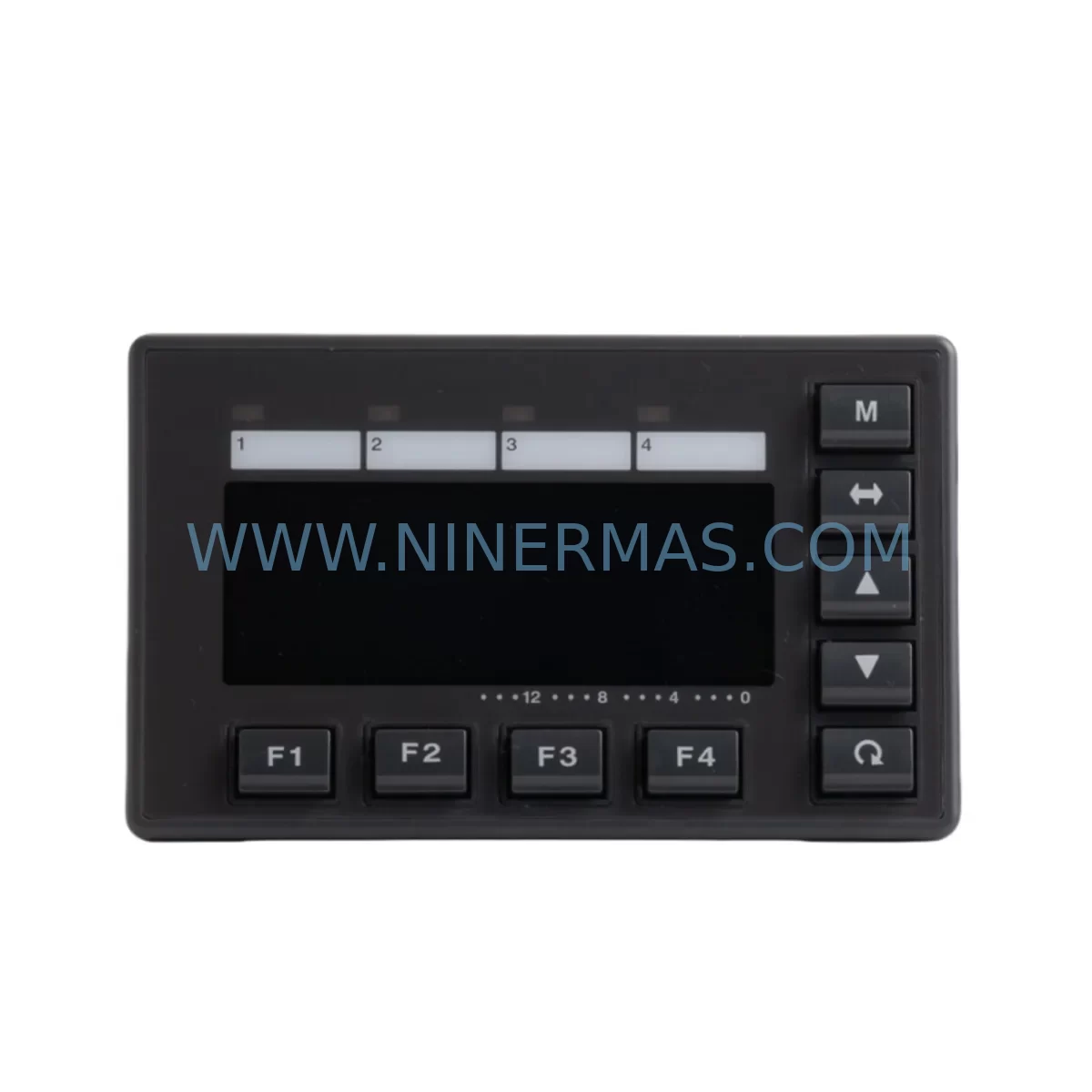
KEYENCE KV-D30 Retrofit-Compatible Display for Legacy Systems
Verify the part, confirm the platform family, and move straight into quotation with the right commercial details.
RFQ Ready
- SKUKV-D30
- CategoryPLC & Industrial Automation Modules
- BrandKEYENCE
- SupportAvailability, lead time, condition, and shipping coordination
How Buyers Usually Use This Page
- Confirm the exact part number and platform family before sending the quote request.
- Use direct email when quantity, condition, and destination are already defined internally.
- Switch to the broader brand or category archive when you need alternates nearby.
Series Navigation
Move through the most common platform families behind this part.
Product RFQ
Send this part directly for quotation.
Include quantity, required condition, destination country, and target delivery timing. Current reference: KEYENCE KV-D30 Retrofit-Compatible Display for Legacy Systems with SKU KV-D30.
KEYENCE KV-D30 Retrofit-Compatible Display for Legacy Systems
The KEYENCE KV-D30 is a programmable display unit designed for seamless integration into existing KV Series control architectures. As industrial facilities face the challenge of maintaining aging automation infrastructure, the KV-D30 provides a reliable, drop-in compatible solution for operators seeking to extend the operational life of legacy control panels without undertaking full system overhauls. Whether you are replacing a failed display unit on a continuous production line or modernizing a control cabinet in a phased upgrade program, the KV-D30 delivers the interface compatibility, communication reliability, and installation simplicity that maintenance and procurement engineers demand.
Sourced directly from authorized supply channels and fully tested prior to shipment, every KV-D30 unit supplied by NINERMAS undergoes pre-delivery inspection to confirm display function, communication link integrity, and terminal condition. With a 12-month warranty and confirmed inventory availability, the KV-D30 represents a low-risk, high-confidence procurement decision for facilities managing legacy KEYENCE KV Series systems.
Upgrade Compatibility Table
| Parameter | Specification / Details |
|---|---|
| Brand | KEYENCE |
| Model / SKU | KV-D30 |
| Series | KV Series |
| Product Type | Programmable Display Unit (HMI) |
| Compatible PLC Platform | KEYENCE KV Series (KV-700, KV-1000, KV-3000, KV-5000, KV-5500) |
| Communication Interface | RS-232C / RS-422 (KV Link protocol) |
| Display Type | Monochrome LCD with backlight |
| Installation Format | Panel-mount, front-face installation |
| Power Supply | 24V DC |
| Operating Temperature | 0°C to +50°C |
| Storage Temperature | -20°C to +60°C |
| Protection Rating | IP65 (front panel) |
| Origin | Japan |
| Retrofit Compatibility | Direct replacement for legacy KV-D30 installations; compatible with existing panel cutouts and wiring harnesses |
| Warranty | 12 Months from date of shipment |
Retrofit Planning for Existing Automation Systems
Replacing a KV-D30 in an operational control cabinet requires more than simply swapping the display unit. A thorough retrofit assessment ensures that the replacement integrates cleanly with the surrounding system architecture and that no secondary failures are introduced during the changeover. Maintenance engineers should begin by verifying the 24V DC power supply rail feeding the display — units such as the KEYENCE KV-U3 power supply module or equivalent DIN-rail mounted industrial power supplies should be inspected for output stability and ripple before the new display is energized.
The communication link between the KV-D30 and the host PLC — typically a KEYENCE KV-700, KV-1000, or KV-3000 CPU module — must be confirmed prior to commissioning. RS-232C or RS-422 cables connecting the display to the CPU unit should be tested for continuity and shielding integrity, as degraded communication cables are a common cause of display initialization failures in legacy systems. If the existing cable harness shows signs of insulation wear or connector corrosion, replacement with a new shielded communication cable is strongly recommended before the KV-D30 is brought online.
I/O modules within the same control cabinet — including KEYENCE KV-B16XC input modules and KV-B16YC output modules — should be inspected for terminal tightness and contact condition as part of the same maintenance window. Loose terminal connections on I/O modules are a frequent source of intermittent faults that can be misattributed to display communication errors. Similarly, relay output modules such as the KV-B8RC should have their relay contacts checked for wear, particularly in applications involving frequent switching cycles.
For systems where the KV-D30 is connected to a KEYENCE KV-5000 or KV-5500 high-performance CPU, engineers should confirm that the display firmware version is compatible with the CPU’s communication protocol revision. In some legacy installations, a firmware update to the CPU or a configuration adjustment in the KV STUDIO programming software may be required to restore full display functionality after a unit replacement. Backup the existing PLC program and HMI screen data before beginning any hardware swap to protect against data loss during the retrofit process.
Terminal blocks and DIN-rail mounted signal isolators within the control cabinet should also be reviewed during the retrofit window. Signal isolators — particularly those handling analog input signals from field transmitters — can develop drift over time and may produce erroneous readings that appear as display or communication faults. Replacing aged signal isolators alongside the KV-D30 reduces the risk of repeat service calls and improves overall panel reliability.
Where the control cabinet includes a KEYENCE KV-EP21V Ethernet communication module or similar network interface card, engineers should verify that the network configuration parameters stored in the CPU are preserved during the display replacement procedure. Network-connected systems may require re-establishment of the communication link between the display and the Ethernet module after the new KV-D30 is installed and powered.
Downtime Control During System Migration
Minimizing production downtime during a KV-D30 replacement requires careful pre-planning and a structured changeover procedure. The most effective approach is to prepare the replacement unit in advance — confirming its physical dimensions match the existing panel cutout, verifying that the communication cable pinout is correct, and pre-loading any required screen data using KEYENCE’s KV STUDIO software before the maintenance window begins.
During the physical swap, the control system should be placed in a safe, known state before the display is disconnected. For systems with active process control loops, operators should confirm that the PLC program will maintain safe output states during the period when the display is offline. In most KV Series installations, the CPU continues to execute the ladder program independently of the display unit, meaning that process control is maintained even when the HMI is temporarily disconnected — however, operators lose visibility into system status during this period and should ensure that field-level indicators and safety interlocks remain functional throughout the changeover.
After the new KV-D30 is installed and communication is re-established, a systematic functional check should be performed: verify that all screen pages display correctly, that real-time data values from the PLC are updating as expected, and that operator input functions — including setpoint adjustments and alarm acknowledgment — respond correctly. Document the completed replacement in the facility’s maintenance management system and update the spare parts inventory to reflect the consumed unit.
NINERMAS maintains confirmed stock of the KV-D30 and related KV Series components, enabling rapid procurement for both planned maintenance and emergency replacement scenarios. All units are shipped with pre-delivery test documentation and are covered by a 12-month warranty from the date of shipment, providing procurement engineers with the supply chain confidence needed to manage legacy system maintenance programs effectively.
Retrofit Support FAQ
Q1: Is the KV-D30 a direct drop-in replacement for the original unit in my KV Series control panel?
A: Yes. The KV-D30 is designed to fit existing panel cutouts and connect to the same communication and power terminals as the original unit. In most installations, no mechanical modification or wiring change is required. Engineers should confirm the panel cutout dimensions and communication cable pinout before installation to ensure a clean fit.
Q2: How is the KV-D30 tested before shipment?
A: Every KV-D30 unit supplied by NINERMAS undergoes pre-delivery functional inspection covering display operation, backlight condition, communication port integrity, and terminal condition. A test report is available upon request. Units are packaged in anti-static protective packaging to prevent transit damage.
Q3: What warranty coverage is provided, and what does it include?
A: NINERMAS provides a 12-month warranty from the date of shipment. The warranty covers manufacturing defects and functional failures under normal operating conditions. Units that fail within the warranty period will be replaced or repaired at no additional cost. The warranty does not cover damage resulting from incorrect installation, overvoltage, or physical impact.
Q4: Can NINERMAS support long-term supply of KV-D30 units for ongoing maintenance programs?
A: Yes. NINERMAS maintains inventory of KV-D30 units and related KV Series components to support both single-unit emergency replacements and bulk procurement for planned maintenance programs. Customers managing multiple KV Series installations are encouraged to contact our team to discuss framework supply agreements and priority stock allocation.
| Product Series | Legacy |
|---|---|
| Country of Origin | JP |
Catalog Continuation
More KEYENCE modules in the catalog.
Use the brand lane to compare nearby part numbers, platform-adjacent modules, and other inquiry-ready listings before sending your final RFQ.
SKU: KV-N3AM ,KV-N8EXT I/O UNIT KV-N24DT RFG 1250 2305125-A 7.04435E+17
Keyence KV-N3AM/N8EXT/N24DT Safety-Reliable PLC Control Module
Catalog Continuation
Alternative parts within PLC & Industrial Automation Modules.
Stay inside the same system family when you need substitutes, adjacent modules, or a broader shortlist for procurement review.

SKU: ZINT-541 3AUA00000658960
ABB ZINT-541 3AUA00000658960 Retrofit-Compatible Inverter Power Module
SKU: DSQC633 3HAC022286-001
ABB DSQC633 3HAC022286-001 Service-Ready Spare Part

SKU: 6SL3224-0BE33-7UA0
Siemens 6SL3224-0BE33-7UA0 Service-Ready Spare Part