Original Industrial Spare Part
Woodward 8440-2051 Retrofit-Compatible Governor for Legacy Systems
Verify the part, confirm the platform family, and move straight into quotation with the right commercial details.
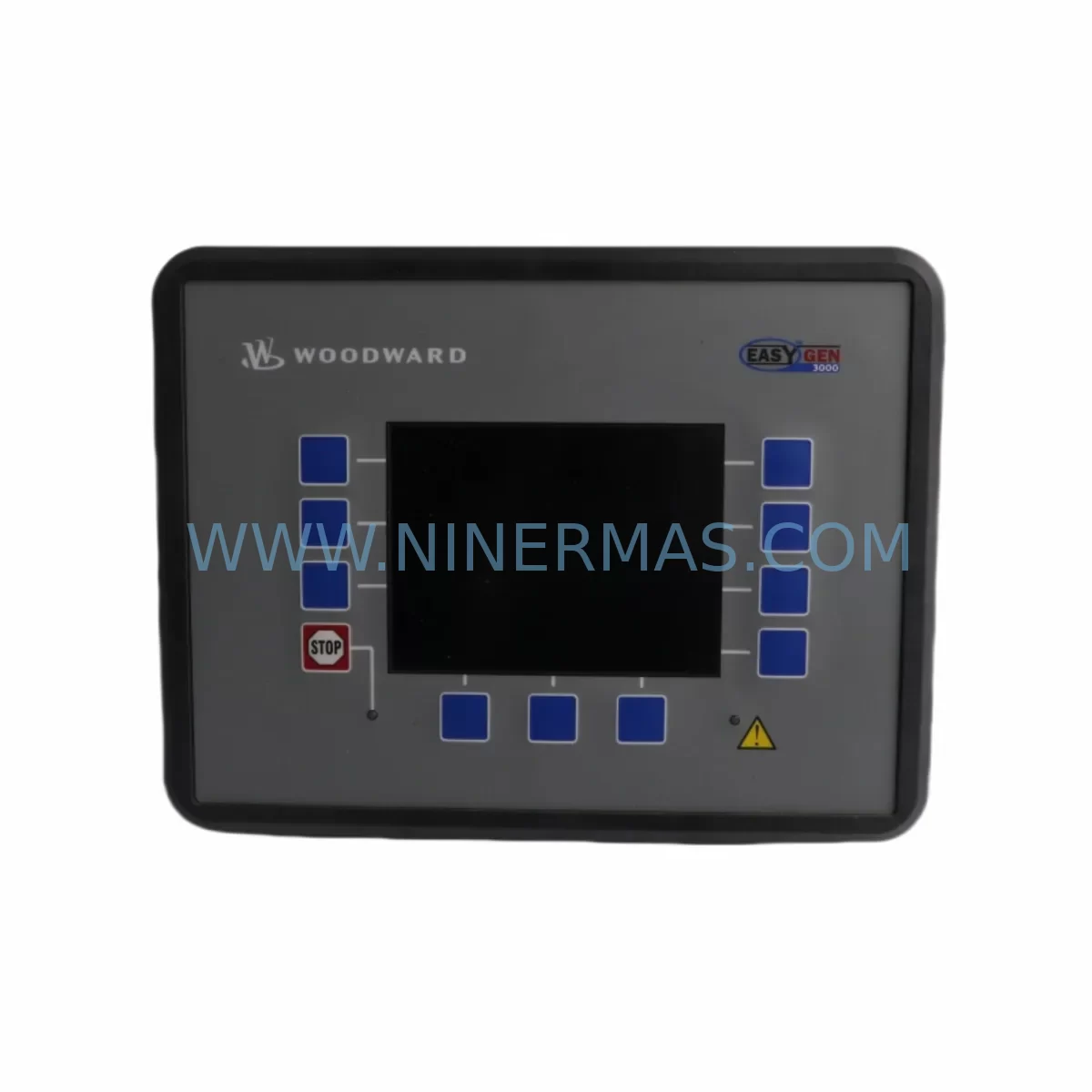
RFQ Ready
- SKU8440-2051
- CategoryPLC & Industrial Automation Modules
- BrandWoodward
- SupportAvailability, lead time, condition, and shipping coordination
How Buyers Usually Use This Page
- Confirm the exact part number and platform family before sending the quote request.
- Use direct email when quantity, condition, and destination are already defined internally.
- Switch to the broader brand or category archive when you need alternates nearby.
Series Navigation
Move through the most common platform families behind this part.
Product RFQ
Send this part directly for quotation.
Include quantity, required condition, destination country, and target delivery timing. Current reference: Woodward 8440-2051 Retrofit-Compatible Governor for Legacy Systems with SKU 8440-2051.
Woodward 8440-2051 Retrofit-Compatible Governor for Legacy Systems
The Woodward 8440-2051 is a precision governor control module engineered for the easYgen-3200 series genset management platform. As power generation facilities face increasing pressure to extend the operational life of aging control infrastructure, the 8440-2051 has become a critical component in retrofit projects targeting legacy paralleling switchgear, obsolete generator control panels, and end-of-life automation cabinets. Whether you are replacing a failed unit on an emergency basis or executing a planned upgrade of an entire generator room, this module delivers the compatibility, reliability, and field-proven performance that industrial maintenance teams depend on.
The easYgen-3200 series was widely deployed across utility substations, data center backup systems, marine auxiliary power units, and industrial co-generation plants throughout the 2000s and 2010s. Many of these installations are now operating beyond their original design lifecycle, and sourcing original replacement parts has become increasingly difficult. The 8440-2051 addresses this challenge directly by providing a verified drop-in replacement that preserves existing wiring harnesses, terminal block assignments, and communication configurations without requiring a full platform migration.
Upgrade Compatibility Table
| Parameter | Details |
|---|---|
| Compatible Platform | Woodward easYgen-3200 Series |
| Module SKU | 8440-2051 |
| Mounting Interface | DIN rail / panel-mount compatible with original easYgen-3200 enclosure |
| Communication Protocol | CANopen, Modbus RTU (RS-485), optional J1939 |
| Power Supply Input | 8–32 VDC (verify existing PSU capacity before installation) |
| I/O Compatibility | Compatible with existing discrete and analog I/O wiring |
| Replacement Recommendation | Direct replacement for failed or end-of-life 8440-2051 units |
| Commissioning Requirement | Parameter upload from backup file or re-entry via ToolKit-GC software |
| Warranty | 12 Months from date of shipment |
| Availability | In stock — ready to ship |
Retrofit Planning for Existing Automation Systems
A successful 8440-2051 retrofit begins well before the module arrives on site. Maintenance engineers should start by auditing the existing control cabinet to confirm available backplane slots, verify that the existing 24 VDC or 12 VDC power supply module can sustain the additional load of the replacement governor, and document all terminal block wiring assignments against the original easYgen-3200 wiring diagram. In many aging installations, terminal labels have faded or been relabeled during previous modifications, making a point-to-point continuity check essential before powering down the system.
The communication architecture of the easYgen-3200 platform typically involves a CANopen backbone connecting the governor module to the paralleling logic controller, the AVR interface, and the HMI display panel. Before removing the existing 8440-2051, engineers should export the full parameter set using Woodward’s ToolKit-GC configuration software and save the backup file to a secure location. This parameter file will be required to restore speed droop settings, load sharing ratios, frequency setpoints, and protection relay thresholds on the replacement module. Failure to back up this data can result in extended commissioning time and potential instability during initial load pickup.
In installations where the easYgen-3200 communicates with a SCADA system or plant DCS via Modbus RTU over RS-485, engineers must verify that the replacement module’s Modbus node address, baud rate, and register map match the polling configuration of the upstream controller. In some older plants, the Modbus register assignments were customized during the original commissioning and may not match the factory default register map. A register-by-register comparison between the backup parameter file and the SCADA tag database is strongly recommended before bringing the replacement module online.
For facilities that also operate Woodward easYgen-3100 or easYgen-3500 units in adjacent generator sets, the 8440-2051 retrofit provides an opportunity to standardize the control platform across the entire generator room, simplifying spare parts inventory and reducing the training burden on operations staff. Similarly, sites running Woodward 8440-1950 or 8440-2050 modules in older paralleling panels should evaluate whether a coordinated upgrade to the 8440-2051 standard is more cost-effective than maintaining multiple legacy module variants. The 8440-2051 is also commonly paired with Woodward 9907-838 magnetic pickup sensors, 8272-839 load sharing modules, and 5464-835 digital output relay boards, all of which should be inspected for wear during the retrofit window. Where the existing HMI panel is a Woodward easYgen-1600 or a third-party operator interface connected via CANopen, screen mapping and alarm text assignments may need to be reviewed to ensure that the new module’s fault codes are correctly displayed. Programming cable 1249-1026 is recommended for direct USB-to-CAN connection during on-site parameter upload and verification.
Downtime Control During System Migration
Minimizing generator downtime during a governor module replacement requires a structured pre-outage preparation process. Before scheduling the maintenance window, the engineering team should prepare a complete replacement kit that includes the 8440-2051 module, all required terminal ferrules and cable ties, a printed copy of the terminal wiring diagram, a laptop loaded with ToolKit-GC software and the parameter backup file, and a calibrated multimeter for post-installation verification. Having all materials staged in advance eliminates the most common cause of extended outages: waiting for tools or documentation during the replacement procedure.
The physical swap of the 8440-2051 module typically takes between 30 and 90 minutes depending on cabinet accessibility and the condition of the existing wiring. The majority of commissioning time is spent on parameter upload, setpoint verification, and functional testing of the speed governing loop under no-load and loaded conditions. To protect the original program logic, engineers should never overwrite the parameter backup file until the replacement module has been confirmed stable under full load for a minimum of 30 minutes. If the generator set is part of a paralleling system, the replacement unit should be tested in island mode before being synchronized to the bus to avoid introducing instability into the parallel network. Throughout the migration, maintaining clear communication between the control room operator and the field technician is essential to ensure that manual override procedures are ready in case the replacement module requires additional tuning before accepting automatic control.
Retrofit Support FAQ
Q: Is the 8440-2051 a direct drop-in replacement for the original easYgen-3200 governor module?
A: Yes. The 8440-2051 is designed as a direct replacement for the original easYgen-3200 governor module. It uses the same mounting footprint, connector pinout, and communication interface. A parameter backup from the original module must be uploaded to the replacement unit during commissioning to restore all site-specific settings.
Q: What commissioning steps are required after installing the replacement module?
A: After physical installation, connect a laptop running ToolKit-GC software via the 1249-1026 programming cable, upload the saved parameter file, verify all speed, droop, and protection setpoints, and perform a no-load governor response test before returning the generator to service. Full load testing and parallel synchronization checks should follow.
Q: How do I verify wiring compatibility before removing the old module?
A: Cross-reference the existing terminal block wiring against the easYgen-3200 wiring diagram. Perform a continuity check on all signal, power, and communication cables. Confirm that the RS-485 Modbus termination resistor is correctly positioned and that the CANopen bus termination matches the network topology before powering up the replacement module.
Q: What warranty and stock availability does NINERMAS offer for the 8440-2051?
A: All 8440-2051 units supplied by NINERMAS carry a 12-month warranty from the date of shipment. Each unit undergoes pre-shipment functional testing before dispatch. Stock is maintained for immediate delivery. Contact our team for lead time confirmation and volume pricing.
| Product Series | Legacy |
|---|---|
| Country of Origin | US |
Catalog Continuation
More Woodward modules in the catalog.
Use the brand lane to compare nearby part numbers, platform-adjacent modules, and other inquiry-ready listings before sending your final RFQ.

Catalog Continuation
Alternative parts within PLC & Industrial Automation Modules.
Stay inside the same system family when you need substitutes, adjacent modules, or a broader shortlist for procurement review.